Flowchart
Which beta testing tools do you need?
Start with distribution, then add only what your beta is missing
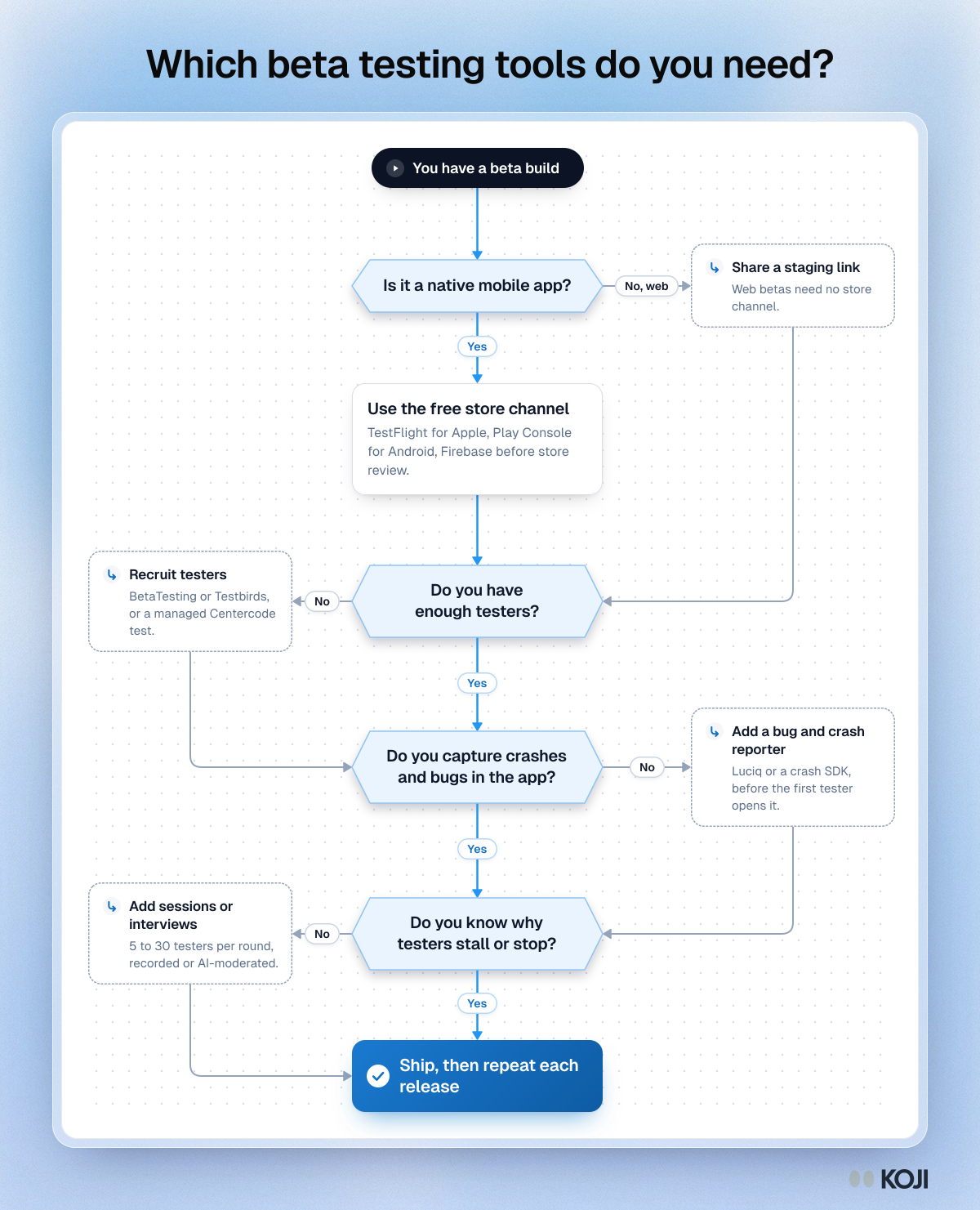
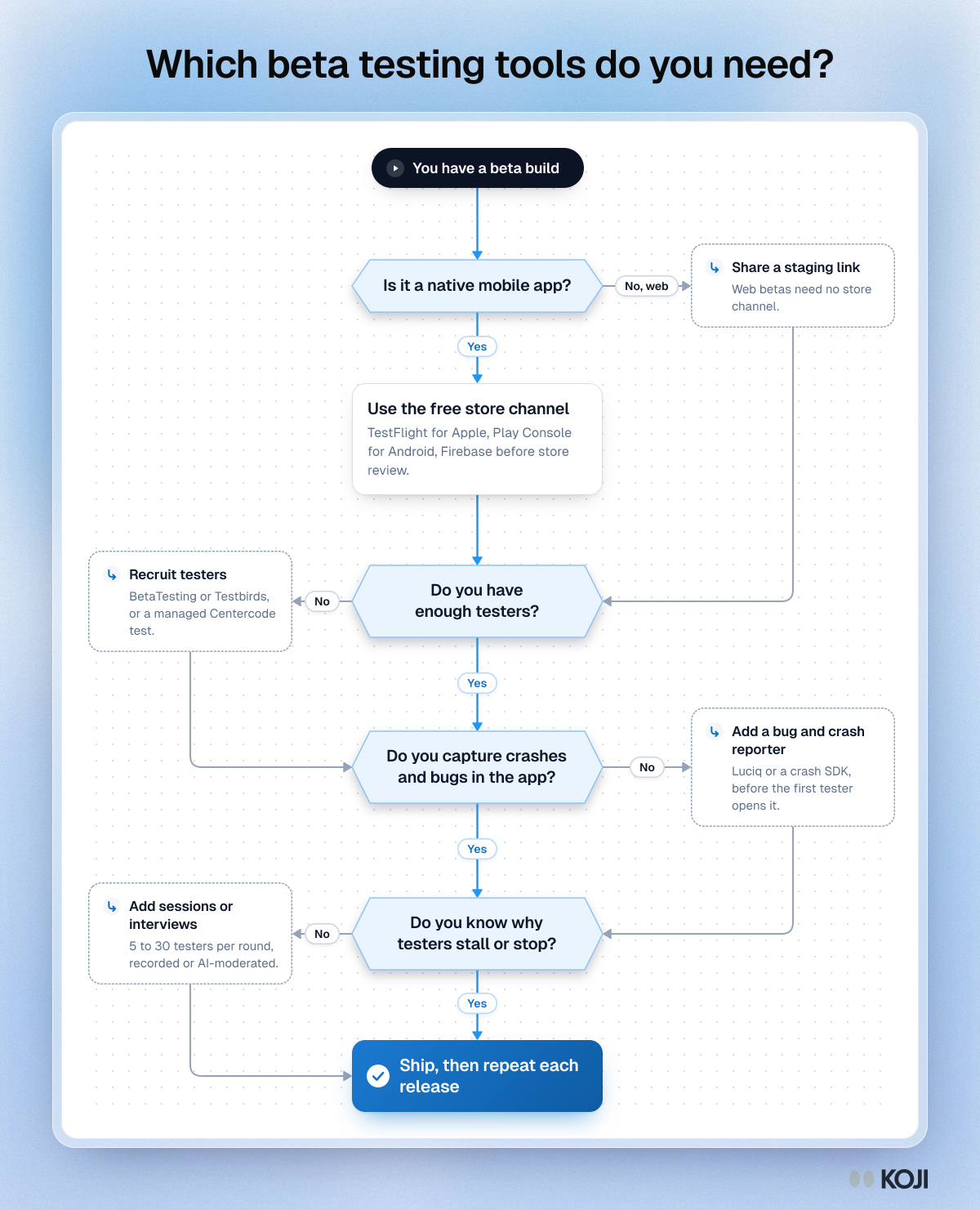
A decision flowchart for product teams putting together a beta testing stack. It walks through four questions in order: how the build reaches testers, whether you have enough testers, whether crashes and bugs are captured, and whether you know why testers stall. Each no answer points to the kind of tool that fills the gap. Koji fits the last step, with AI-moderated interviews of beta testers.
Where this appears
What's in this flowchart
Start: You have a beta build
- Is it a native mobile app?
- Yes: go to 2.
- No, web: Share a staging link. Web betas need no store channel. Then go to 3.
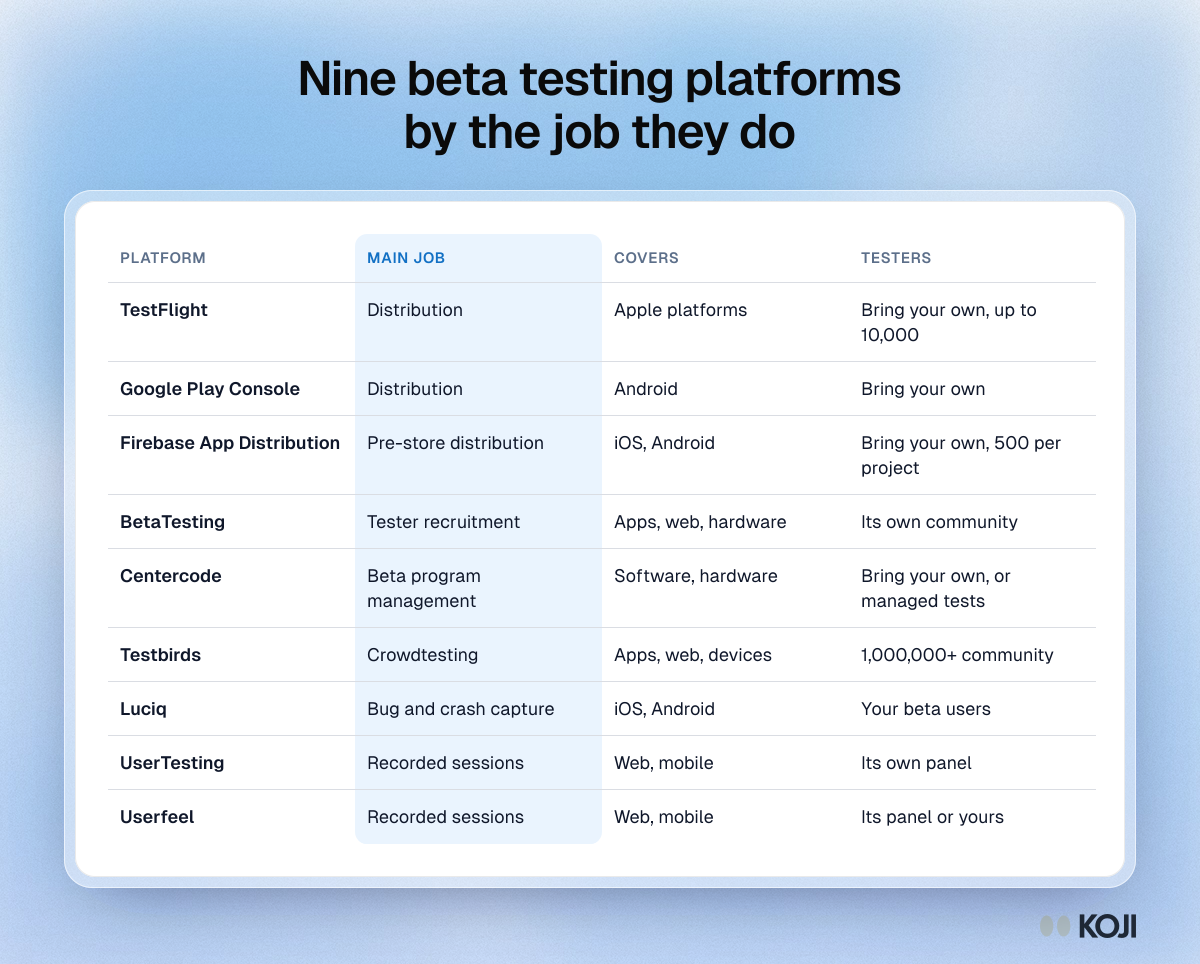
- Use the free store channel. TestFlight for Apple, Play Console for Android, Firebase before store review.
- Do you have enough testers?
- Yes: go to 4.
- No: Recruit testers. BetaTesting or Testbirds, or a managed Centercode test. Then go to 4.
- Do you capture crashes and bugs in the app?
- Yes: go to 5.
- No: Add a bug and crash reporter. Luciq or a crash SDK, before the first tester opens it. Then go to 5.
- Do you know why testers stall or stop?
- Yes: go to 6.
- No: Add sessions or interviews. 5 to 30 testers per round, recorded or AI-moderated. Then go to 6.
- Finish: Ship, then repeat each release.
Use this image
Free to use in your docs, decks and posts under CC BY 4.0, as long as you credit Koji with a link to this page. To embed it, paste this into your page:
html
<a href="https://www.koji.so/visuals/beta-testing-tool-choice-flowchart"><img src="https://www.koji.so/visuals/beta-testing-tool-choice-flowchart/beta-testing-tool-choice-flowchart.png" alt="Flowchart for choosing beta testing tools: questions about app stores, testers, crash capture and knowing why testers stall, each leading to a tool type." width="1200" height="1481" /></a>
<p>Source: <a href="https://www.koji.so/visuals/beta-testing-tool-choice-flowchart">Which beta testing tools do you need?</a>, Koji</p>