Reference table
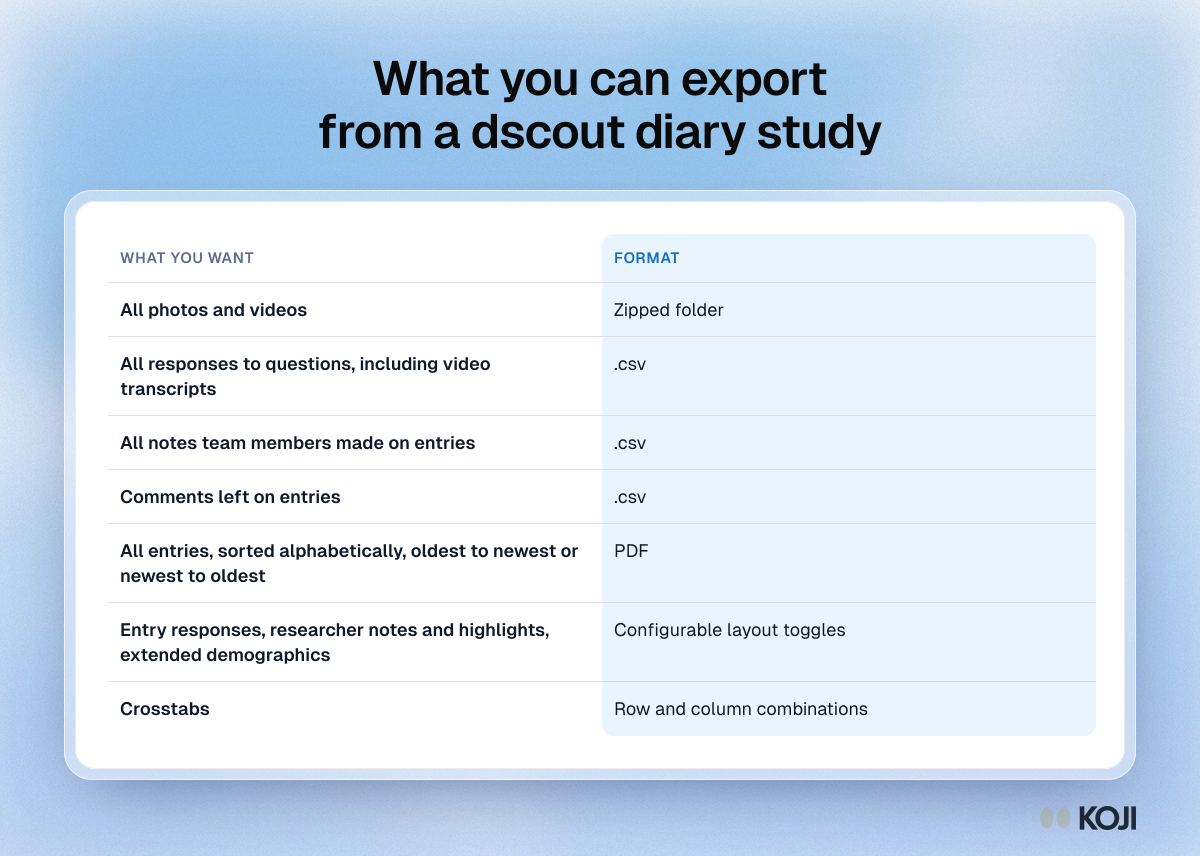
What you can export from a dscout diary study
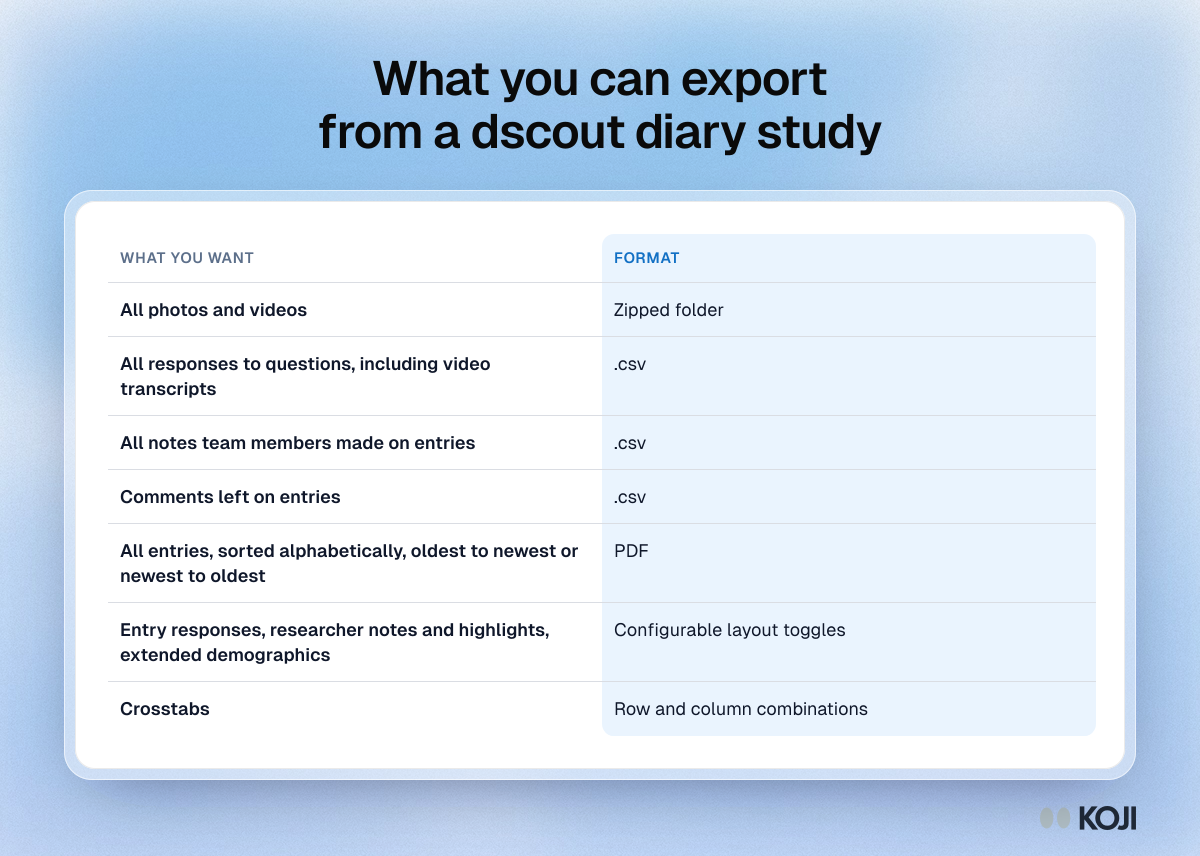
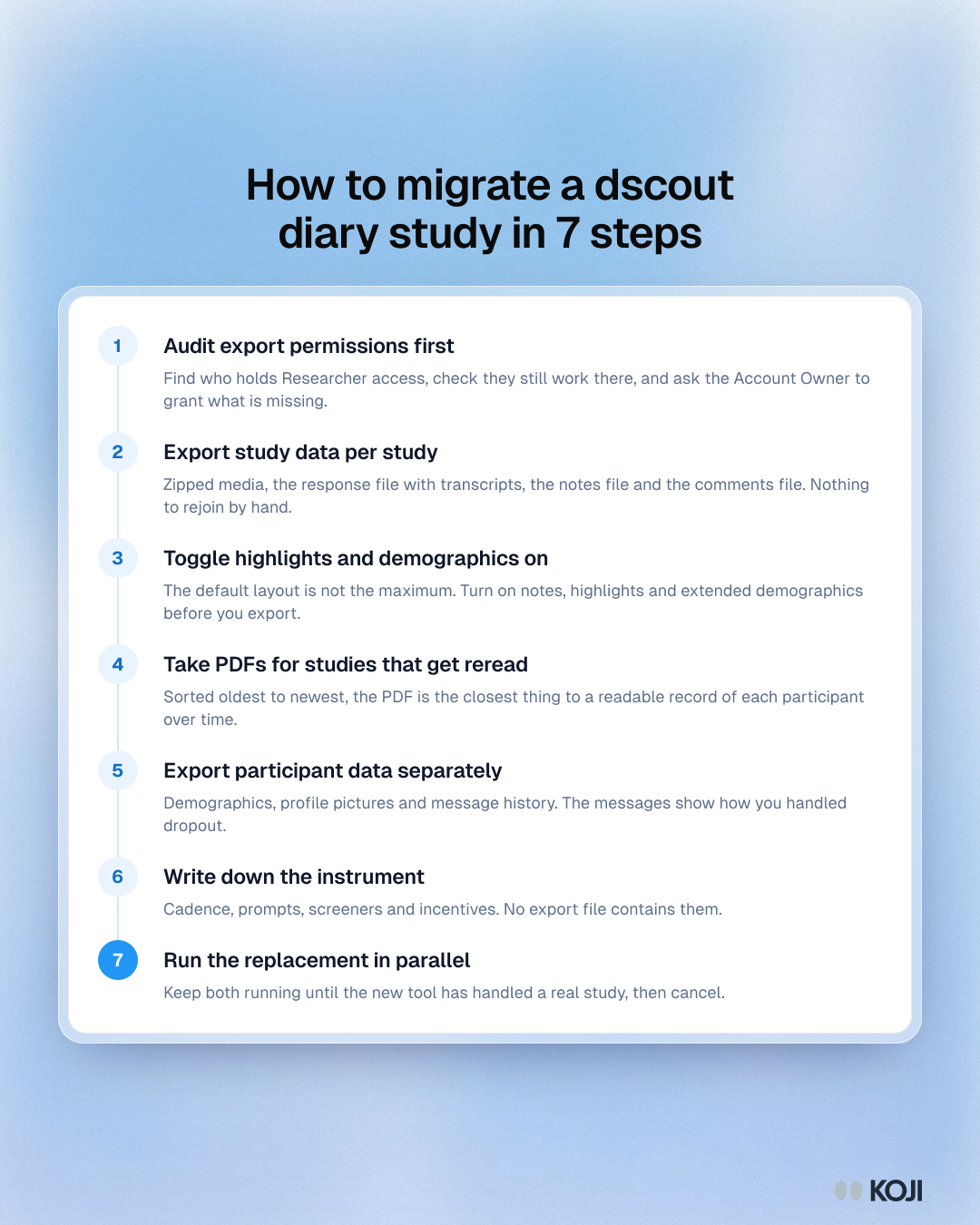
A reference table of the export routes dscout documents for a diary study: photos and videos, responses with video transcripts, team notes, comments, PDFs of entries, layout toggles and crosstabs. Use it to plan a dscout offboarding, then check who on your team holds the Researcher permission that exporting needs. Participant data and message history export on a separate path.
Where this appears
What's in this reference table
| What you want | Format |
|---|---|
| All photos and videos | Zipped folder |
| All responses to questions, including video transcripts | .csv |
| All notes team members made on entries | .csv |
| Comments left on entries | .csv |
| All entries, sorted alphabetically, oldest to newest or newest to oldest | |
| Entry responses, researcher notes and highlights, extended demographics | Configurable layout toggles |
| Crosstabs | Row and column combinations |
Use this image
Free to use in your docs, decks and posts under CC BY 4.0, as long as you credit Koji with a link to this page. To embed it, paste this into your page:
html
<a href="https://www.koji.so/visuals/dscout-diary-study-export-formats"><img src="https://www.koji.so/visuals/dscout-diary-study-export-formats/dscout-diary-study-export-formats.png" alt="Table of dscout diary study exports: media as a zipped folder, responses, notes and comments as CSV, entries as PDF, plus layout toggles and crosstabs." width="1200" height="856" /></a>
<p>Source: <a href="https://www.koji.so/visuals/dscout-diary-study-export-formats">What you can export from a dscout diary study</a>, Koji</p>