Reference table
What a UserTesting export gives you, and the cleanup after
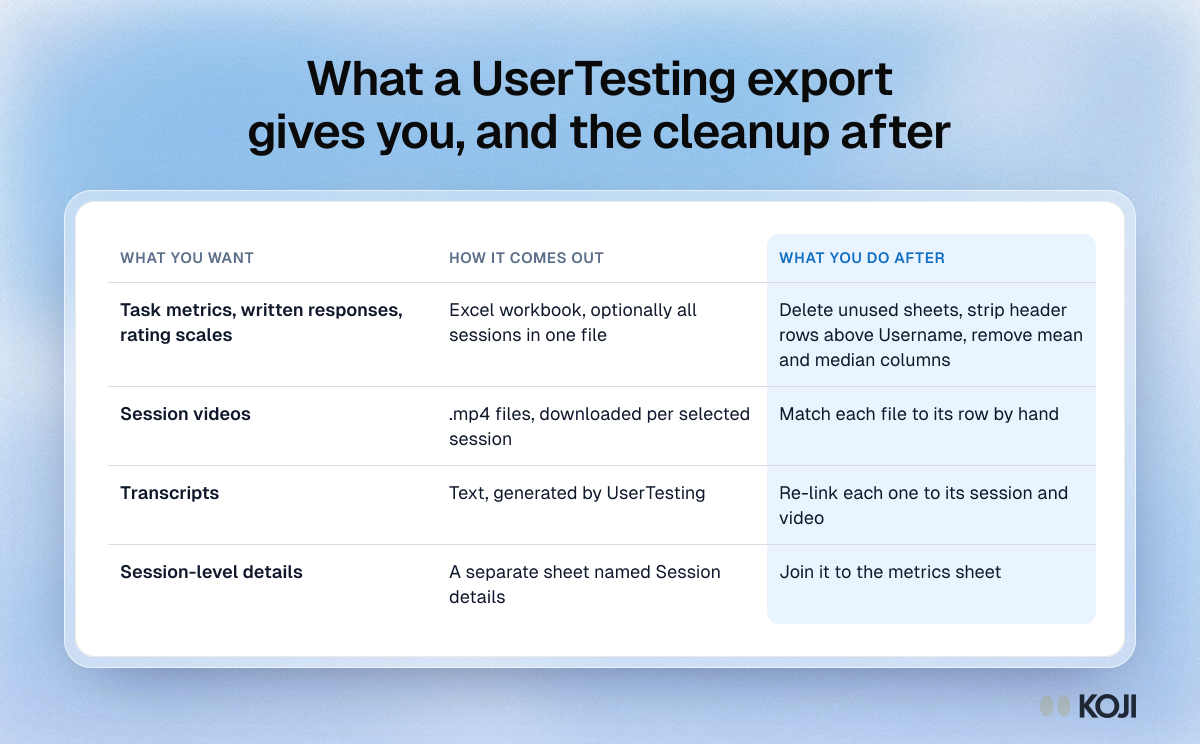
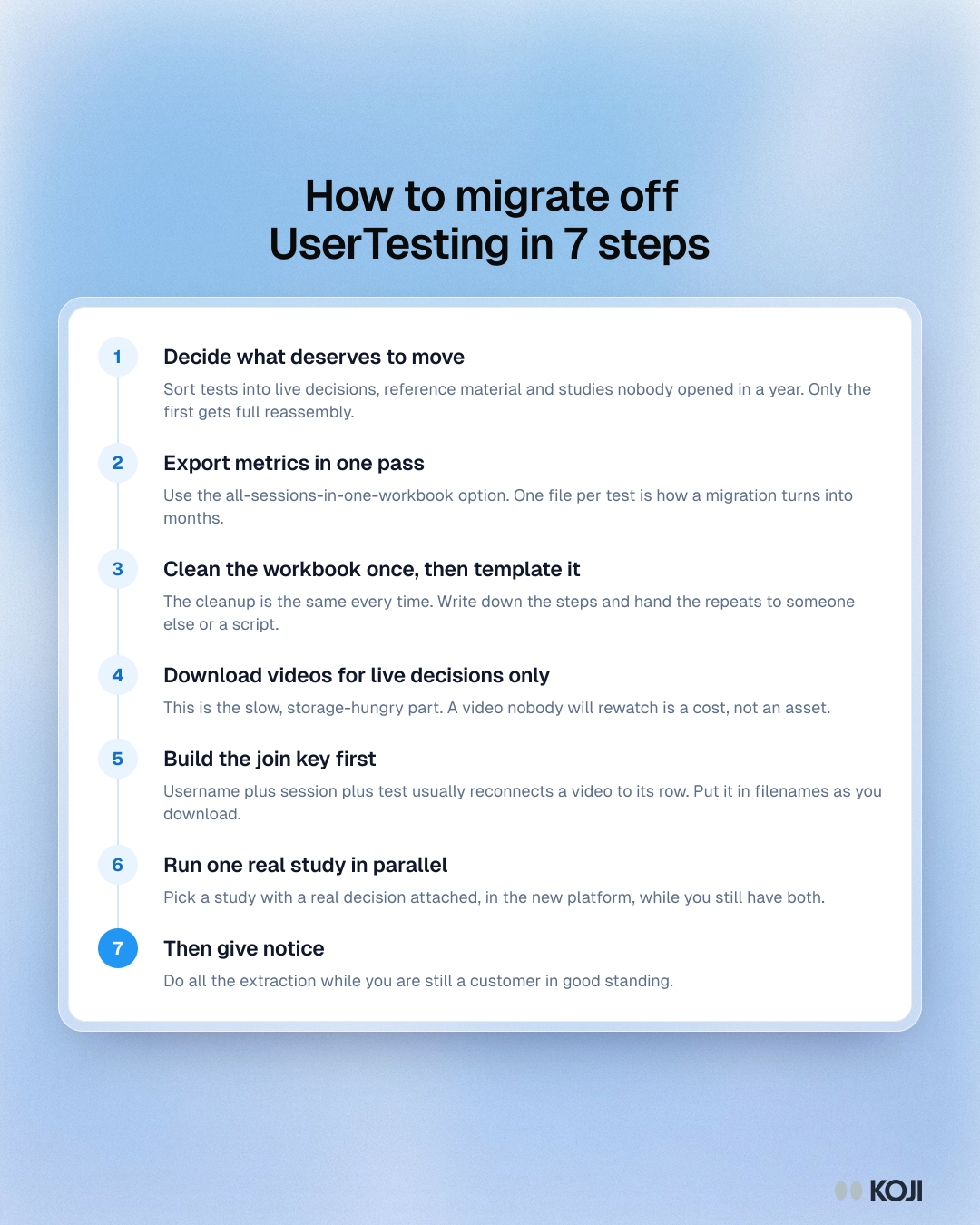
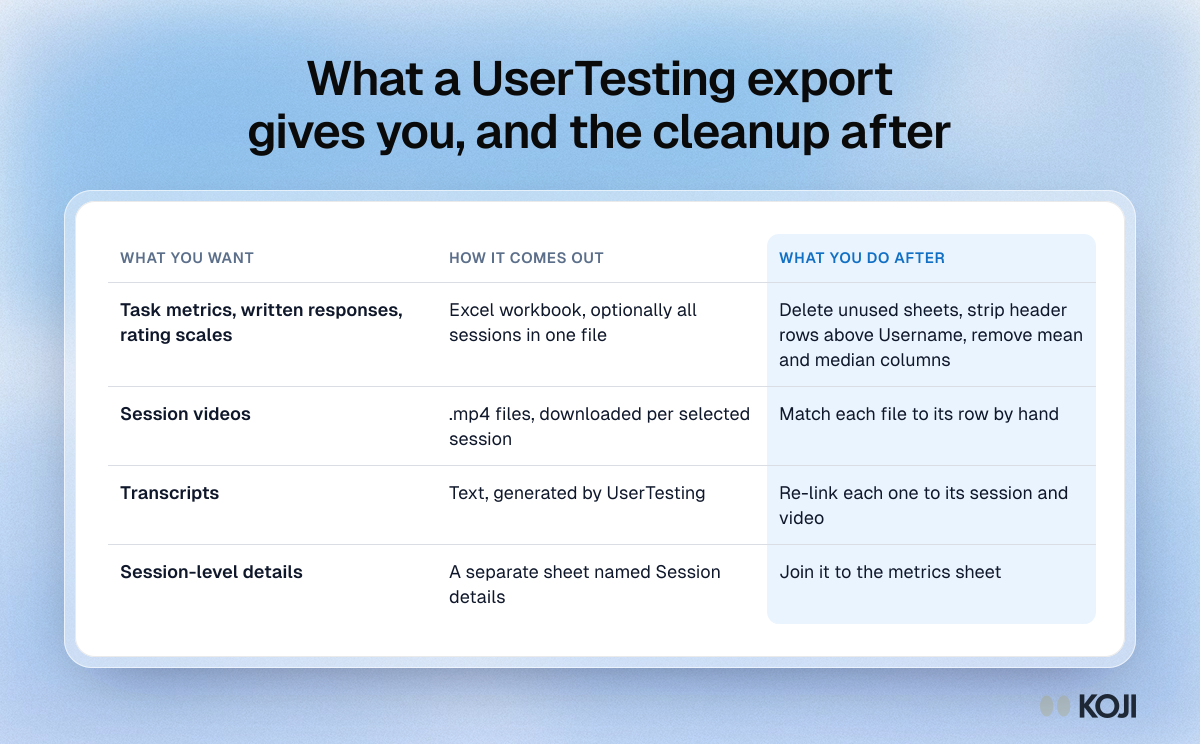
A reference table for teams moving research data out of UserTesting. It lists what exports (task metrics, videos, transcripts, session details), the format each arrives in, and the manual work needed afterwards to reconnect them. The export steps follow the import instructions Condens publishes for UserTesting data, so check them against your own account and contract.
Where this appears
What's in this reference table
| What you want | How it comes out | What you do after |
|---|---|---|
| Task metrics, written responses, rating scales | Excel workbook, optionally all sessions in one file | Delete unused sheets, strip header rows above Username, remove mean and median columns |
| Session videos | .mp4 files, downloaded per selected session | Match each file to its row by hand |
| Transcripts | Text, generated by UserTesting | Re-link each one to its session and video |
| Session-level details | A separate sheet named Session details | Join it to the metrics sheet |
Use this image
Free to use in your docs, decks and posts under CC BY 4.0, as long as you credit Koji with a link to this page. To embed it, paste this into your page:
html
<a href="https://www.koji.so/visuals/usertesting-data-export-what-comes-out"><img src="https://www.koji.so/visuals/usertesting-data-export-what-comes-out/usertesting-data-export-what-comes-out.png" alt="Table of UserTesting exports: metrics in Excel, videos as mp4 files, transcripts as text, session details on their own sheet, and the cleanup each needs." width="1200" height="744" /></a>
<p>Source: <a href="https://www.koji.so/visuals/usertesting-data-export-what-comes-out">What a UserTesting export gives you, and the cleanup after</a>, Koji</p>