Process
Health score calibration interviews in Koji
Six steps from template to calibration report
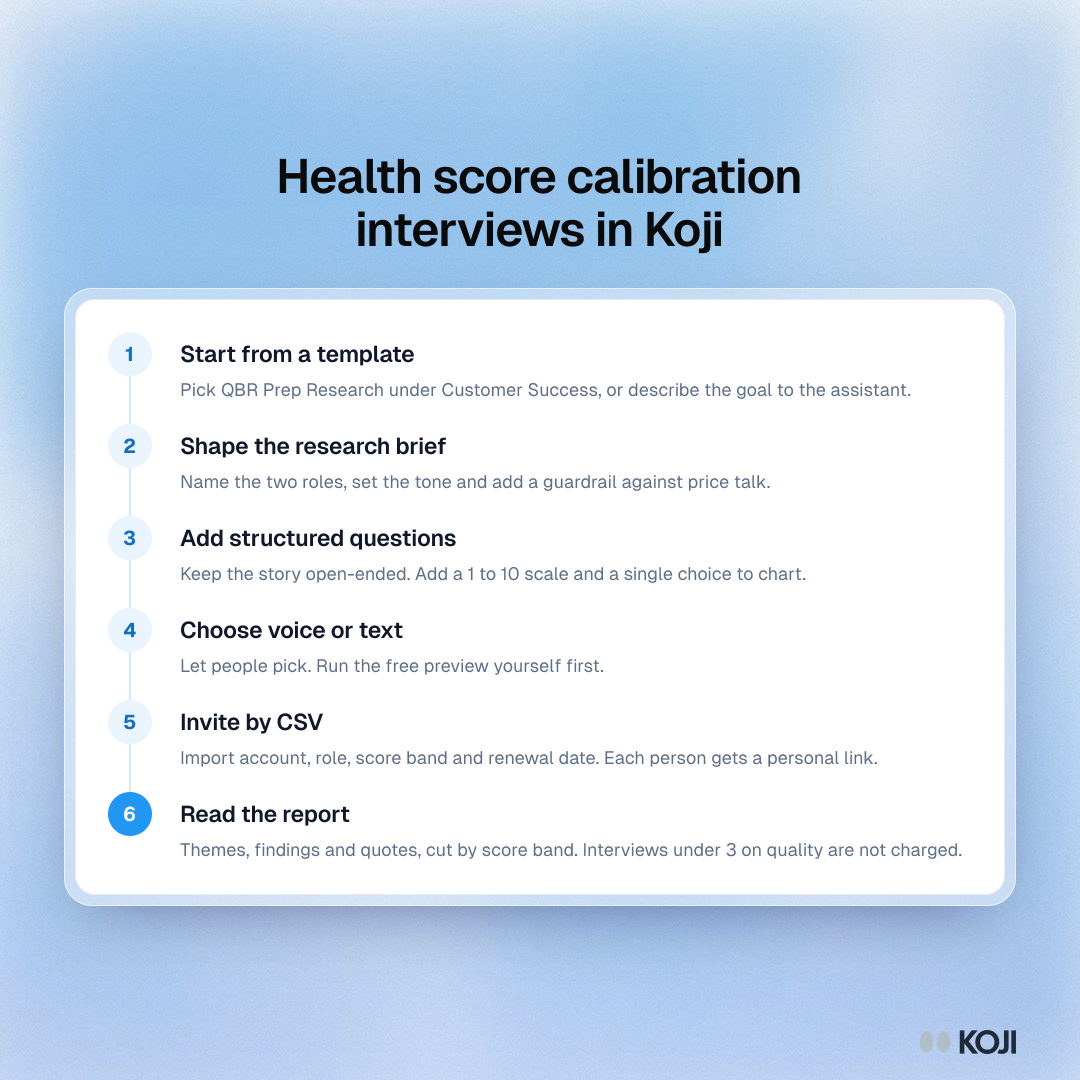
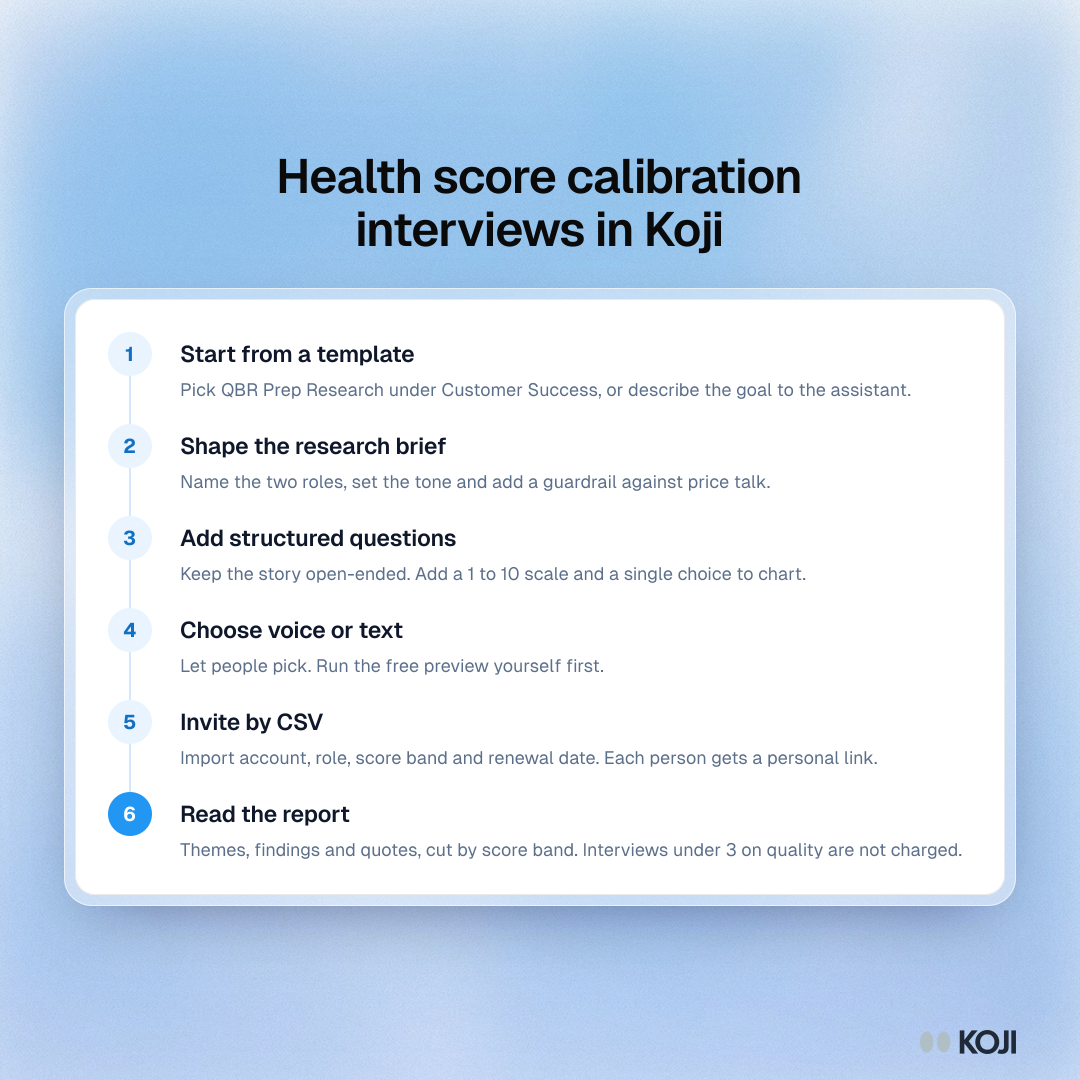
The six steps for testing a customer health score with AI-moderated interviews in Koji. Start from a template, shape the brief, add structured questions, choose voice or text, invite accounts by CSV with the score band as a column, and read the report cut by score band. It suits CS Ops leads and CSMs preparing to rebuild a score.
Where this appears
What's in this process
- Start from a template: Pick QBR Prep Research under Customer Success, or describe the goal to the assistant.
- Shape the research brief: Name the two roles, set the tone and add a guardrail against price talk.
- Add structured questions: Keep the story open-ended. Add a 1 to 10 scale and a single choice to chart.
- Choose voice or text: Let people pick. Run the free preview yourself first.
- Invite by CSV: Import account, role, score band and renewal date. Each person gets a personal link.
- Read the report: Themes, findings and quotes, cut by score band. Interviews under 3 on quality are not charged.
Use this image
Free to use in your docs, decks and posts under CC BY 4.0, as long as you credit Koji with a link to this page. To embed it, paste this into your page:
html
<a href="https://www.koji.so/visuals/health-score-calibration-koji-setup"><img src="https://www.koji.so/visuals/health-score-calibration-koji-setup/health-score-calibration-koji-setup.png" alt="Process of six steps to run health score calibration interviews in Koji, from a template to a report cut by score band." width="1080" height="1080" /></a>
<p>Source: <a href="https://www.koji.so/visuals/health-score-calibration-koji-setup">Health score calibration interviews in Koji</a>, Koji</p>