Process
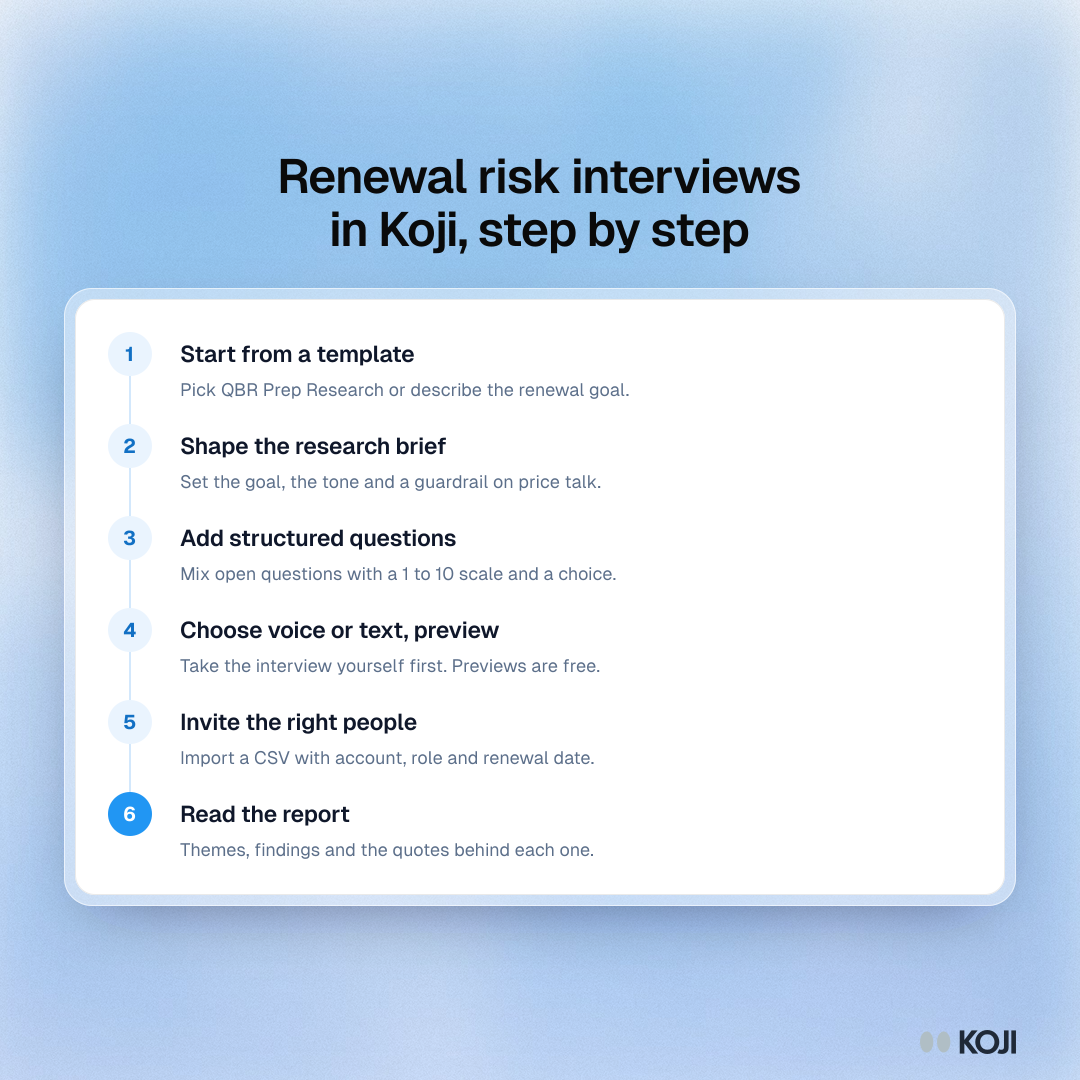
Renewal risk interviews in Koji, step by step
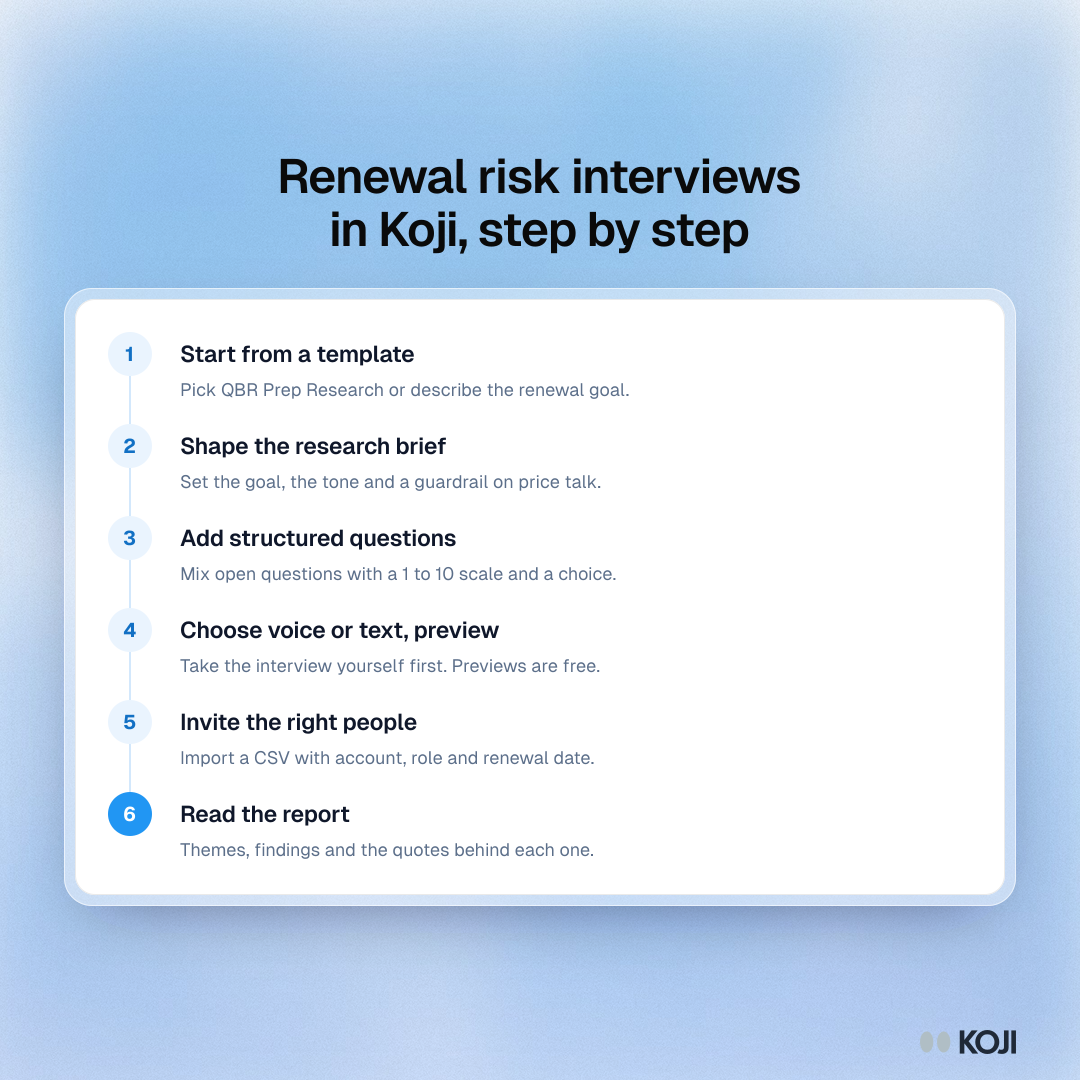
A six-step process for Customer Success teams setting up renewal risk interviews in Koji. It runs from choosing a template and shaping the brief through inviting champions and budget owners by CSV to reading the report. Personal invite links need the Interviews or Enterprise plan.
Where this appears
What's in this process
- Start from a template: Pick QBR Prep Research or describe the renewal goal.
- Shape the research brief: Set the goal, the tone and a guardrail on price talk.
- Add structured questions: Mix open questions with a 1 to 10 scale and a choice.
- Choose voice or text, preview: Take the interview yourself first. Previews are free.
- Invite the right people: Import a CSV with account, role and renewal date.
- Read the report: Themes, findings and the quotes behind each one.
Use this image
Free to use in your docs, decks and posts under CC BY 4.0, as long as you credit Koji with a link to this page. To embed it, paste this into your page:
html
<a href="https://www.koji.so/visuals/renewal-risk-interviews-koji-setup"><img src="https://www.koji.so/visuals/renewal-risk-interviews-koji-setup/renewal-risk-interviews-koji-setup.png" alt="Process showing six steps to set up renewal risk interviews in Koji: template, research brief, structured questions, preview, CSV invites and report." width="1080" height="1080" /></a>
<p>Source: <a href="https://www.koji.so/visuals/renewal-risk-interviews-koji-setup">Renewal risk interviews in Koji, step by step</a>, Koji</p>