Reference table
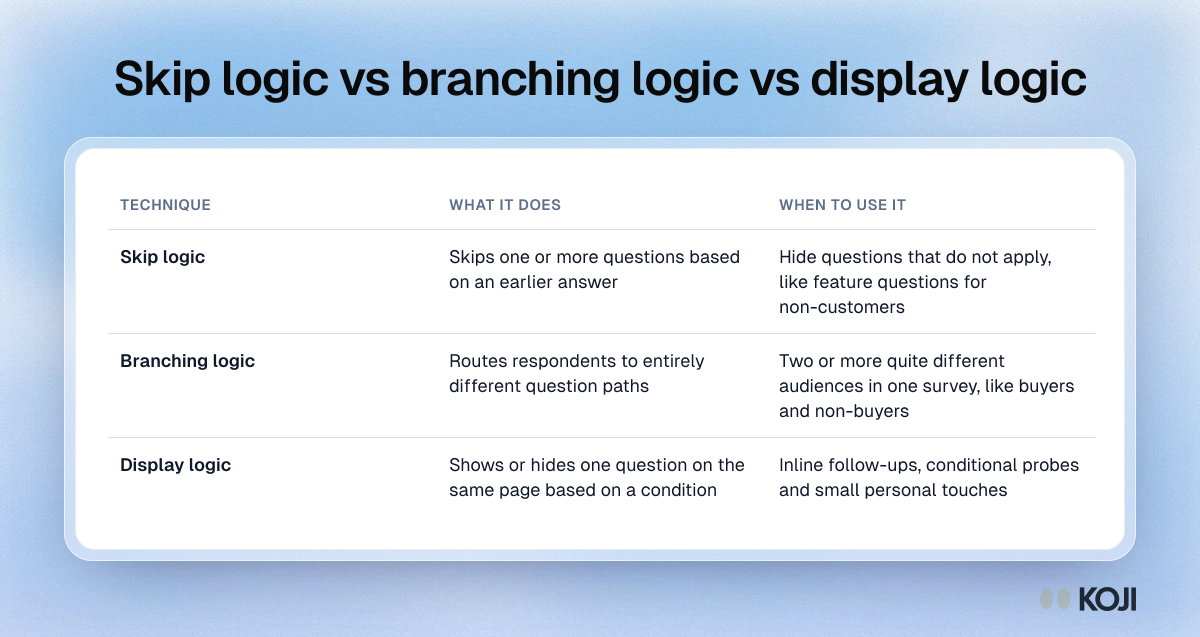
Skip logic vs branching logic vs display logic
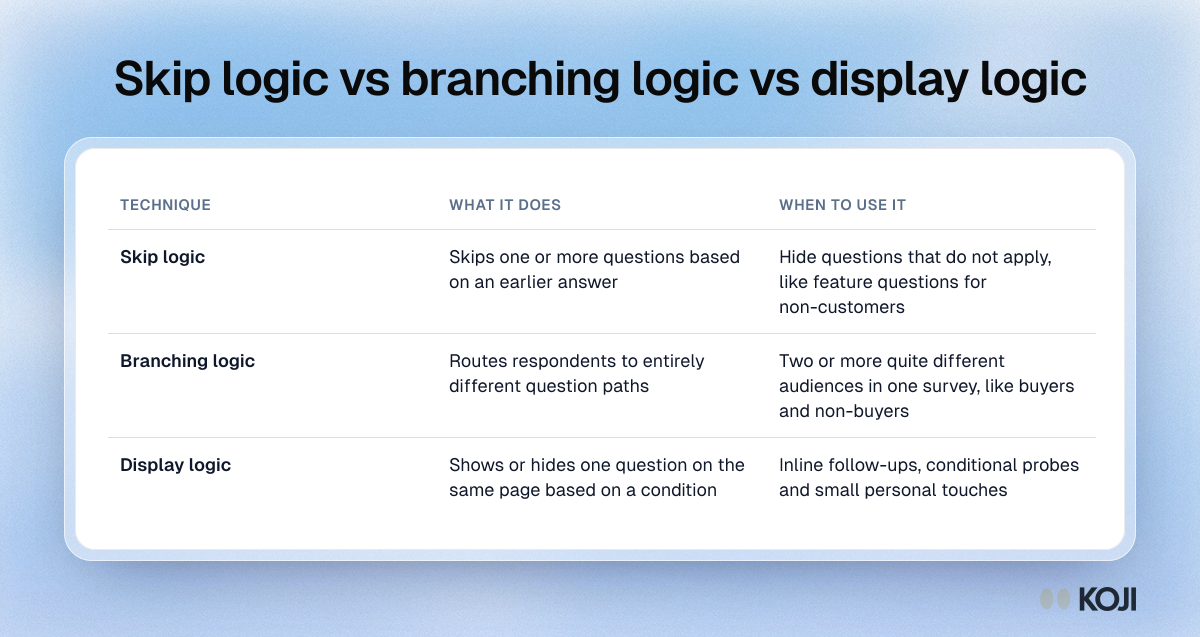
A comparison of the three kinds of conditional logic in survey design. Skip logic hides questions that do not apply, branching logic sends different audiences down different paths, and display logic shows or hides one question on the same page. Use it to pick the right technique before you build the flow. In Koji, each question has a rule for who is asked, based on an earlier answer or a value in the interview link.
Where this appears
What's in this reference table
| Technique | What it does | When to use it |
|---|---|---|
| Skip logic | Skips one or more questions based on an earlier answer | Hide questions that do not apply, like feature questions for non-customers |
| Branching logic | Routes respondents to entirely different question paths | Two or more quite different audiences in one survey, like buyers and non-buyers |
| Display logic | Shows or hides one question on the same page based on a condition | Inline follow-ups, conditional probes and small personal touches |
Use this image
Free to use in your docs, decks and posts under CC BY 4.0, as long as you credit Koji with a link to this page. To embed it, paste this into your page:
html
<a href="https://www.koji.so/visuals/skip-logic-vs-branching-vs-display-logic"><img src="https://www.koji.so/visuals/skip-logic-vs-branching-vs-display-logic/skip-logic-vs-branching-vs-display-logic.png" alt="Table comparing skip logic, branching logic and display logic in surveys: what each one does and when to use it." width="1200" height="637" /></a>
<p>Source: <a href="https://www.koji.so/visuals/skip-logic-vs-branching-vs-display-logic">Skip logic vs branching logic vs display logic</a>, Koji</p>