Reference table
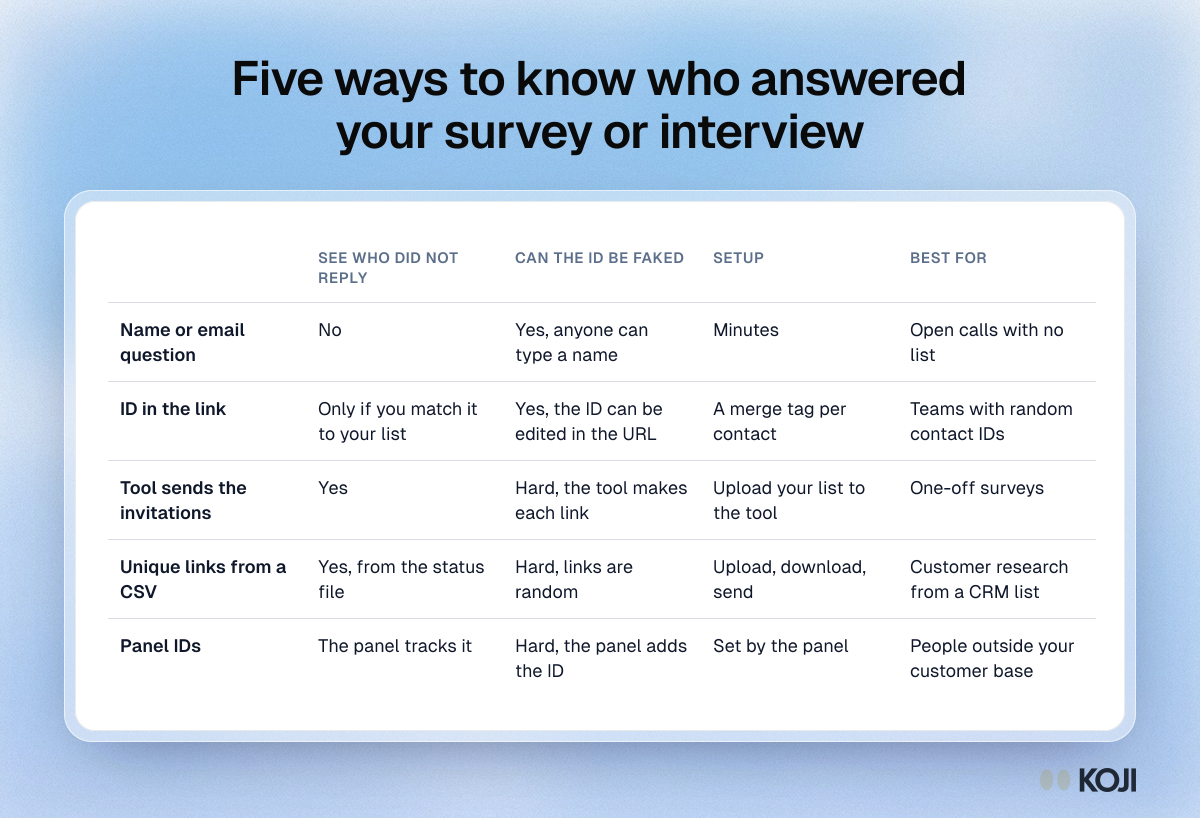
Five ways to know who answered your survey or interview
From a name question to unique links generated from a CSV
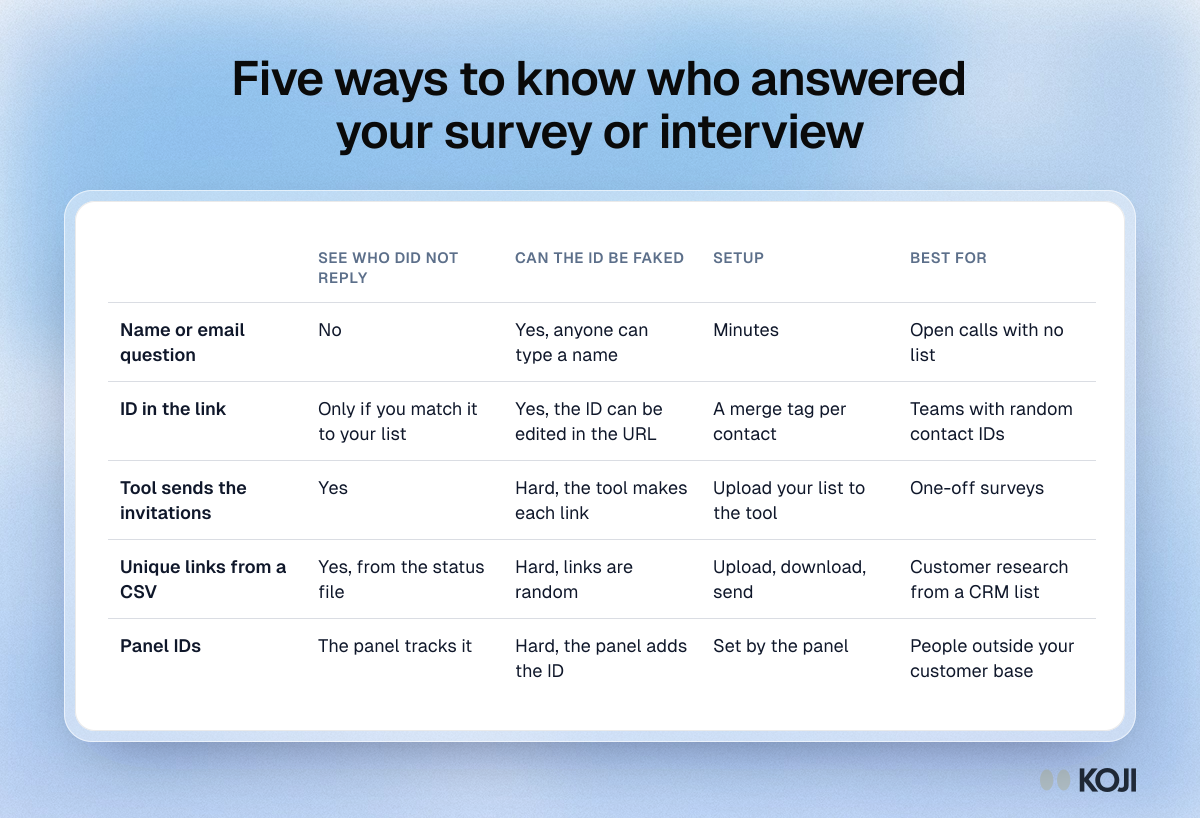
A comparison of the five common ways to tie survey or interview answers to the people who gave them: a name question, an ID in the link, invitations sent by the survey tool, unique links generated from a CSV, and panel IDs. Use it to choose a method before you send, especially if you plan to chase people who have not replied. Koji uses the CSV route for AI-moderated interviews.
Where this appears
What's in this reference table
| See who did not reply | Can the ID be faked | Setup | Best for | |
|---|---|---|---|---|
| Name or email question | No | Yes, anyone can type a name | Minutes | Open calls with no list |
| ID in the link | Only if you match it to your list | Yes, the ID can be edited in the URL | A merge tag per contact | Teams with random contact IDs |
| Tool sends the invitations | Yes | Hard, the tool makes each link | Upload your list to the tool | One-off surveys |
| Unique links from a CSV | Yes, from the status file | Hard, links are random | Upload, download, send | Customer research from a CRM list |
| Panel IDs | The panel tracks it | Hard, the panel adds the ID | Set by the panel | People outside your customer base |
Use this image
Free to use in your docs, decks and posts under CC BY 4.0, as long as you credit Koji with a link to this page. To embed it, paste this into your page:
html
<a href="https://www.koji.so/visuals/unique-survey-link-methods-compared"><img src="https://www.koji.so/visuals/unique-survey-link-methods-compared/unique-survey-link-methods-compared.png" alt="Table comparing five ways to tie survey or interview answers to people, by whether you see non-responders, whether IDs can be faked, setup and best use." width="1200" height="818" /></a>
<p>Source: <a href="https://www.koji.so/visuals/unique-survey-link-methods-compared">Five ways to know who answered your survey or interview</a>, Koji</p>