Flowchart
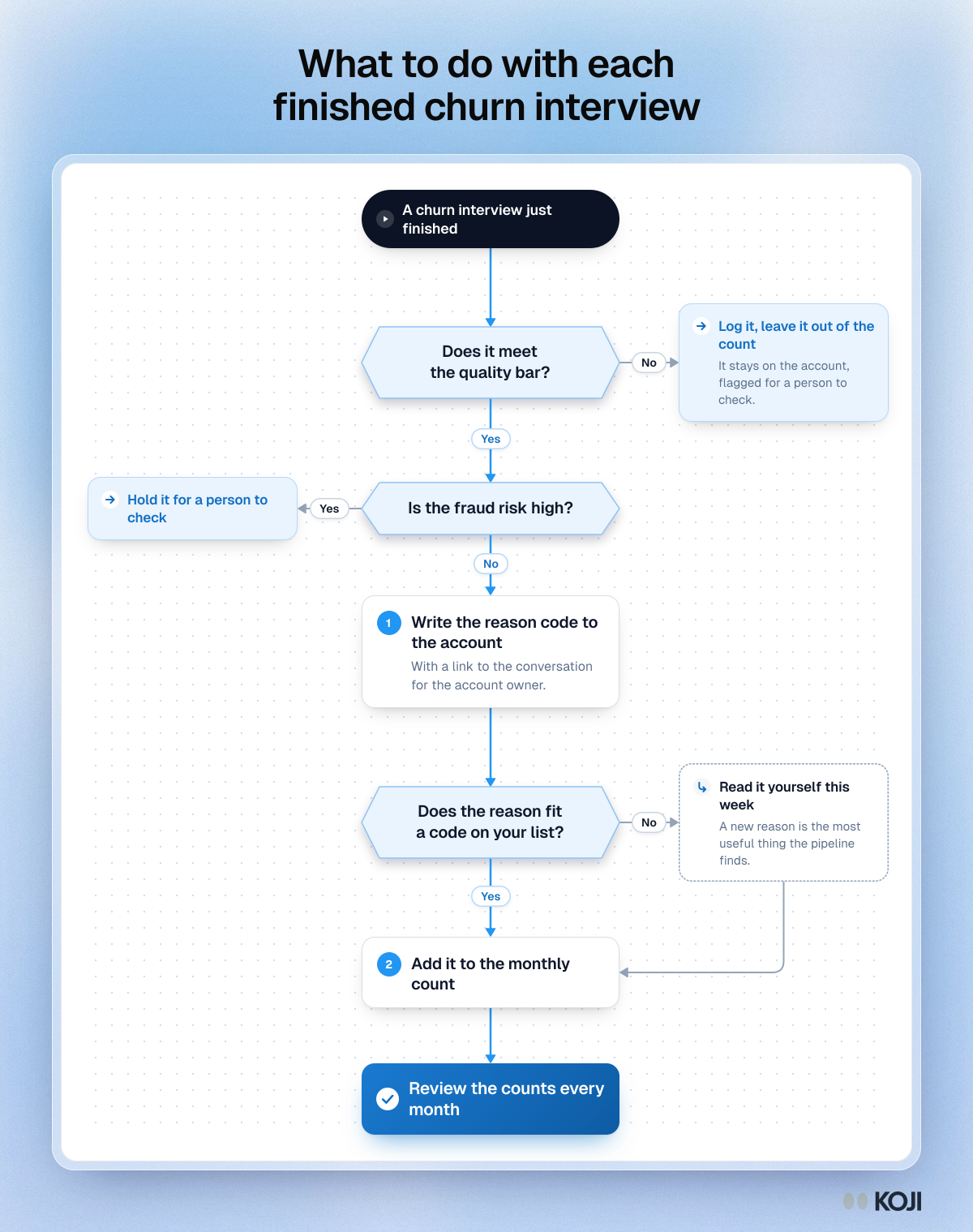
What to do with each finished churn interview
Quality and fraud checks first, then the reason code, then a person reads anything new.
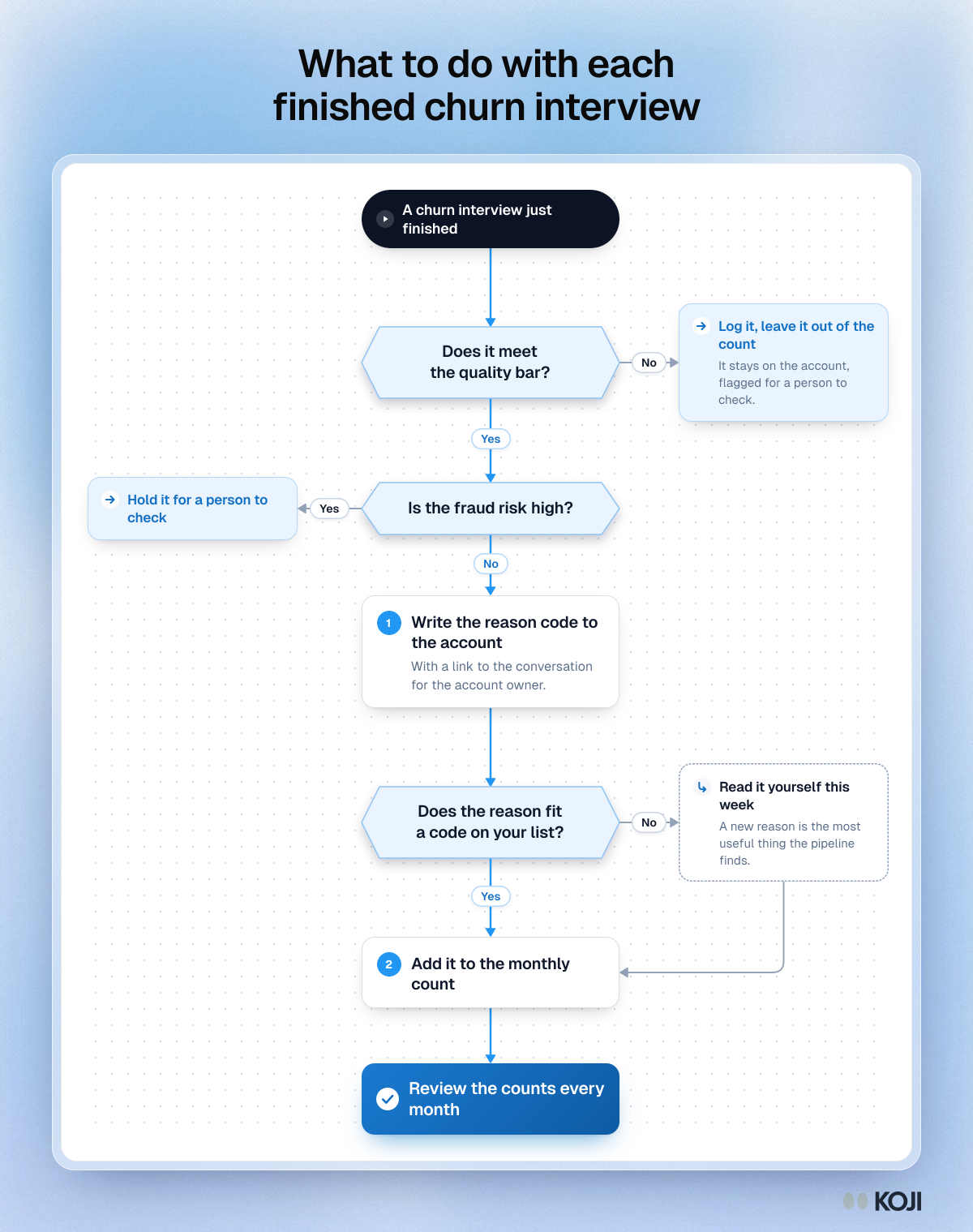
A flowchart for handling churn interviews that arrive automatically. Interviews below the quality bar or with a high fraud risk are held for a person. The rest write a reason code to the account, and any reason that fits no existing code is read by a founder or PM that week before it is counted. For founders and first PMs running always-on churn interviews.
Where this appears
What's in this flowchart
Start: A churn interview just finished
- Does it meet the quality bar?
- Yes: go to 2.
- No: Log it, leave it out of the count. It stays on the account, flagged for a person to check.
- Is the fraud risk high?
- No: go to 3.
- Yes: Hold it for a person to check.
- Write the reason code to the account. With a link to the conversation for the account owner.
- Does the reason fit a code on your list?
- Yes: go to 5.
- No: Read it yourself this week. A new reason is the most useful thing the pipeline finds. Then go to 5.
- Add it to the monthly count.
- Finish: Review the counts every month.
Use this image
Free to use in your docs, decks and posts under CC BY 4.0, as long as you credit Koji with a link to this page. To embed it, paste this into your page:
html
<a href="https://www.koji.so/visuals/what-to-do-with-each-churn-interview"><img src="https://www.koji.so/visuals/what-to-do-with-each-churn-interview/what-to-do-with-each-churn-interview.png" alt="Flowchart for each finished churn interview: check quality and fraud risk, write the reason to the account, read new reasons yourself." width="1200" height="1519" /></a>
<p>Source: <a href="https://www.koji.so/visuals/what-to-do-with-each-churn-interview">What to do with each finished churn interview</a>, Koji</p>