The short answer
dscout and Lookback both help you watch real people use products, but they are built for different kinds of studies. dscout is a diary study platform first: participants record short videos and answers on their phones over days or weeks, and it supplies those participants from its own panel. Lookback is a session tool: you run or watch one-to-one usability tests and interviews, live or unmoderated, and take notes as they happen.
Pick dscout if you need longitudinal, in-the-moment research and want the panel included, and your budget fits an annual enterprise contract. Pick Lookback if you run moderated usability tests or interviews, want observers in the room, and prefer published, self-serve prices. If what you really need is lots of customer conversations without scheduling a single call, look at an AI-moderated tool instead; we cover that at the end.
dscout vs Lookback at a glance
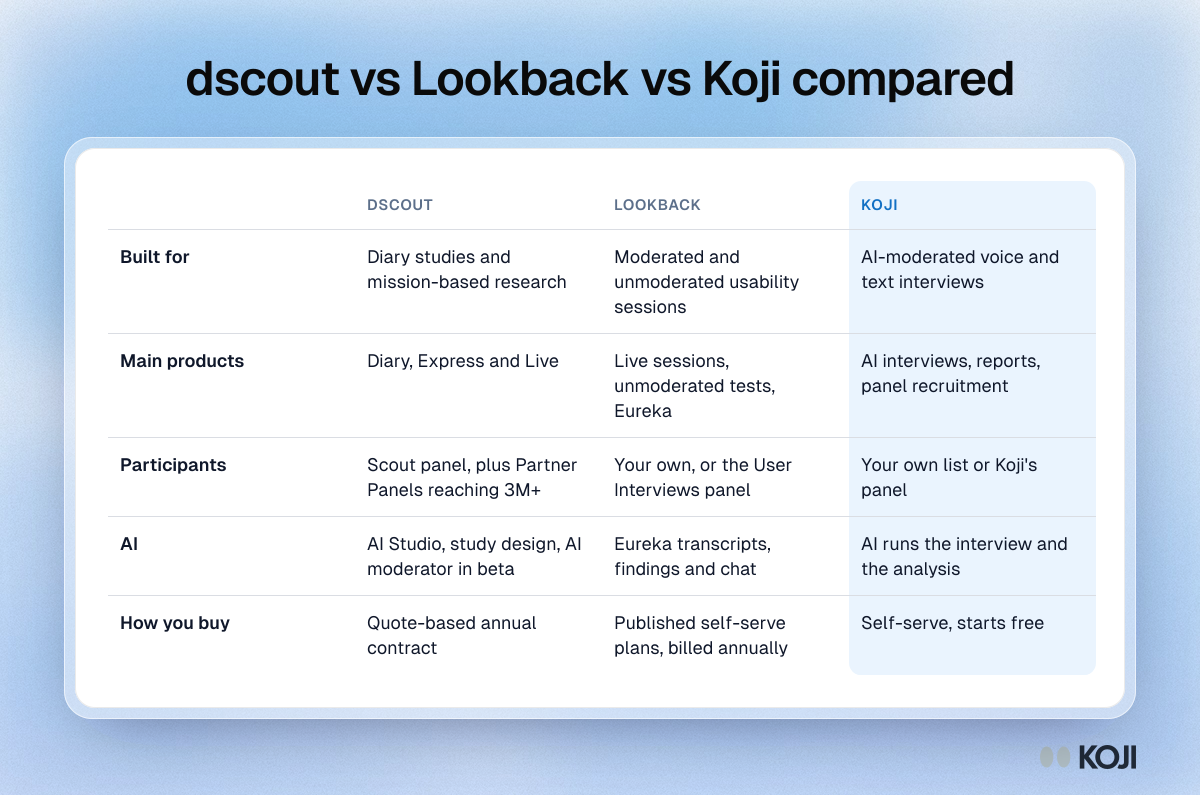
| dscout | Lookback | |
|---|---|---|
| Built for | Diary studies and mission-based research | Moderated and unmoderated usability sessions |
| Main products | Diary, Express (short missions), Live (moderated video) | Live sessions, unmoderated tests, Eureka AI analysis |
| Participants | Its own Scout panel, plus Partner Panels reaching 3M+ people | Bring your own, or recruit from the User Interviews panel inside Lookback |
| AI | AI Studio, AI study and screener design, AI moderator in beta, MCP preview | Eureka: transcripts, headlines, findings and chat across sessions |
| How you buy | Quote-based annual contract | Published self-serve plans, billed annually |
What dscout does best
dscout's core is the diary study. You set up a "mission", participants complete parts of it over several days from their phones, and you get video, photos and answers captured in the moment instead of recalled weeks later. Missions can branch and send scheduled prompts. Express runs short, quick missions, and Live adds moderated one-to-one video sessions with the same participants.

Photo by Vitaly Gariev on Unsplash
The panel is a big part of what you pay for. dscout's own Scout network is mostly in the US; third-party reviews put it at about 530,000 people. In August 2025 it launched Partner Panels, starting with Respondent, which it says widens the pool to more than 3 million participants worldwide (dscout).
2026 has been a busy year for dscout's AI work. The spring update added AI study and screener design and an AI moderator in beta (dscout). In April it launched AI Studio for planning, running and analysing research, including AI-moderated studies (dscout). The summer update gave a first look at a dscout MCP server.
The catch is price and opacity. dscout doesn't publish prices. Vendr reports a median annual contract of about $49,250 across 53 purchases (Vendr). That is a reasonable price for a team running diary studies all year, and a lot for a team that needs a handful of interviews a quarter.
What Lookback does best
Lookback is about the session. A researcher runs a moderated usability test or interview while colleagues watch live and drop timestamped notes, or sends an unmoderated test that participants complete on their own. Everything is recorded and searchable.
Its AI layer is called Eureka. It transcribes every session, writes short headlines for it, lets you capture a moment with an Insight button during the session, and pulls findings across sessions based on the project's goals. Findings are reviewed by you before they're published, and Eureka Chat answers questions across one session or a whole project (Lookback).
For participants, you can bring your own or recruit from the User Interviews panel without a User Interviews subscription. That costs $49 per participant who completes a session, plus the incentive and a processing fee, and you're only charged for people who show up (Lookback).
Pricing is published, billed annually only:
| Plan | Price per year | Sessions per year | Extra 10 sessions |
|---|---|---|---|
| Freelance | $299 | 10 | $299 |
| Team | $1,782 | 100 | $178 |
| Insights Hub | $4,122 | 300 | $137 |
| Enterprise | Custom | Custom | Custom |
Prices as listed in mid 2026; check Lookback's pricing page before you buy. Moderated and unmoderated sessions count against the same yearly limit.
The catch is the session itself. Lookback makes sessions easier to run and review, but someone still has to schedule them, show up and moderate. It has no built-in diary study format.
The real cost of moderated sessions
Whichever tool you pick, moderated research has costs that don't show up on the invoice:
- No-shows. MeasuringU puts the typical no-show rate for moderated studies at 10% to 20% (MeasuringU). User Interviews reports an industry average of about 11% (User Interviews). Every no-show is a slot a researcher blocked and a stakeholder who turned up for nothing.
- Synthesis time. In Lyssna's survey of 300 researchers, 60.3% named time-consuming manual work as their biggest frustration with synthesis, and 65.3% take one to five days to finish it (Lyssna).
- Trust in AI summaries. User Interviews' State of User Research 2025 found 80% of researchers now use AI in their work, but 91% worry about accuracy and hallucinations (User Interviews). Both dscout and Lookback now add AI analysis, so ask each one how a summary links back to the moment in the recording.
These numbers are why both companies are adding AI. They are also why some teams skip the scheduled session entirely for the questions that don't need one. Our guide to moderated vs unmoderated research walks through which questions need a person in the room.
Which one should you pick?
Pick dscout if you run diary studies, need to see behaviour over days or weeks, want participants supplied, and your team can justify an annual contract around the Vendr median. See our diary study guide for when the method earns its cost.
Pick Lookback if your work is moderated usability testing and interviews, you want stakeholders watching live, and you'd like to start on a published plan. Our moderated usability testing guide covers how to run those sessions well.
Pick something else if most of your questions are "why" questions for your own customers (why they cancelled, why they picked you, what's confusing about onboarding) and you need dozens of answers by Friday. Scheduling 40 moderated calls for that is slow, whichever tool records them.
Where Koji fits: interviews without the calendar
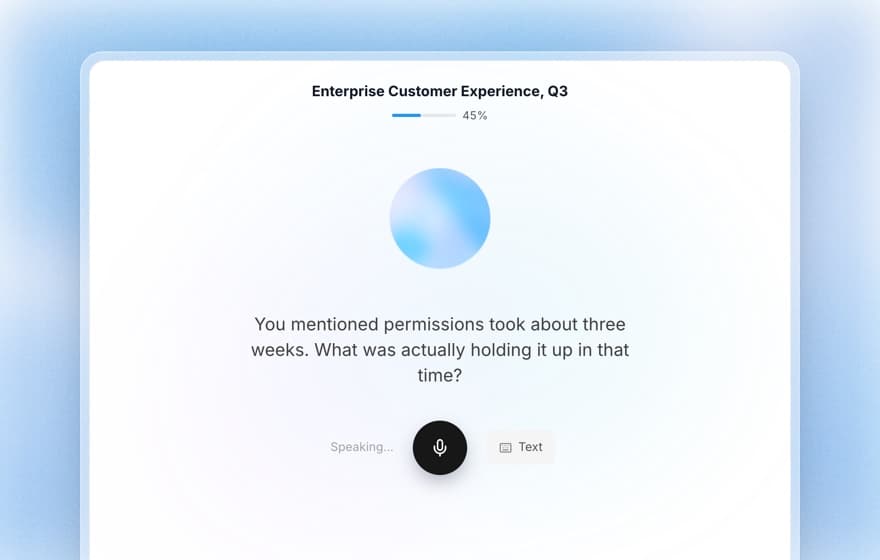
Koji is an AI interviewer. Instead of booking sessions, you send a link, and each participant has a voice or text conversation with an AI that asks your questions and follows up when an answer is vague. Twenty people can do it at the same time, at 2am, in any of 28 languages. Nobody has to moderate, so there is no session to miss. See AI vs human moderators for where each one is the better choice.
What that gets you:
- Structured questions inside the interview. Six question types (open ended, scale, single choice, multiple choice, ranking and yes or no), so a single study gives you quotes and charts.
- Your customers or a recruited audience. Share a link with your own list, or use panel recruitment on a paid plan, with the cost per respondent shown before you launch. Screening questions work on every plan.
- Analysis you can check. The report groups themes and findings, and each finding links to the quotes behind it.
- A quality gate. Every interview gets a 1 to 5 quality score, and only interviews scoring 3 or more use credits or enter the report. A participant who clicks through without saying much doesn't cost you anything. See how the quality gate works.
Koji doesn't replace dscout's diary format or Lookback's live screen-share usability tests. If you need to watch someone struggle with a prototype, use a session tool. If you need to know why 40 customers did something, an AI interview is faster.
Pricing is public. You get 10 free credits when you sign up, with no credit card. A text interview costs 1 credit and a voice interview 3 credits, at €1 a credit. Insights is €29 a month with 29 credits, Interviews is €79 a month with 79 credits, and Enterprise is custom.
The bottom line
dscout is the diary study specialist with a panel attached and an enterprise price. Lookback is the session tool with published prices and good AI help for reviewing recordings. Both are solid at what they do. Both also assume a researcher scheduling and running studies.
If your next question is a "why" question for your own customers, try Koji free: write the question, preview the interview yourself, and send the link today. For more comparisons, see Koji vs dscout, Koji vs Lookback, dscout pricing and Lookback pricing.