Short answer: Use Van Westendorp when you don't know what range your price should sit in yet, because it asks people where "too cheap" and "too expensive" start and gives you an acceptable band. Use Gabor-Granger when you already have a few candidate prices and need to pick one, because it measures how many people would buy at each price and shows which one earns the most. Most teams that get pricing right run them in that order: Van Westendorp to find the band, Gabor-Granger to choose a point inside it, and a conversation about why alongside both, because neither number tells you what a buyer is comparing you to.
This guide sets the two methods side by side, gives decision rules for picking one, shows the exact questions, works through an example, and covers the mistakes that make both of them mislead.
Why the method matters more than founders think
Pricing is the cheapest lever most companies never pull properly. In McKinsey's well-known analysis of S&P 1500 companies, a 1% price increase with volume held steady lifted operating profit by about 8%, nearly 50% more than the effect of a 1% cut in variable costs and more than three times the effect of a 1% rise in volume (McKinsey Quarterly, "The power of pricing", 2003).

Photo by Vitaly Gariev on Unsplash
The trouble is that the usual way of finding a price, asking "what would you pay for this?", produces numbers you can't trust. People overstate. A meta-analysis of 28 stated-preference studies (83 comparisons of what people said against what they actually paid) found a median ratio of 1.35 between hypothetical and real values, with a long tail of studies where the gap was far larger (Murphy, Allen, Stevens and Weatherhead, Environmental and Resource Economics, 2005). The same paper found that choice-style questions narrow the gap.
Both Van Westendorp and Gabor-Granger exist to get round the "what would you pay?" problem. They just do it in different ways, and they answer different questions.
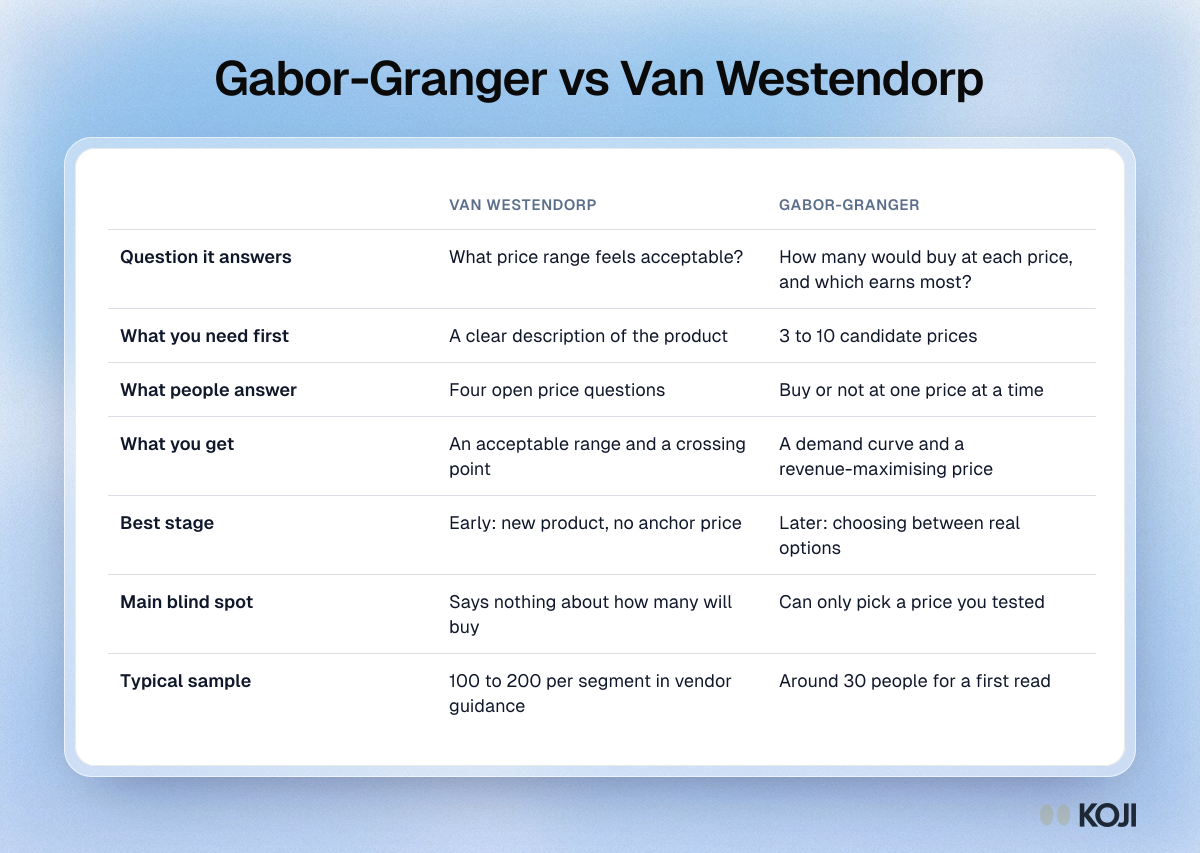
Gabor-Granger vs Van Westendorp at a glance
| Van Westendorp (Price Sensitivity Meter) | Gabor-Granger | |
|---|---|---|
| Question it answers | What price range feels acceptable? | How many would buy at each price, and which price earns most? |
| What you need first | A clear description of the product | 3 to 10 candidate prices |
| What people answer | Four open price questions | Buy or not at one price at a time |
| What you get | An acceptable range and an "optimal" crossing point | A demand curve and a revenue-maximising price |
| Best stage | Early: new product, new category, no anchor | Later: choosing between real options |
| Main blind spot | Says nothing about how many will buy | Can only pick a price you tested |
| Typical sample | 100 to 200 per segment in vendor guidance | Around 30 people gives a first read |
How Van Westendorp works
The Price Sensitivity Meter was presented by Dutch economist Peter van Westendorp in 1976. Instead of asking for one number, it asks four questions about the same product:
- At what price would this be so cheap that you'd doubt its quality?
- At what price would it be a bargain, a great buy for the money?
- At what price would it start to feel expensive, but you'd still consider it?
- At what price would it be so expensive that you wouldn't consider it?
You plot the share of people giving each answer at every price as four cumulative curves. Where "too cheap" crosses "too expensive" is usually read as the optimal price point, and the band between the "not a bargain" and "not expensive" crossings is the range of acceptable prices.
Where it shines. You have a new product, nobody has a reference price in their head, and you need to know whether you're in €10 territory or €100 territory. Van Westendorp also tells you where quality doubts kick in, which matters for premium products: price too low and people assume something is wrong.
Where it falls short. It measures perception, not purchase. Nobody in a Van Westendorp study says whether they'd actually buy, so the "optimal" point has no demand or revenue behind it. Sawtooth Software and other methodologists have pointed out that the crossing-point logic has little economic theory under it. And the curves get noisy fast with small samples: vendor guidance commonly puts the working target at 100 to 200 completes per segment (Rework, Van Westendorp guide).
How Gabor-Granger works
Gabor-Granger comes from economists André Gabor and Clive Granger, who developed it in the 1960s. You show a product and one price, and ask how likely the person is to buy at that price, usually on a five-point purchase-intent scale from "Definitely would not buy" to "Definitely would buy". Depending on the answer, you move the price up or down and ask again, until you find the highest price that person would still buy at.
Across everyone, you get the share who would buy at each price. Multiply each price by its share and you get revenue per person asked. The peak of that curve is the revenue-maximising price.
Where it shines. You have real options on the table, say €19, €29 and €39 a month, and you need to choose. Gabor-Granger gives you a demand curve, an elasticity read and a clear winner on revenue, which is the number a board or co-founder will ask for.
Where it falls short. It can only pick from the prices you test, so a badly chosen ladder hides the real answer. It assumes people judge each price on its own, without competitors in view. And like every stated-intent method it is directional: people say "probably would buy" more often than they buy.
Which one should you use?
Use these rules in order. The first one that fits is your answer.
- No reference price at all (new category, first product, nobody knows what this should cost): start with Van Westendorp. You need a range before you can test points.
- A range in mind and 3 to 7 real candidate prices: use Gabor-Granger. It is built to choose between options.
- Testing a price rise for existing customers: use Gabor-Granger with the current price as the lowest step, and interview the people who would stop buying.
- Premium product where "too cheap" might hurt: run Van Westendorp at least once, because it is the only one of the two that shows where quality doubts begin.
- Fewer than about 30 people you can reach: neither method gives you a reliable curve. Run qualitative pricing interviews instead, anchored on what people spend today, and treat any number as a hypothesis.
- Several packages or features to price together: neither is enough. Look at conjoint or MaxDiff, covered in our pricing research guide.
The questions, ready to use
Here are both sets of questions in plain wording. Show the product first (a description, a screenshot or a mockup), then ask about price. Keep the product description identical for everyone, or the answers won't compare.
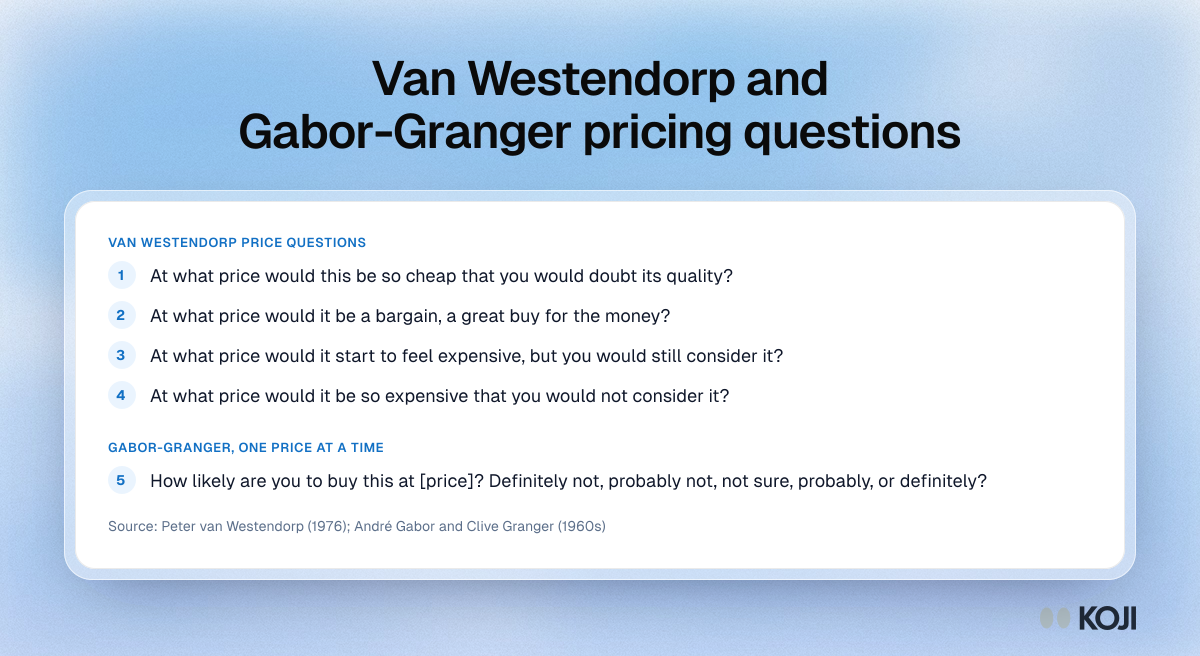
For Gabor-Granger, the scale is:
- Definitely would not buy
- Probably would not buy
- Not sure
- Probably would buy
- Definitely would buy
Count "Probably would buy" and above as a yes unless you have a reason to be stricter. For a high-commitment purchase, counting only "Definitely would buy" gives a more cautious curve.
A worked example
Here is an illustrative case, with made-up numbers to show the arithmetic. A small analytics tool is choosing a monthly price. A Van Westendorp round suggested an acceptable band of roughly €20 to €50. The team picks five evenly spaced prices spanning that band, with one below and one above it, and runs Gabor-Granger with 40 people.
| Price per month | Would buy | Revenue per person asked |
|---|---|---|
| €19 | 78% | €14.82 |
| €29 | 62% | €17.98 |
| €39 | 41% | €15.99 |
| €49 | 22% | €10.78 |
| €59 | 10% | €5.90 |
€29 earns the most per person asked, even though €19 wins more buyers. Two things to notice:
- The drop from €29 to €39 is the steepest. That is where something changes in buyers' heads: often a competitor's price or a budget threshold. You only find out which by asking.
- €39 is close behind. With 40 people, a gap of two euros per person is within the noise. A careful team would test €34 next, or ship €29 and watch conversion.
Mistakes that make both methods mislead
- Testing the wrong people. A price test on people who would never buy the category tells you nothing. Screen for the job and the budget first.
- A ladder that's too narrow. If everyone would buy at your top price, you priced too low and the test can't tell you by how much. Put at least one price above where you're comfortable.
- Reading the number without the reason. "Would not buy at €39" might mean "too expensive", "I'd use the free plan of a competitor" or "my manager signs anything over €30". Each needs a different fix.
- Treating stated intent as forecast. Given the overstatement in the research above, use these results to rank options and spot thresholds, not to forecast revenue. Pair them with real signals: pre-orders, a paid pilot, or an A/B test on the pricing page.
- Anchoring everyone on the cheapest price. If every person sees the lowest price first, the rest of their answers lean low. Start people at different points.

Photo by Vitaly Gariev on Unsplash
How to run each in Koji
Koji runs both inside AI-moderated interviews, so every price answer comes with a follow-up about why.
Gabor-Granger: the Price Test question. Pick Price Test (Gabor-Granger) as the question type, then enter between 3 and 10 prices (5 to 7 evenly spaced works best), a currency and an optional unit such as "per month". Each participant sees the product, using the question text and its image if you attach one, and rates one price at a time on the five-point purchase-intent scale. You choose which answer counts as a buy; the default is "Probably would buy" or higher.
Koji starts each person at a random price in the middle of your ladder, so nobody anchors on the cheapest, and moves up or down until it finds the highest price they would still buy at, usually in about three steps. Then it asks why, in their own words. The report shows the share who would buy at each price, the revenue each price implies and the price that earns the most, with the quotes behind each point. It is labelled directional for the reasons above, and it reads best from about 30 interviews. It works in text and voice interviews, not on phone calls, and the prices lock once responses come in.
You can set it up yourself from a free account, or ask the research assistant ("help me test pricing for our new plan") and it will build the study. If you use an AI assistant connected to Koji over MCP, it can create and read price tests too.
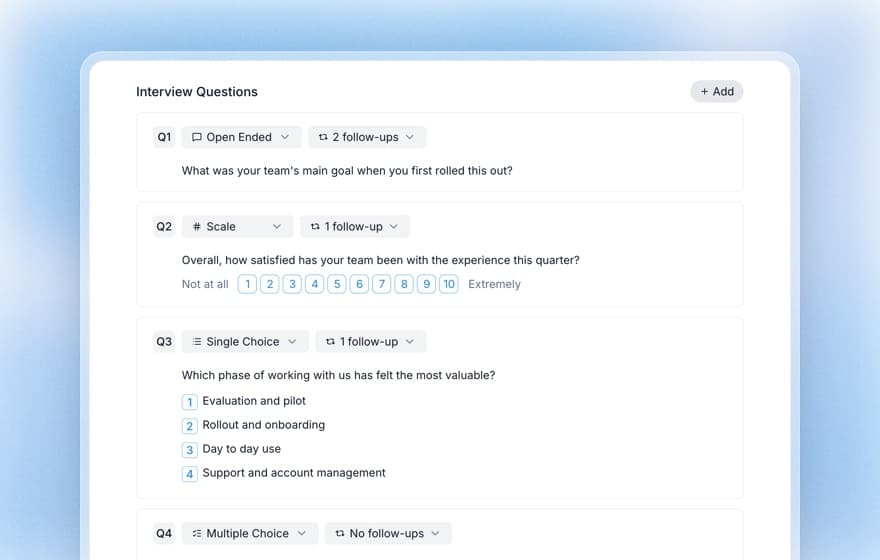
Van Westendorp: four open questions. Add the four questions above as open-ended questions, and the AI interviewer will ask what's behind each number ("what makes €60 feel too expensive?"). Koji doesn't draw the four Van Westendorp curves for you, so copy the answers into a spreadsheet to plot them. Koji's willingness-to-pay template also closes with a spoken Van Westendorp round.
To reach people, share the interview link with your own users, email a list of customers from Koji, or recruit from Koji's panel when you need people who don't know you yet. Only interviews that pass Koji's quality check count toward your results and your credits.
For the full method detail, see our docs on the Gabor-Granger method, the Van Westendorp Price Sensitivity Meter and the willingness-to-pay interview template.
The bottom line
Van Westendorp and Gabor-Granger aren't rivals. One finds the band, the other picks the point, and both get far more useful when you hear the reasons behind the numbers. If you're choosing a price this month, start with the method that matches what you already know, keep the sample honest, and confirm the answer with a real purchase signal before you announce it.
Ready to test a price? Start free with Koji, add a Price Test question with five prices, and have your first answers, with the reasons behind them, the same day.