Short answer: automatic PII redaction finds the details that identify a participant in an interview transcript (names, email addresses, phone numbers, street addresses, employers) and replaces them with labels such as [NAME] before anyone analyzes the data. It is the fastest way to cut how much personal data your research holds, and it works best when it happens at the source, before summaries, reports and exports are built. It is not anonymization. A transcript with every name removed can still point to one person through their job, city and story, and automatic tools miss some details. Use redaction to shrink your risk, then review what you share.
This guide covers what redaction catches, what it misses, where it pays off, and how to set it up in Koji.
Why personal details end up in transcripts
You never ask for them, and they arrive anyway. People explain context the way they would to a colleague: "my manager Priya set this up", "we moved from the Leeds office", "email me at [email protected] if you want the file". In a customer interview, the participant names their employer in the first minute, because it explains why they use your product.

Photo by Vitaly Gariev on Unsplash
Each of those details is personal data under GDPR, and each copy multiplies. The transcript feeds a summary, the summary feeds a report, quotes go into a slide deck, the deck goes to leadership, and someone exports everything to a spreadsheet. By the time a study is done, a single name can live in a dozen places you will never clean up by hand.
That matters because personal data is what attackers and regulators care about most:
- In the IBM Cost of a Data Breach Report 2025, customer personal data was the most commonly compromised record type, involved in 53% of breaches, and the global average breach cost $4.44 million.
- The DLA Piper GDPR fines and data breach survey of January 2026 counted about €1.2 billion in GDPR fines across Europe in 2025, and an average of 443 breach notifications a day.
Research teams are rarely the target, but research data is often the least governed copy of customer data in a company. Holding less of it is the cheapest protection there is.
What automatic PII redaction catches
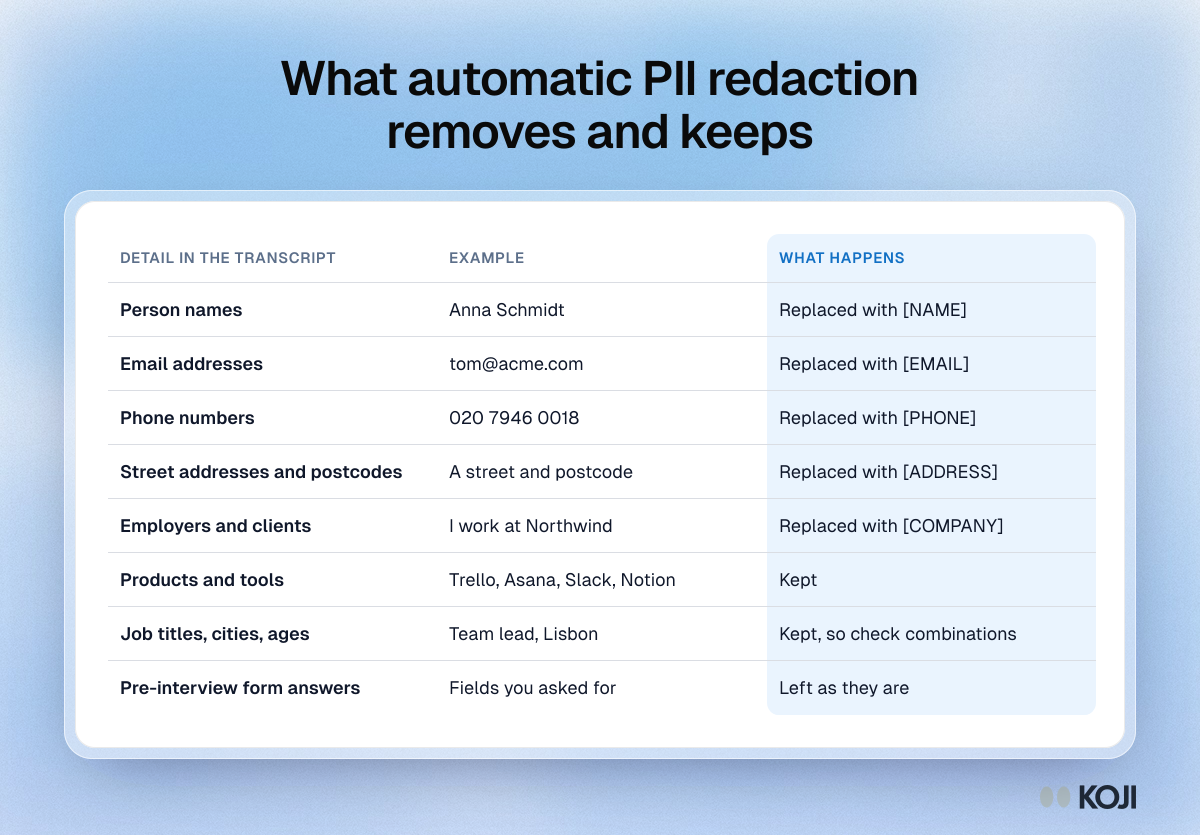
Good redaction targets the direct identifiers: the details that, on their own, tell you who someone is or how to reach them. In Koji, that means five kinds of detail, each replaced with its own label:
- Names of people, including the participant, colleagues and family, full names and first names: [NAME]
- Email addresses: [EMAIL]
- Phone numbers: [PHONE]
- Street addresses and postcodes: [ADDRESS]
- Employers, meaning the organisation the participant or someone they mention works for, studies at or is a client of: [COMPANY]
Just as important is what stays. Products, apps and tools people talk about remain, because "we left Notion for Slack" is the finding, not the risk. Job titles, cities, countries and ages also stay, since they carry meaning for analysis and are not direct identifiers on their own.
Here is what that looks like on a real kind of answer:
Before: "I am a team lead at Northwind, and my colleague Anna Schmidt and I moved the whole team from Trello to Asana last spring. You can reach me on 020 7946 0018."
After: "I am a team lead at [COMPANY], and my colleague [NAME] and I moved the whole team from Trello to Asana last spring. You can reach me on [PHONE]."
The finding (a team lead who moved a team from Trello to Asana) survives. The person does not.
What redaction misses
Two kinds of gap are worth knowing before you rely on it.
Some direct identifiers slip through. Detection is never perfect, whoever does it. In a 2008 study of automated de-identification of nursing notes, the software reached a recall of 0.943, meaning it missed close to 6% of the protected details. Newer tools do better, but none claim 100%. Unusual spellings, nicknames, a name used as a common word, or an employer mentioned through a product name are the typical misses.
Indirect identifiers are not removed at all, by design. A job title, a city and an age are kept because analysis needs them. Combined, they can still point to one person. Latanya Sweeney showed in 2000 that 87% of Americans could likely be identified by just their ZIP code, gender and date of birth. A later re-check by Philippe Golle on 2000 census data put the figure at about 63%, still most of the population. In B2B research the risk is sharper: "the only head of procurement at a 40-person fintech in Lisbon" is one person, with or without a name.
So redaction makes a transcript far less identifying. It does not make it anonymous. For that, you need the judgment calls in our guide to anonymizing customer interview data: generalising roles, rounding numbers and removing stories that only one person could tell.
Where redaction belongs: at the source
Repository tools that offer redaction usually apply it to recordings and transcripts after they arrive. Dovetail, for example, added automatic redaction in March 2026 with Off, On and Suggest modes, available on its Enterprise plan and applied to content uploaded after the setting is switched on. That is useful for a repository that gathers files from many sources.
Redacting at the source changes what exists in the first place. If the details are removed when the interview finishes, before any summary or report is built, then every copy downstream starts clean: the per-question results, the quotes in the report, the shared link and the CSV export. Nothing has to be found and fixed in ten places, because it was never written to them.
It also helps you meet two GDPR principles without extra process. Data minimisation asks you to hold only what you need, and storage limitation asks you not to keep it longer than you need. If you never needed to know where the participant works to answer your research question, the right amount to keep is none. Our guide to GDPR-compliant AI user research covers the rest of the picture, from consent to retention.
When to turn it on
Redaction costs you very little in most studies, since the findings rarely depend on a name. Turn it on by default when:
- Participants are the end users of your customers, and you have no reason to know who said what
- The topic is sensitive: health, money, employment, conflict at work, or anything a participant would not want traced back to them
- Results travel widely, to leadership, a client or a public report
- You work in a regulated industry, or a customer contract limits how you may handle their staff data
- You are an agency sharing raw data with a client who should see themes, not people
Leave it off when you genuinely need identity in the transcript, for example account-level win-loss interviews where the sales team must follow up with each named customer. Even then, keep identity in the pre-interview form, where you asked for it on purpose, rather than in free text.
How it works in Koji
Remove personal details is a per-study privacy setting, available on every Koji plan, including the free one.
- Open the study and go to Branding & Settings.
- Open the Privacy section and turn on Remove personal details (PII).
- Run interviews as usual. Each interview is cleaned when it finishes, before Koji analyzes it.
- Review responses before you share them, since automatic removal can miss some details.
A few details matter in practice:
- The original is not kept. Koji overwrites the transcript with the cleaned text. A hidden copy would be masking, not removal.
- The voice recording goes too. If anything was removed from a voice interview, Koji does not keep the recording, since it holds the same details in the voice of the participant.
- Both sides of the conversation are cleaned. A name the participant says is also removed where the AI interviewer repeats it back.
- Only the exact words are replaced. The rest of each answer stays word for word, so quotes in your report are still in the words of the participant.
- It applies going forward. Interviews that finish after you turn it on are cleaned. Answers to your pre-interview form stay as they are, because those are fields you asked for by name.
- You can switch it on from chat. Chat with Koji, or an AI assistant connected through the MCP connector, can turn the setting on for a study.
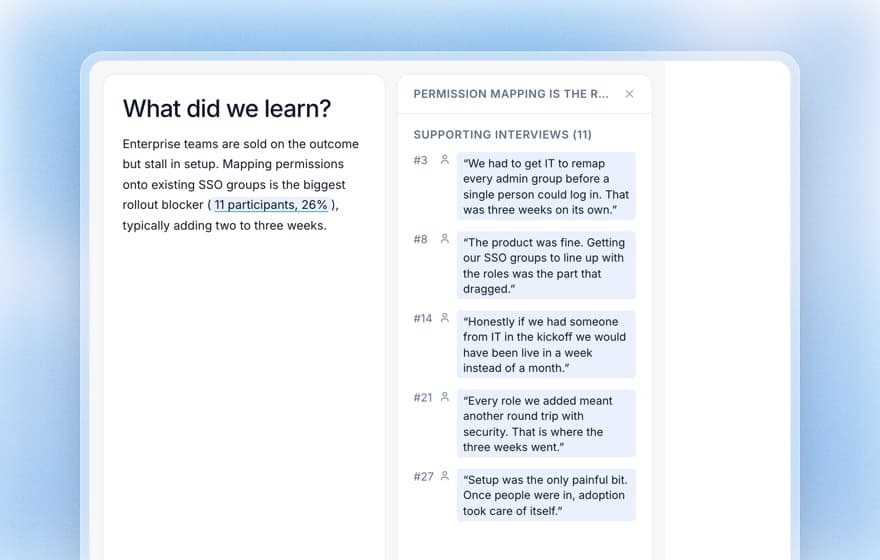
Because redaction runs before analysis, everything built on top of the transcript reads the cleaned text: summaries, quality scores, themes, report quotes and exports.
Before you share redacted data
Redaction does most of the work, and a short human pass does the rest. Run this check before a transcript, a quote or an export leaves your team:
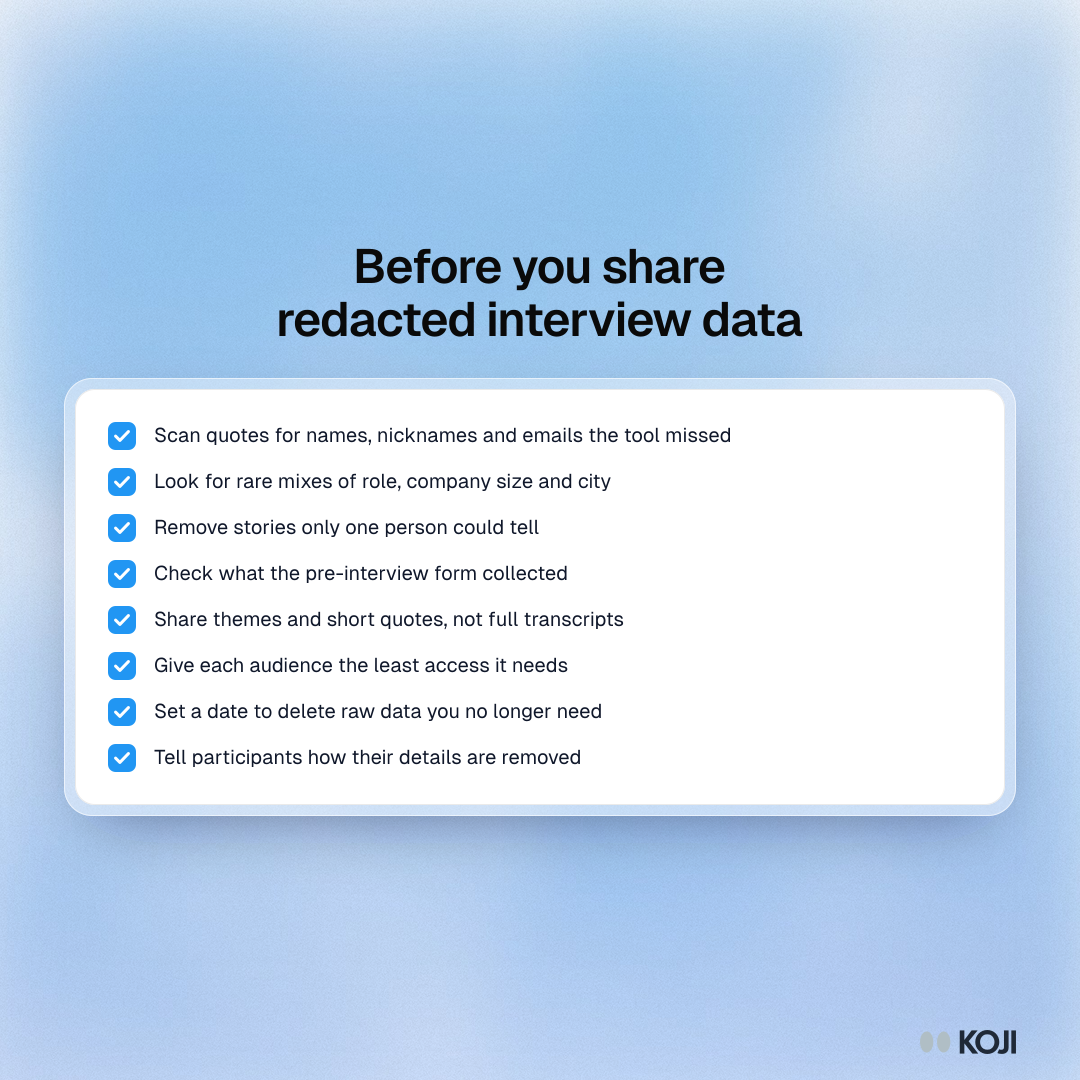
- Scan every quote you plan to share for names, nicknames and email addresses the tool missed
- Look for rare combinations of role, company size and city that point to one person
- Remove stories only one person could tell, such as a named incident or a unique project
- Check what the pre-interview form collected, since redaction leaves it as it is
- Share themes and short quotes rather than full transcripts wherever you can
- Give each audience the least access it needs: a public report, a team or a named person
- Set a date to delete raw data you no longer need, following your retention policy
- Tell participants in your consent text how their details are removed and who sees the results
The bottom line
Personal details get into interviews whether you ask for them or not, and every summary, report and export copies them further. Automatic redaction at the source is the simplest way to stop that: names, contact details, addresses and employers are replaced before analysis, products and context stay, and every copy downstream starts clean. It will miss a little, and it will not hide a person whose story is unique, so pair it with a short review before you share. For a fuller list of questions to ask any vendor, see our AI interview data privacy and security guide.
Try it in Koji
Start a free Koji study with 10 credits and no card. Write one research question, let the AI draft the brief, turn on Remove personal details under Branding & Settings, and take the interview yourself in preview to see what your participants will see.