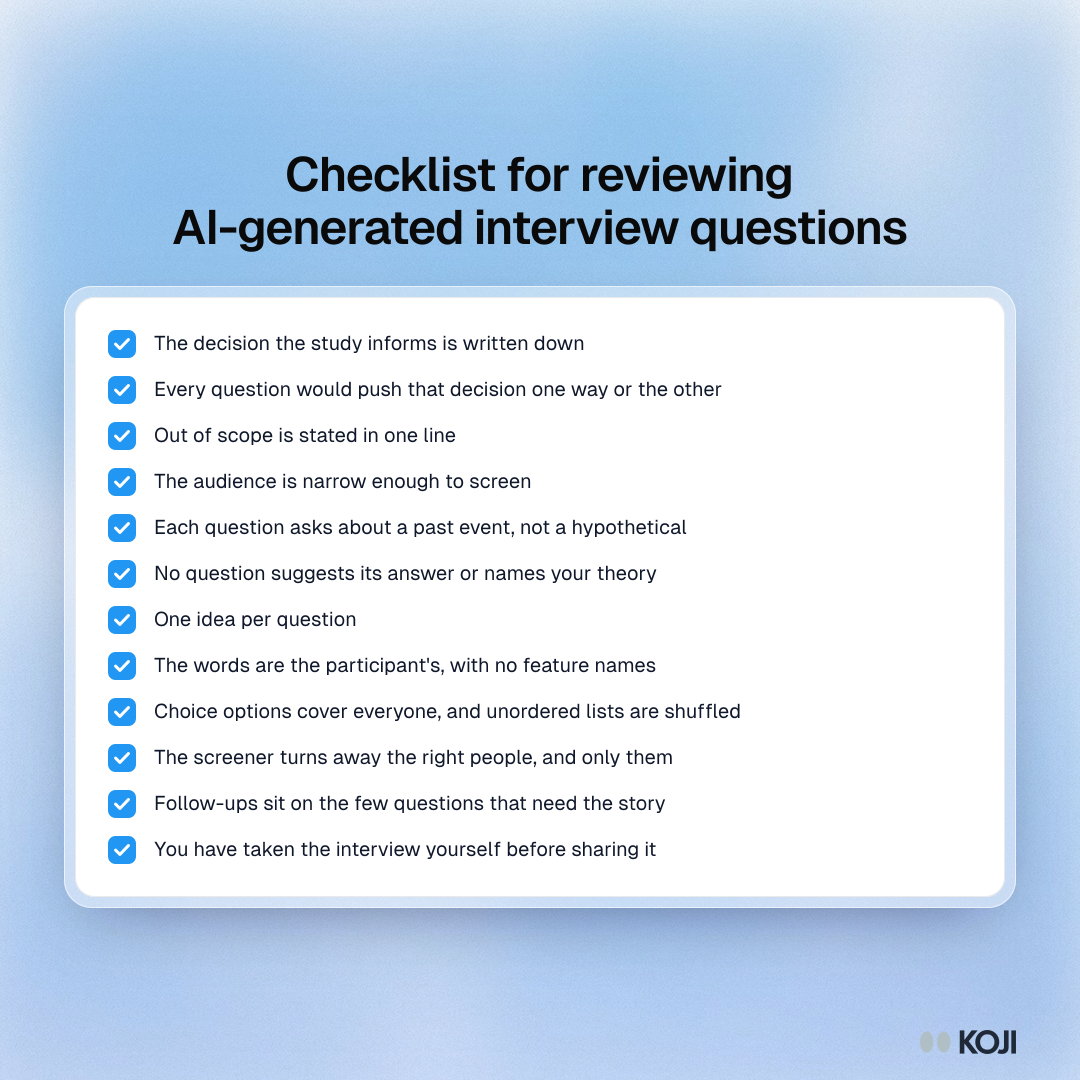
To review AI-generated interview questions, check three things in order: that the study has a decision behind it, that each question asks about something that already happened without suggesting the answer, and that the interview will reach the right people and probe in the right places. The 12 checks below cover all three. They work on a guide from a chatbot, a free question generator or Koji's research assistant, and they take about as long as reading the guide twice.
If you draft in Koji: you can fix most of what this checklist finds by asking the research assistant for the change ("make question 4 less leading"), and it edits only that question. Then preview the interview before anyone else sees it.
Why AI-drafted questions need a human check
Most researchers now draft with AI. In User Interviews' State of User Research 2025 survey of 485 researchers, 80% said they use AI in their research, and 91% said they worry about the accuracy of what it produces (User Interviews, 2025).
Asking the AI to check its own work is not enough. In a study of 118 draft survey questions, researchers at the University of Lausanne and the University of Essex found that a large language model was notably less likely than an expert coder to flag some data quality risks, especially social desirability bias (Survey Futures working paper 22). That is the bias where people give the answer that makes them look good, and it is exactly what a friendly, leading question invites.
Wording changes answers more than most teams expect. In Loftus and Palmer's classic experiment, people watched the same film of a car crash and were asked how fast the cars were going when they "smashed", "collided", "bumped", "hit" or "contacted" each other. The average estimate ran from 40.8 mph for "smashed" down to 31.8 mph for "contacted". A week later, 32% of the "smashed" group said they had seen broken glass, against 14% of the "hit" group and 12% of a group not asked about speed. There was no broken glass in the film (Loftus and Palmer, 1974).
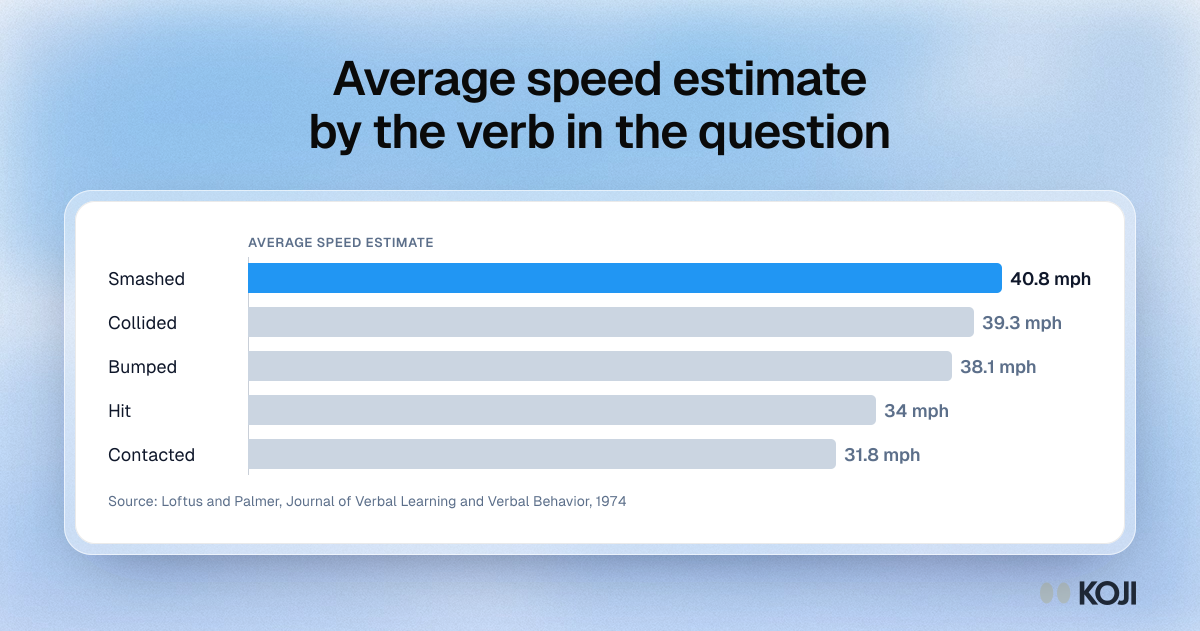
Your participants are not eyewitnesses, but the mechanism is the same: the question supplies part of the answer. An AI that writes fluent questions will write fluent leading ones too.
The 12-point checklist
Work through it top to bottom. The first four checks are about the study, the next five about each question, and the last three about how the interview will run.
The study
1. The decision is written down. The brief should say what you will do differently depending on the answers: change onboarding or extend the trial, build the integration or not. If the guide has no decision, the AI had to guess one, and the questions will wander.
2. Every question earns its place. For each question, ask: which way would an answer push the decision? If you cannot say, cut it. AI drafts tend to run long because adding a question costs the AI nothing; it costs your participant two minutes.
3. Out of scope is stated. A line such as "not about pricing" stops the interview drifting into the topic your team argues about most. If the draft has no out-of-scope line, add one.
4. The audience is narrow enough to screen. "Our users" cannot be screened. "Trial users who signed up in the last 30 days and never invited a teammate" can. If the draft's audience is vague, sharpen it before you look at a single question.
The questions
5. It asks about the past, not the future. "Would you use a feature that..." invites a polite yes. "Tell me about the last time you..." gets an event you can learn from. Rewrite every hypothetical as a question about a recent, specific moment. Our doc on hypothetical questions shows how.
6. No question suggests its answer. Look for loaded words (frustrating, easy, waste, love) and for questions that name your theory: "Was the invite step confusing?" Replace them with neutral openers: "What happened when you got to the invite step?" More examples in avoiding leading questions.
7. One idea per question. "How did you find setup and pricing?" is two questions, and whichever part the participant answers, you will not know which. Split it. See double-barrelled questions.
8. It uses the participant's words. AI drafts borrow your product's vocabulary: feature names, internal terms, "workflow". Swap them for what a customer would say out loud, and do not name the feature you are thinking of building.
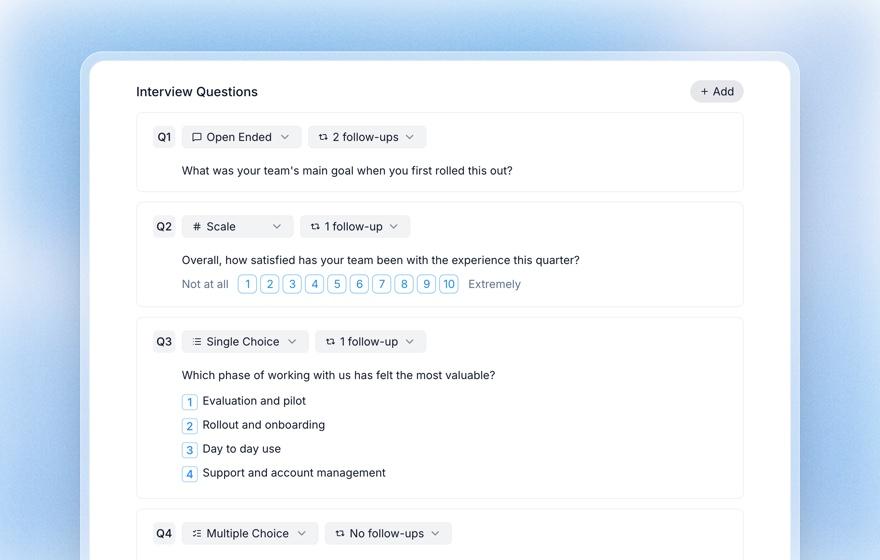
9. Choice options are complete and in the right order. A single or multiple choice question needs an option for everyone, including "None of these" or "Other". Unordered lists (brands, reasons, tools) should be shuffled so the first option is not favoured. Ordered answers (frequency, agreement, size bands) must stay in order.
The running
10. The screener turns away the right people, and only them. Every option on a screening question should say whether it lets someone through or screens them out. Then read it from the other side: would anyone you want to hear from be turned away? Screening out a real participant is usually the more expensive mistake. Our guide to screener questions covers the patterns.
11. Follow-up depth sits on the few questions that matter. Quick factual questions need no follow-up. The two or three "tell me about the last time" questions need more, because the story is in the second and third answer. A guide that probes every question equally makes a long, tiring interview. See probing and follow-up questions.
12. You have taken the interview yourself. Read the questions aloud, or better, run the interview as a participant would. You will hear the question that makes no sense out of context, the one that repeats an earlier one and the one that takes five minutes to answer.
Who should do the review
The best reviewer is someone who did not write the brief. A product manager drafting with AI will read the questions with the decision in their head and fill the gaps without noticing. A second reader, a researcher if you have one, or a colleague from support or sales who talks to customers, reads them the way a participant will.

Photo by Vitaly Gariev on Unsplash
On a team of one, put a day between drafting and reviewing, and read the questions as if you were the customer: someone busy, who has never seen your roadmap and does not care about your feature names. If a question would make you pause or guess what the interviewer wants, it needs rewriting.
Fixing what you find in Koji
If you draft the study with Koji's research assistant, you do not need to rewrite by hand. Ask for each fix in the Studio chat:
- "Make question 4 less leading" rewrites that one question. The rest of the brief stays as it was, and the assistant tells you what it changed.
- "Split question 2 into two questions" handles the double-barrelled ones.
- "Add a screening question so only people who never invited a teammate take part" writes a single or multiple choice screener where every option qualifies or disqualifies.
- "No follow-ups on the team size question, three on the first one" sets follow-up depth per question, from none to three.
- "Shuffle the options on the tools question" turns on shuffling for an unordered list.
Asking the assistant a question about the brief, such as "which questions are hypothetical?", gets you an answer without changing anything. That makes it a useful second pair of eyes, but not the final one: the study above is a reminder that a model misses some of what an expert catches. You still read every question.
Preview before you share
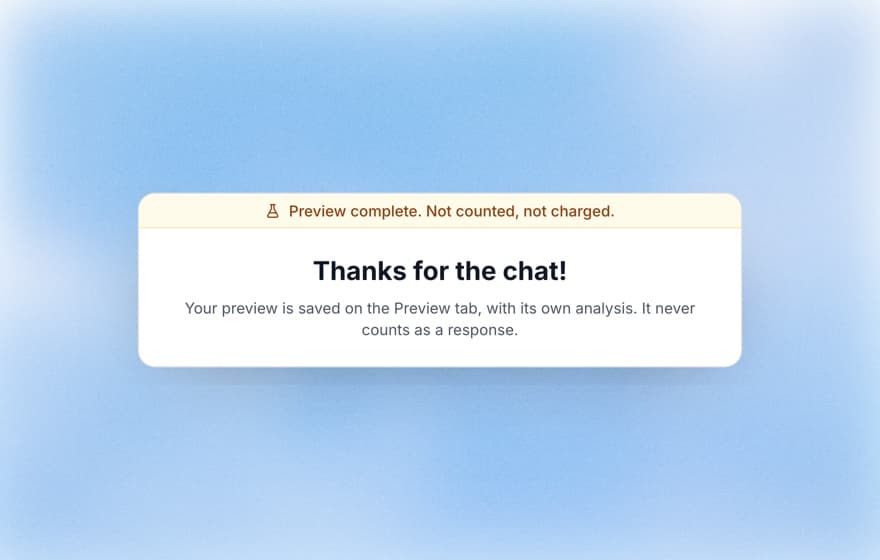
For check 12, preview the interview. A preview runs the real interview, by voice or text, and is not counted as a response.
A worked example
Here is a short AI draft for the goal "find out why trial users stop before inviting a teammate", and what the checklist does to it.
| AI draft | Check that fails | After review |
|---|---|---|
| Would you invite your team if inviting was easier? | 5, 6 | Tell me about the last time you set up a new tool for your team. |
| How did you find the setup and the invite flow? | 7, 8 | What happened when you finished setting up your first project? |
| Was the invite step confusing? | 6 | What did you do after your first project was set up? |
| How much do you love working with your team in one tool? | 6, 2 | Who else works on these projects with you? |
| What features would make you upgrade? | 2, 3 | Cut: pricing is out of scope for this study |
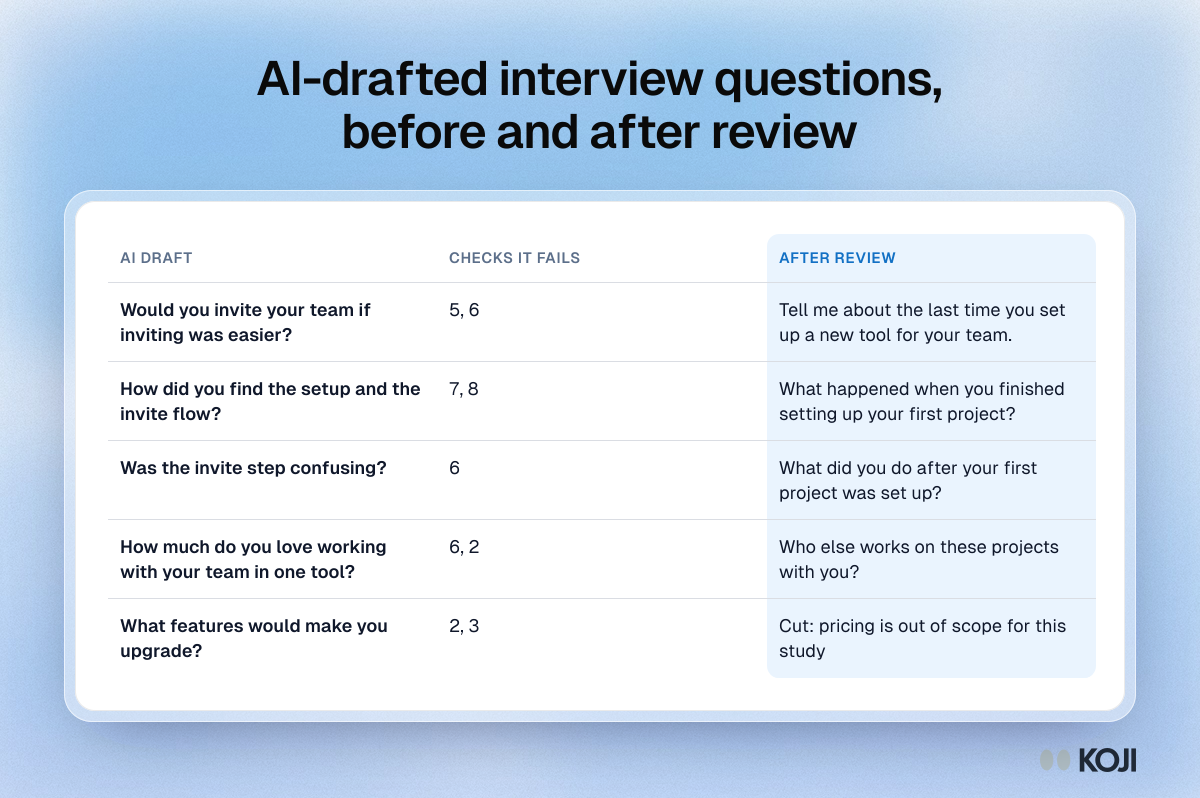
Four of the five questions fail two checks each, and the last one does not belong in the study at all. Expect a first AI draft to need this kind of pass, and do it before the link goes out.
Where this checklist stops
The checklist catches wording and structure. It does not tell you whether you are talking to enough people (for a narrow question, plan on at least a dozen per segment; see data saturation), or whether interviews are the right method at all. If you need to know how many people do something, a survey or your product data will answer faster. If you need to know why, interviews are the right tool, and a clean guide is most of the work.
Try it on your next study
Take a guide you drafted with AI this month and run it through the 12 checks. If you want the fixes to take minutes, start a free Koji study: describe your goal, let the research assistant draft the brief, ask for each fix in the chat and preview the interview before you share the link. If you are comparing ways to draft questions in the first place, read AI interview question generators compared. If you lead product, Koji for product managers shows how PMs run studies like this one.