Short answer: Choose UserTesting if you need video of real people using your product, live sessions, and an enterprise platform that a large team can share. Choose Lyssna if you mostly run quick design tests (five-second tests, first-click tests, preference tests, card sorts) and want transparent pricing with a free plan. Both show you what people do. If your open question is why customers choose, hesitate or leave, add AI-moderated interviews from Koji, which ask follow-up questions in every conversation and start free.
This comparison covers what each platform does, how they charge, where each one falls short, and how to pick.
Why this choice matters in 2026
Research teams are being asked to do more with the same people. Maze's 2025 Future of User Research report found that 55% of respondents saw demand for research rise, while 63% named time and bandwidth as their top challenge. In the 2026 State of User Research report from User Interviews and UserTesting, 21% of respondents reported researcher layoffs in 2025, and 80% now use AI in their work, up 24 points in a year.
That pressure explains why UserTesting and Lyssna end up on the same shortlist. One promises depth from watching real people. The other promises speed from quick tests anyone on the team can launch. The right answer depends on which constraint hurts more.
UserTesting vs Lyssna at a glance
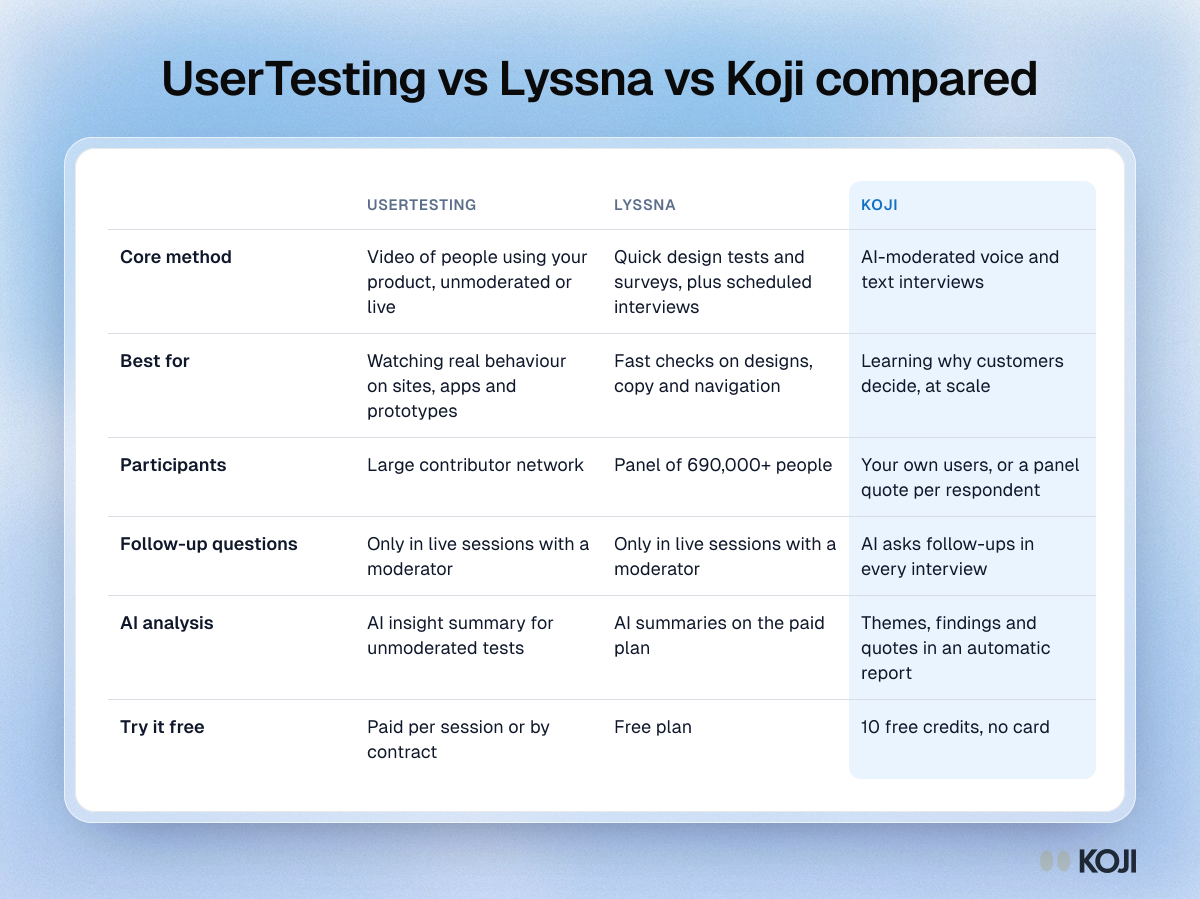
| UserTesting | Lyssna | Koji | |
|---|---|---|---|
| Core method | Video of people using your product, unmoderated or live | Quick design tests and surveys, plus scheduled interviews | AI-moderated voice and text interviews |
| Best for | Watching real behaviour on sites, apps and prototypes | Fast checks on designs, copy and navigation | Learning why customers decide, at scale |
| Participants | Large contributor network | Panel of 690,000+ people | Your own users, or a panel quote per respondent |
| Follow-up questions | Only in live sessions with a moderator | Only in live sessions with a moderator | AI asks follow-ups in every interview |
| AI analysis | AI insight summary for unmoderated tests | AI summaries on the paid plan | Themes, findings and quotes in an automatic report |
| Try it free | Paid per session or by contract | Free plan | 10 free credits, no card |
What UserTesting does well
UserTesting is the long-standing name in video-based user research. You write tasks, people from its contributor network complete them on camera while thinking aloud, and you watch the recordings.
- Video of real behaviour. Seeing someone hesitate on a checkout page is hard to argue with in a stakeholder meeting.
- Unmoderated and live. Run self-guided tests at volume, or run live conversations with a moderator.
- AI insight summaries. UserTesting's help centre says its AI insight summary analyses video, transcript and behaviour data for unmoderated tests with up to 25 contributors.
- Enterprise features. Team management, security reviews, and in July 2026 an MCP server that connects recruitment, test creation and results to AI assistants.
Pricing. UserTesting's plans page lists a per-session option you can buy online, priced at $149 per session with a 10-session minimum at the time of writing, with access lasting 30 days. Its larger plans are sold by quote, and third-party guides put annual contracts in the tens of thousands of dollars. Check the plans page for current terms.
Where it falls short. Unmoderated video tells you what happened, but a task-based test cannot ask a second question when someone says something surprising. Live sessions can, but each one needs a moderator's time, which limits volume.
What Lyssna does well
Lyssna, formerly UsabilityHub, is built for speed. Most tests take minutes to set up and minutes to complete.
- A wide set of quick methods. Five-second tests, first-click tests, preference tests, prototype tests, card sorting, tree testing and surveys.
- Interviews too. Lyssna's help centre describes an Interviews feature for scheduling and managing moderated sessions with your own audience or its panel, with recording and transcription.
- A large panel. Lyssna says its panel has more than 690,000 participants.
- Transparent pricing. A free plan with three seats, and a Growth plan at $165 a month billed annually or $199 billed monthly, with five seats and five in-depth studies a month. Panel responses are pay as you go, at about 1 credit per minute of test length per participant.
Where it falls short. Lyssna's quick tests are best at narrow questions: which design wins, where people click first. They are not built for open-ended discovery, and moderated interviews still need a person to run each one.
Head to head
For design validation, Lyssna wins. It is faster to set up, cheaper to run and simpler for designers to use without a researcher in the loop.
For watching real product use, UserTesting wins. Video of a person working through a task, narrating as they go, carries more weight than a click map.
For budget, Lyssna wins clearly. You can start free and see the price of a study before you launch it. UserTesting's per-session option helps smaller teams, but at $149 a session, 20 sessions cost about $2,980.
For the reasons behind behaviour, neither is built for scale. Both rely on a human moderator to ask follow-up questions. That is the gap most teams feel after a few rounds of testing: they know where people struggle, not why they chose a competitor or stopped using a feature.
When to choose UserTesting
Pick UserTesting if:

Photo by Jonas Leupe on Unsplash
- You need video evidence of real people using your site, app or prototype.
- You run live sessions and want recruitment, scheduling and recording in one place.
- Your company already buys enterprise software through procurement, and several teams will share the platform.
When to choose Lyssna
Pick Lyssna if:
- Your team mostly tests designs, copy and navigation.
- Designers and product managers will run tests themselves.
- You want published prices, a free plan and panel costs you can see before launch.
Where Koji fits: the interview layer neither covers
UserTesting and Lyssna show you behaviour. Koji is built to explain it. An AI interviewer talks with each participant by voice or text, follows up on vague answers, and turns every conversation into themes, findings and quotes without anyone moderating.
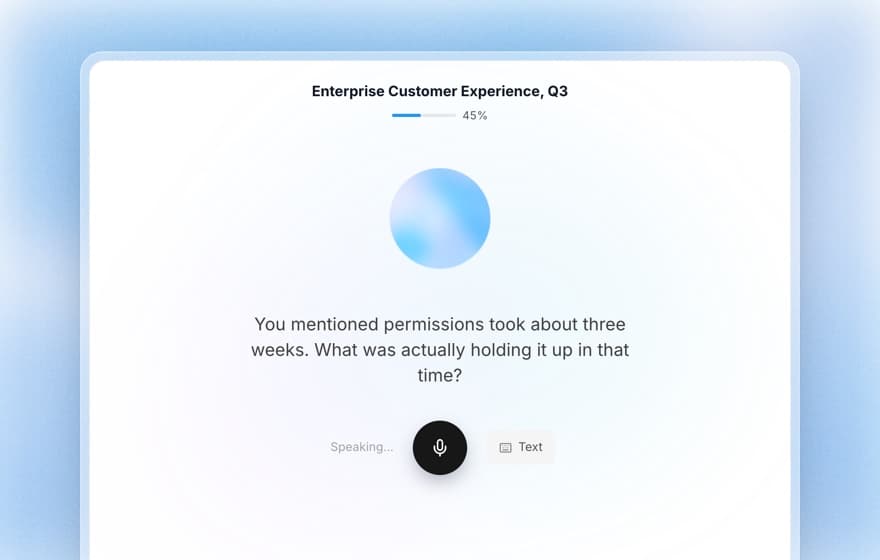
- Follow-up questions at scale. Every interview probes the answer, so 50 conversations get the depth of 50 moderated sessions. See how AI-moderated interviews work and voice vs text interviews.
- Numbers and reasons together. Six question types in one study (open ended, scale, single choice, multiple choice, ranking and yes/no), so a rating and the reason for it come from the same person.
- Reports without the synthesis week. Thematic analysis and findings backed by participant quotes, built as interviews arrive.
- Simple pricing. A qualified text interview uses 1 credit and a voice interview uses 3, at €1 per credit, and only interviews scoring 3 or more on quality are billed. Start with 10 free credits and no card, then buy credits as you go or choose a plan from €29 a month.
- Your participants or ours. Share a link with your users, send personal invite links, or on a paid plan use panel recruitment with the per-respondent quote shown before launch.
Many teams use Koji next to a testing tool: Lyssna or UserTesting to find where people struggle, then Koji to ask a larger group why. Koji does not record screens or run click tests, so it does not replace them for that job. For a deeper look, read Koji vs UserTesting and Koji vs Lyssna.
Find out why, not only where
If your last round of tests showed where people get stuck, the next question is why. Write that question into Koji, preview the interview for free, and send it to your users today. You will have transcripts, themes and a report by tomorrow.
Start free with Koji. 10 credits, no card needed.
Sources: UserTesting plans page, help centre and July 2026 product release notes; Lyssna pricing, feature and help centre pages; User Interviews and UserTesting, State of User Research 2026; Maze, Future of User Research Report 2025. Prices as listed by each vendor in October 2026.