Flowchart
How to choose a transcript redaction route
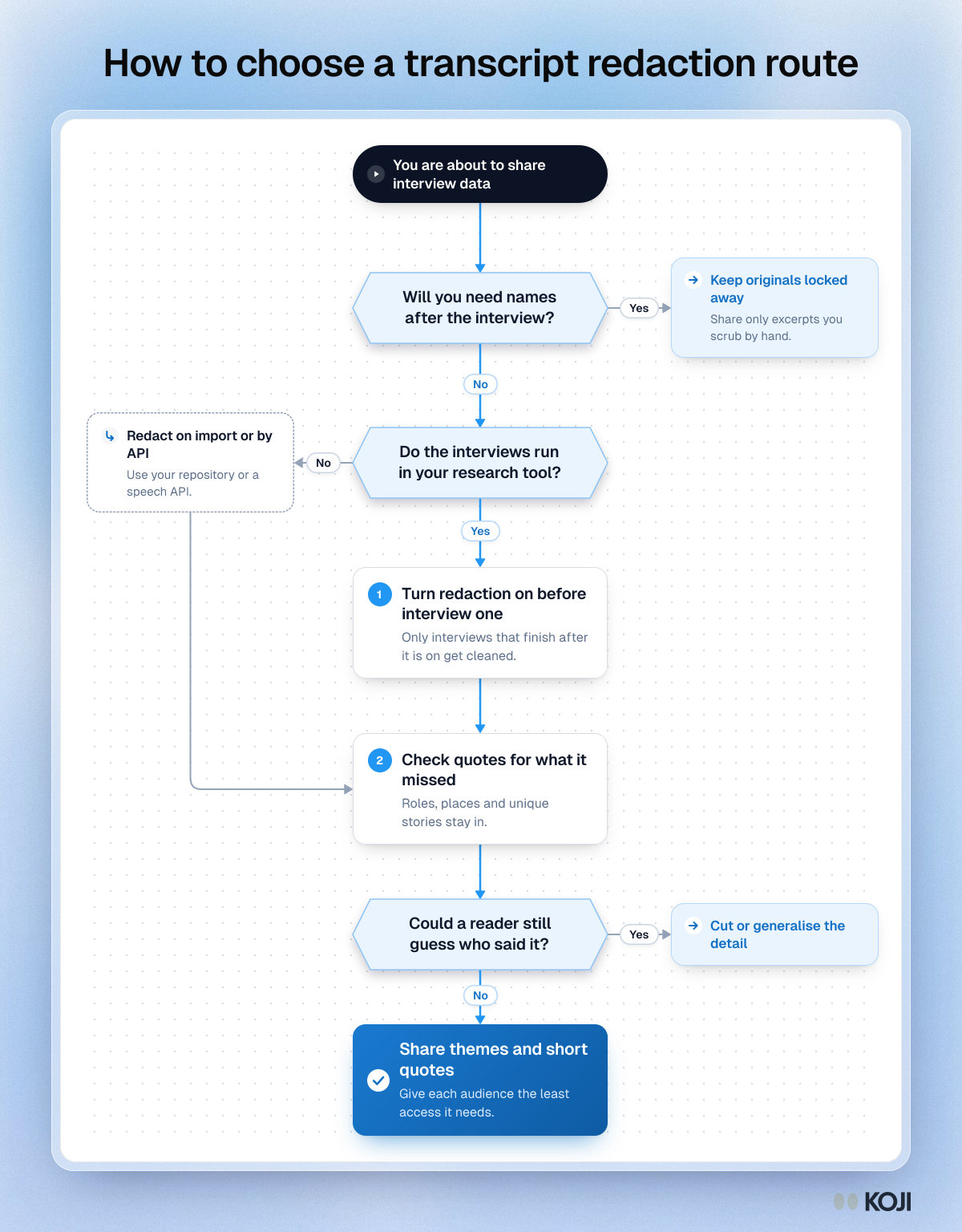
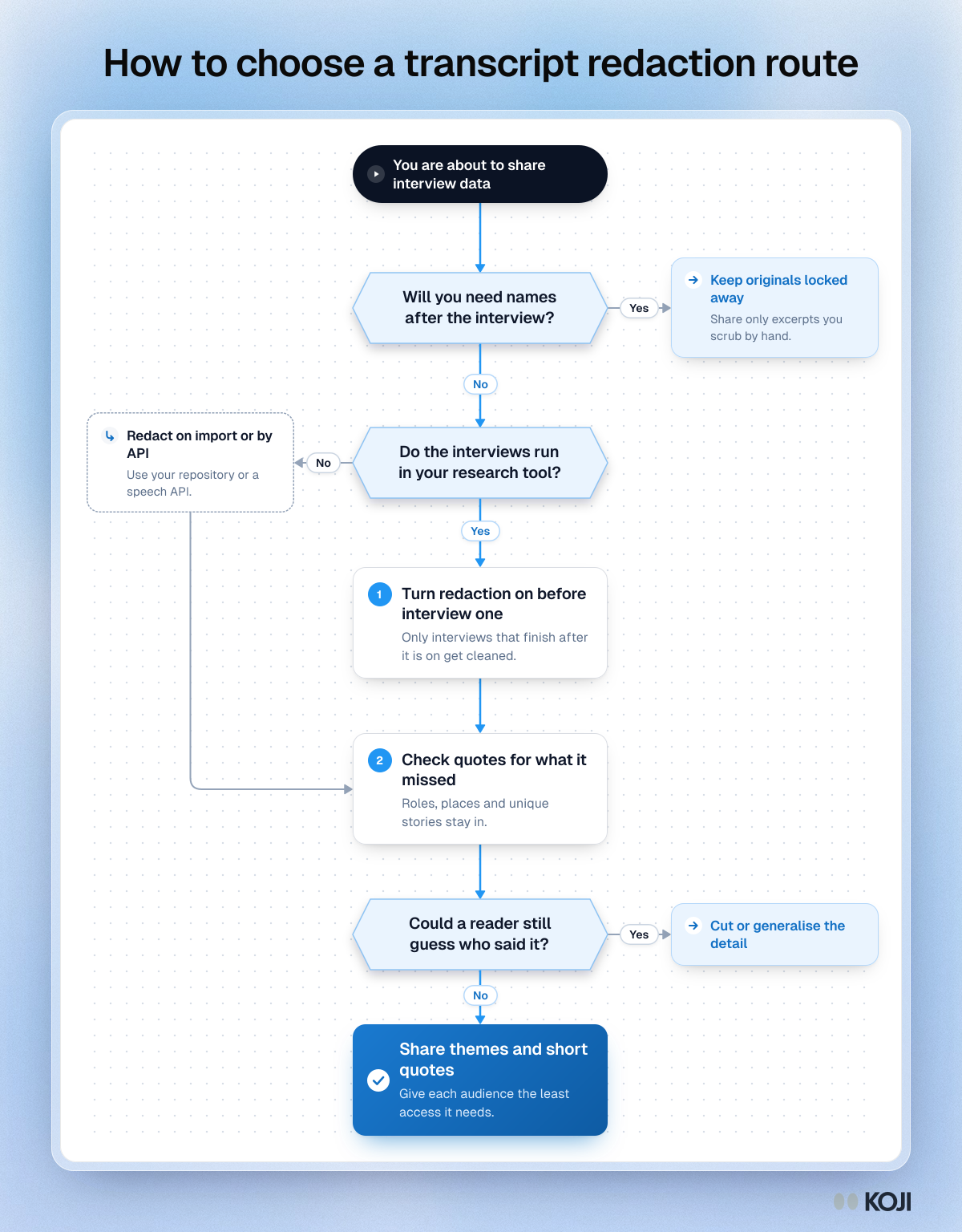
A decision path for research teams who need personal details out of interview transcripts. It starts with whether you will need names later, routes imported recordings to repository or API redaction, and ends with a human check for details automatic tools miss. In Koji you can switch on Remove personal details per study so each interview is cleaned when it finishes.
Where this appears
What's in this flowchart
Start: You are about to share interview data
- Will you need names after the interview?
- No: go to 2.
- Yes: Keep originals locked away. Share only excerpts you scrub by hand.
- Do the interviews run in your research tool?
- Yes: go to 3.
- No: Redact on import or by API. Use your repository or a speech API. Then go to 4.
- Turn redaction on before interview one. Only interviews that finish after it is on get cleaned.
- Check quotes for what it missed. Roles, places and unique stories stay in.
- Could a reader still guess who said it?
- No: go to 6.
- Yes: Cut or generalise the detail.
- Finish: Share themes and short quotes. Give each audience the least access it needs.
Use this image
Free to use in your docs, decks and posts under CC BY 4.0, as long as you credit Koji with a link to this page. To embed it, paste this into your page:
html
<a href="https://www.koji.so/visuals/choose-transcript-redaction-route-flowchart"><img src="https://www.koji.so/visuals/choose-transcript-redaction-route-flowchart/choose-transcript-redaction-route-flowchart.png" alt="Flowchart for choosing a transcript redaction route, from whether you need names to checking quotes before you share themes" width="1200" height="1536" /></a>
<p>Source: <a href="https://www.koji.so/visuals/choose-transcript-redaction-route-flowchart">How to choose a transcript redaction route</a>, Koji</p>