Flowchart
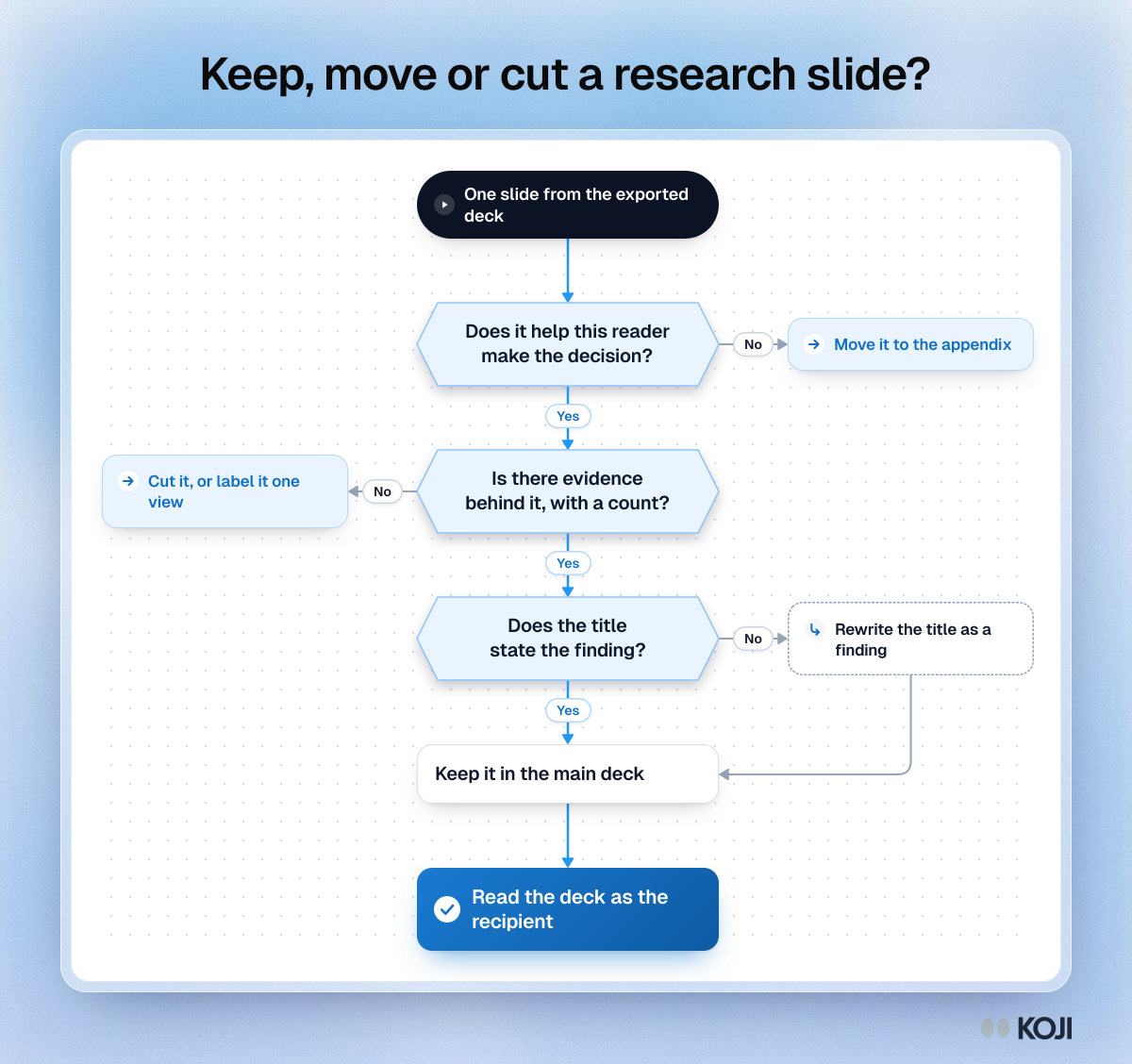
Keep, move or cut a research slide?
Three questions to ask of every slide in an exported research deck
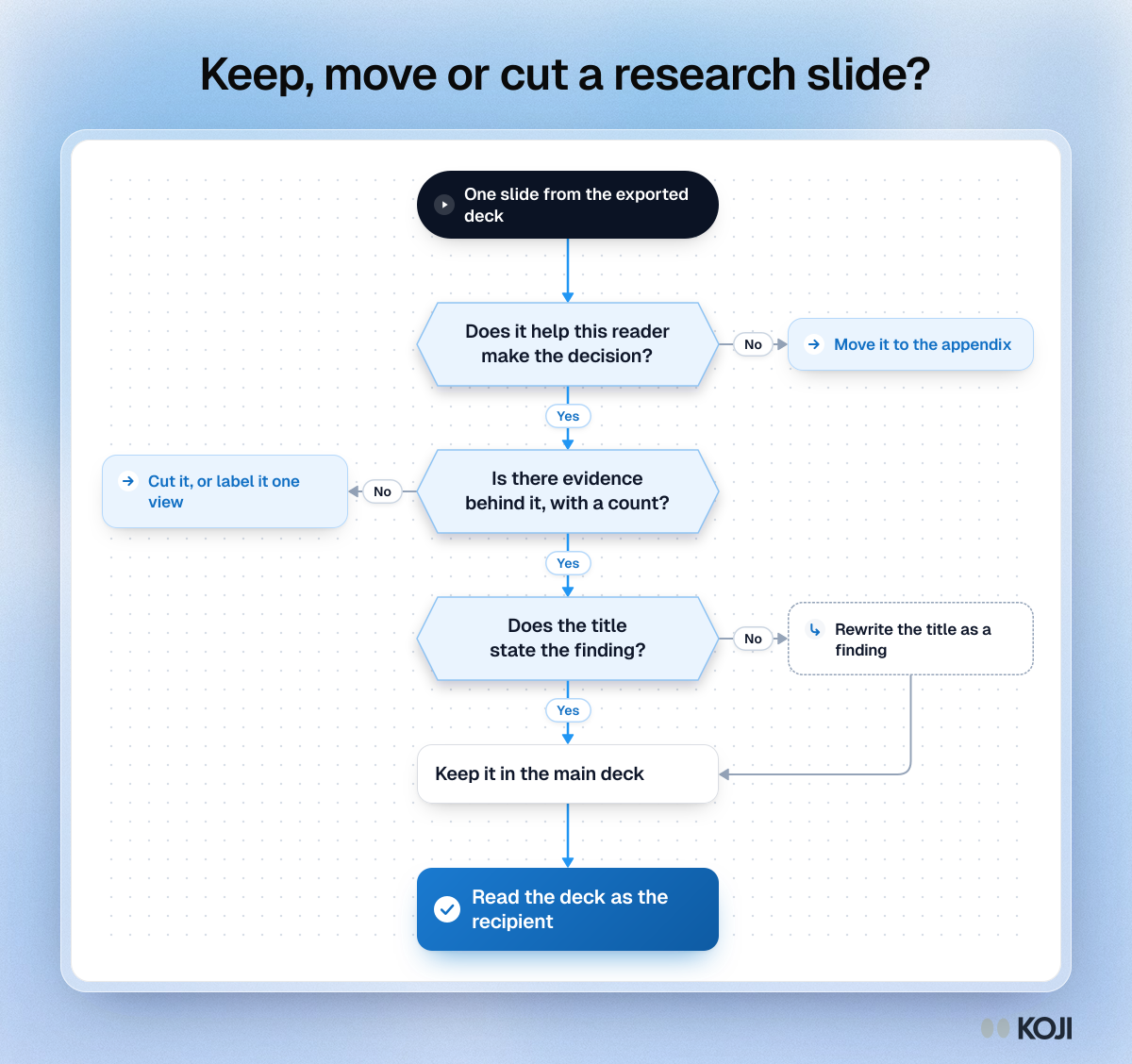
A decision flowchart for trimming a research readout deck. Each slide is tested on whether it helps the reader make the decision, whether evidence with a count stands behind it, and whether its title states the finding. Slides that fail go to the appendix, get cut or get a new title. It suits decks exported from research tools, which include every insight and question by default. Koji exports reports as editable PowerPoint decks that you can trim this way.
Where this appears
What's in this flowchart
Start: One slide from the exported deck
- Does it help this reader make the decision?
- Yes: go to 2.
- No: Move it to the appendix.
- Is there evidence behind it, with a count?
- Yes: go to 3.
- No: Cut it, or label it one view.
- Does the title state the finding?
- Yes: go to 4.
- No: Rewrite the title as a finding. Then go to 4.
- Keep it in the main deck.
- Finish: Read the deck as the recipient.
Use this image
Free to use in your docs, decks and posts under CC BY 4.0, as long as you credit Koji with a link to this page. To embed it, paste this into your page:
html
<a href="https://www.koji.so/visuals/keep-move-or-cut-a-research-slide"><img src="https://www.koji.so/visuals/keep-move-or-cut-a-research-slide/keep-move-or-cut-a-research-slide.png" alt="Flowchart for sorting slides in a research deck: three questions decide whether a slide moves to the appendix, gets cut or stays with a rewritten title." width="1200" height="1128" /></a>
<p>Source: <a href="https://www.koji.so/visuals/keep-move-or-cut-a-research-slide">Keep, move or cut a research slide?</a>, Koji</p>