An exported research deck is a first draft. Before you send it, spend 30 to 45 minutes on six passes: check every insight against the quotes behind it, fix the label under every quote, add the slide that says who you heard from and what the study cannot show, cut the deck to the slides your reader will actually open, rewrite each slide title as a finding, and check every chart against the report. A deck that skips these passes reads as finished but carries errors you would never put your name to.
This checklist is for product managers, designers, founders and researchers who ran a study, downloaded the report as slides, and now have to send it to a board, a leadership review, a client or a team kickoff. It works for any deck built from a tool. The examples use the deck Koji exports, because that is the one we know slide by slide.
Try it on a real deck first. Open a finished study in Koji, choose Download, then PowerPoint, and keep the file open beside this page. Every step below names the slide to look at.
Why an exported deck needs an edit
Export tools save you the slow part: copying quotes, rebuilding charts, laying out slides. What they cannot do is decide what your reader needs, and that is the part that gets a decision made.
Three numbers explain why the edit matters:
- People skim. Jakob Nielsen's analysis of 45,237 page views found that readers have time to read at most 28% of the words on an average web page, and about 20% is the realistic figure (Nielsen Norman Group, 2008). Slides get the same treatment. If the finding is not in the title, most readers will not reach it.
- Readers give a deck minutes. DocSend and Harvard Business School professor Tom Eisenmann studied the decks of more than 200 startups that raised seed and Series A rounds. Investors spent an average of 3 minutes 44 seconds on each deck, and the decks averaged 19.2 slides (TechCrunch, 2015). A board member reading your research appendix gives it less.
- Numbers copied by hand go wrong. Audits of real business spreadsheets found errors in 49 of the 54 files inspected, about 91% (Computerworld, summarising Raymond Panko). Every figure you retype from a report into a slide is a chance to make the same kind of mistake.
The worst case is well documented. After the Columbia shuttle disaster in 2003, the accident board singled out a Boeing briefing slide where the warning that mattered sat in a low-level bullet near the bottom. The board called the reliance on slides in place of technical papers "endemic" (Edward Tufte on the CAIB report). Your readout will not carry stakes like that. The lesson still holds: the slide can be accurate and the reader can still miss the point.
What the exported deck gives you
Know what is in the file before you edit it. A Koji report downloads as an editable PowerPoint deck that opens in PowerPoint, Keynote and Google Slides, in this order:
- A cover with the study name, the date it was completed and the number of participants
- An "at a glance" slide: participants, average interview length, the number of personas, and who you talked to
- An executive summary
- One slide per key insight, up to eight, each with a supporting quote
- One slide per question, with the summary beside a native chart you can edit
- One slide per persona, up to six
- Recommendations, three to a slide
- A closing slide
Run the numbers on a typical study. Eight insights, ten questions, four personas and six recommendations come to 28 slides, half again as long as the average funded pitch deck in the DocSend study. That is the right amount for an archive and too much for a board pack. You can also download the report as a PDF of the full report page, which is the better choice for the archive (see the guide to sharing reports).
The pre-send checklist
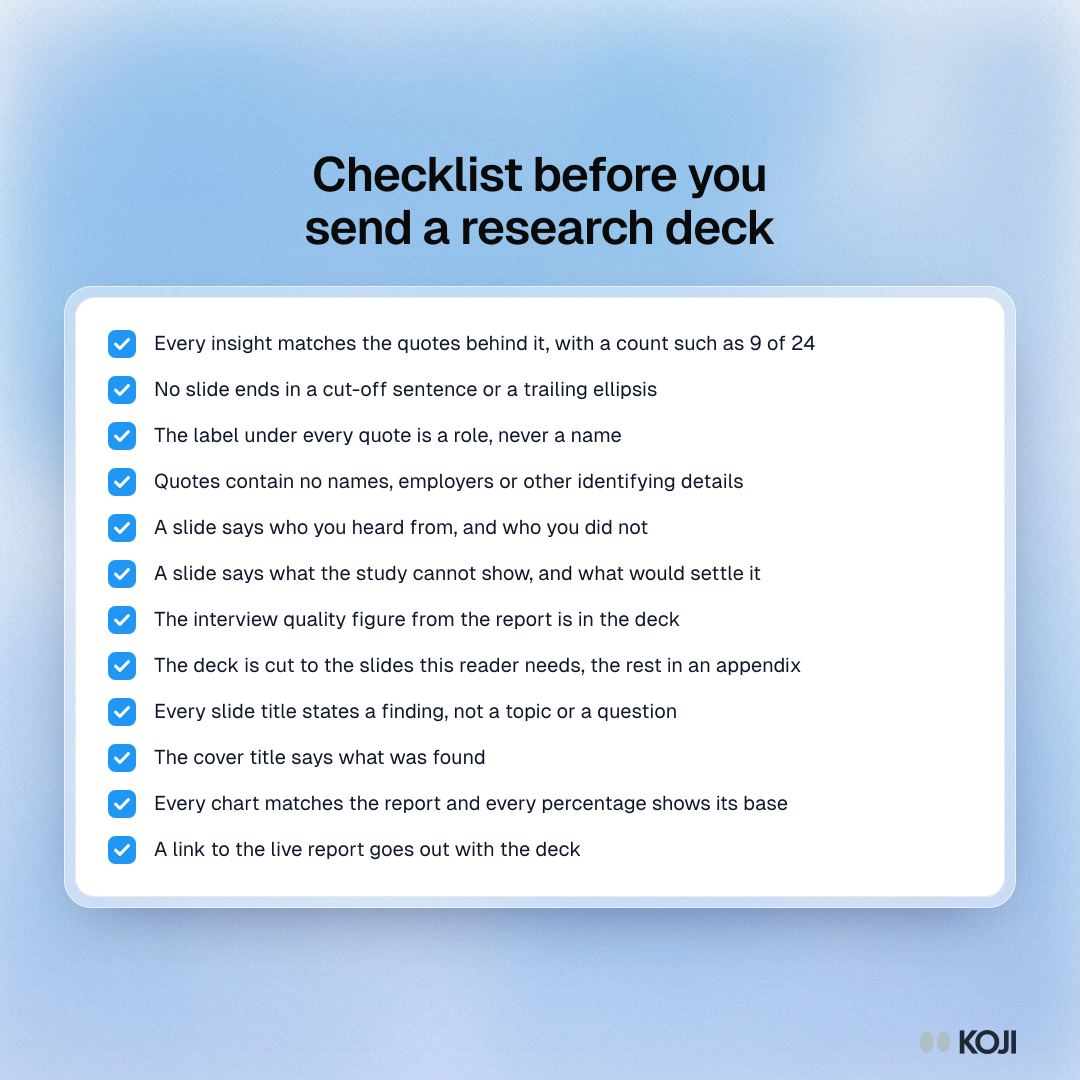
1. Check every insight against its evidence
An insight slide is a claim. Open the report beside the deck, and for each insight click through to the quotes behind it (the guide to tracing findings shows how). Ask three questions:
- Does the quote say what the title says? A quote about onboarding friction under a title about pricing is a mismatch, even if both came up in the same interview.
- How many people said it? Write the base on the slide: "9 of 24 participants", not "many participants". If you cannot find a count, say it is one person's view or cut the slide.
- Is it a finding or something everyone already believed? An obvious result still needs evidence. The test for obvious findings helps you tell a confirmation from a guess.
Long text is shortened to fit each slide, at the last full sentence where possible, so read every insight to the end. A trailing ellipsis means a thought was cut; finish it or rewrite it.
2. Fix the label under every quote
Each insight slide shows one quote with the participant's label under it. If you invited people by name, that label can be the person's name. Replace it with a role: "Ops lead, 40-person agency", "Churned customer, 8 months". Then read the quote itself for names, employers and anything else that identifies someone.
Turning on the setting to remove personal details before interviews start takes names, emails, phone numbers, addresses and employers out of transcripts, and the deck is built from the cleaned text. It applies only to interviews that finish after you switch it on and it can miss details, so still read every quote. For client and enterprise work, also check the guide to anonymising interview data and the rules on minimum segment sizes: a quote from the only CFO you interviewed identifies that CFO.
3. Add the slide on who you heard from, and what the study cannot show
The "at a glance" slide gives the count and the average length. Readers who decide on budgets ask two more questions, and the deck should answer them before they do:
- Who did you hear from, and who not? "24 interviews with active customers on monthly plans in the UK and Germany. No churned customers, no enterprise accounts."
- What can this study not tell you? Interviews explain why. They do not size a market or predict conversion. Say so in one line, and name what would settle it: a price test, a pilot, usage data.
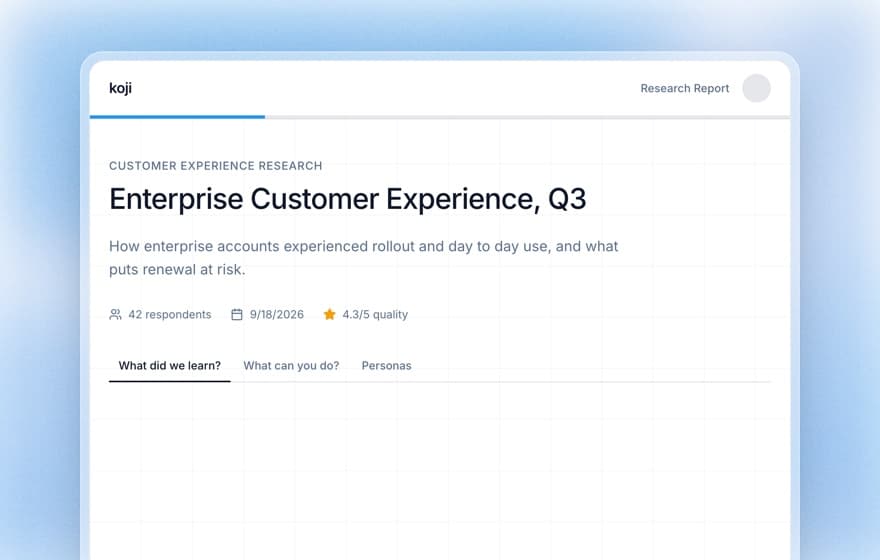
Add the interview quality figure from the report header too. It is the level of the middle interview, so one weak conversation does not drag it down, and it tells a sceptical reader that the conversations were substantial. For how many interviews a claim needs, see how many user interviews are enough.
4. Cut the deck to the slides your reader will open
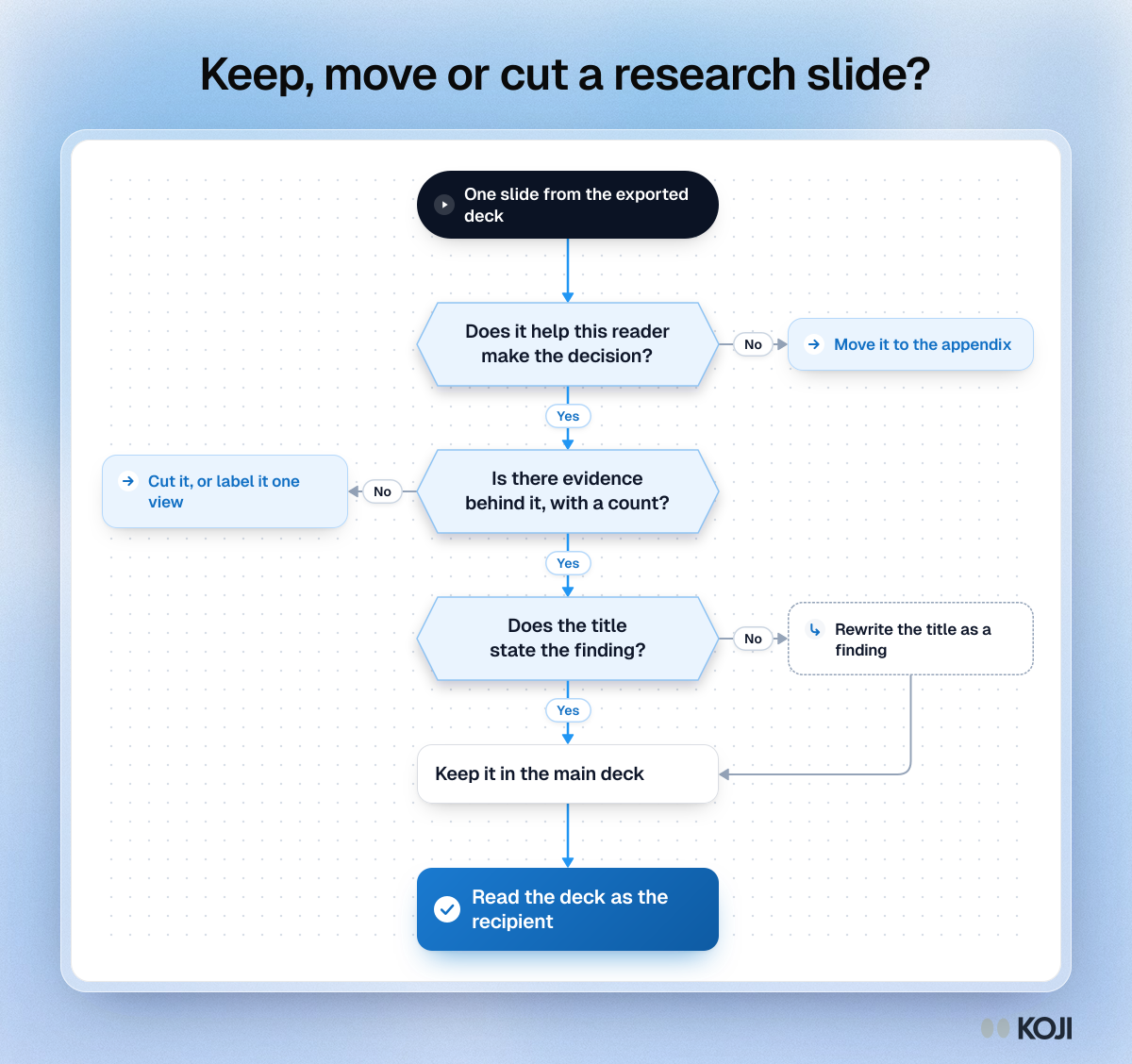
Decide who the deck is for, then cut. A board needs the decision; a team kickoff needs the detail. Ask three questions of each slide: does it help this reader make the decision, is there evidence behind it with a count, and does its title state the finding?
A practical split for a 28-slide export:
| Reader | Keep in the main deck | Move to the appendix |
|---|---|---|
| Board or investors | Summary, 3 insights, recommendations, limits slide | Question slides, personas |
| Leadership review | Summary, 3 to 5 insights, recommendations, limits slide | Most question slides |
| Team kickoff | Everything, with personas near the front | Nothing; send the PDF as well |
| Client deliverable | Summary, all insights, recommendations | Question slides the brief did not ask about |
The seven-slide readout gives the structure for the board and investor version in detail.
5. Rewrite each title as a finding
The insight and question slides arrive with the insight's own title or the question text as the heading. Question text is a topic, not a finding. "How do you decide which tool to buy?" tells a reader what you asked; "Buyers trust peer referrals over review sites" tells them what you learned. Rewrite every title so a reader who reads only the titles gets the story.
Do the same on the cover. The report header lets you change the title to say what was found, and the export uses the study name, so type the finding over it on the cover slide.
6. Check the charts and numbers last
The charts on question slides are native PowerPoint charts, so you can change labels, colours and order. Before you change anything, check three things:
- The chart shows the same numbers as the report. If you edited the data, compare value by value.
- Every percentage has a base. "38% (n = 24)" reads very differently from "38% (n = 400)".
- Small groups are not over-read. A split of 3 against 2 is a story, not a statistic.
Before you send: a final read
Read the deck once more as the person receiving it, without the report open. If you can answer "what did we learn, how sure are we, and what should we do" from the slides alone, send it. If not, the gap is usually a title that names a topic or a missing limits slide.
Pair the deck with a link to the live report for anyone who wants the evidence behind a slide. Readers who doubt one claim can click through to the quotes, and those who trust it can stop at the slide.
Do this with your next study
The fastest way to learn the checklist is to run it once on a real export:
- Open a finished study in Koji and download the report as PowerPoint.
- Work through the six checks above, in order. Expect 30 to 45 minutes the first time.
- Save your edited deck as the template for the next study, with the limits slide already in place.
No study to export yet? Start free on Koji, run a short interview study with your own customers, and download the report as slides or a PDF when the interviews are in. For the wider question of turning findings into decisions, read presenting research findings to stakeholders.