A customer research readout for executives or investors needs seven slides: the decision and your answer, what you did and with whom, three findings with the evidence behind each, what you recommend, and what you still do not know. Everything else goes in an appendix or a link. Title every slide with the finding, not the topic, put one number and one real quote on each finding slide, and end with a decision someone in the room can make.
This guide is for founders, product managers and designers who ran the research themselves and now have ten minutes in a board meeting, an investor update or a leadership review. It gives the seven slides with a worked example, how to cut a long report down to them, and when to skip the deck and send a link instead.
Why seven slides, and why now
The audience for a readout has less time than you think.

Photo by Matthew Osborn on Unsplash
- DocSend's data on pitch decks found investors spent an average of 2 minutes 36 seconds on a deck in Q3 2021 (DocSend, via Nasdaq). A research appendix in an investor update gets less.
- In User Interviews' 2020 State of User Research survey, most respondents said fewer than 40% of their stakeholders knew how to access research findings (User Interviews, 2020). If findings live only in a tool, most of the people who should act on them never see them.
- The same team's 2025 survey of 485 researchers found 71% had experimented with new ways of sharing research insights in the past year (User Interviews, State of User Research 2025). The people who do this full time are still working it out too.
A tight deck is not about style. It is about getting a decision out of a room that will give you a few minutes and remember one thing.
The seven slides
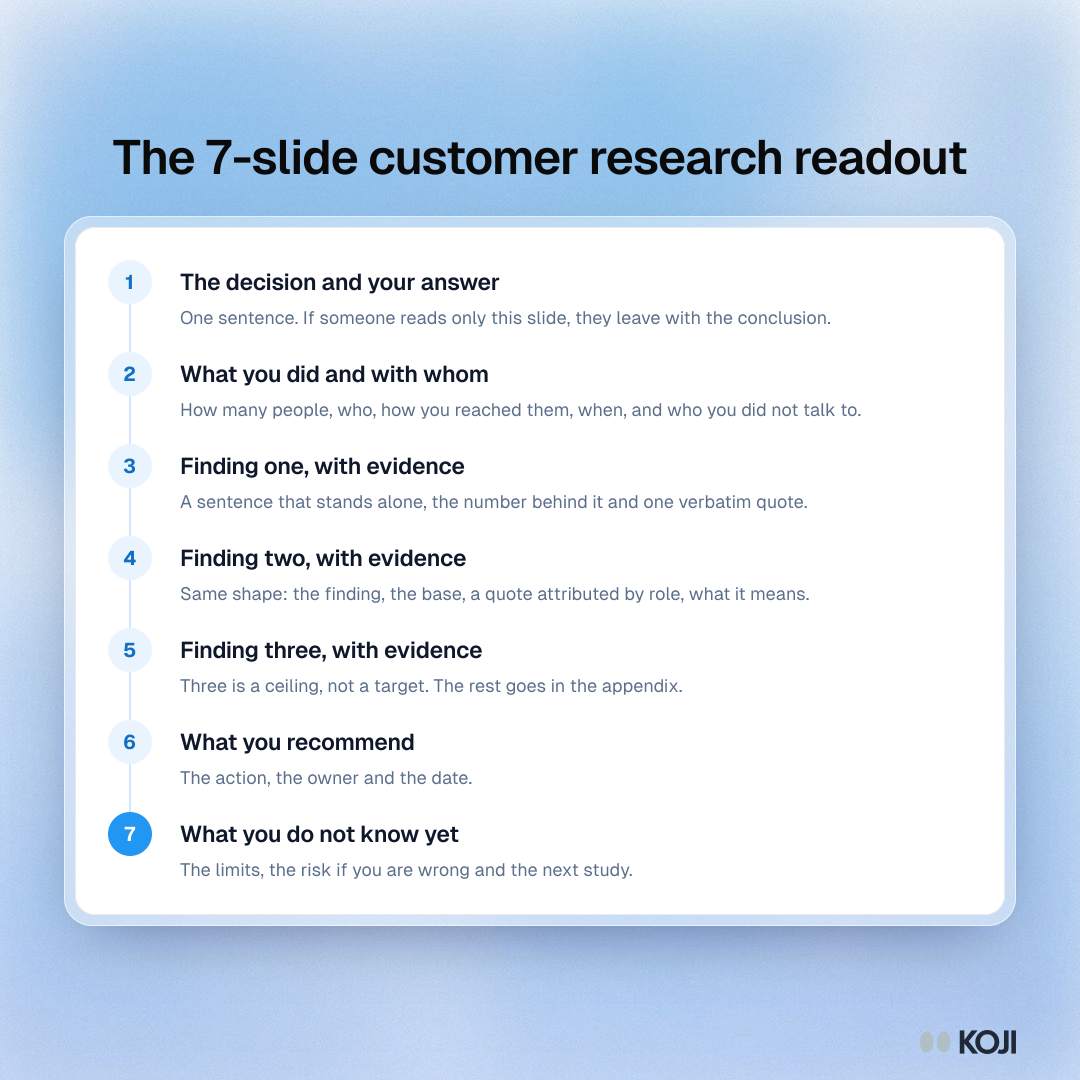
Slide 1: The decision and the answer
State the decision the research was for and your answer in one sentence. "Should we move upmarket to 50+ seat teams? Not yet: larger teams want it, but the admin and security gaps would stall every deal." If someone reads only this slide, they should leave with the conclusion.
Slide 2: What we did, and with whom
One slide on method, so the room can judge how much weight to put on it: how many people, who they were, how you reached them, when, and how. "26 interviews with admins at 50 to 400 seat companies, 9 current customers and 17 prospects, October 2026, 20 minute voice and text interviews." Name the gaps here too ("no one from finance"). Credibility is won on this slide or lost on slide 7.
Slides 3 to 5: Three findings, with evidence
One finding per slide, written as a sentence that could stand alone: "Admins will not roll out a tool without SSO and role permissions", not "Security". Under it:
- The number behind it: "18 of 26 raised it unprompted."
- One or two verbatim quotes, attributed by role ("IT admin, 220-person agency"), never by name.
- What it means for the decision, in one line.
Three is a ceiling, not a target. If you have two findings that matter, show two. Everything else goes in the appendix.
Slide 6: What we recommend
The action, the owner and the date. "Build SSO and role permissions before the upmarket push. Product to scope by 15 November; sales to pause outbound to 50+ seat accounts until then." A recommendation without an owner is an observation.
Slide 7: What we do not know yet, and the next step
The honest limits ("we did not test price for larger plans"), the risk if you are wrong and what you will do next to close the gap. This slide is what makes executives and investors trust the other six. It also turns a one-off study into a habit, because the next study is already named.
The appendix
Every other question, segment cut, persona and quote. Nobody presents it; people who want to check your work can.
A checklist before you send it
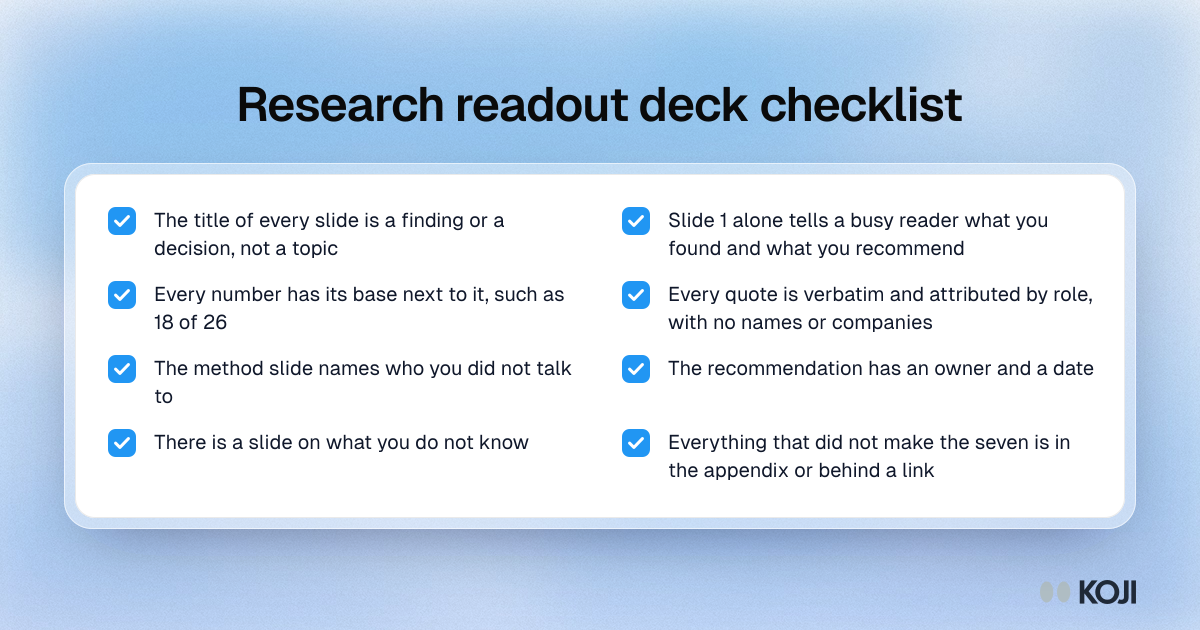
- The title of every slide is a finding or a decision, not a topic.
- Slide 1 alone would tell a busy reader what you found and what you recommend.
- Every number has the base next to it ("18 of 26"), not just a percentage.
- Every quote is verbatim and attributed by role, with no names or companies.
- The method slide names who you did not talk to.
- The recommendation has an owner and a date.
- There is a slide on what you do not know.
- Anything that did not make the seven is in the appendix or behind a link.
Cut it from a full report, do not build it from scratch
Most of the work in a readout is already in your research report. The fastest route is to start from a full deck and cut it.
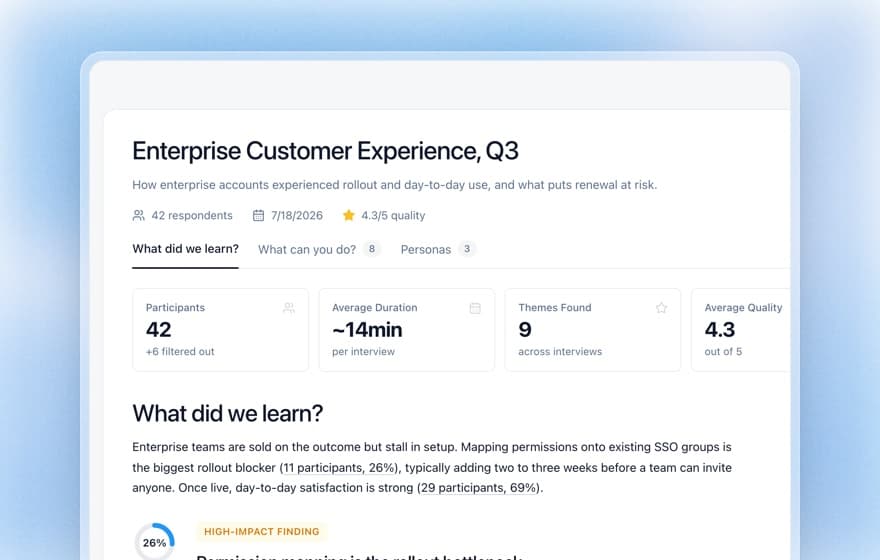
In Koji, you can download any study report as an editable PowerPoint deck or a PDF. The deck opens in PowerPoint, Keynote and Google Slides and comes with:
- a cover with the study title and, where available, a photo picked for the study (you can change the photo and the title on the report),
- an at-a-glance slide with how many people took part, the average interview length and a short description of who you heard from,
- an executive summary,
- a slide for each key insight, with participants' own words,
- a slide for each question, with the summary beside a chart you can edit,
- personas and recommendations.
To get from that to seven slides:
- Rewrite the cover title as your answer. Reports in Koji already carry a title that says what was found; sharpen it into the decision and the answer for slide 1.
- Keep the at-a-glance slide as slide 2, and add how you reached people, when, and who you did not talk to.
- Pick the three insight slides that bear on the decision for slides 3 to 5. Check each quote is the strongest one, not just the first.
- Turn the recommendations into one slide with an owner and a date.
- Write slide 7 yourself. No tool knows what you are still unsure of.
- Move the question-by-question slides and personas to the appendix, where the editable charts are still there if someone asks.
Because the charts are native, you can restyle the whole deck to your company template in a few minutes.
When a link beats a deck
A deck is a snapshot. Send a link instead, or alongside, when:
- People will want to check the evidence. In a Koji report, findings link to the supporting responses, so a sceptical reader can read the quotes behind a claim themselves. See tracing report findings to evidence.
- The study is still running. You can refresh a report as more interviews come in, while a deck goes stale the day you send it.
- The audience is your own team. For a working session, the live report is better than slides.
Use the deck for the room you have to persuade and the link for the people who have to act. Publishing and sharing options are in publishing and sharing reports.
Mistakes that sink a readout
- Walking through the method first. Lead with the answer. Method is slide 2, and short.
- Topic titles. "Onboarding" tells the reader nothing; "New admins stall at permissions in week one" tells them what to do.
- Percentages without the base. "69%" of 13 people is 9 people. Say so.
- Too many quotes. One strong quote per finding beats a wall of them.
- No ask. If the room does not know what you want them to decide, the readout was a status update.
For the wider craft of presenting research, including handling pushback in the room, see presenting research findings to stakeholders and writing insight statements.
Build your next readout in an hour
Take the study you are about to present, download the report as a deck, and cut it to the seven slides above: answer, method, three findings, recommendation, what you do not know. If you have not run the study yet, start free on Koji, run 20 to 30 interviews on the decision in front of you, and you will have the report and the deck to start from by the end of the week.