Reference table
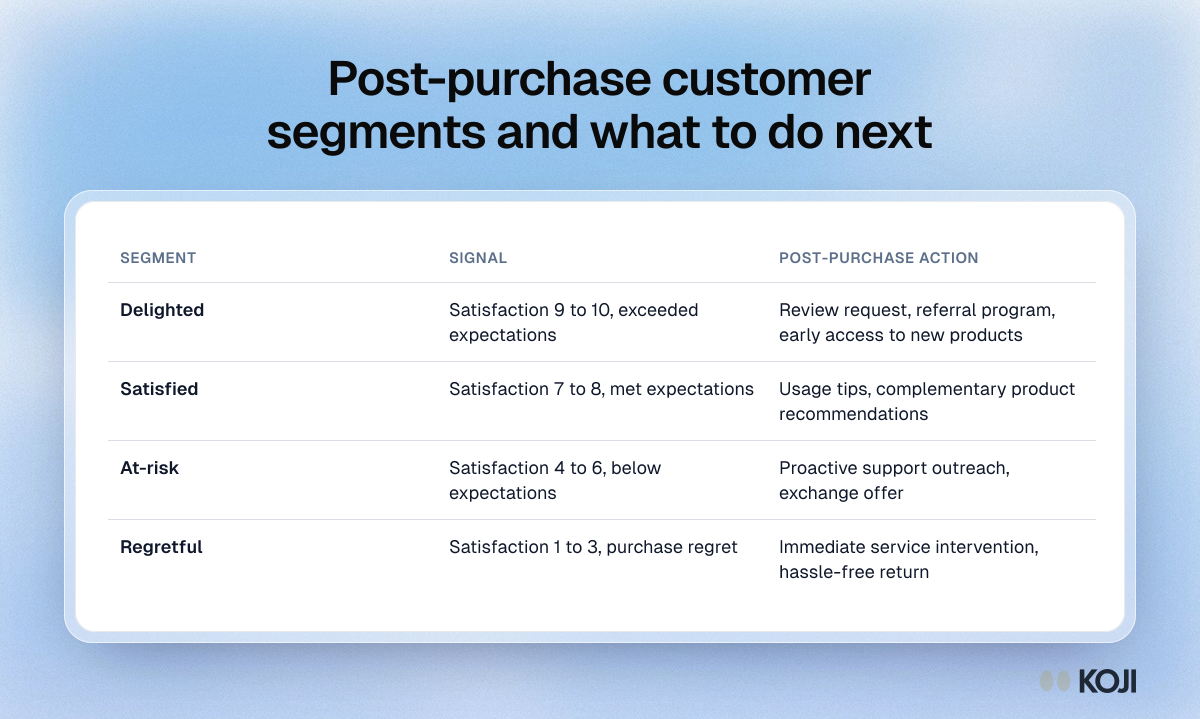
Post-purchase customer segments and what to do next
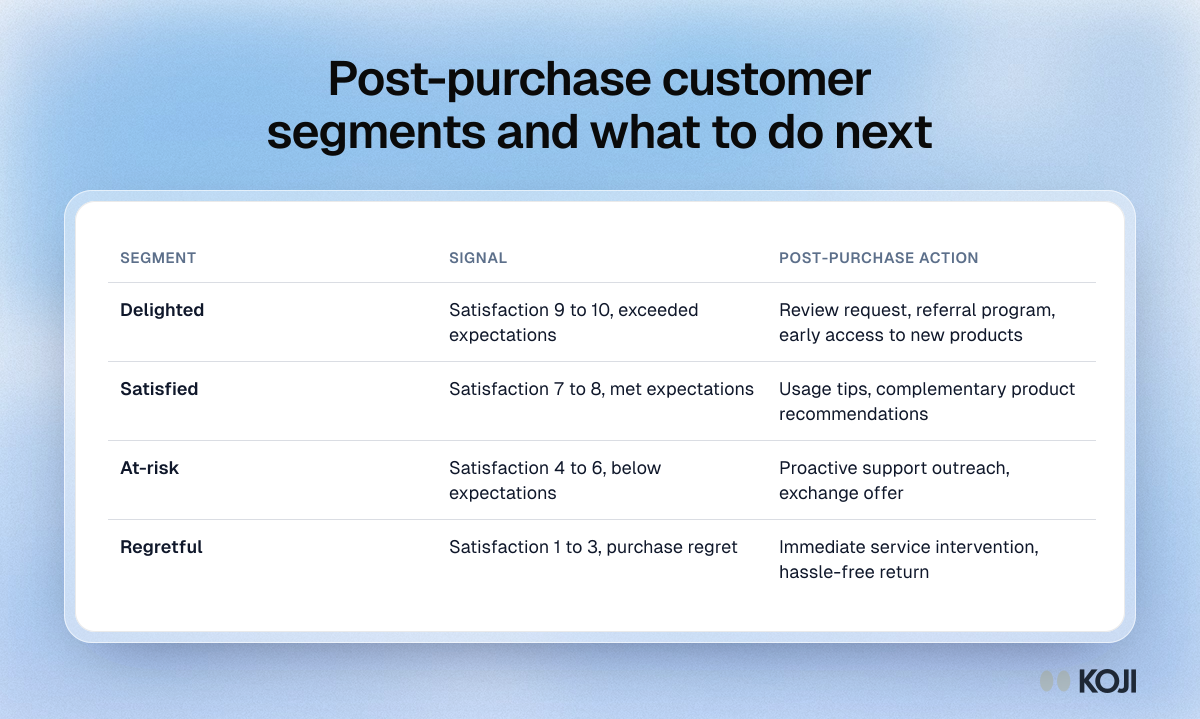
A simple way to act on post-purchase survey answers. Customers who score 9 or 10 get a review or referral ask, 7 or 8 get usage tips and complementary products, 4 to 6 get proactive support, and 1 to 3 get an immediate service call and an easy return. Use it to set up automatic follow-ups by segment after each survey.
Where this appears
What's in this reference table
| Segment | Signal | Post-purchase action |
|---|---|---|
| Delighted | Satisfaction 9 to 10, exceeded expectations | Review request, referral program, early access to new products |
| Satisfied | Satisfaction 7 to 8, met expectations | Usage tips, complementary product recommendations |
| At-risk | Satisfaction 4 to 6, below expectations | Proactive support outreach, exchange offer |
| Regretful | Satisfaction 1 to 3, purchase regret | Immediate service intervention, hassle-free return |
Use this image
Free to use in your docs, decks and posts under CC BY 4.0, as long as you credit Koji with a link to this page. To embed it, paste this into your page:
html
<a href="https://www.koji.so/visuals/post-purchase-customer-segments-actions"><img src="https://www.koji.so/visuals/post-purchase-customer-segments-actions/post-purchase-customer-segments-actions.png" alt="Table of four post-purchase segments, delighted, satisfied, at-risk and regretful, with the satisfaction score that defines each and the follow-up." width="1200" height="719" /></a>
<p>Source: <a href="https://www.koji.so/visuals/post-purchase-customer-segments-actions">Post-purchase customer segments and what to do next</a>, Koji</p>