Reference table
Price test settings in Koji
The five things you set on a Gabor-Granger price test question, and the defaults that suit most studies
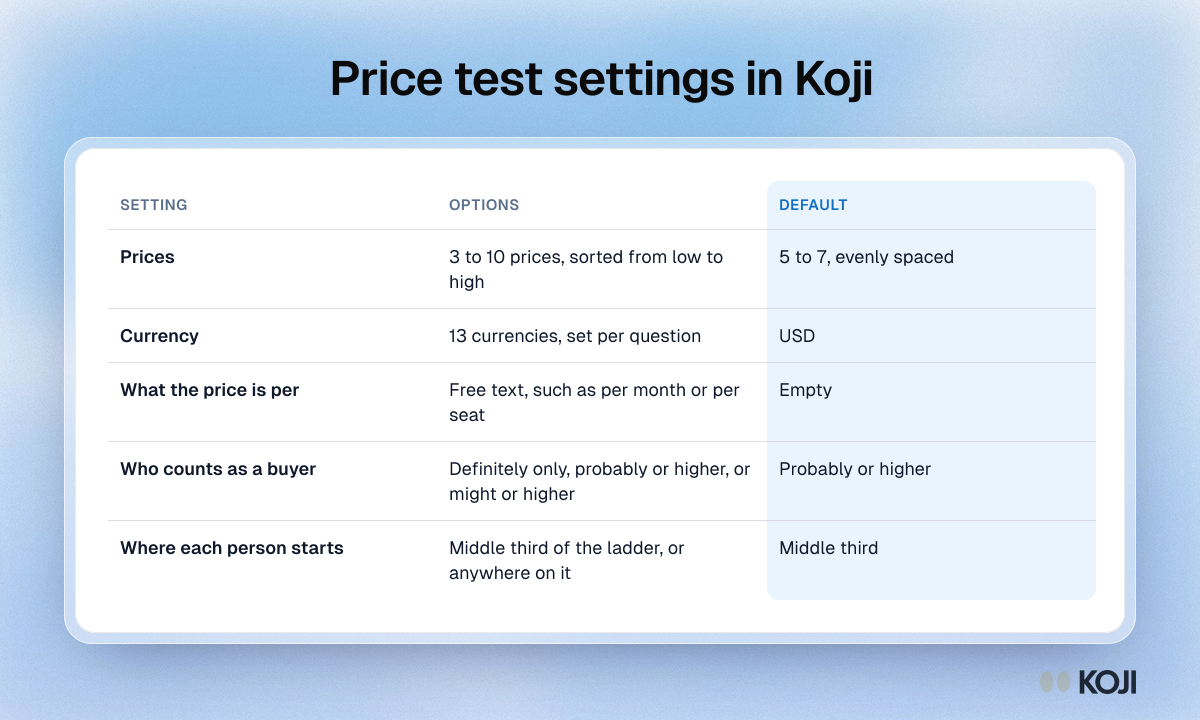
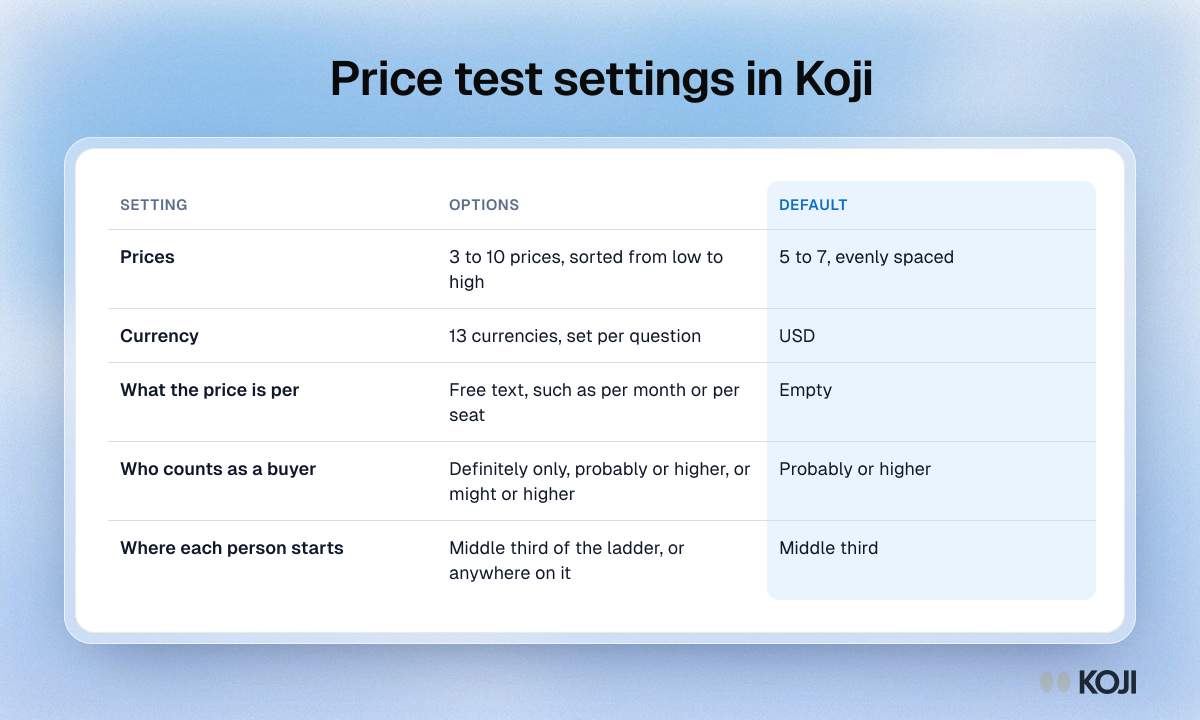
A reference table of every setting on a Koji price test question, which runs the Gabor-Granger method inside an AI interview. It lists the options for the price ladder, currency, the unit the price is per, the purchase-intent answers that count as a buy and where each participant starts, with the recommended default for each. Use it as a checklist when you set up a pricing study in Koji.
Where this appears
What's in this reference table
| Setting | Options | Default |
|---|---|---|
| Prices | 3 to 10 prices, sorted from low to high | 5 to 7, evenly spaced |
| Currency | 13 currencies, set per question | USD |
| What the price is per | Free text, such as per month or per seat | Empty |
| Who counts as a buyer | Definitely only, probably or higher, or might or higher | Probably or higher |
| Where each person starts | Middle third of the ladder, or anywhere on it | Middle third |
Use this image
Free to use in your docs, decks and posts under CC BY 4.0, as long as you credit Koji with a link to this page. To embed it, paste this into your page:
html
<a href="https://www.koji.so/visuals/price-test-settings-in-koji"><img src="https://www.koji.so/visuals/price-test-settings-in-koji/price-test-settings-in-koji.png" alt="Table of the five Koji price test settings: prices, currency, unit, who counts as a buyer and starting point, with the options and default for each." width="1200" height="720" /></a>
<p>Source: <a href="https://www.koji.so/visuals/price-test-settings-in-koji">Price test settings in Koji</a>, Koji</p>