Short answer: research incentive management is the work of deciding who gets paid, how much, when and in what form, then sending the money and keeping a record of it. Most teams do it with a spreadsheet and a gift card site, or pay for a research ops platform that bundles it. If you already run interviews in Koji, you can now do it in the same place: set an amount per participant, approve each reward next to the interview's quality score, and Koji emails the participant a link to claim a gift card, a prepaid Visa card or a charity donation.
This guide covers what good incentive management looks like, what it costs in the common tools, and how to set it up so you pay for real answers and not for noise.
What research incentive management actually involves
Paying a participant sounds like one step. In practice it is six:
- Setting the amount. Fair for the time asked, and high enough to fill the study.
- Funding it. Someone has to put money somewhere before rewards can go out.
- Deciding who qualifies. Did they finish? Did they give real answers? Is this the same person taking part twice?
- Delivering it. An email, a choice of reward, a link that works in their country.
- Chasing the stragglers. Rewards that are never claimed, wrong addresses, bounced emails.
- Keeping the books. Finance will ask what was spent, on which study, and when.
Spreadsheets handle the first and last steps badly and the middle four not at all. That is why incentive payouts are one of the main things research ops platforms sell.
Why the amount matters less than the process
There is good data on what to pay. User Interviews' incentive guide found that 75% of completed moderated consumer remote sessions offered between $60 and $100 an hour, and it recommends $80 an hour for that kind of study. It also found that the no-show rate was 6% at $100 an hour against 10% at $60 an hour. Pay matters for turnout, but the gap is a few points, not a cliff.
Moderated studies lose people anyway. MeasuringU reported an average no-show rate of about 5% across 24 moderated studies in 2024. Every missed slot is an hour of a researcher's calendar.
The bigger risk is paying for answers you cannot use. Pew Research Center's 2020 study of online polls estimated that 4% to 7% of respondents in opt-in samples were bogus, against about 1% in address-recruited panels, and that those bogus answers leaned positive and moved the results. An incentive is exactly what draws that kind of respondent. So the useful question is not only "how much?" but "do I pay before or after I have seen what they said?"
For amounts by audience, see our guide to research participant incentives and the wider incentive strategies article.
The checklist before you approve any reward
Whatever tool you use, run each reward past the same questions before money moves.
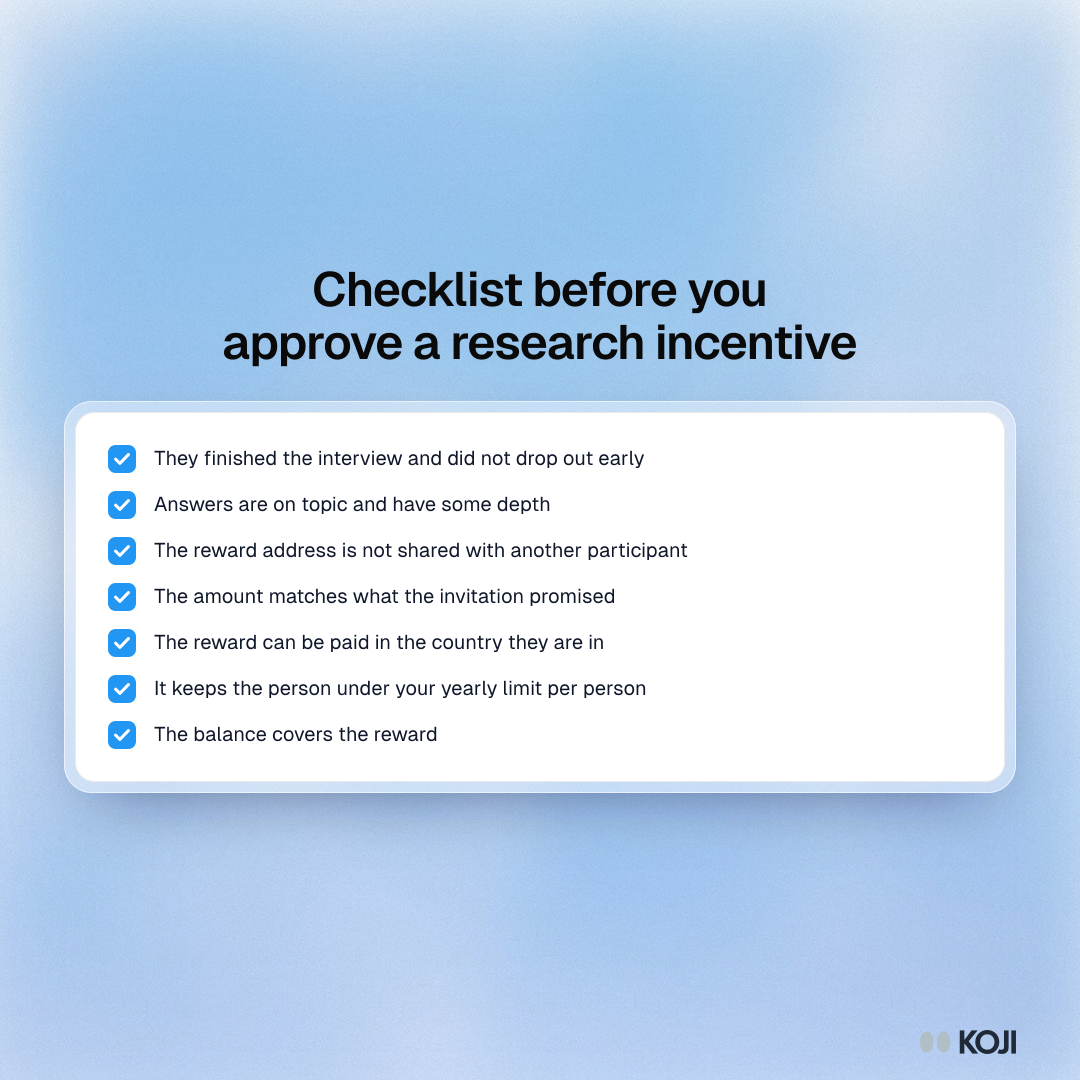
- Did they finish the interview, or drop out early?
- Are the answers about the topic, with some depth?
- Is the reward address the same as another participant's in this study?
- Does the amount match what the invitation promised?
- Can the reward reach the country they are in?
- Will this push one person over a yearly limit you set for tax reasons?
- Is there enough money in the balance to cover it?
The tax point is not a footnote. In the US, payments over the information-reporting threshold to one person in a year can mean a 1099 form, which we cover in research participant incentives and taxes.
How the common tools handle incentives
Here is how the tools teams most often compare handle the money, based on their own pricing and help pages.
User Interviews. It can distribute incentives for you, funded from a prepaid balance shared with your team. Its pricing page says it adds a 3% fee to the incentive portion of the bill when it pays participants on your behalf. You can also pay participants yourself.
Respondent. Respondent's help centre says participants receive the advertised incentive less a 5% processing fee, with a $1 minimum, so a $20 incentive arrives as $19. The fee comes out of the participant's side.
Great Question. Its help docs list gift cards, PayPal, charitable donations, product gifts and swag as incentive types, and you can mark an incentive as fulfilled outside the platform. Self-serve is $129 per seat a month for up to five seats; its Research CRM is a module on custom Enterprise pricing. We found no published incentive fee.
Ethnio and Rally. Both market incentive payments as part of a participant management suite. Rally publishes no pricing.
All of these are good at paying people. What none of them do is run the interview itself and score it, so the "were these real answers?" check happens somewhere else, by hand, often days later.
How incentives work in Koji
Koji runs the interview, by voice or text, analyses it and scores its quality. Incentives sit on top of that, so the payment decision is made with the evidence right there.
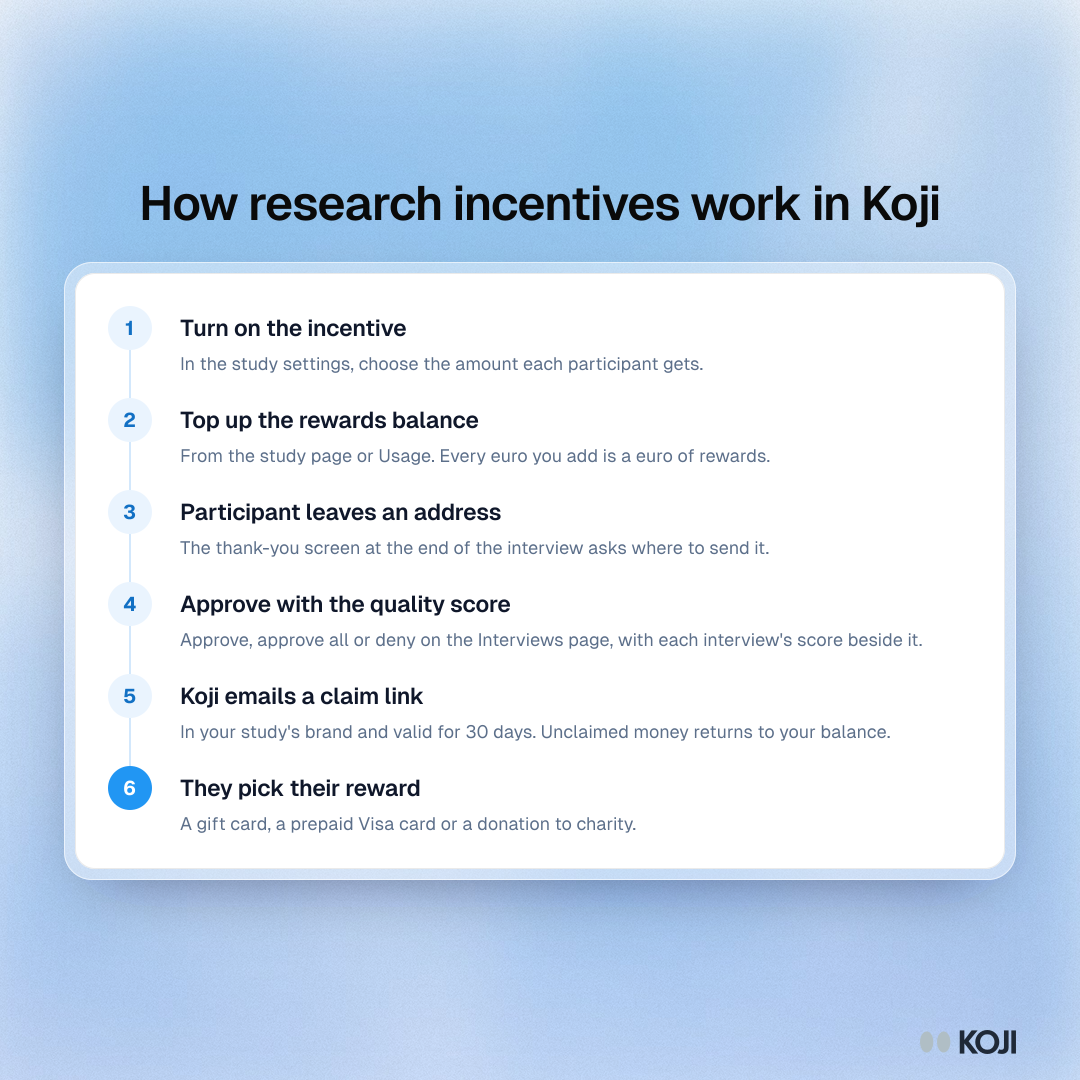
- Turn it on in the study settings. Choose an amount per participant from €10 to €500.
- Top up the rewards balance. From the study page or Usage. A top-up buys rewards 1:1, so €100 is €100 of rewards, with a 7.5% handling fee and VAT added on top. Only a workspace owner can pay; teammates are told to ask them.
- The participant leaves an address. At the end of the interview, the thank-you screen asks where to send the reward.
- You approve or decline each one. On the study's Interviews page, every reward sits beside the interview's quality score. Approve one, approve all, or deny. Interviews that fall below Koji's quality bar are held back and marked low quality, and you can still approve them anyway. If two participants in a study gave the same reward address, Koji flags it as a likely repeat.
- Koji emails a claim link. It uses your study's brand theme and is valid for 30 days. If nobody claims it, the money goes back to your workspace balance.
- They choose how to get it. A gift card, a prepaid Visa card or a donation to charity.
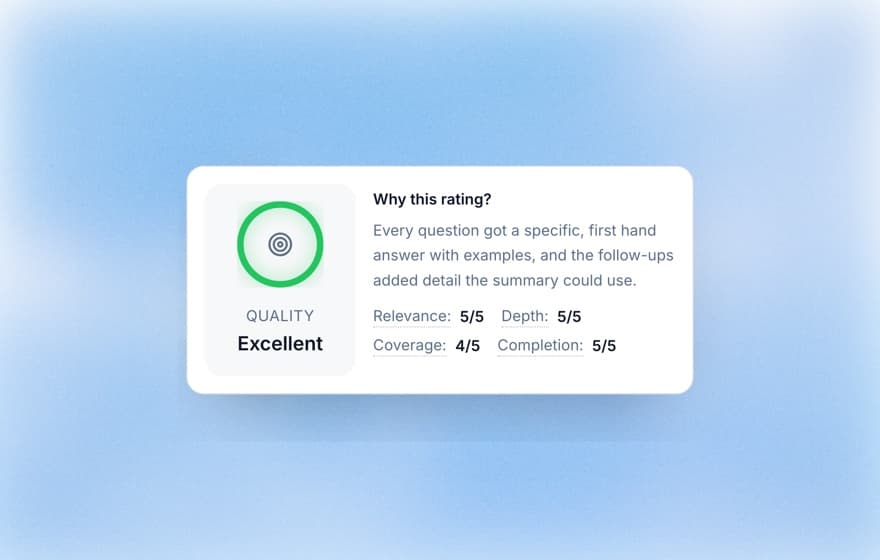
The quality score is the part a separate payout tool cannot give you. It rates relevance, depth, coverage and completion for each interview, explained in understanding quality scores and how the quality gate works. You are not reading 40 transcripts to decide who earned €25. You are glancing at a score and a summary.
A few limits are built in. One person can receive at most €1,500 a year across Koji, which keeps payouts clear of the US reporting threshold. Rewards are not offered in countries the payout partner cannot pay. Every top-up, approval, claim and expiry shows up in a rewards statement in Usage, filterable by study and exportable as CSV for finance.
Incentives are included on every paid plan: Insights, Interviews and Enterprise.
What participants actually want from a thank-you
People take part in research for mixed reasons: curiosity, wanting the product to improve, and the money. The reward is a thank-you, and it should feel like one.

Three things help. Pay quickly, because a reward that arrives a month later reads as an afterthought. Let people choose the form, since a gift card they will never use is not much of a thank-you, and some people would rather give it to charity. And make the email look like it comes from you, not from a payment company they have never heard of. Koji's claim email, claim page and thank-you screen all use the study's brand theme for that reason.
Participants you recruit from Koji's panel are paid by the panel, so they are not offered a reward on top. Incentives in Koji are for people you bring yourself: customers, users, a research panel you manage, or people you recruit from inside your product.
When a separate incentive tool still makes sense
Be honest about fit. If you pay hundreds of moderated participants a month in many currencies, through several research tools, with procurement asking for one vendor of record, a dedicated research ops platform may still be the right home for payouts. Koji pays in euros and offers three reward types.
If your research runs through Koji's AI interviews, though, a separate payout tool means exporting a list, matching emails by hand and checking quality in a second place. That is the spreadsheet problem again, with a subscription attached.
Getting started
Turn on an incentive in any study's settings, top up the balance with as little as €50, and run one interview yourself in preview to see the participant's side. When the first real interviews come in, approve the good ones from the Interviews page and let Koji send the rest.
Start a study in Koji and pay your next participants from the same place you talk to them.
Sources: User Interviews, The Ultimate Guide to User Research Incentives and pricing page; MeasuringU, "What Is a Typical No-Show Rate for Moderated Studies?" (2024); Pew Research Center, "Assessing the Risks to Online Polls From Bogus Respondents" (2020); Respondent Help Centre, fulfilment fee explained; Great Question pricing page and Incentives 101 help article.