Short answer: research participant management software keeps one list of the people you interview, with their details, consent and history, and lets you invite the right group to each study without rebuilding a spreadsheet every time. Great Question, Rally, User Interviews' Research Hub and Ethnio all sell a version of it, usually as a research CRM next to scheduling and incentives. Koji now has one built in: a workspace-wide Participants directory with audiences, branded invitation and reminder emails with a personal link for each person, and tracking from delivered to completed, joined to AI interviews that run and analyse themselves.
Below: what a participant database needs to do, how the main tools compare, and how to set one up in Koji.
Why teams end up needing one
Almost every team starts with a spreadsheet. Someone exports a customer list, pastes in a few emails from support, and sends invites from their own inbox. It works for one study. By the third, nobody knows who was already asked, who said no, or who took part twice last month.

Photo by Gorilla ROI Data Connector on Unsplash
The research community says the same. In User Interviews' State of User Research 2023, 34% of researchers named managing a panel of their own participants as a pain point. In the 2025 edition, 54% still said the time it takes to recruit was a struggle, even after a 7 point drop, and 23% named cost. Recruiting from your own customers is cheaper than buying panel, but only if the list is in a state you can use.
There is also a legal side. Emailing people for research needs a reason you are allowed to contact them, a working unsubscribe and a record of both. We cover the rules country by country in is it legal to email or text someone for research?.
What participant management software needs to do
Strip away the feature lists and a good participant CRM does seven things.
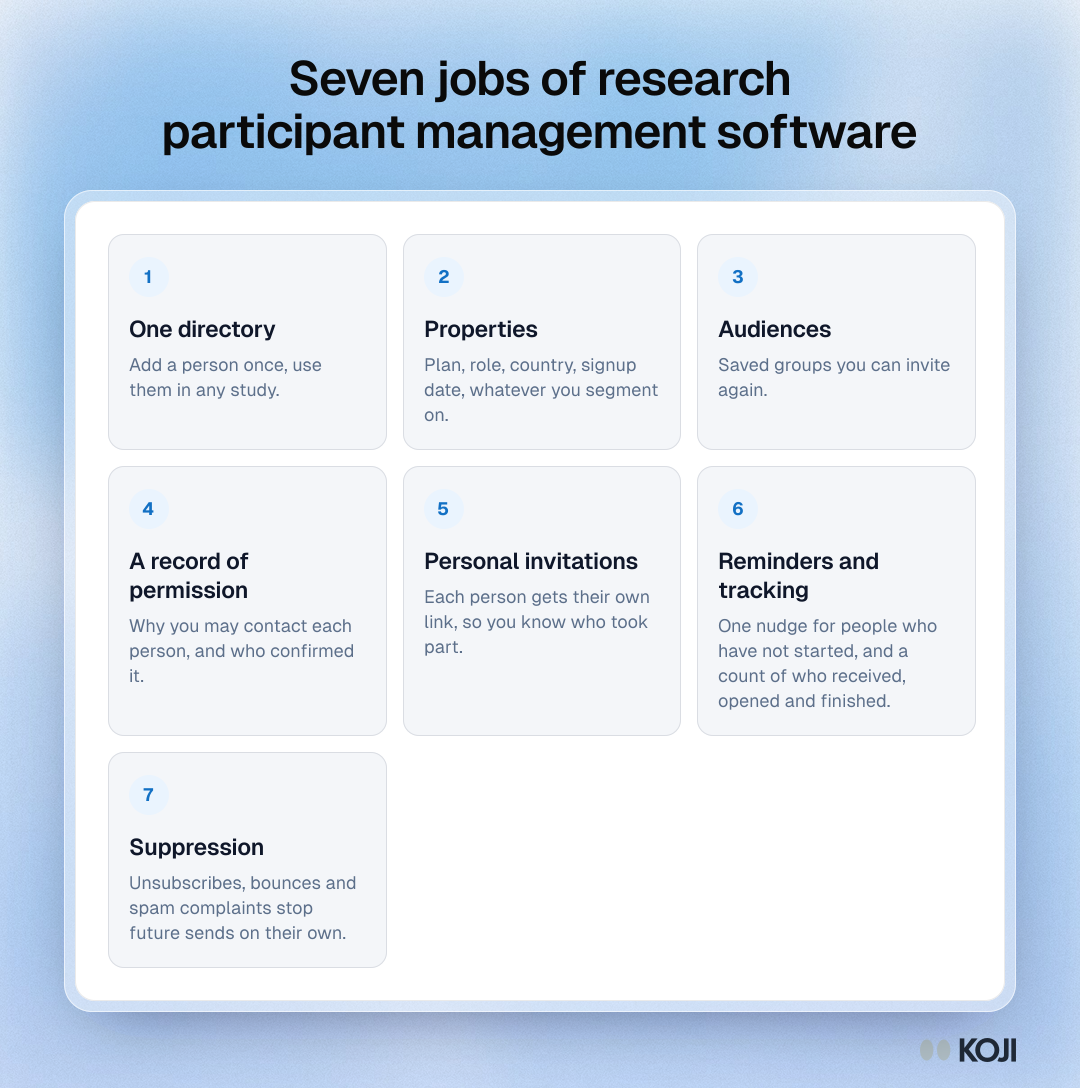
- One directory. Add a person once, use them in any study.
- Properties. Plan, role, country, signup date, whatever you segment on.
- Audiences. Saved groups you can invite again, such as "admins on annual plans".
- A record of permission. Why you may contact each person, and who confirmed it.
- Personal invitations. Each person gets their own link, so you know who took part.
- Reminders and tracking. One nudge for people who have not started, and a count of who received, opened and finished.
- Suppression. Unsubscribes, bounces and spam complaints stop future sends on their own.
Most spreadsheets do the first two. Most email tools do five and seven but know nothing about the study. The value of a research CRM is having all seven in one place, tied to the study.
How the main tools compare
Here is where each option sits, based on vendors' own pages and public listings.
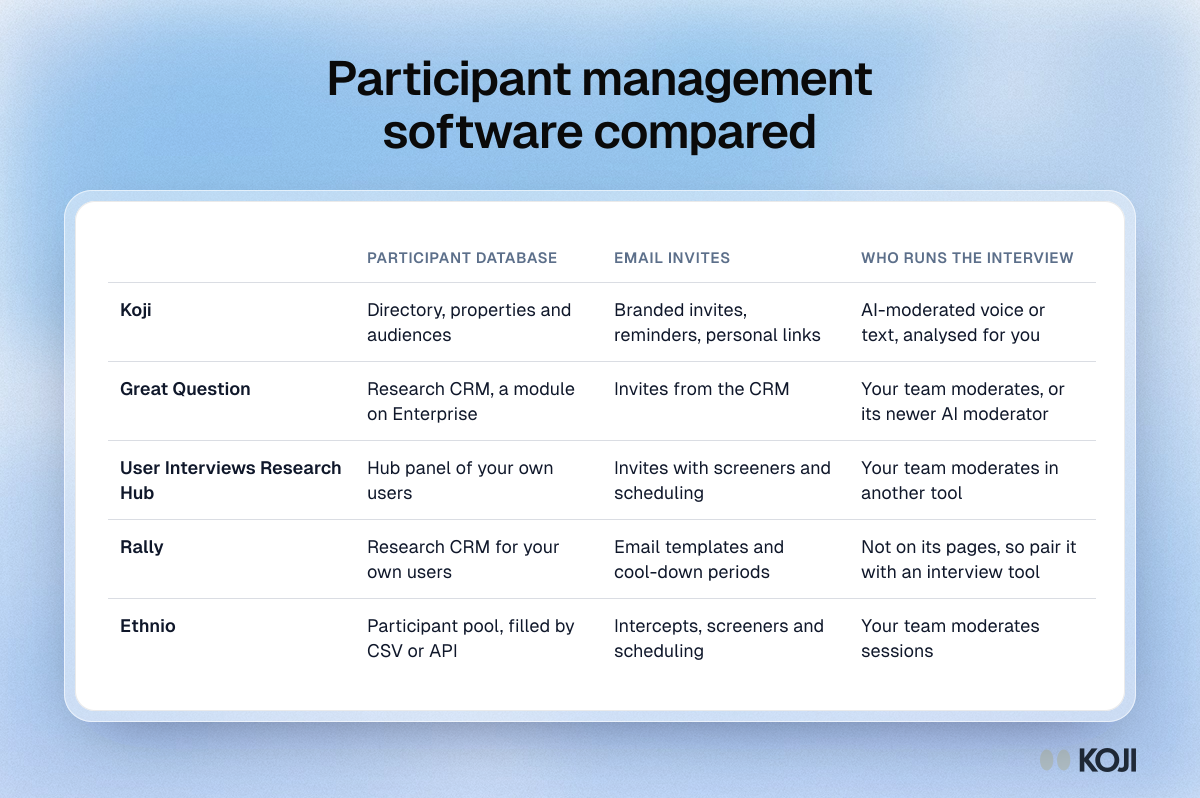
| Participant database | Email invites | Who runs the interview | |
|---|---|---|---|
| Koji | Directory, properties and audiences | Branded invites, reminders, personal links | AI-moderated voice or text, analysed for you |
| Great Question | Research CRM, a module on Enterprise | Invites from the CRM | Your team moderates, or its newer AI moderator |
| User Interviews Research Hub | Hub panel of your own users | Invites with screeners and scheduling | Your team moderates in another tool |
| Rally | Research CRM for your own users | Email templates and cool-down periods | Not on its pages, so pair it with an interview tool |
| Ethnio | Participant pool, filled by CSV or API | Intercepts, screeners and scheduling | Your team moderates sessions |
Great Question. Self-serve is $129 per seat a month for up to five seats. Its Research CRM is listed as a module on custom Enterprise pricing, so the participant database is not part of the self-serve plan. In August 2026 its blog announced an agentic AI moderator, while its feature page still showed AI-moderated interviews as a beta waitlist, so check its status before you buy.
Rally. A dedicated research CRM. Its listings describe importing opted-in customers, filtering on custom attributes, survey results or past research, email templates, consent forms and cool-down periods. Pricing is on request.
User Interviews Research Hub. A panel for your own users with screeners, scheduling and incentive payouts. Pricing is per session, and the incentives come on top.
Ethnio. A pool you fill by CSV or API, with intercepts on your site, screeners and scheduling. The one AI feature we found on its pages is translation.
All of these are strong at the operations side. For most of them the pattern is the same: they get the person to a calendar slot, then a researcher has to run and analyse the session. Great Question is the one moving toward AI moderation, from the CRM side. If your bottleneck is the hours after "yes", the CRM alone does not fix it. We compared two of them in more depth in Koji vs Rally and Koji vs Great Question.
How participant management works in Koji
Participants lives in the sidebar, for the whole workspace. Here is the flow.
Build the directory. Import a CSV and map its columns, or add people one by one. Columns you map become properties, which you can use to personalise emails. Importing participants via CSV walks through the file format.
Group people into audiences. Save the groups you will invite again. An audience is reusable across studies, so "trial users this month" is built once.
Invite from the study. On a study's Self-recruit tab, add an audience next to your other channels.
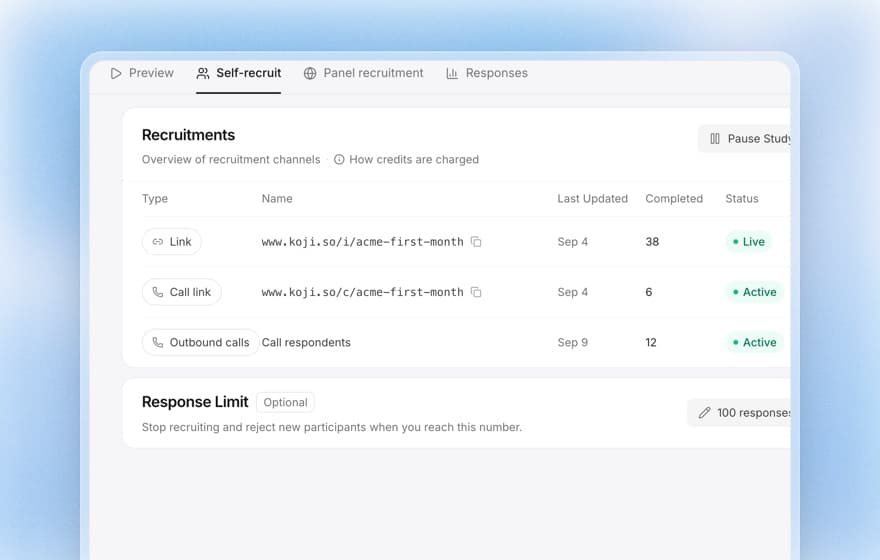
Write the email. Compose an invitation in the study's brand, with tags for first name, last name or any property you imported. A live preview sits beside it, and you can send yourself a test first at no cost. Set one reminder for people who have not started yet, after 2, 3, 5 or 7 days, with the same personal link.
Confirm permission. If some people were added without a reason you may contact them, Koji asks you to pick one (they agreed to be contacted, legitimate interest, or an existing customer relationship) and confirm it before the email goes.
Track it. Each person has their own interview link, so the funnel shows who it was delivered to, who opened it, who started and who completed. Opens are approximate, since some mail apps block the image that counts them and Apple Mail can load it unread; Mailchimp notes the same about Apple's Mail Privacy Protection. Its 2019 benchmark put the average open rate across industries at 21.33%, which is why started and completed are the numbers to trust.
Stay clean. Unsubscribing is one click. Bounced addresses and spam complaints are suppressed, so they are not emailed again.
Then the part a CRM does not do: the interview itself. Koji runs it by voice or text in the participant's language, asks follow-up questions, scores the quality of each response and writes the report. If you thank people with an incentive, you approve each one beside that score, as we explain in research incentive management.
What it costs
The directory and recruitment email are included on every paid plan. Each plan comes with emails: Insights includes 20 a month, Interviews 50 and Enterprise 1,000, and annual plans get the year's allowance at once. Unused emails do not carry over. Extra emails are €10 per 1,000 plus VAT, bought in blocks when you need them. The interviews themselves use credits as usual.
That makes it a fit for teams who interview their own customers regularly and want the list and the study in one place. If you need cool-down rules across dozens of researchers and a CRM that feeds several other tools, a dedicated research ops platform may still be worth its seat price. Many teams start with Koji's directory and find they do not need the second tool.
Setting up your first audience
A practical order that avoids the usual mess:
- Export one clean list from your product or CRM with email, first name and two or three properties you will filter on.
- Import it into Participants and map the columns.
- Save one audience for your next study, no more than you need.
- Write the invitation with the person's first name and a plain reason for asking. Our recruitment email templates help here.
- Send yourself a test, then send, with a reminder after three days.
- Watch started and completed, not opens.
For a longer view of building a pool you can return to, read how to build a research participant panel.
Try it
Open Participants in Koji, import one list and invite an audience to your next study. The people, the email and the interview stay in one place, and the report writes itself as they finish.
Sources: User Interviews, State of User Research 2023 and 2025 reports; Mailchimp, Email Marketing Benchmarks; Great Question pricing page, AI-moderated interviews page and blog (August 2026); Rally UXR vendor listings on GetApp and Software Advice; Ethnio product pages and listings.