Respondent charges a recruiting fee per completed session: $40 for consumer (B2C) participants and $80 for business (B2B) professionals on pay-as-you-go, with no commitment. Annual plans start at a $7,500 commitment and bring the per-session rate down, to about $28 at the $500,000+ tier. Participant incentives are always extra, and you set them yourself, from $5 to $1,000 per person. You are not charged the fee for no-shows, screen-outs or people who drop out mid-interview.
So a Respondent session costs the fee plus the incentive. For a B2B interview that is often $80 plus $100 to $175, before anyone on your team spends an hour moderating. This guide breaks down each part of Respondent pricing, works through two real budgets, and shows when a different setup costs less.
Respondent pricing at a glance
| Pay as you go | Annual plans | |
|---|---|---|
| Commitment | None | $7,500, $20,000, $50,000 or $500,000+ a year |
| Recruiting fee, consumer | $40 per completed session | About $36, $34, $32 and $28 per session by tier |
| Recruiting fee, B2B | $80 per completed session | Lower per-session rates, confirmed at commitment |
| Incentives | Extra, set by you ($5 to $1,000) | Extra, set by you |
| No-shows and screen-outs | Not charged | Not charged |
| Included | Screeners, scheduling, AI moderator, recordings, synthesis, highlight reels | Same |
Source: Respondent's pricing page and help center, as indexed in October 2026. Respondent notes that "rates and session counts are estimates; final pricing is confirmed at commitment", and it does not publish per-tier B2B rates, so get a written quote before you sign an annual plan.
How each part of the price works
The recruiting fee
The fee is what you pay Respondent for finding, screening and scheduling a participant. You pay it only when a session is completed. If someone fails your screener, does not show up or leaves partway through, there is no fee. That is a real advantage over panels that charge per invite or per qualified lead.
The B2B fee is double the consumer fee because professionals are harder to find. Respondent says its panel holds 4.3 million verified participants, including 3.1 million professionals and 450,000 subject-matter experts, verified by phone, email and LinkedIn.
Incentives
Incentives are paid on top, and Respondent is clear that they are "never included in pricing plans or in PAYG pricing". You set the amount in $5 steps between $5 and $1,000. Respondent's own guidance is to base professional incentives on the person's hourly rate and consider at least double it. Its example rates for a remote US session:
- Security admin or software engineer: $100
- UX designer or web developer: $125
- Data analyst, IT consultant or software developer: $150
- Cybersecurity analyst: $175
In-person sessions run about double. Respondent's help pages also describe a 5% processing fee ($1 minimum) taken from the participant's payout, though some marketing pages say "no fees", so check the current terms.
Credits and annual plans
On an annual plan you commit up front and draw sessions down at a lower rate. An older help article says pay-as-you-go credits expire 60 days after purchase, plan credits roll over at renewal, unused prepayments are not refunded and invoicing needs a $5,000 minimum. These rules may have changed with the newer per-session pricing, so ask.
AI interviews
Respondent now offers an AI Interviewer that runs AI-moderated interviews with its participants. According to its help center, AI interviews are billed like moderated sessions, only when completed, with the estimated cost held on the project at launch. Incentives still apply.
Two Respondent budgets, worked out
12 B2B interviews with software engineers, pay as you go:
- Recruiting fee: 12 × $80 = $960
- Incentives: 12 × $100 = $1,200 (Respondent's example rate)
- Total: $2,160, or $180 per completed interview
20 consumer interviews, pay as you go:
- Recruiting fee: 20 × $40 = $800
- Incentives: 20 × $75 = $1,500 (the example in Respondent's incentive calculator)
- Total: $2,300, or $115 per completed interview
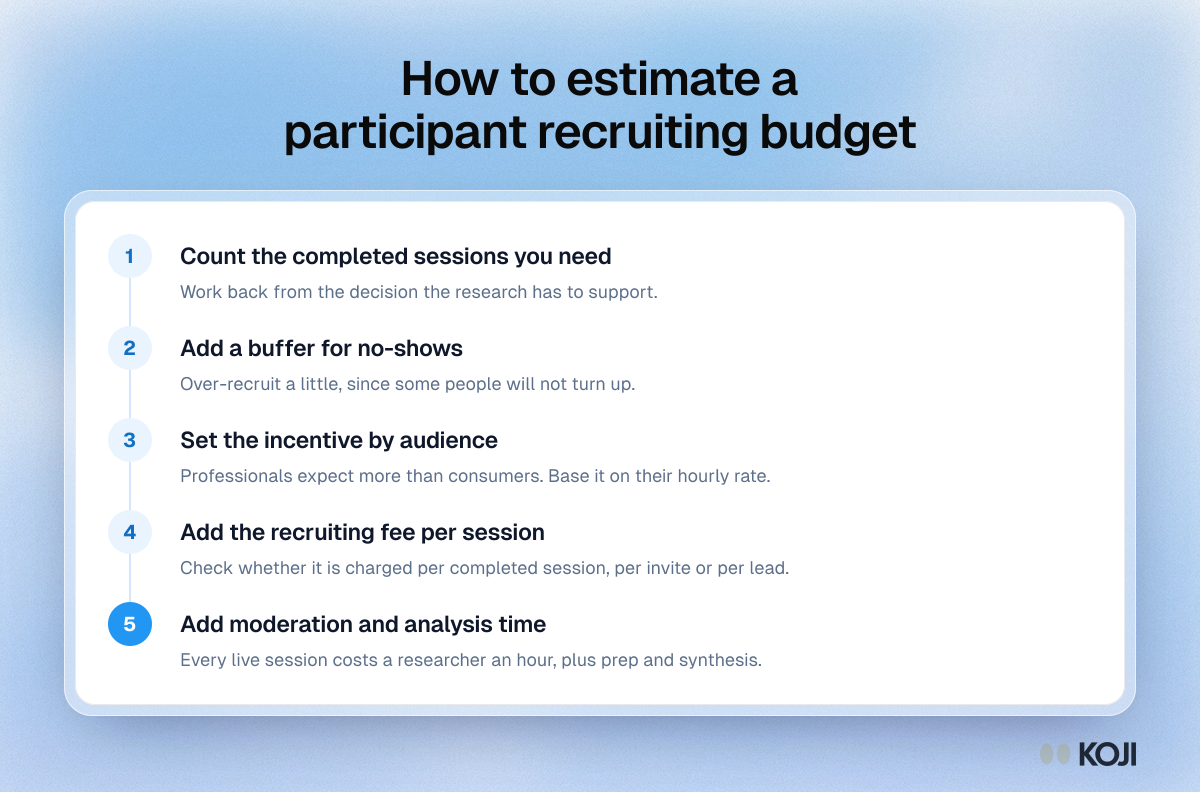
Neither figure includes the time to write the screener, schedule, moderate and analyze, and Respondent's calculator itself advises over-recruiting by 20 to 30%.
The cost no one budgets: no-shows and moderation
Respondent does not charge for no-shows, but they still cost you the time slot. MeasuringU's analysis of about 14,000 moderated studies on User Interviews found an average no-show rate of about 8%, with some studies as high as 34%. Incentives help: User Interviews' incentives report saw no-shows fall from 10% at $60 an hour to 6% at $100 an hour.

Photo by Resume Genius on Unsplash
Then there is the hour of moderation, the prep and the synthesis for each session. That is where research time goes. In User Interviews' State of User Research 2025, 54% of researchers said recruiting on their own takes too long, and in Hubble's 2026 survey, 36.3% named recruitment as one of the biggest causes of project delays.
What reviewers say about Respondent
Researchers rate Respondent well: 4.6 out of 5 from more than 500 reviews on G2, with praise for ease of use and the quality of B2B participants. The common complaints are that it is costly for small studies and that support can be slow at busy times. Ratings on Trustpilot are lower (about 3.9), but most of those reviews come from participants, about cancelled studies and payment delays, not from researchers.
When Respondent is the right choice
Respondent is a strong pick when:
- You need specific professionals (engineers, IT buyers, security leads) and cannot reach them through your own customer base.
- You run moderated sessions and want screening, scheduling and Zoom links handled for you.
- You only want to pay for sessions that actually happen.
- Your volume is high enough that an annual plan's lower rate pays off.
It is less suited to studies where the people you need are already your customers, users or leads. Paying $40 to $80 a session to recruit people you could email is money you do not have to spend.
A lower-cost route: Koji
Koji approaches the same problem from the other side. It is an AI interviewer: participants take the interview by voice or text from a link, in 28 languages, and Koji asks the follow-ups and writes the report. That removes the scheduling and moderation, which is where most of the hidden cost sits.
Interview your own people for a credit or three
If you already have a list, import it as a CSV and each person gets their own personalized invite link (Interviews and Enterprise plans), or share one link anywhere. There is no recruiting fee. A text interview uses 1 credit and a voice interview 3 credits, at €1 per credit, and only interviews scoring 3 or more out of 5 on Koji's quality gate use credits. You decide whether to offer an incentive; Koji's guide to research participant incentives covers what to pay.
Recruit from Koji's panel when you need strangers
When you need people outside your own base, Koji's panel recruitment works on the Insights, Interviews and Enterprise plans. You describe the audience in plain language, add screening questions, and the review step shows feasibility and the panel price per completed respondent in credits before you launch. A soft launch fields around 10% of the goal first so you can check the early interviews. Credits are set aside at launch and anything unused goes back to your balance.
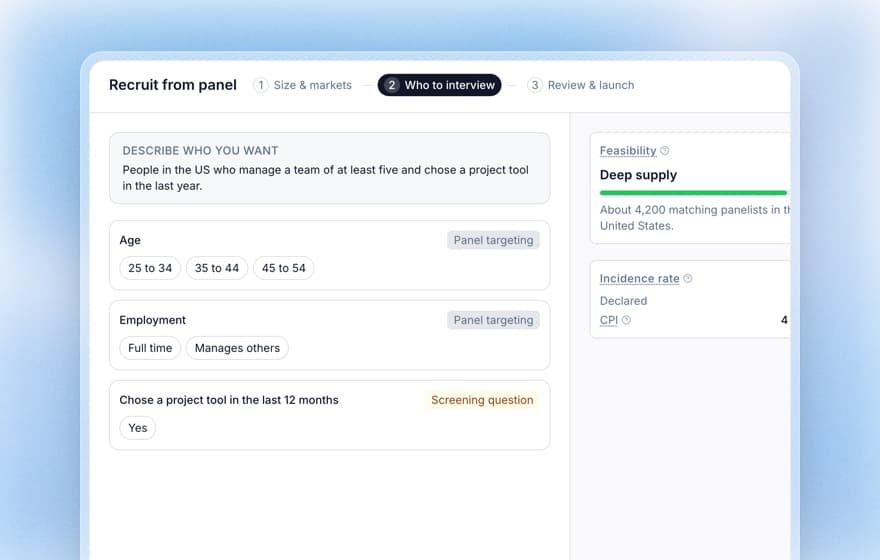
Koji's panel fits consumer and general work audiences best. For narrow specialists, such as senior security leaders in one industry, a specialist recruiter like Respondent is still the better source. You can recruit them there and send them a Koji link to run the interview.
Respondent vs Koji on cost
| Respondent | Koji | |
|---|---|---|
| Recruiting your own customers | Not needed; you would pay the session fee | No recruiting fee, free personal or shared links |
| Recruiting strangers | $40 consumer or $80 B2B per session, plus incentive | Panel price per completed respondent, shown before launch, on paid plans |
| Moderation | You moderate, or use Respondent's AI moderator | Koji's AI interviewer, voice or text |
| Analysis | Recordings and synthesis | Report with themes, findings, quotes and personas |
| Plans | Pay as you go or $7,500+ annual commitment | Free with 10 credits, Insights €29/month, Interviews €79/month, Enterprise |
Start with the people you already have
Before you pay a recruiting fee, check whether the people you need are already in your CRM, your product or your newsletter. Start a Koji study free with 10 credits and no card, share the link with them, and read the first report the same day. When you need people you cannot reach, the panel is one tab away.