Process
How an AI-moderated usability task runs
Six steps from writing the task to reading the results
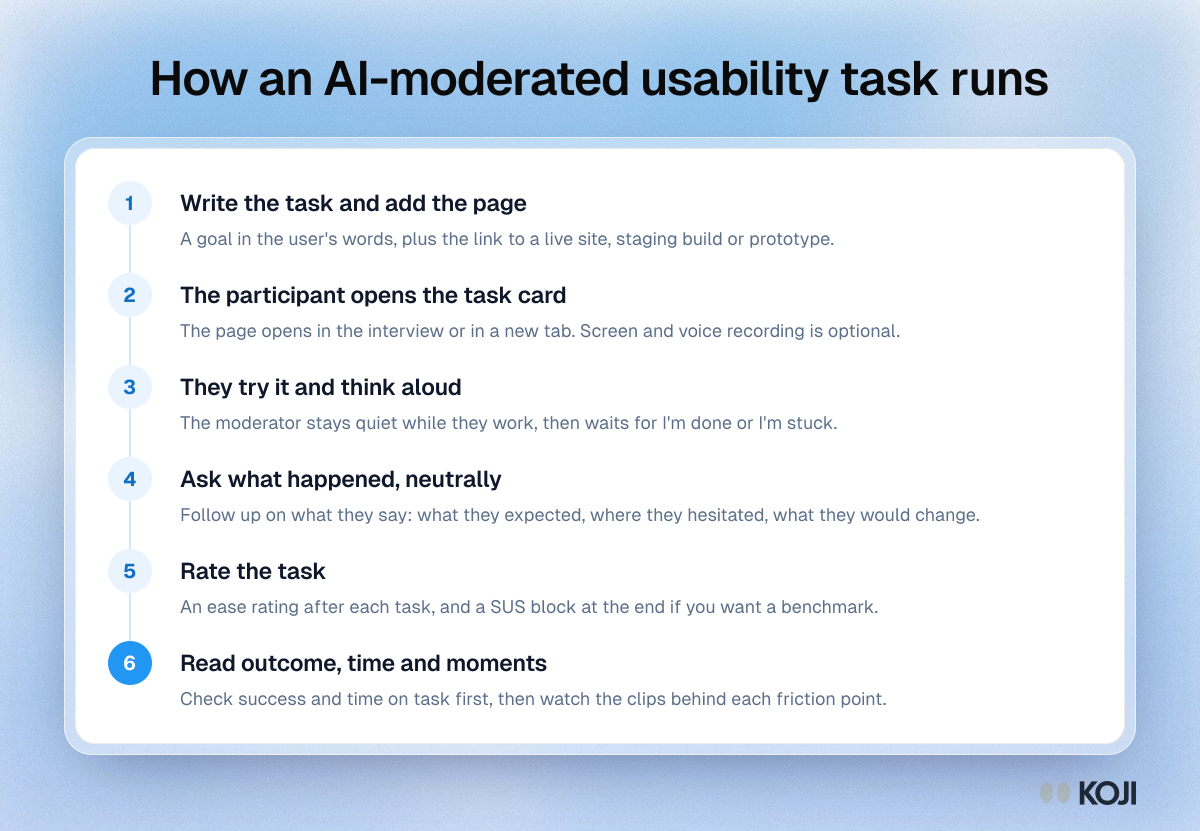
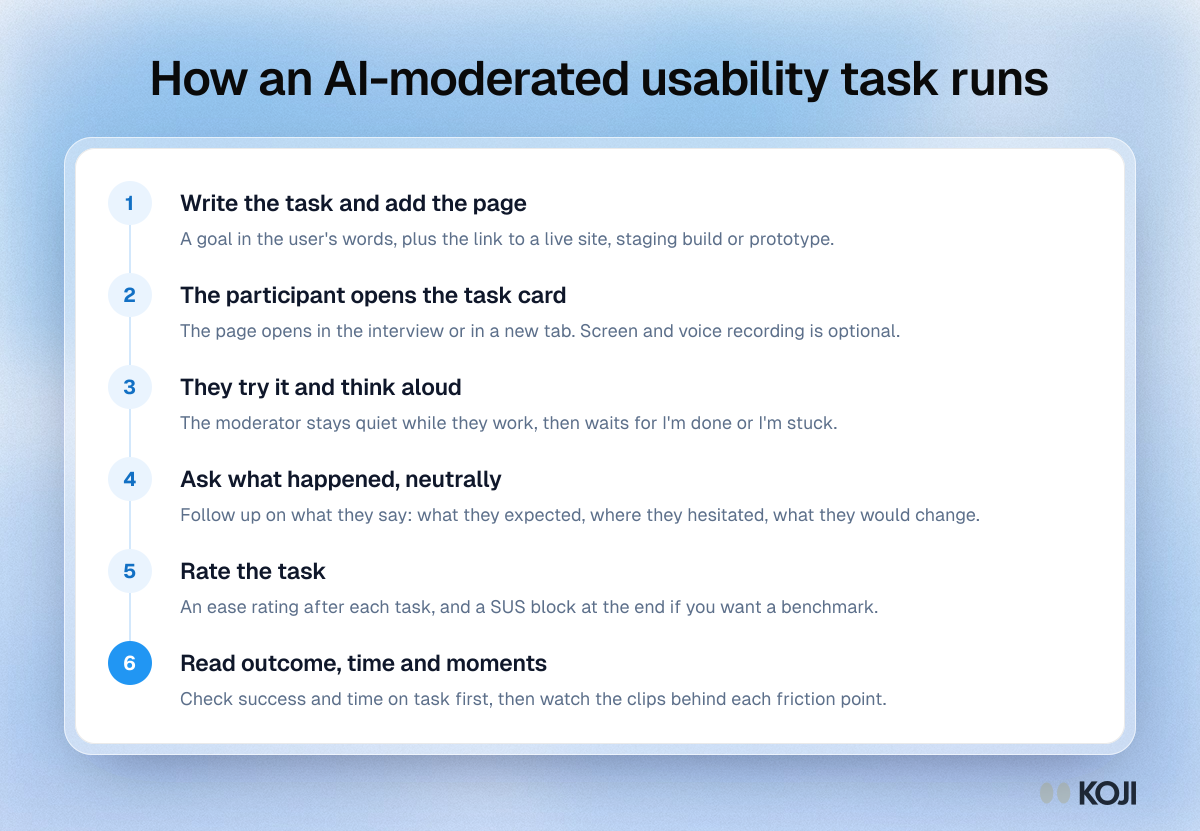
A six-step outline of how one usability task runs when an AI moderator gives it: write the task, open the page, let the participant think aloud, ask neutral follow-up questions, collect an ease rating, then read success, time on task and the recorded moments. Product managers, designers and researchers can use it as a checklist for unmoderated or AI-moderated sessions. Koji runs these steps with its Task question.
Where this appears
What's in this process
- Write the task and add the page: A goal in the user's words, plus the link to a live site, staging build or prototype.
- The participant opens the task card: The page opens in the interview or in a new tab. Screen and voice recording is optional.
- They try it and think aloud: The moderator stays quiet while they work, then waits for I'm done or I'm stuck.
- Ask what happened, neutrally: Follow up on what they say: what they expected, where they hesitated, what they would change.
- Rate the task: An ease rating after each task, and a SUS block at the end if you want a benchmark.
- Read outcome, time and moments: Check success and time on task first, then watch the clips behind each friction point.
Use this image
Free to use in your docs, decks and posts under CC BY 4.0, as long as you credit Koji with a link to this page. To embed it, paste this into your page:
html
<a href="https://www.koji.so/visuals/ai-moderated-usability-task-steps"><img src="https://www.koji.so/visuals/ai-moderated-usability-task-steps/ai-moderated-usability-task-steps.png" alt="Process diagram of an AI-moderated usability task in six steps, from writing the task and page link to reading outcome, time on task and recorded moments." width="1200" height="831" /></a>
<p>Source: <a href="https://www.koji.so/visuals/ai-moderated-usability-task-steps">How an AI-moderated usability task runs</a>, Koji</p>