Process
How to set up AI readiness interviews in Koji
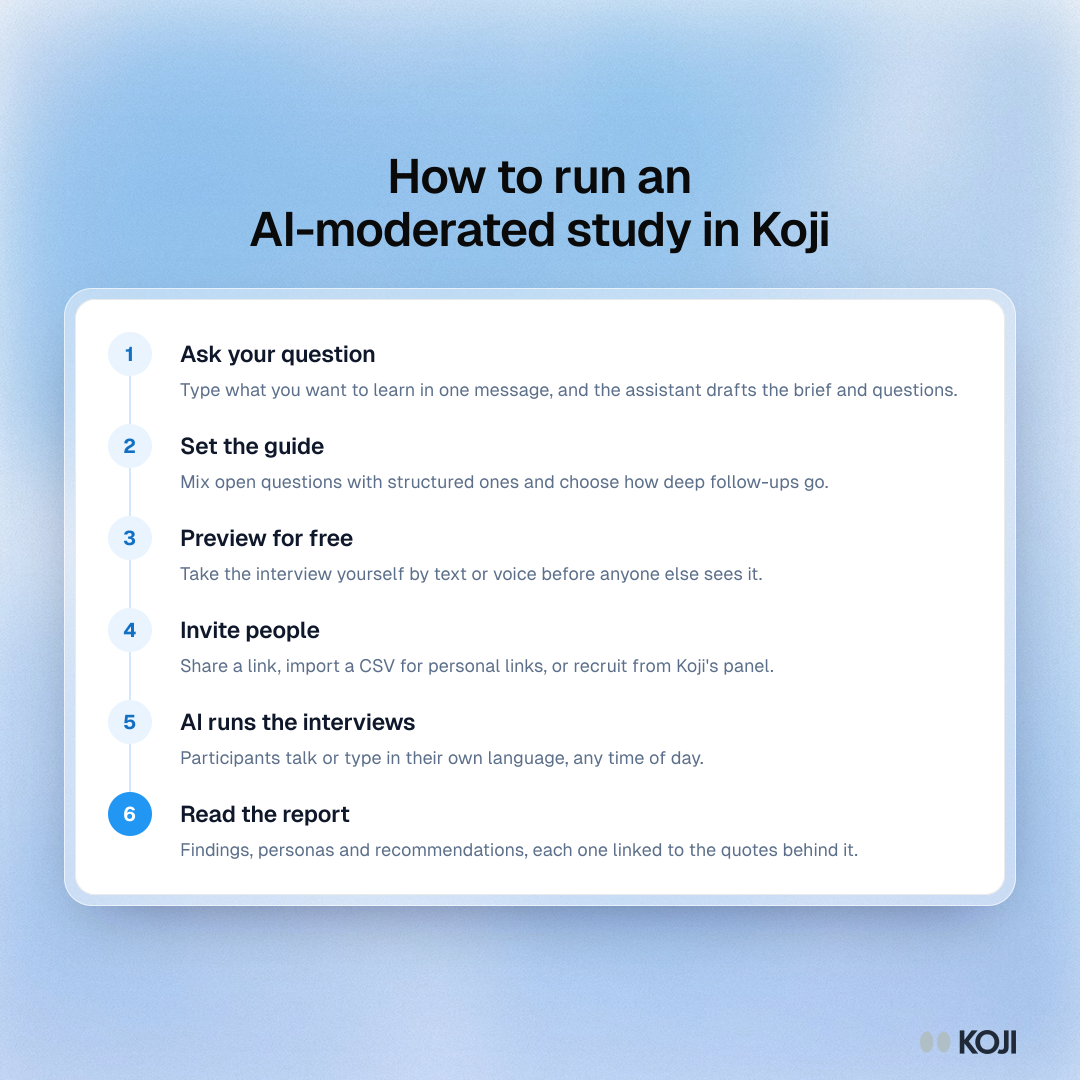
Seven steps from a signed assessment to interviews in the field
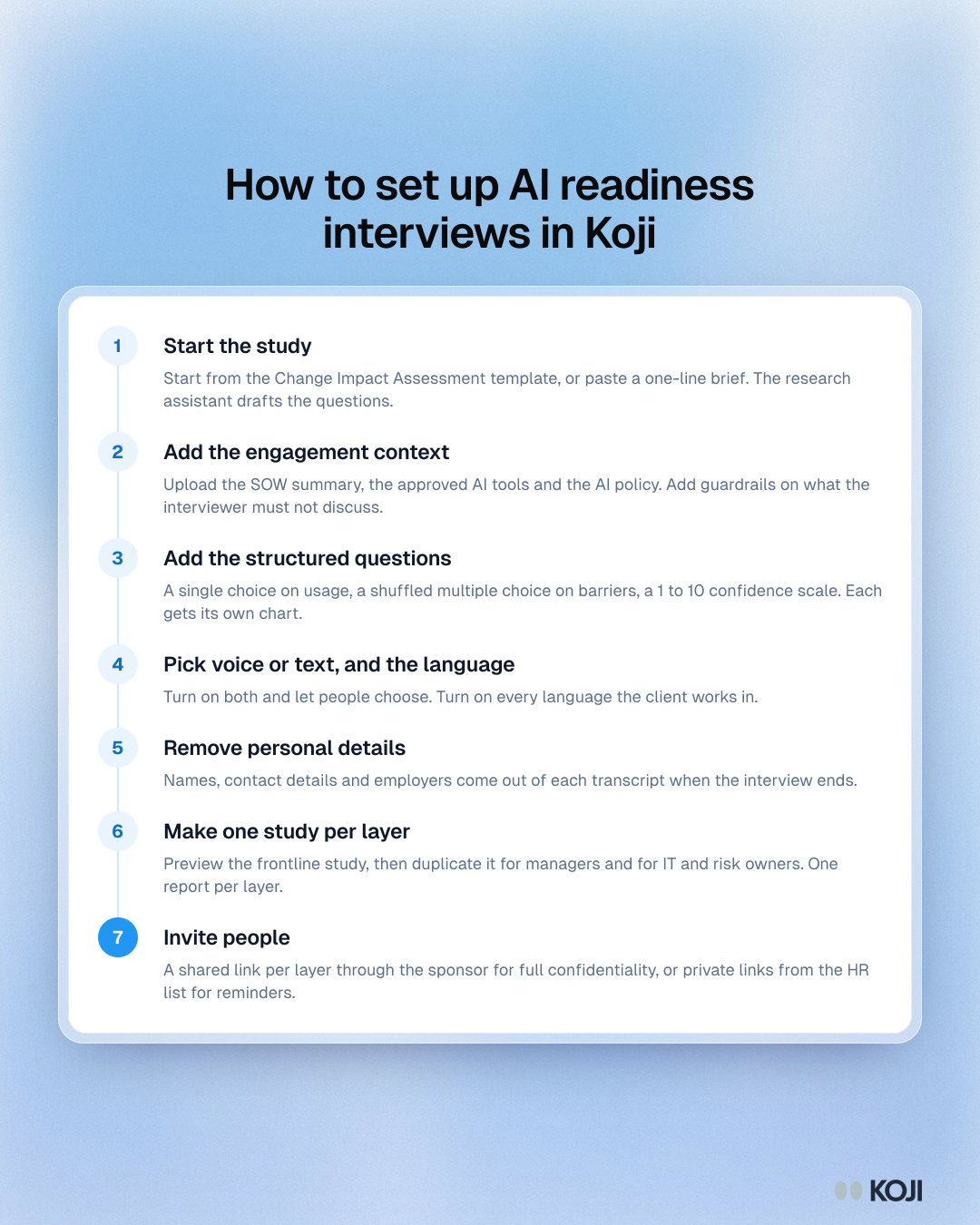
A seven-step setup for the interview part of an AI readiness assessment in Koji, written for consultancies on a fixed-fee engagement. It covers the brief and context files, structured questions for usage and barriers, voice or text and languages, removing personal details, one study per layer of the organisation, and how to invite client staff while keeping answers confidential.
Where this appears
What's in this process
- Start the study: Start from the Change Impact Assessment template, or paste a one-line brief. The research assistant drafts the questions.
- Add the engagement context: Upload the SOW summary, the approved AI tools and the AI policy. Add guardrails on what the interviewer must not discuss.
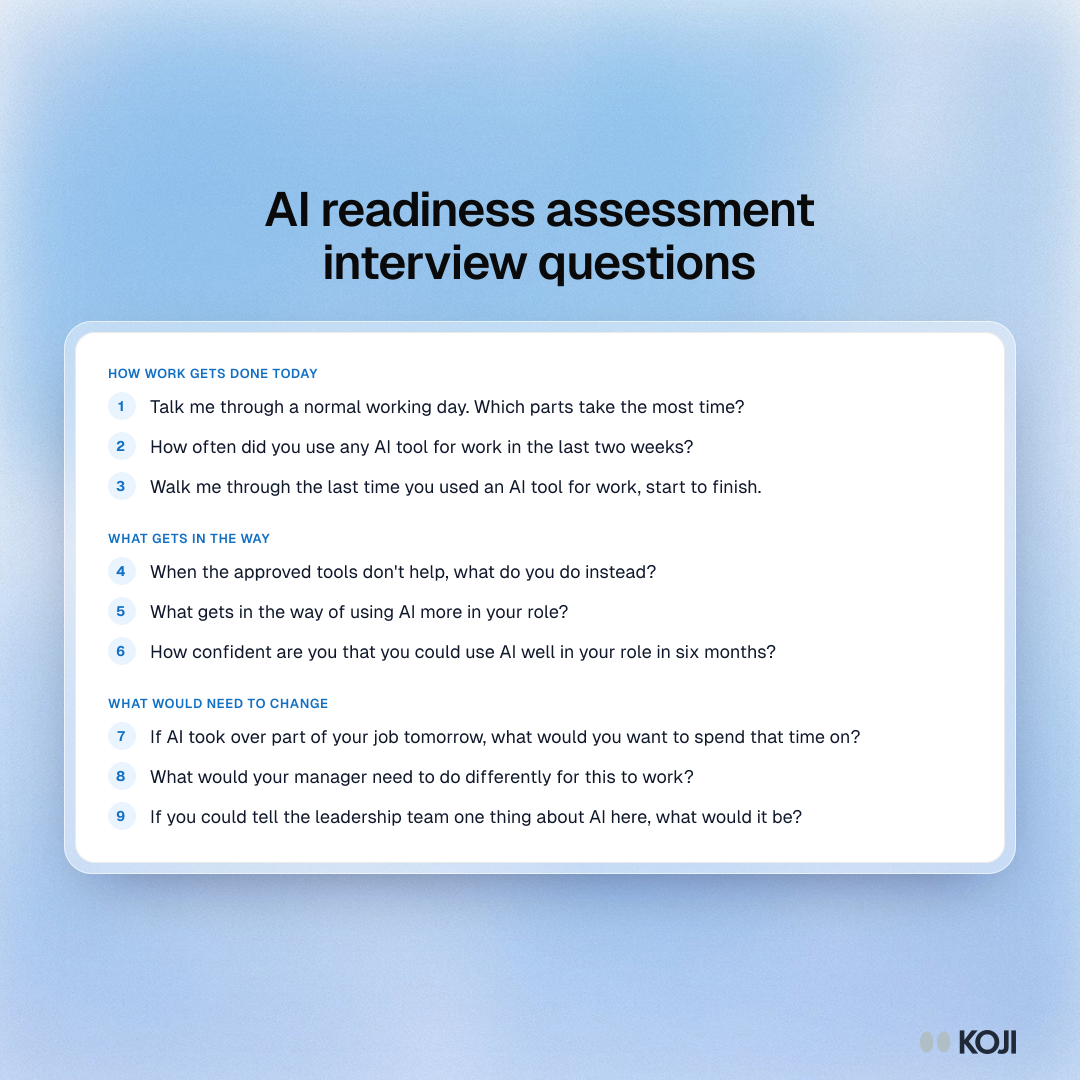
- Add the structured questions: A single choice on usage, a shuffled multiple choice on barriers, a 1 to 10 confidence scale. Each gets its own chart.
- Pick voice or text, and the language: Turn on both and let people choose. Turn on every language the client works in.
- Remove personal details: Names, contact details and employers come out of each transcript when the interview ends.
- Make one study per layer: Preview the frontline study, then duplicate it for managers and for IT and risk owners. One report per layer.
- Invite people: A shared link per layer through the sponsor for full confidentiality, or private links from the HR list for reminders.
Use this image
Free to use in your docs, decks and posts under CC BY 4.0, as long as you credit Koji with a link to this page. To embed it, paste this into your page:
html
<a href="https://www.koji.so/visuals/ai-readiness-interviews-setup-steps"><img src="https://www.koji.so/visuals/ai-readiness-interviews-setup-steps/ai-readiness-interviews-setup-steps.png" alt="Seven-step process for AI readiness interviews in Koji, from the template and context files to removing personal details, one study per layer and invites." width="1080" height="1350" /></a>
<p>Source: <a href="https://www.koji.so/visuals/ai-readiness-interviews-setup-steps">How to set up AI readiness interviews in Koji</a>, Koji</p>