Flowchart
Which customer feedback tool do you need?
Four questions that point you to the right kind of feedback tool before you compare brands.
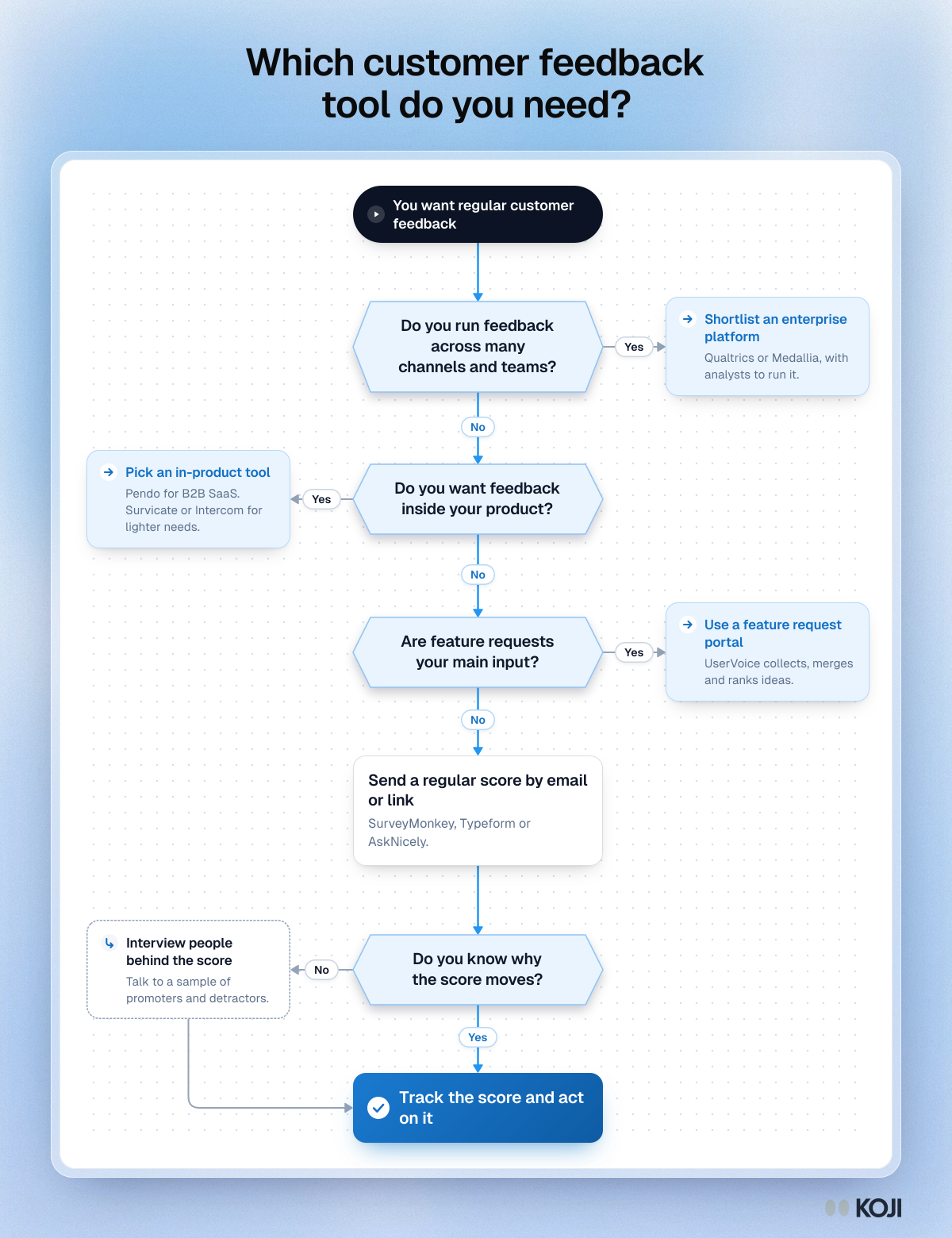
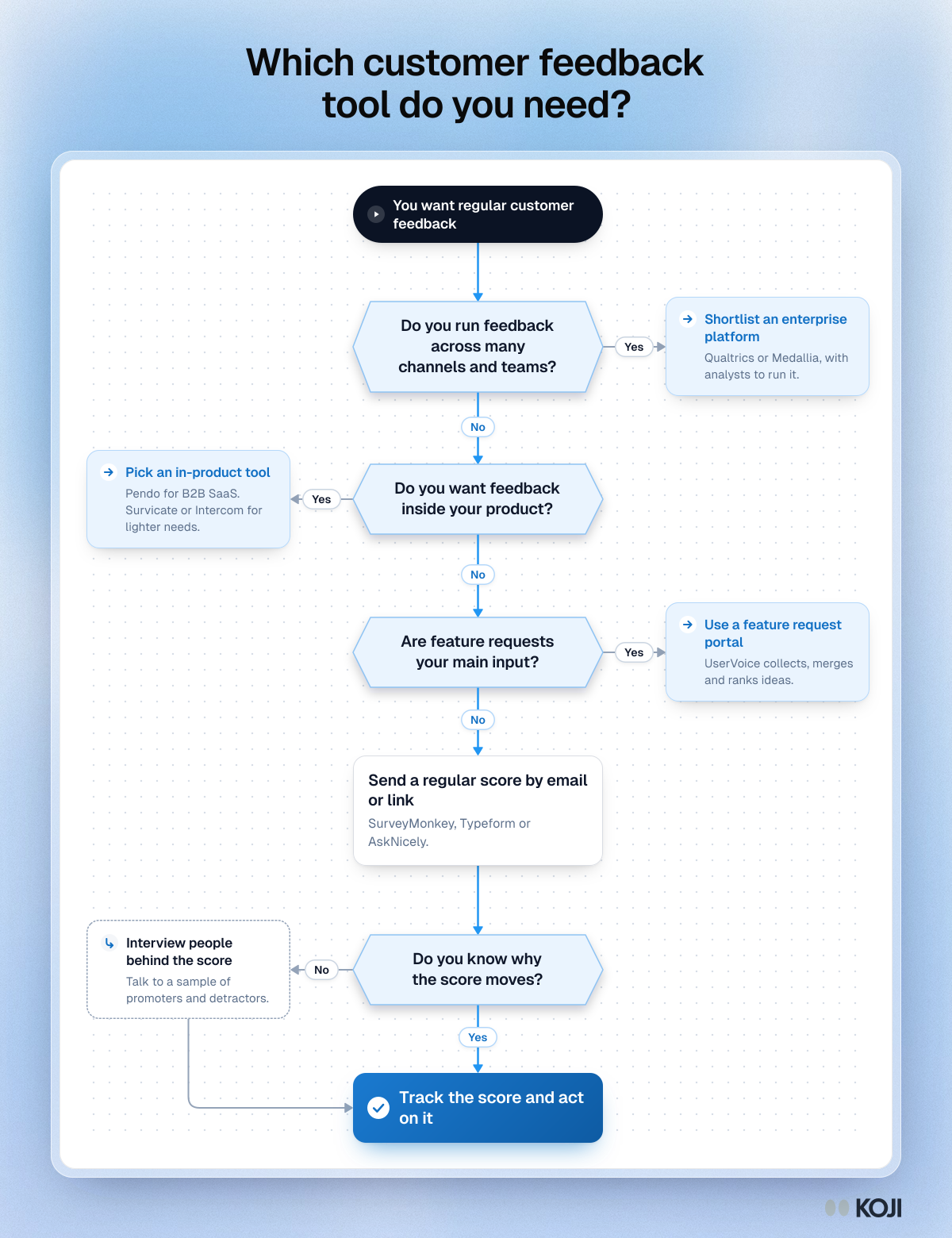
A decision flowchart for choosing a customer feedback tool. It asks whether you run feedback across many channels, want it inside your product, mainly collect feature requests, and know why your score moves, and points to the kind of tool each answer needs, with examples. Use it to build a shortlist. When the reasons are missing, Koji can run the follow-up interviews.
Where this appears
What's in this flowchart
Start: You want regular customer feedback
- Do you run feedback across many channels and teams?
- No: go to 2.
- Yes: Shortlist an enterprise platform. Qualtrics or Medallia, with analysts to run it.
- Do you want feedback inside your product?
- No: go to 3.
- Yes: Pick an in-product tool. Pendo for B2B SaaS. Survicate or Intercom for lighter needs.
- Are feature requests your main input?
- No: go to 4.
- Yes: Use a feature request portal. UserVoice collects, merges and ranks ideas.
- Send a regular score by email or link. SurveyMonkey, Typeform or AskNicely.
- Do you know why the score moves?
- Yes: go to 6.
- No: Interview people behind the score. Talk to a sample of promoters and detractors. Then go to 6.
- Finish: Track the score and act on it.
Use this image
Free to use in your docs, decks and posts under CC BY 4.0, as long as you credit Koji with a link to this page. To embed it, paste this into your page:
html
<a href="https://www.koji.so/visuals/choose-customer-feedback-tool-flowchart"><img src="https://www.koji.so/visuals/choose-customer-feedback-tool-flowchart/choose-customer-feedback-tool-flowchart.png" alt="Flowchart for choosing a customer feedback tool: four yes or no questions about scale, in-product feedback, feature requests and whether you need the reasons" width="1200" height="1560" /></a>
<p>Source: <a href="https://www.koji.so/visuals/choose-customer-feedback-tool-flowchart">Which customer feedback tool do you need?</a>, Koji</p>