Process
How to add an AI agent to your research workflow
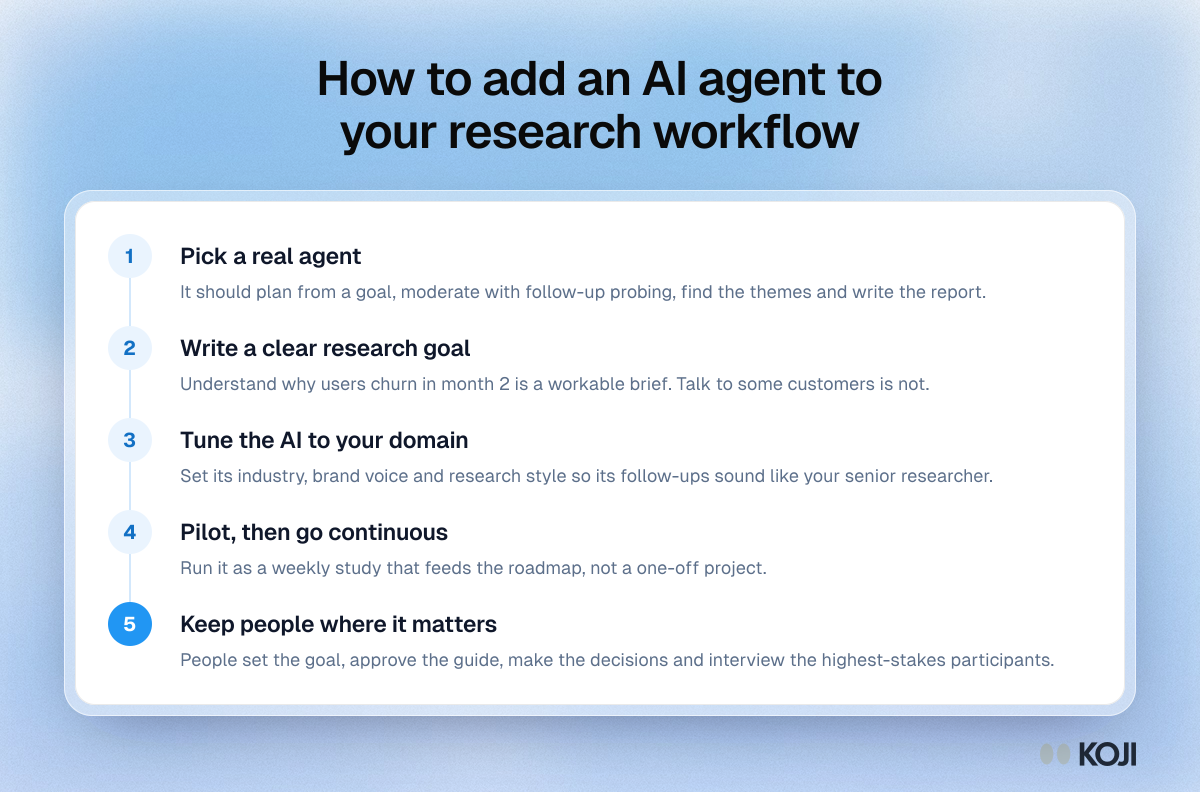
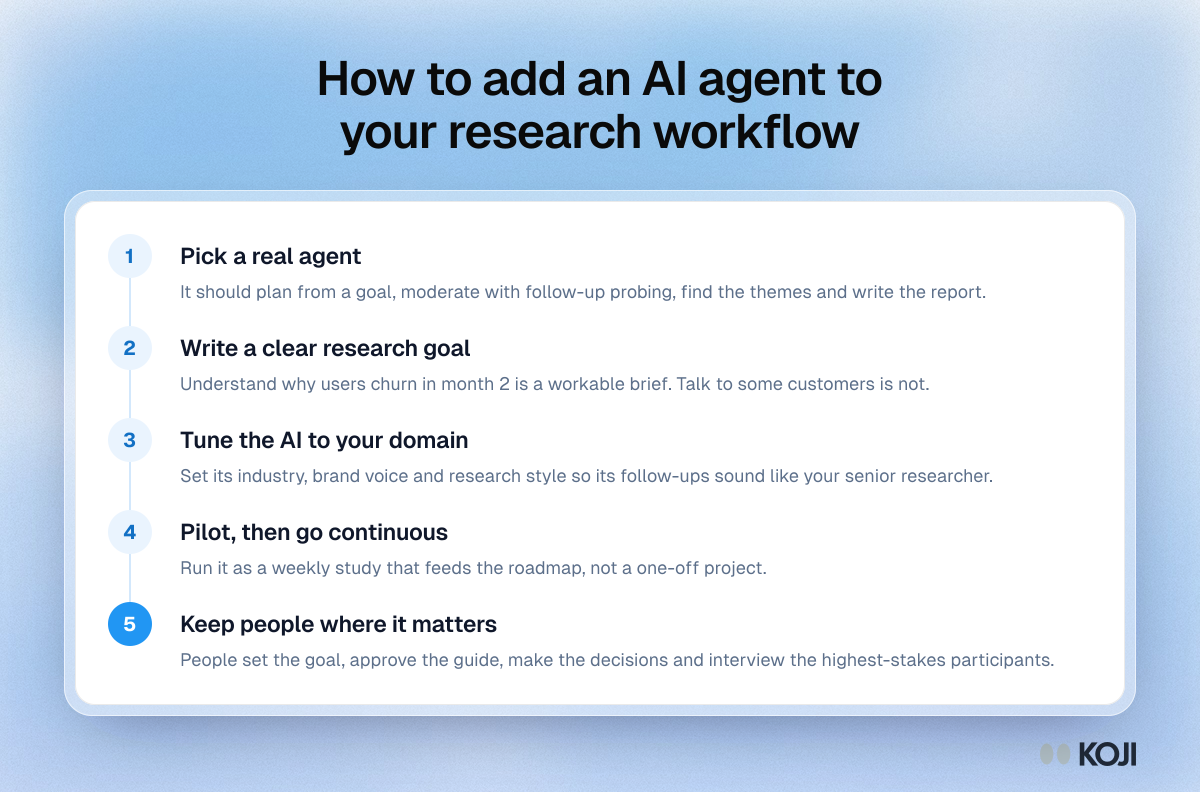
Five steps for adding an AI research agent to a product or UX research workflow: choose a tool that runs the whole loop, write a specific research goal, tune the AI moderator to your domain, move from a pilot to a weekly study, and keep people on the goal, the guide, the decisions and the most important interviews. Koji runs AI-moderated voice and text interviews that fit this workflow.
Where this appears
What's in this process
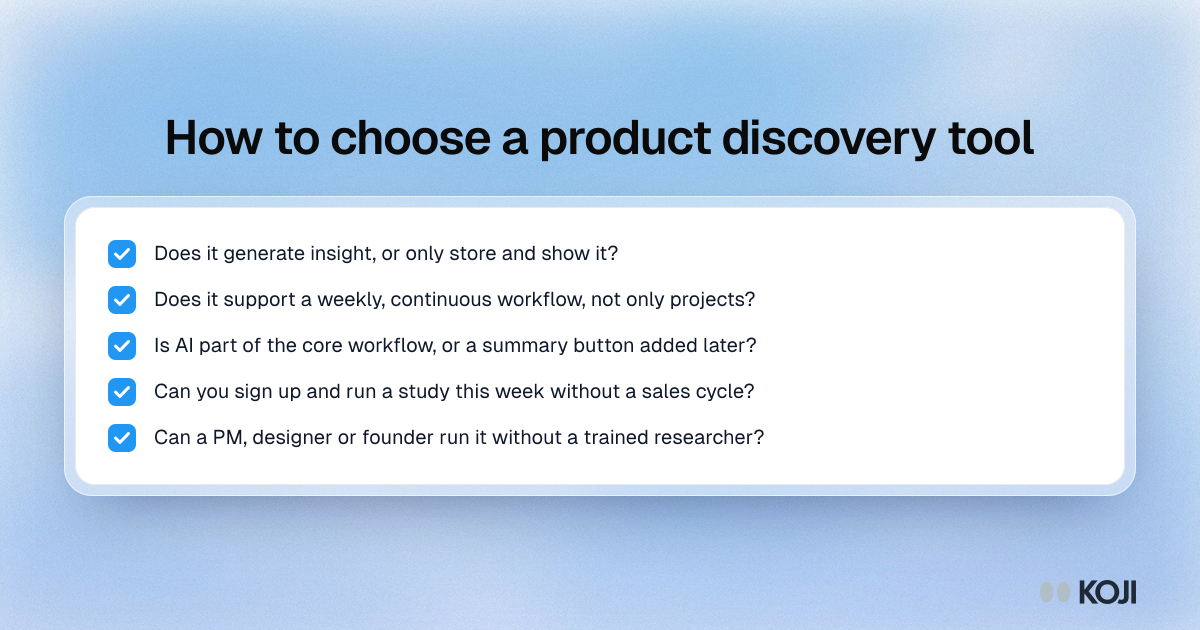
- Pick a real agent: It should plan from a goal, moderate with follow-up probing, find the themes and write the report.
- Write a clear research goal: Understand why users churn in month 2 is a workable brief. Talk to some customers is not.
- Tune the AI to your domain: Set its industry, brand voice and research style so its follow-ups sound like your senior researcher.
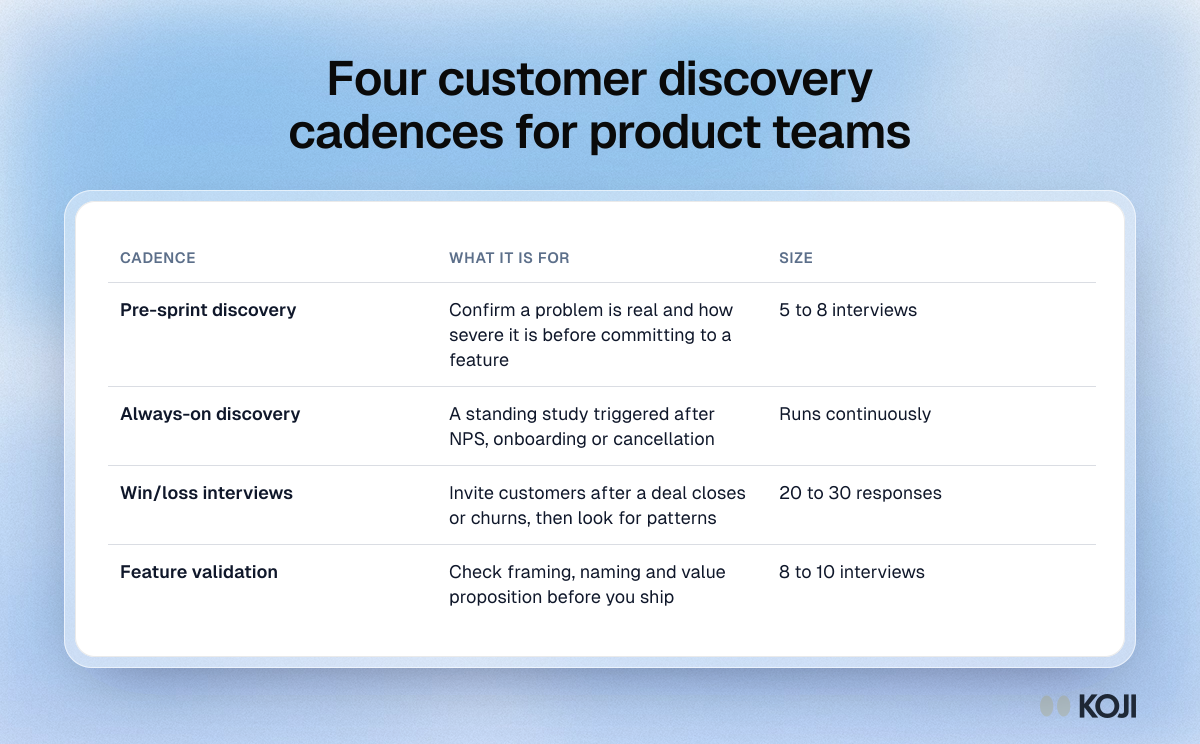
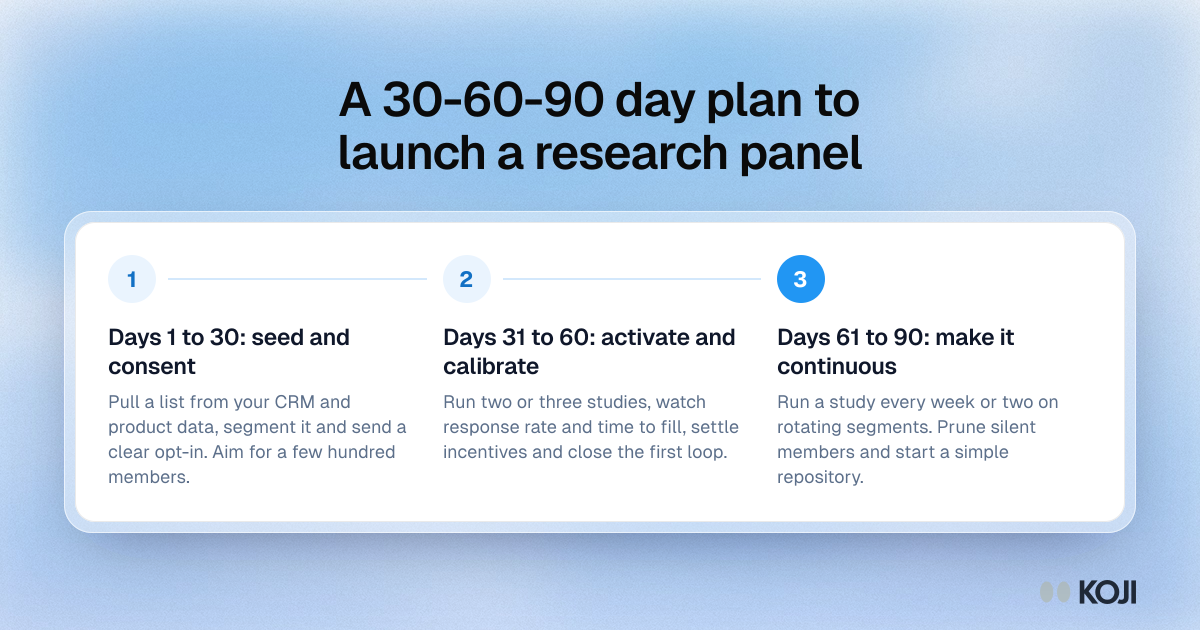
- Pilot, then go continuous: Run it as a weekly study that feeds the roadmap, not a one-off project.
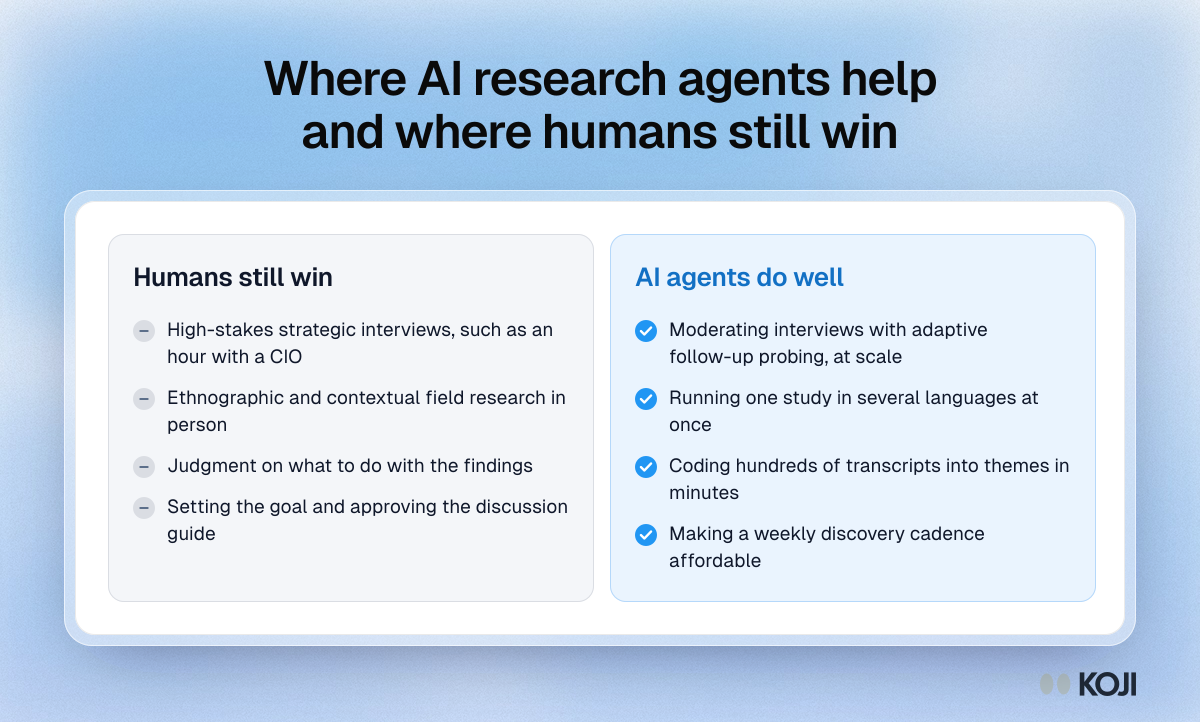
- Keep people where it matters: People set the goal, approve the guide, make the decisions and interview the highest-stakes participants.
Use this image
Free to use in your docs, decks and posts under CC BY 4.0, as long as you credit Koji with a link to this page. To embed it, paste this into your page:
html
<a href="https://www.koji.so/visuals/how-to-deploy-ai-agent-research-workflow-steps"><img src="https://www.koji.so/visuals/how-to-deploy-ai-agent-research-workflow-steps/how-to-deploy-ai-agent-research-workflow-steps.png" alt="Five-step process for adding an AI agent to research: pick a real agent, write a clear goal, tune it to your domain, go continuous, keep people in the loop." width="1200" height="792" /></a>
<p>Source: <a href="https://www.koji.so/visuals/how-to-deploy-ai-agent-research-workflow-steps">How to add an AI agent to your research workflow</a>, Koji</p>