Flowchart
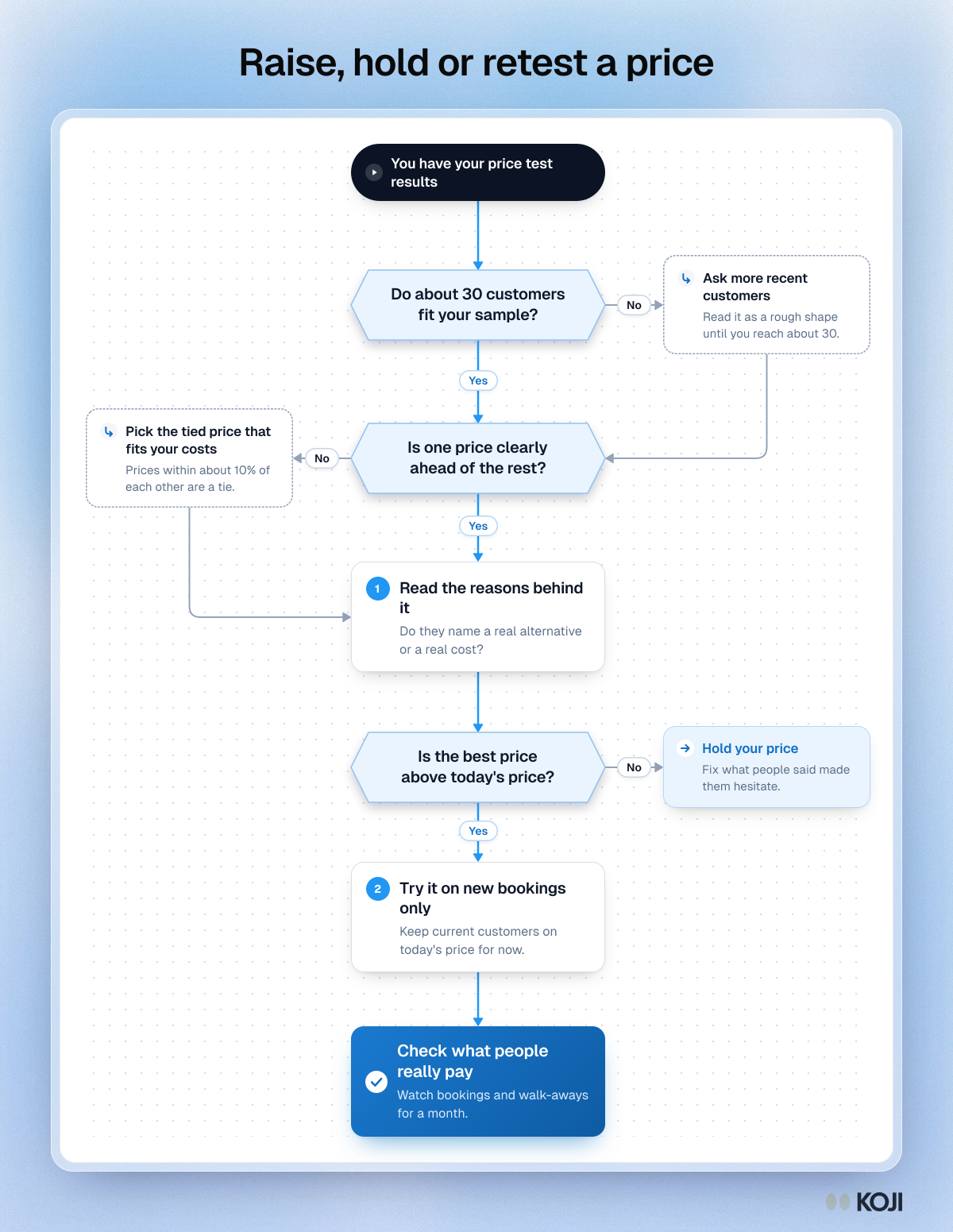
Raise, hold or retest a price
What to do once your price test has results
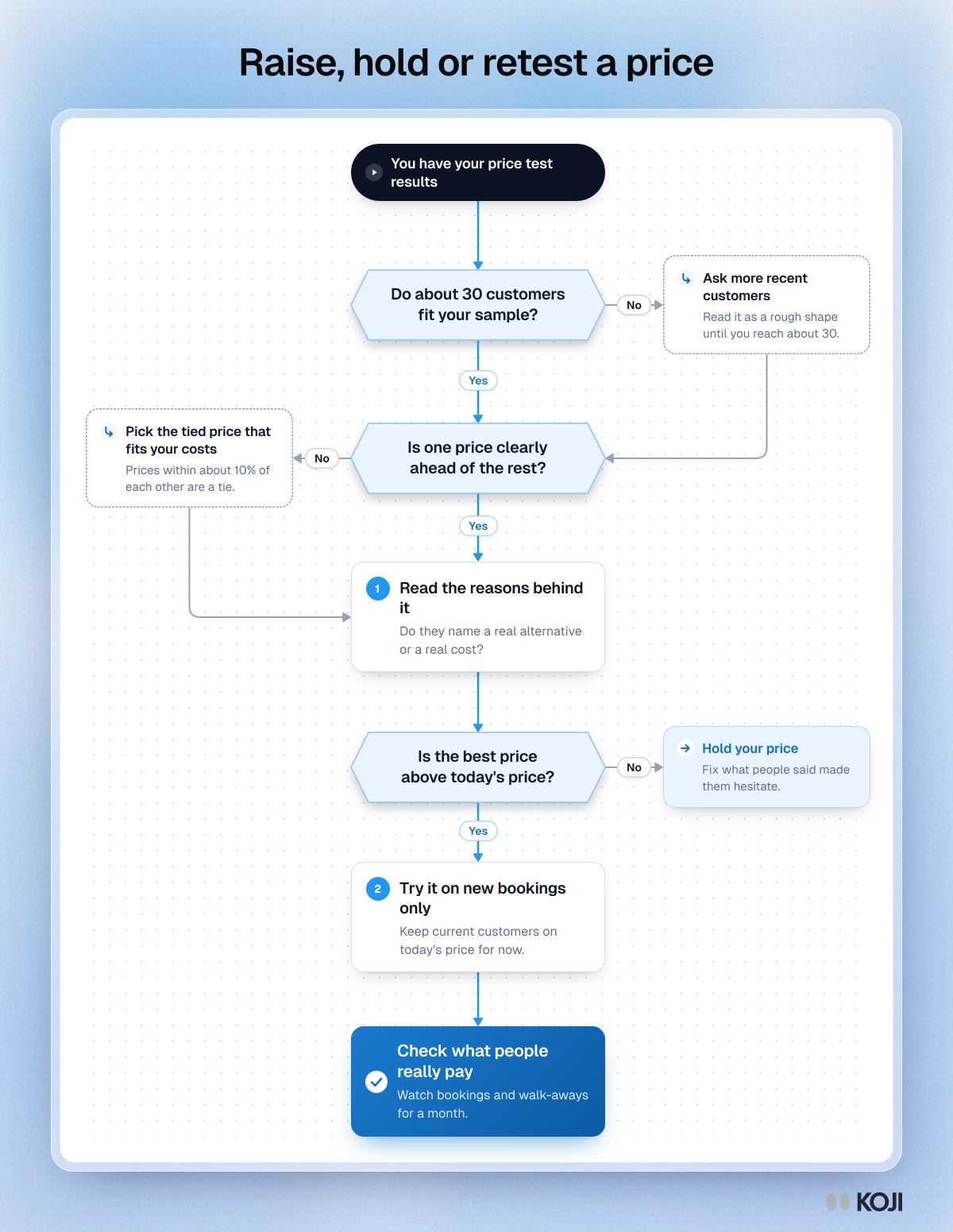
A decision path for a small business owner with price test results in hand. It checks that the sample is big enough, whether one price clearly leads or two are tied, what the reasons behind the best price say, and whether it is above today's price. It ends by trying the new price on new bookings and watching what people really pay for a month.
Where this appears
What's in this flowchart
Start: You have your price test results
- Do about 30 customers fit your sample?
- Yes: go to 2.
- No: Ask more recent customers. Read it as a rough shape until you reach about 30. Then go to 2.
- Is one price clearly ahead of the rest?
- Yes: go to 3.
- No: Pick the tied price that fits your costs. Prices within about 10% of each other are a tie. Then go to 3.
- Read the reasons behind it. Do they name a real alternative or a real cost?
- Is the best price above today's price?
- Yes: go to 5.
- No: Hold your price. Fix what people said made them hesitate.
- Try it on new bookings only. Keep current customers on today's price for now.
- Finish: Check what people really pay. Watch bookings and walk-aways for a month.
Use this image
Free to use in your docs, decks and posts under CC BY 4.0, as long as you credit Koji with a link to this page. To embed it, paste this into your page:
html
<a href="https://www.koji.so/visuals/raise-hold-or-retest-price-after-a-price-test"><img src="https://www.koji.so/visuals/raise-hold-or-retest-price-after-a-price-test/raise-hold-or-retest-price-after-a-price-test.png" alt="Flowchart for reading a price test: three questions, two side steps and one exit, ending in checking what people really pay." width="1200" height="1551" /></a>
<p>Source: <a href="https://www.koji.so/visuals/raise-hold-or-retest-price-after-a-price-test">Raise, hold or retest a price</a>, Koji</p>