Comparison
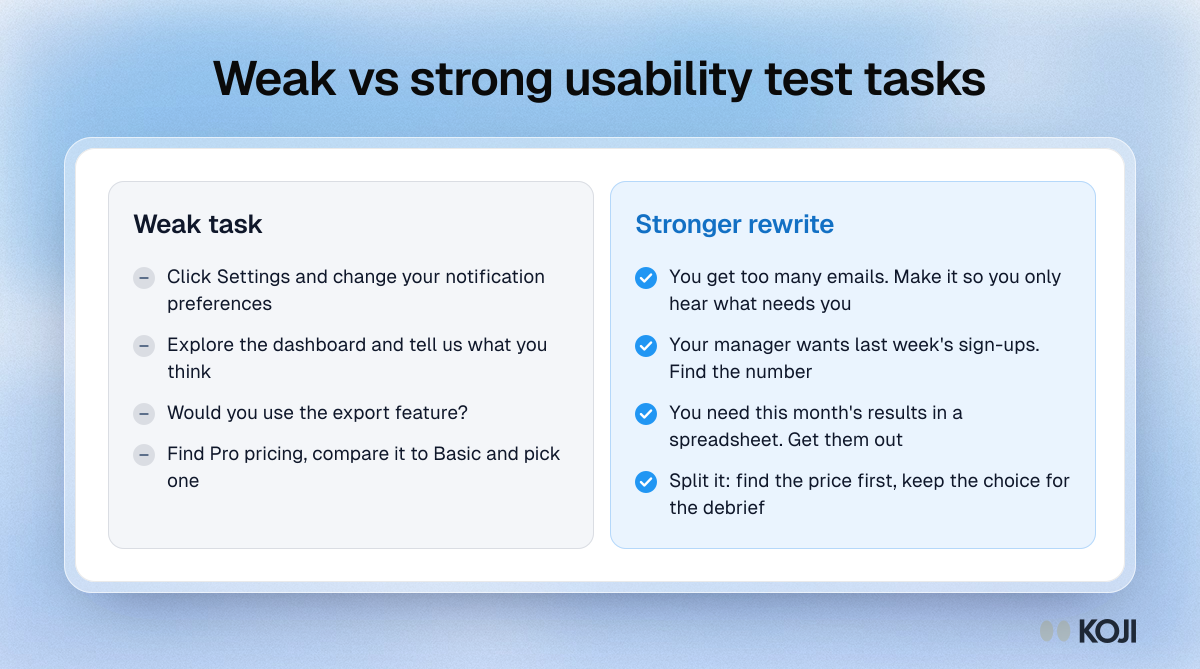
Weak vs strong usability test tasks
Four common task mistakes and how to rewrite them
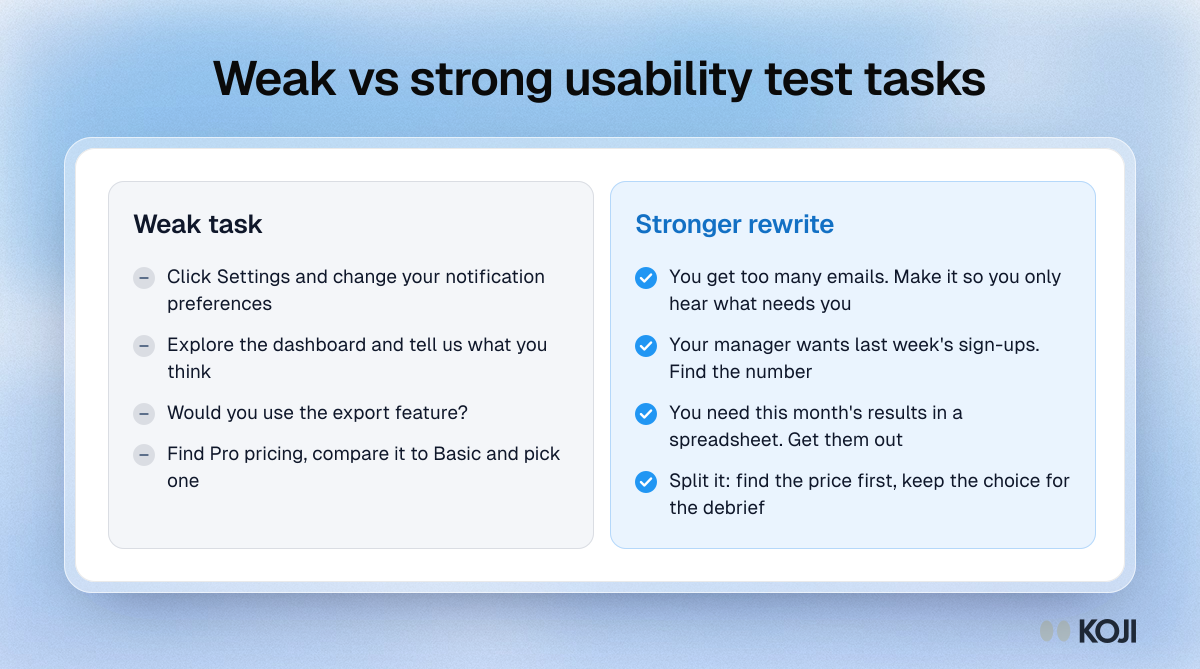
Four weak usability test tasks set against stronger rewrites. The weak versions give instructions, ask for opinions, ask people to predict what they would do or pack three goals into one. The rewrites state a realistic goal in the participant's words with a clear end state. Use it when reviewing a test plan or teaching a team to write tasks. Koji can run short follow-up interviews after each session to ask how hard each task felt.
Where this appears
What's in this comparison
Weak task
- Click Settings and change your notification preferences
- Explore the dashboard and tell us what you think
- Would you use the export feature?
- Find Pro pricing, compare it to Basic and pick one
Stronger rewrite
- You get too many emails. Make it so you only hear what needs you
- Your manager wants last week's sign-ups. Find the number
- You need this month's results in a spreadsheet. Get them out
- Split it: find the price first, keep the choice for the debrief
Use this image
Free to use in your docs, decks and posts under CC BY 4.0, as long as you credit Koji with a link to this page. To embed it, paste this into your page:
html
<a href="https://www.koji.so/visuals/weak-vs-strong-usability-test-tasks"><img src="https://www.koji.so/visuals/weak-vs-strong-usability-test-tasks/weak-vs-strong-usability-test-tasks.png" alt="Comparison of weak usability tasks that leak the answer or ask for opinions with stronger rewrites that state a realistic goal." width="1200" height="669" /></a>
<p>Source: <a href="https://www.koji.so/visuals/weak-vs-strong-usability-test-tasks">Weak vs strong usability test tasks</a>, Koji</p>