Process
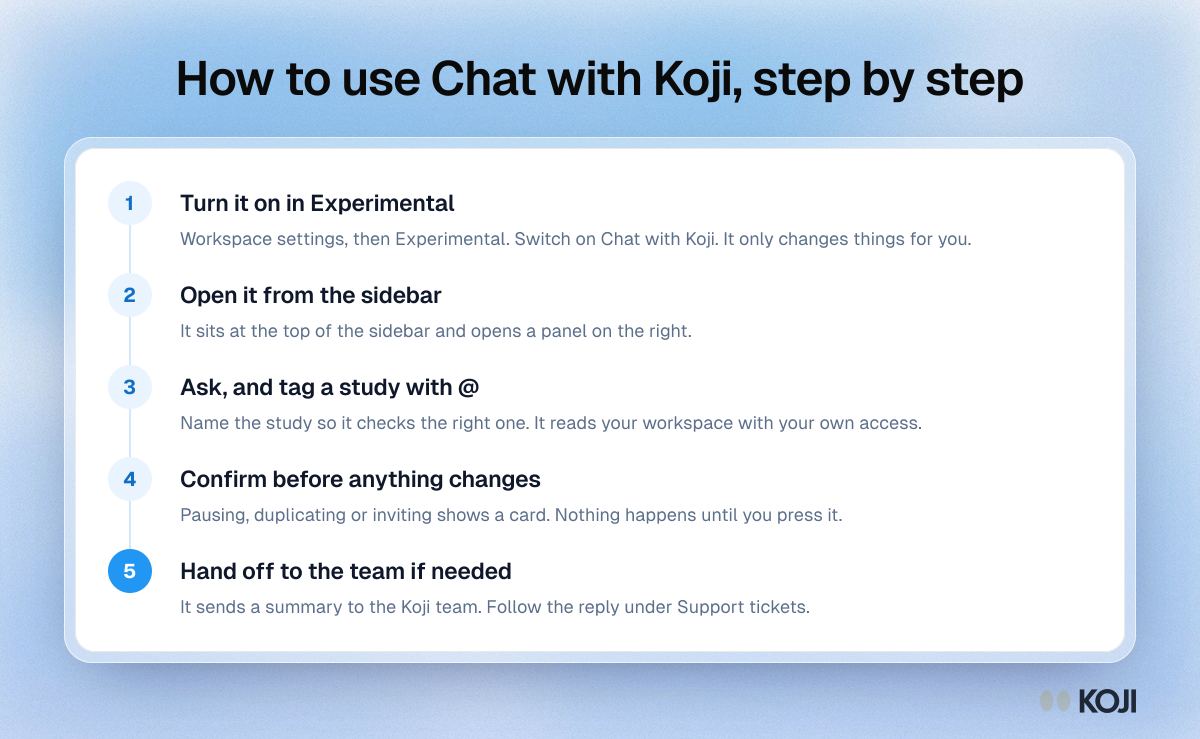
How to use Chat with Koji, step by step
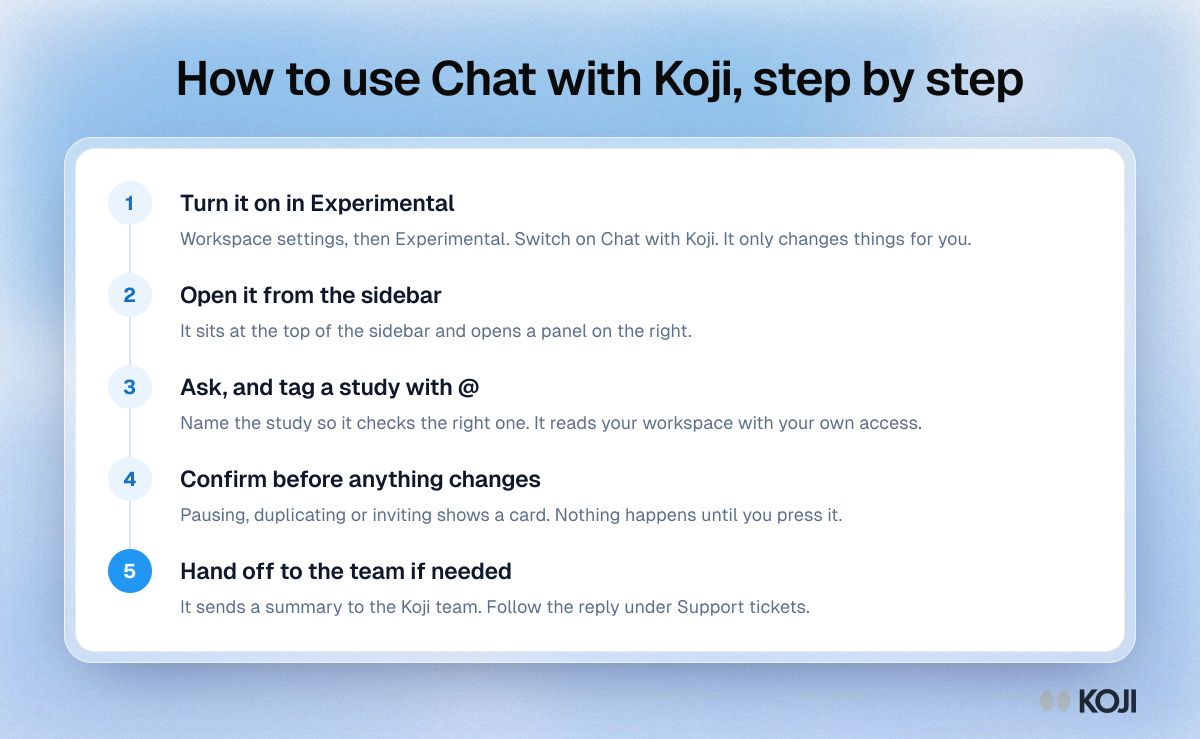
A five-step guide to Chat with Koji, the assistant inside the Koji app. It shows how to switch it on for yourself, open it from the sidebar, point it at a study with @, confirm changes on a card and pass a problem to the Koji team. Use it as a quick reference the first time you try the assistant.
Where this appears
What's in this process
- Turn it on in Experimental: Workspace settings, then Experimental. Switch on Chat with Koji. It only changes things for you.
- Open it from the sidebar: It sits at the top of the sidebar and opens a panel on the right.
- Ask, and tag a study with @: Name the study so it checks the right one. It reads your workspace with your own access.
- Confirm before anything changes: Pausing, duplicating or inviting shows a card. Nothing happens until you press it.
- Hand off to the team if needed: It sends a summary to the Koji team. Follow the reply under Support tickets.
Use this image
Free to use in your docs, decks and posts under CC BY 4.0, as long as you credit Koji with a link to this page. To embed it, paste this into your page:
html
<a href="https://www.koji.so/visuals/chat-with-koji-assistant-steps"><img src="https://www.koji.so/visuals/chat-with-koji-assistant-steps/chat-with-koji-assistant-steps.png" alt="Process showing five steps to use Chat with Koji: turn it on, open it, ask with @, confirm changes and hand off to the team" width="1200" height="739" /></a>
<p>Source: <a href="https://www.koji.so/visuals/chat-with-koji-assistant-steps">How to use Chat with Koji, step by step</a>, Koji</p>