Flowchart
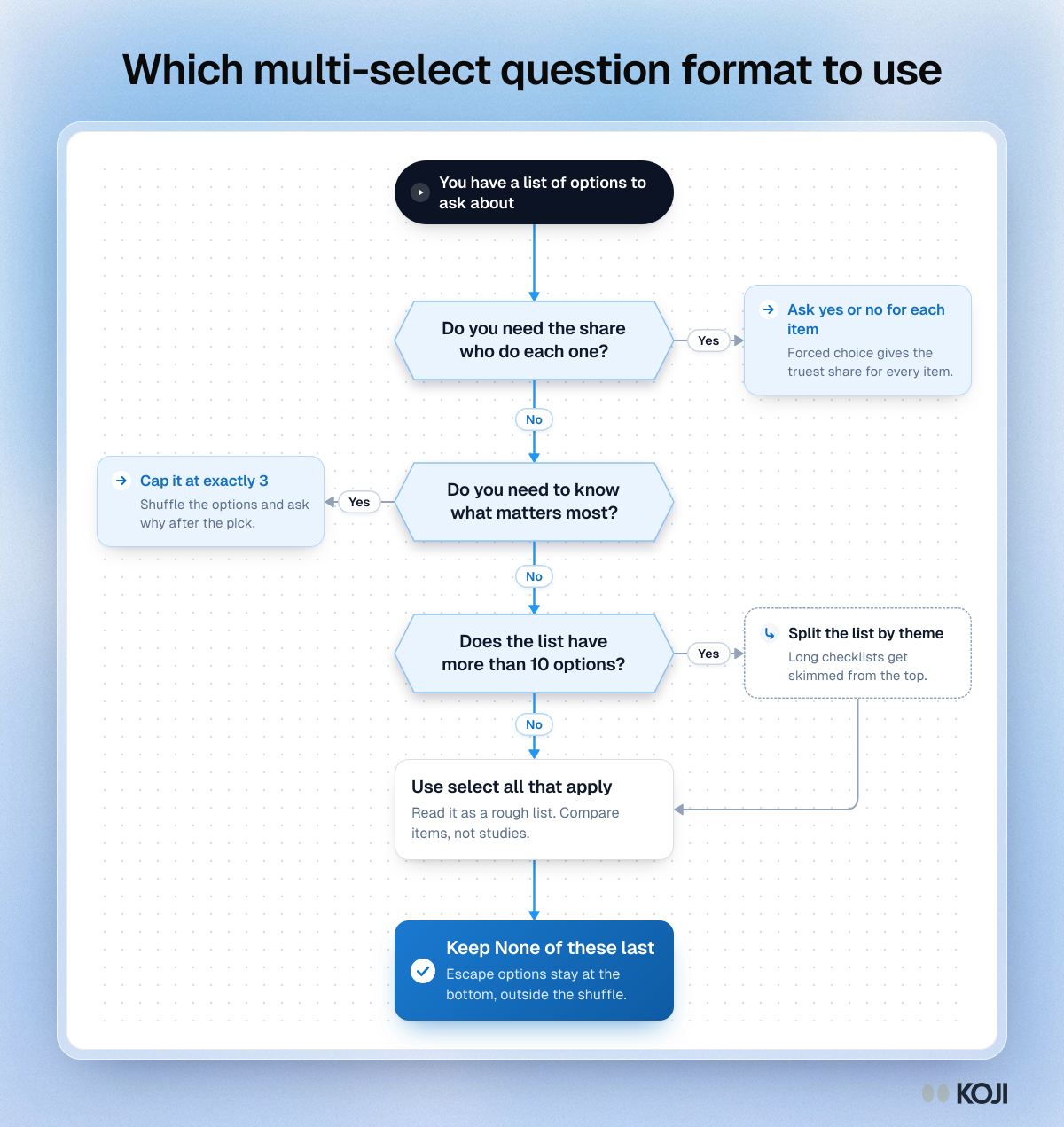
Which multi-select question format to use
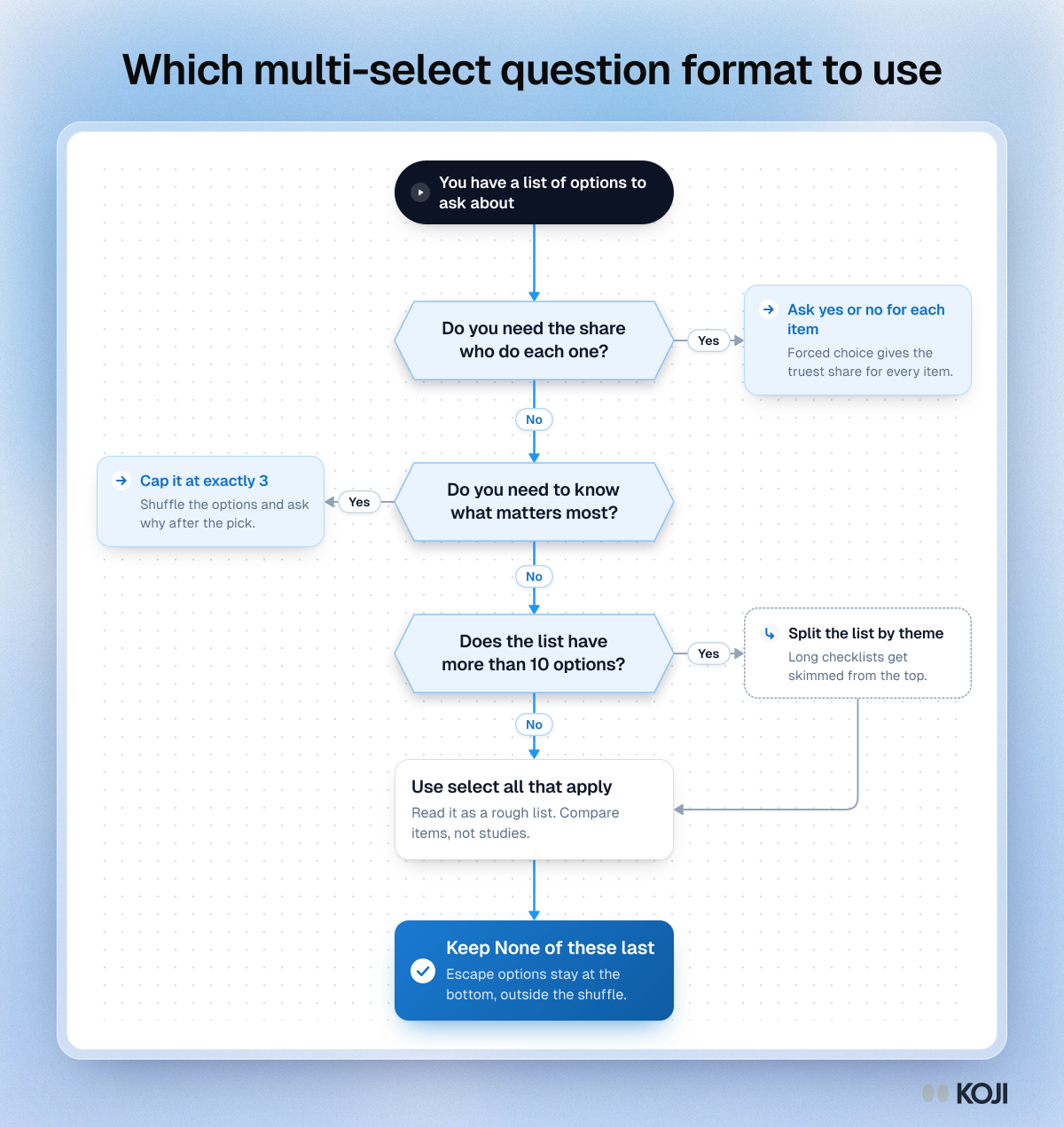
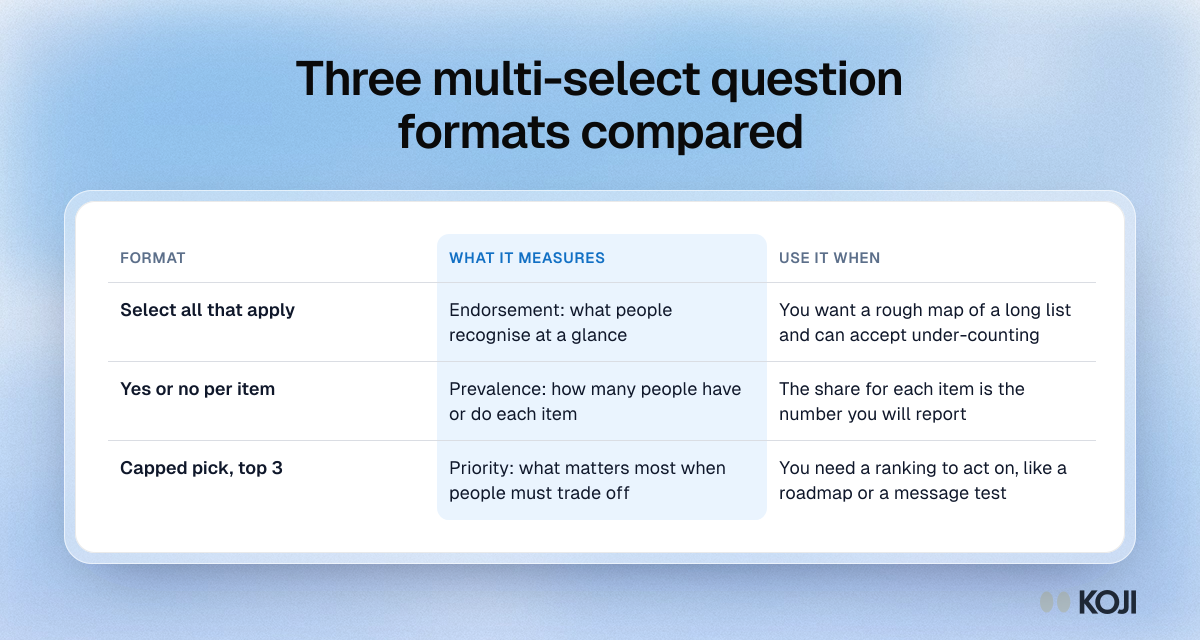
A decision flowchart for survey and interview questions with a list of options. It sends you to a yes or no question per item when you need the share for each one, to a capped top 3 pick when you need priority, and to select all that apply only for a rough list. In Koji you can set the pick limit and option order on any multiple choice question.
Where this appears
What's in this flowchart
Start: You have a list of options to ask about
- Do you need the share who do each one?
- No: go to 2.
- Yes: Ask yes or no for each item. Forced choice gives the truest share for every item.
- Do you need to know what matters most?
- No: go to 3.
- Yes: Cap it at exactly 3. Shuffle the options and ask why after the pick.
- Does the list have more than 10 options?
- No: go to 4.
- Yes: Split the list by theme. Long checklists get skimmed from the top. Then go to 4.
- Use select all that apply. Read it as a rough list. Compare items, not studies.
- Finish: Keep None of these last. Escape options stay at the bottom, outside the shuffle.
Use this image
Free to use in your docs, decks and posts under CC BY 4.0, as long as you credit Koji with a link to this page. To embed it, paste this into your page:
html
<a href="https://www.koji.so/visuals/multi-select-question-format-flowchart"><img src="https://www.koji.so/visuals/multi-select-question-format-flowchart/multi-select-question-format-flowchart.png" alt="Flowchart for choosing a multi-select question format: forced yes/no for prevalence, a capped top 3 for priority, select-all for a rough list." width="1200" height="1271" /></a>
<p>Source: <a href="https://www.koji.so/visuals/multi-select-question-format-flowchart">Which multi-select question format to use</a>, Koji</p>