Flowchart
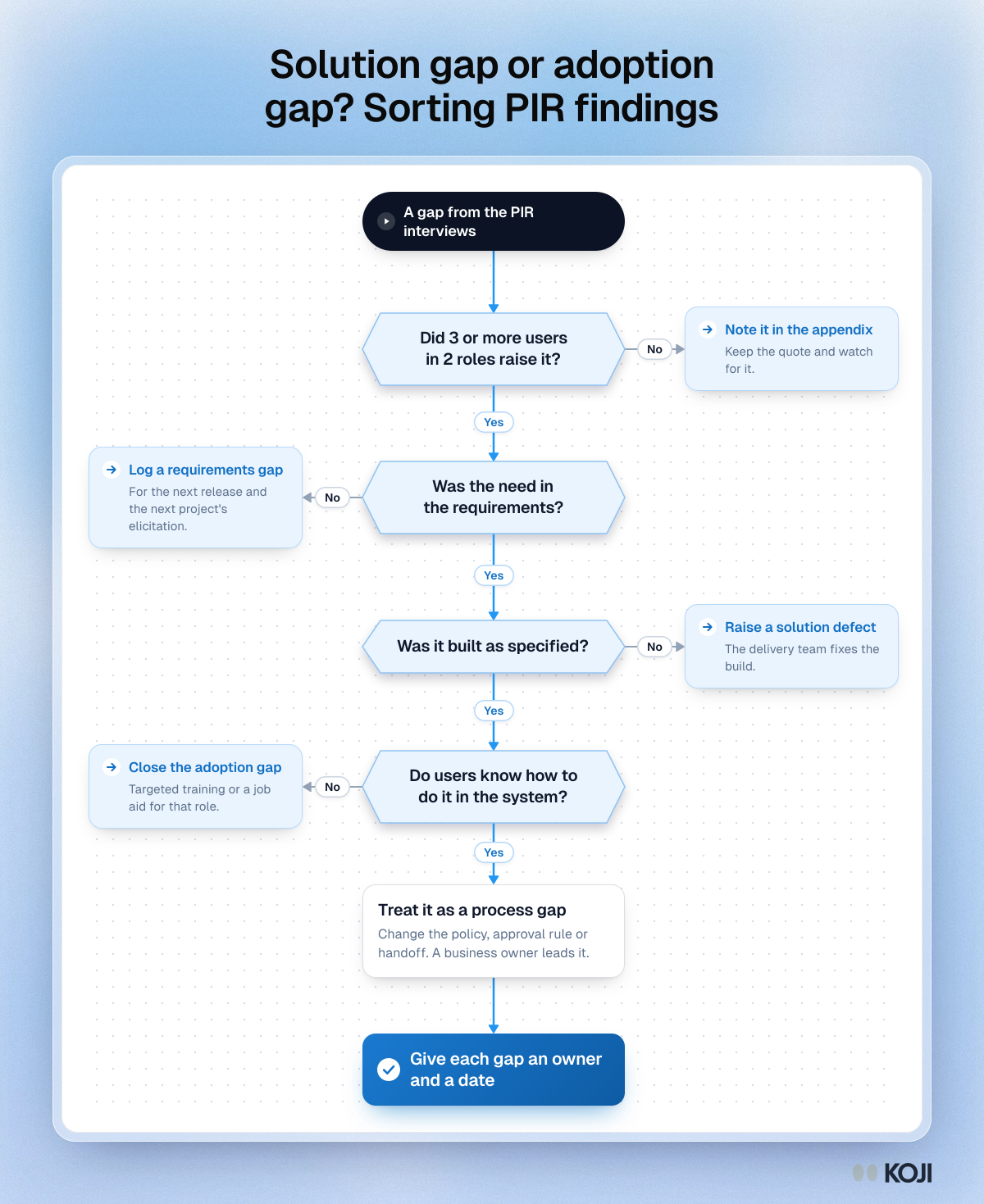
Solution gap or adoption gap? Sorting PIR findings
Four yes or no questions that send each post-implementation review gap to the right owner
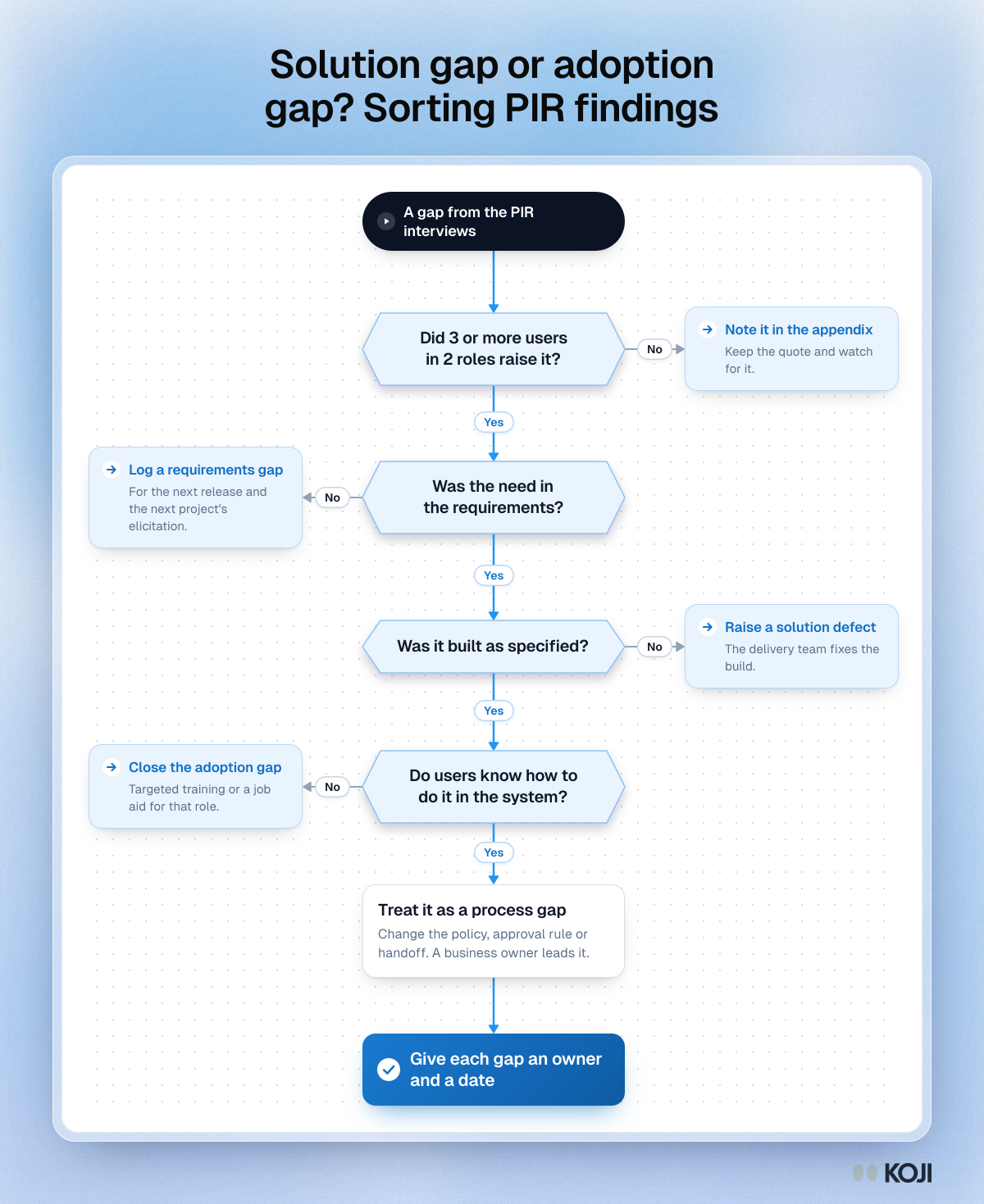
A decision flowchart for business analysts running a post-implementation review. It checks that a gap is a real pattern, then sorts it into a requirements gap, a solution defect, an adoption gap or a process gap, each with its own owner and fix. Use it on every gap from your review interviews before you write the findings deck. Koji collects the interviews and links each theme to the quotes behind it.
Where this appears
What's in this flowchart
Start: A gap from the PIR interviews
- Did 3 or more users in 2 roles raise it?
- Yes: go to 2.
- No: Note it in the appendix. Keep the quote and watch for it.
- Was the need in the requirements?
- Yes: go to 3.
- No: Log a requirements gap. For the next release and the next project's elicitation.
- Was it built as specified?
- Yes: go to 4.
- No: Raise a solution defect. The delivery team fixes the build.
- Do users know how to do it in the system?
- Yes: go to 5.
- No: Close the adoption gap. Targeted training or a job aid for that role.
- Treat it as a process gap. Change the policy, approval rule or handoff. A business owner leads it.
- Finish: Give each gap an owner and a date.
Use this image
Free to use in your docs, decks and posts under CC BY 4.0, as long as you credit Koji with a link to this page. To embed it, paste this into your page:
html
<a href="https://www.koji.so/visuals/pir-gap-sorting-solution-or-adoption-flowchart"><img src="https://www.koji.so/visuals/pir-gap-sorting-solution-or-adoption-flowchart/pir-gap-sorting-solution-or-adoption-flowchart.png" alt="Flowchart for sorting a post-implementation review gap with four yes or no questions, from how many users raised it to requirements, build and training." width="1200" height="1469" /></a>
<p>Source: <a href="https://www.koji.so/visuals/pir-gap-sorting-solution-or-adoption-flowchart">Solution gap or adoption gap? Sorting PIR findings</a>, Koji</p>