Reference table
Traditional vs AI-augmented UX research stack
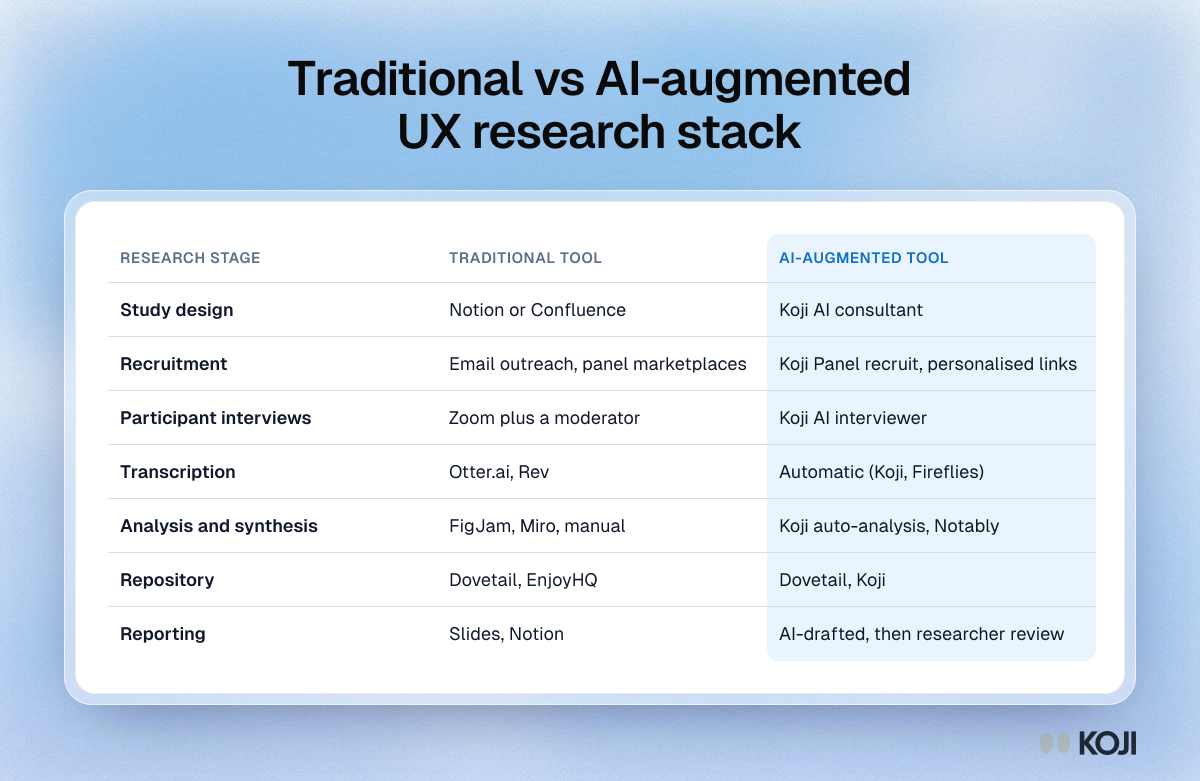
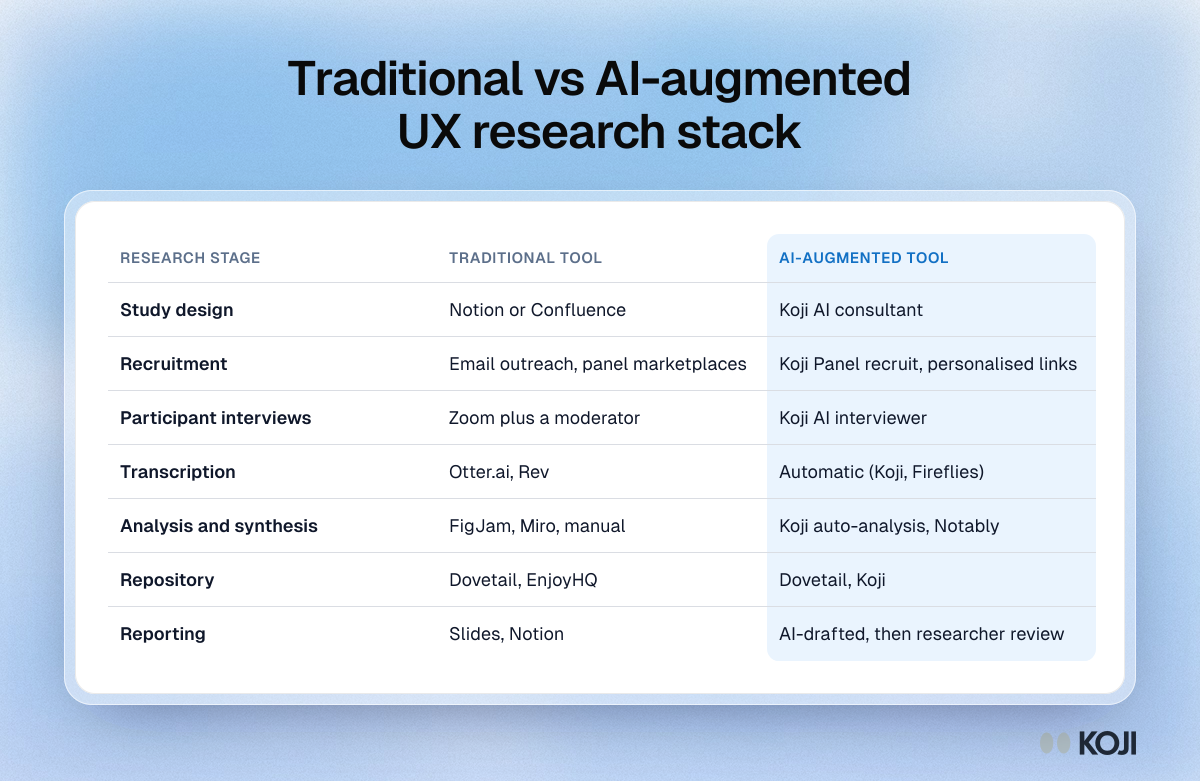
A stage-by-stage view of the UX research stack: study design, recruitment, interviews, transcription, analysis, repository and reporting. For each stage it lists the tools teams have traditionally used and an AI-augmented option. Use it to audit your own stack and spot the stages where the manual work piles up.
Where this appears
What's in this reference table
| Research stage | Traditional tool | AI-augmented tool |
|---|---|---|
| Study design | Notion or Confluence | Koji AI consultant |
| Recruitment | Email outreach, panel marketplaces | Koji Panel recruit, personalised links |
| Participant interviews | Zoom plus a moderator | Koji AI interviewer |
| Transcription | Otter.ai, Rev | Automatic (Koji, Fireflies) |
| Analysis and synthesis | FigJam, Miro, manual | Koji auto-analysis, Notably |
| Repository | Dovetail, EnjoyHQ | Dovetail, Koji |
| Reporting | Slides, Notion | AI-drafted, then researcher review |
Use this image
Free to use in your docs, decks and posts under CC BY 4.0, as long as you credit Koji with a link to this page. To embed it, paste this into your page:
<a href="https://www.koji.so/visuals/traditional-vs-ai-augmented-ux-research-stack"><img src="https://www.koji.so/visuals/traditional-vs-ai-augmented-ux-research-stack/traditional-vs-ai-augmented-ux-research-stack.png" alt="Table comparing traditional and AI-augmented tools for seven UX research stages, from study design and recruitment to repository and reporting." width="1200" height="781" /></a>
<p>Source: <a href="https://www.koji.so/visuals/traditional-vs-ai-augmented-ux-research-stack">Traditional vs AI-augmented UX research stack</a>, Koji</p>
Related
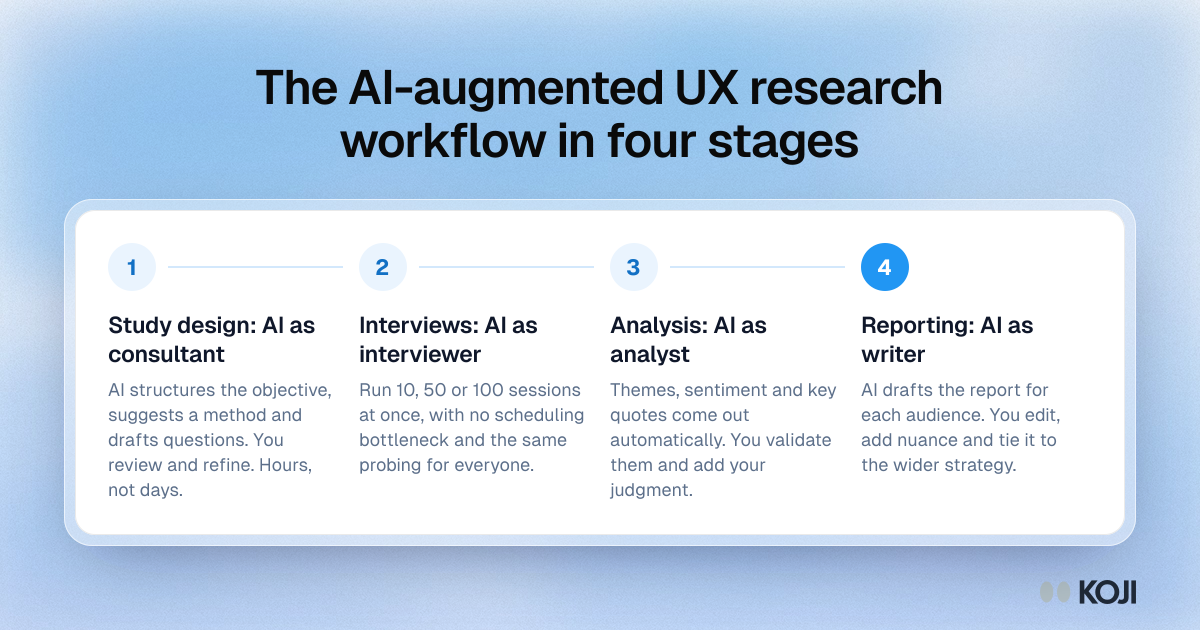
The AI-augmented UX research workflow in four stages
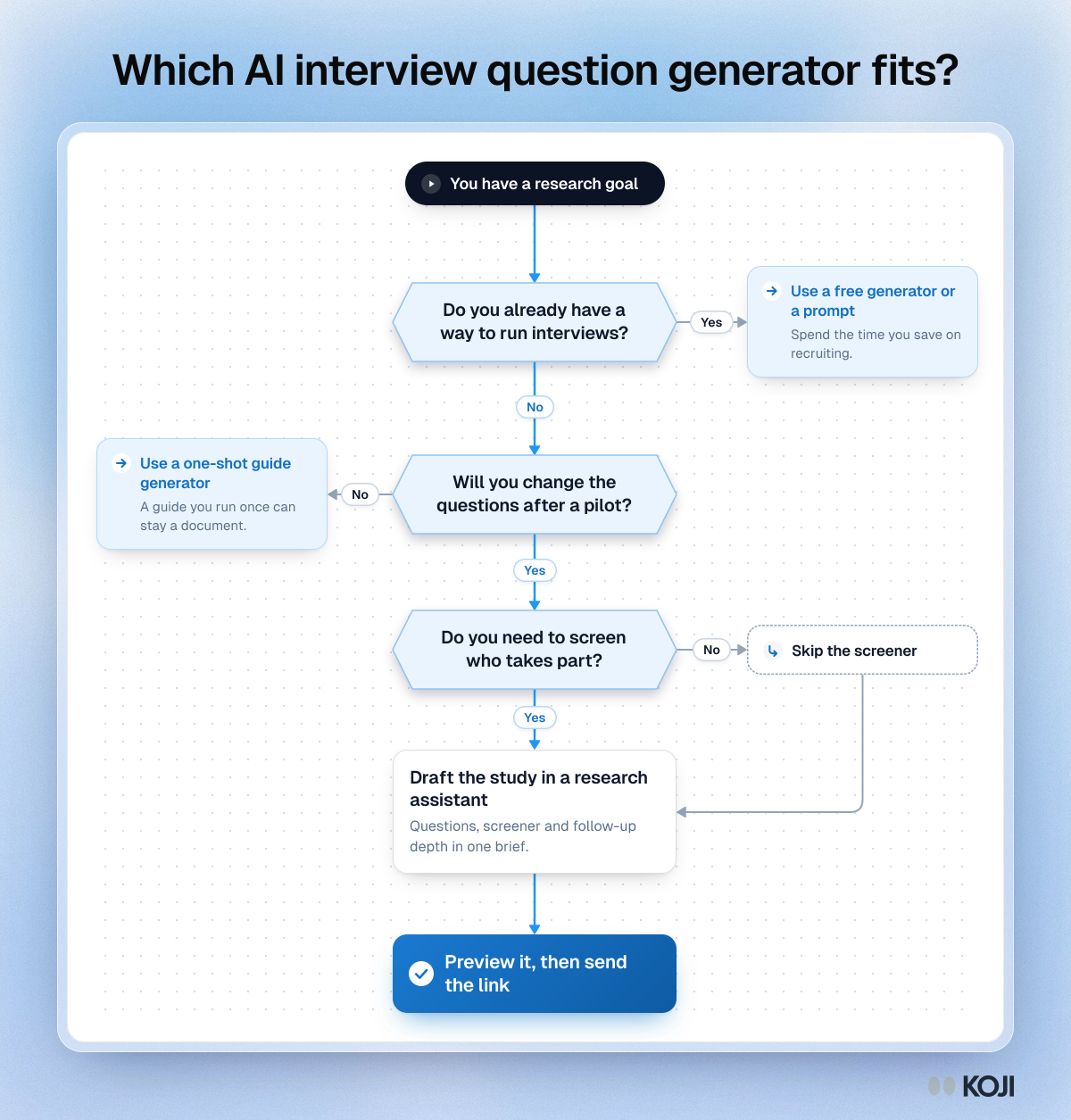
Which AI interview question generator fits?
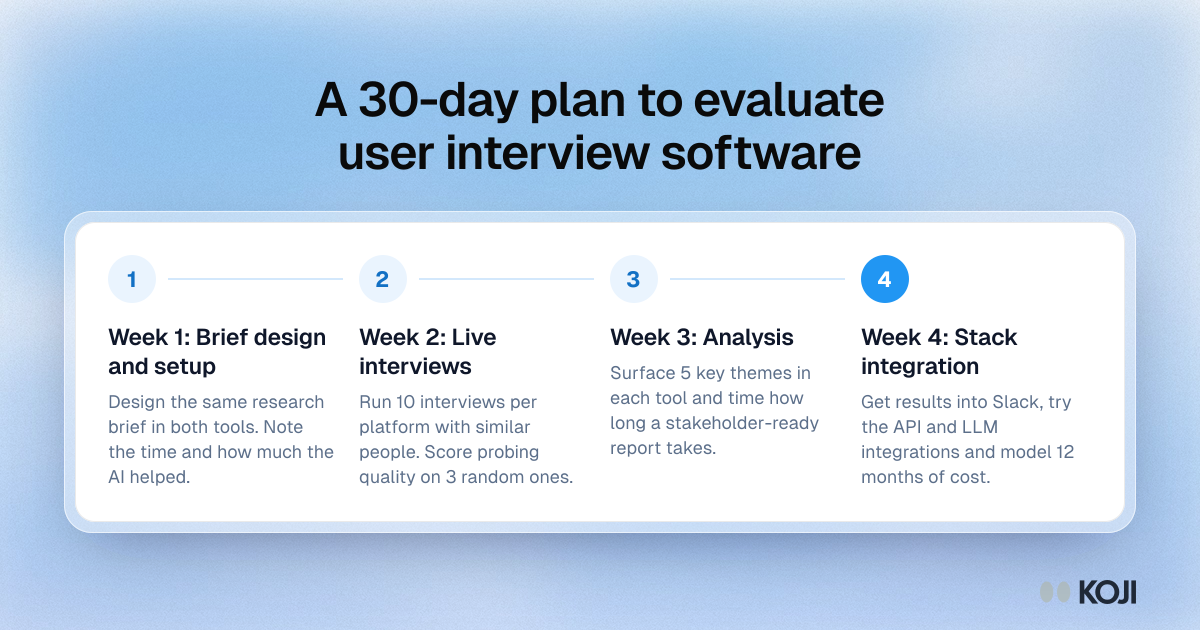
A 30-day plan to evaluate user interview software
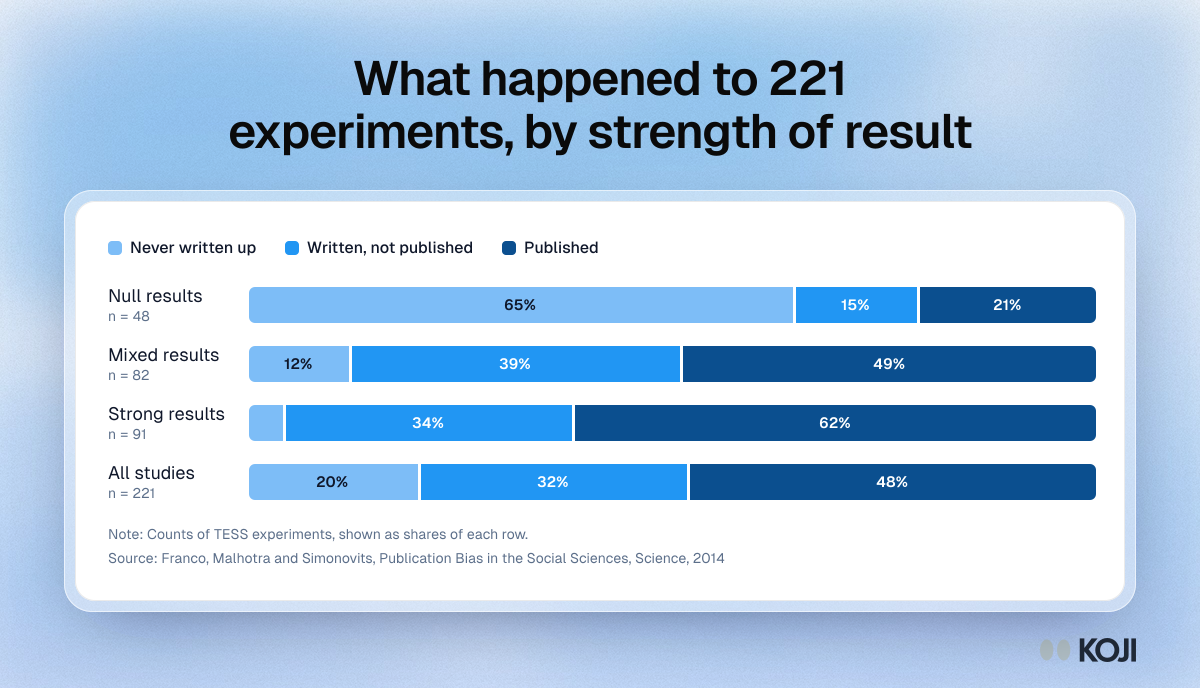
What happened to 221 experiments, by strength of result
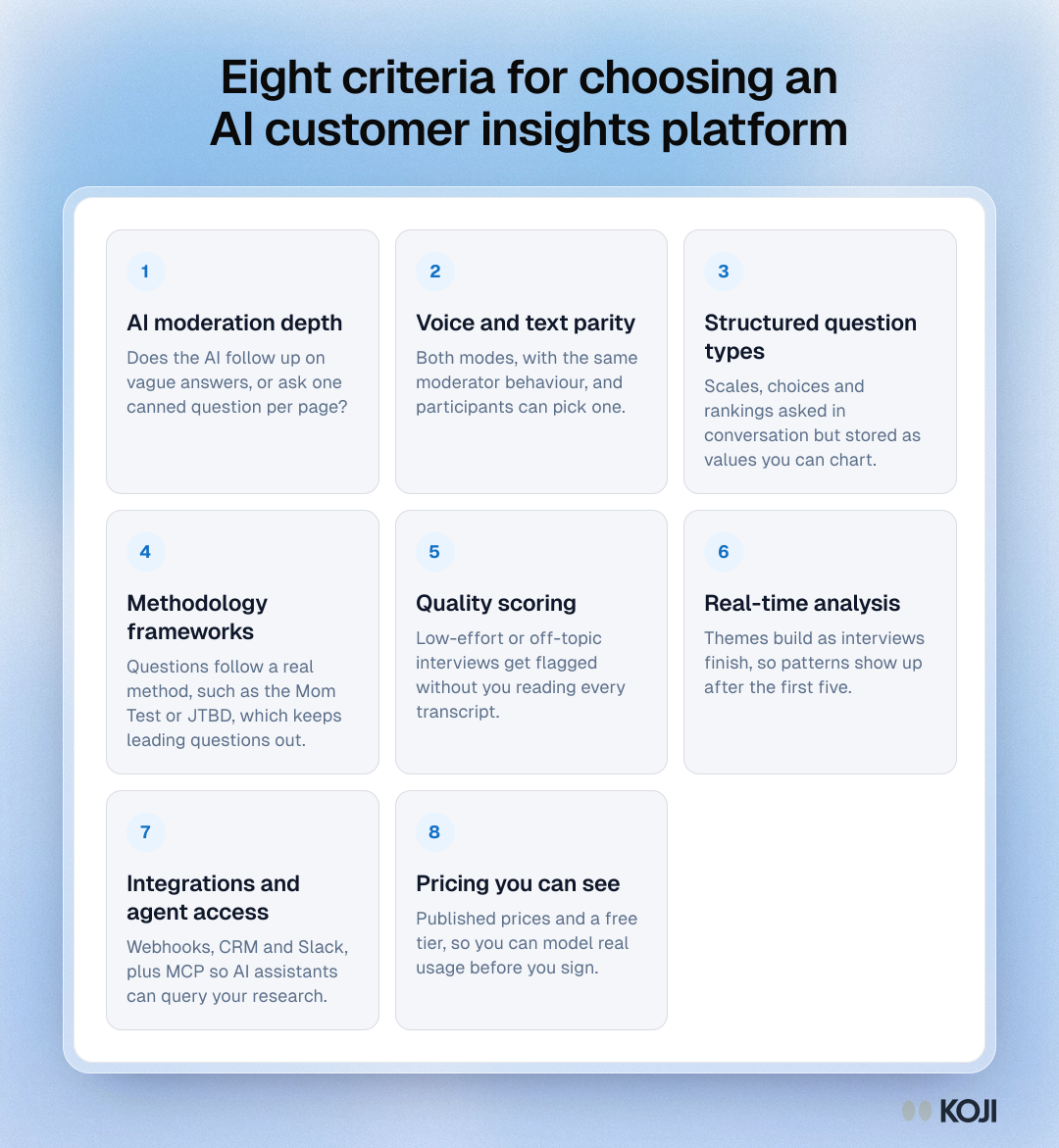
Eight criteria for choosing an AI customer insights platform
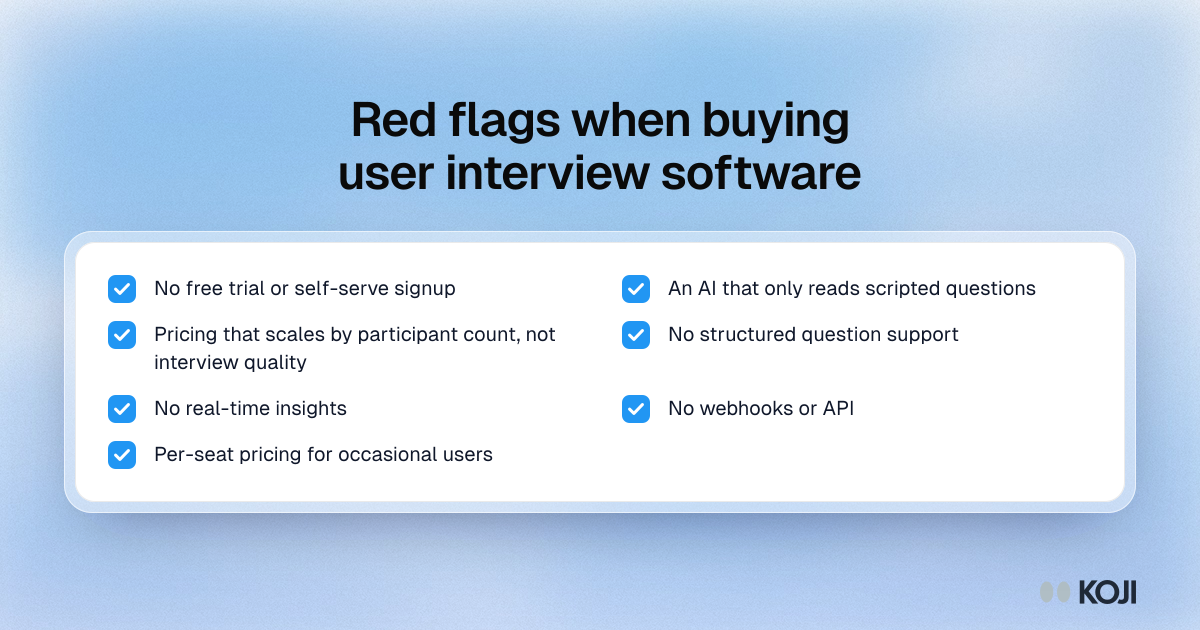
Red flags when buying user interview software