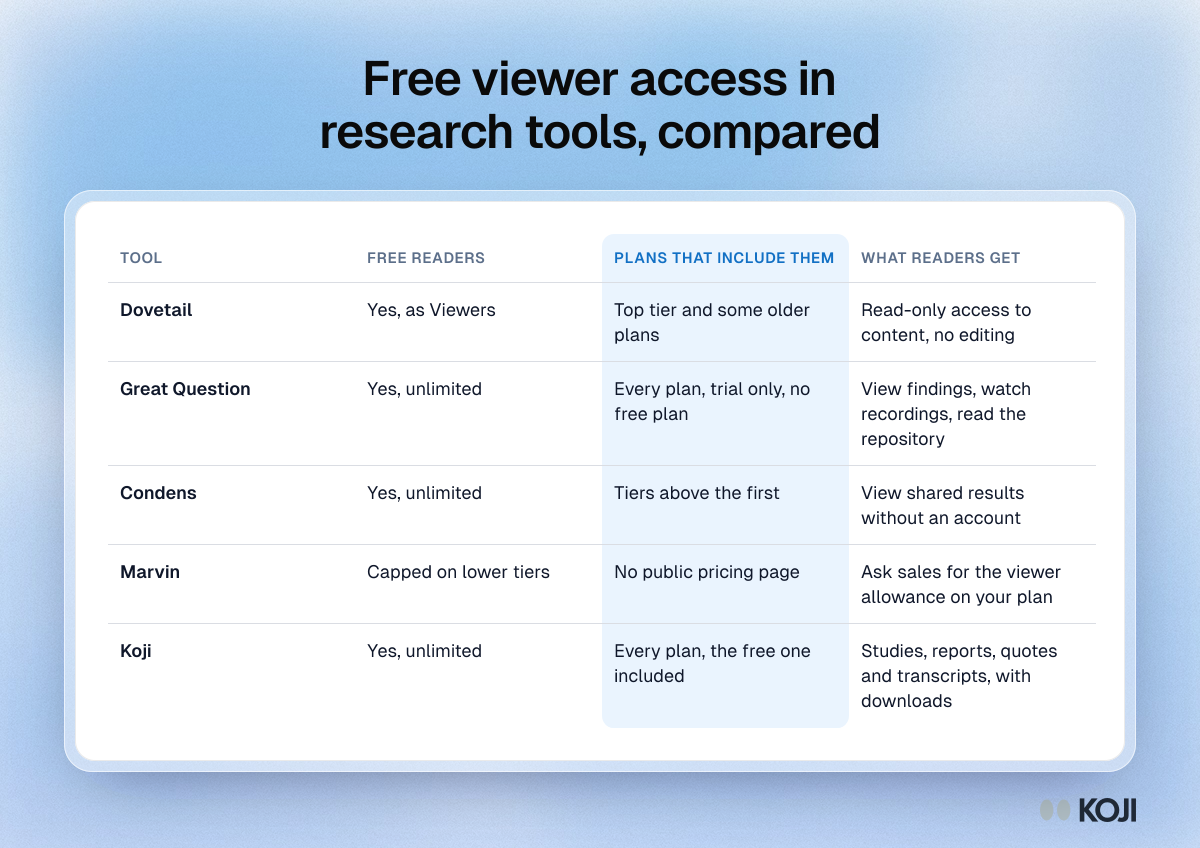
Most research tools now let stakeholders read findings without a paid seat, but the rules differ enough to change what you pay. Great Question says viewer seats are free and unlimited on every plan, though it has no free tier. Dovetail gives free read-only viewers on Enterprise and some older plans only. Condens lets anyone view shared results without an account and includes unlimited viewers above its first tier. Koji lets you invite viewers on every plan, the Free plan included, and they never take a seat. Before you buy, check three things: which plan the free readers come with, whether they can open the quotes and transcripts behind a finding, and whether they can download them.
This comparison is for product managers, designers and researchers at growing companies who run the studies and want leadership, sales, support and engineering to read the results. It covers what each tool's own pricing or help pages say in November 2026, what a read-only role can and cannot do, and the questions to ask before you sign.
Why reader access decides who uses research
Research only changes decisions when the people making them read it. Two numbers show how often that fails:

Photo by Vitaly Gariev on Unsplash
- In User Interviews' 2020 State of User Research survey, 70% of researchers said fewer than half of their stakeholders could find research findings (User Interviews, 2020).
- The 2021 edition, a survey of 525 researchers, found that those whose stakeholders could reach findings at least some of the time rated their job fulfilment at about 7 out of 10, against 5.5 for those whose stakeholders never did (User Interviews 2021, via Experientia).
Seat pricing is a common reason access stays narrow. Zylo's 2026 SaaS Management Index found the average organisation uses only 54% of the software licences it pays for, leaving 46% unused in a typical 30-day period (Zylo). Finance teams know this, so a request for ten seats for people who will read a report once a month tends to get cut. A free read-only role removes that argument.
The cost is easy to see. Great Question publishes its self-serve price at $129 a seat a month (Great Question pricing). If readers needed full seats at that price, ten of them would cost $15,480 a year. Great Question does not charge for readers, which is the point: the read-only role is what makes wide access affordable, so it is worth comparing tool by tool.
Viewer access, tool by tool
| Tool | Free readers? | On which plans | What we could confirm |
|---|---|---|---|
| Dovetail | Yes, as Viewers | Enterprise and some legacy plans | Help docs say Viewers only consume content and cannot edit; the public pricing page lists Free and a custom Enterprise plan |
| Great Question | Yes, unlimited | Every plan | No free tier, a trial only; full seats are $129 a month self-serve |
| Condens | Yes, unlimited viewers | Above the first tier | Viewing shared results needs no account; the first tier lists no viewers |
| Marvin | Viewer limits by tier | Third-party listings only | No public pricing page; listings report capped viewers on lower tiers |
| Koji | Yes, unlimited Viewers | Every plan, Free included | Viewers never take a seat; reports can also be published as a link |
Dovetail
Dovetail's help documentation describes Viewers as stakeholders who only consume content, with free, read-only access, and says Viewers are available only on certain legacy plans and on the Enterprise plan (Dovetail help). Its public pricing page lists a Free plan and a custom-priced Enterprise plan (Dovetail pricing). So for a new customer, free readers come with an Enterprise contract. Our Dovetail pricing breakdown covers what that contract tends to cost.
Who it is for: teams that already have, or are buying, Dovetail Enterprise and want a repository that the whole company reads.
Great Question
Great Question's pricing materials say observer and viewer seats are unlimited and free on every plan: stakeholders who view findings, watch recordings or read the repository do not need a paid seat (Great Question pricing). Full seats are $129 a month on self-serve, up to five seats, and Enterprise is custom with a five-seat minimum and annual contracts. There is a trial but no free tier. See our Great Question pricing guide for the full model.
Who it is for: research teams that want recruitment, scheduling and a repository in one tool, and can budget for paid seats for the people who run studies.
Condens
Condens says on its pricing page that viewing results does not require a Condens account. Its plan comparison lists no viewers on the first tier and unlimited viewers on the two above it, with read-only stakeholder access and a dedicated stakeholder interface on the higher tiers (Condens pricing). Condens offers a free trial; it does not list a permanent free plan.
Who it is for: teams that analyse their own interview recordings and want a repository with a simple reading view for stakeholders.
Marvin
Marvin does not publish a full pricing page. Third-party listings describe viewer limits that rise by tier, with unlimited viewers on the top plans (Toolradar). We could not confirm the numbers on Marvin's own site, so ask its sales team for the viewer allowance on the plan you are quoted.
Who it is for: teams that want AI analysis of recorded calls and are happy to get pricing through sales.
Koji
In Koji, an owner or admin invites someone to a workspace with the Viewer role from the Members page in settings. Viewers can be invited on every plan, including Free, and they never take a seat. Only turning a viewer into a member or admin uses one.
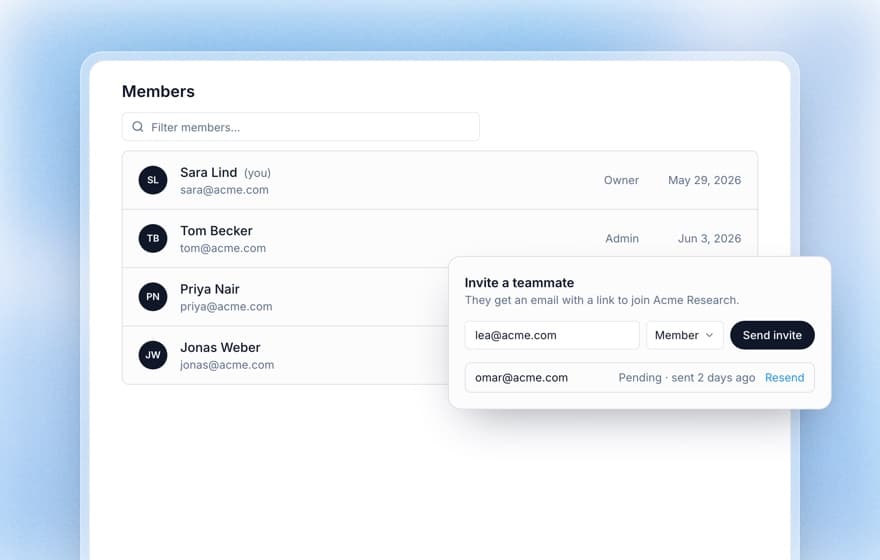
A viewer can:
- Open every workspace study, report and result
- Download transcripts and exports
- See what a study recruited, without the controls that start, pause or spend
A viewer cannot create, edit or publish a study, spend credits, share or invite anyone. Viewers land on the Studies page with a banner that says the access is view-only. The workspace roles guide lists every permission.
For readers outside the company, such as an investor, an advisor or a client, you can publish a report as a link that opens without an account, and unpublish it when you are done (see publishing and sharing reports).
Who it is for: teams that run AI-moderated interviews themselves, from a free account upward, and want everyone who decides to read the quotes behind each finding.
What a read-only role should let people do
A free reader seat is only useful if the reader can check the evidence. A role that shows a summary but hides the quotes leaves stakeholders taking findings on trust, which is the habit good research is meant to break. When you compare tools, look past "unlimited viewers" and ask what a viewer actually opens:
- The report and the quotes behind each claim. A reader who doubts "most trial users never invite a colleague" should be able to click through to the interviews that say so. Koji reports link each finding to its supporting quotes (see tracing findings to evidence).
- Transcripts and recordings. Useful for a sales lead who wants to hear how a buyer described a competitor. It is also the reason to think about who gets the role.
- Downloads. Exports let a reader drop a chart into their own deck. They also let data leave the tool.
- What they cannot change. A reader should never be able to edit a study, invite people or spend budget.
Before you invite the whole company
Wide read access is good for research and needs some care with participant data.
- Decide what counts as workspace-wide. In Koji, a viewer reads every workspace-wide study. Keep sensitive studies, such as HR interviews or one client's research, restricted to named people, or put each client in its own workspace.
- Clean transcripts before people read them. Turn on the setting that removes personal details before interviews start. Koji then takes names, email addresses, phone numbers, postal addresses and employers out of each transcript when the interview finishes, and summaries, reports and exports see only the cleaned text. It applies only to interviews that finish after you turn it on and it can miss some details, so check before you share widely. The anonymisation guide covers the rest.
- Remember that downloads travel. Anyone who can export a transcript can forward it. Give the Viewer role to people inside the decision, and send outside readers a published report or a trimmed deck instead (our checklist for editing a research deck covers what to remove).
Questions to ask any vendor
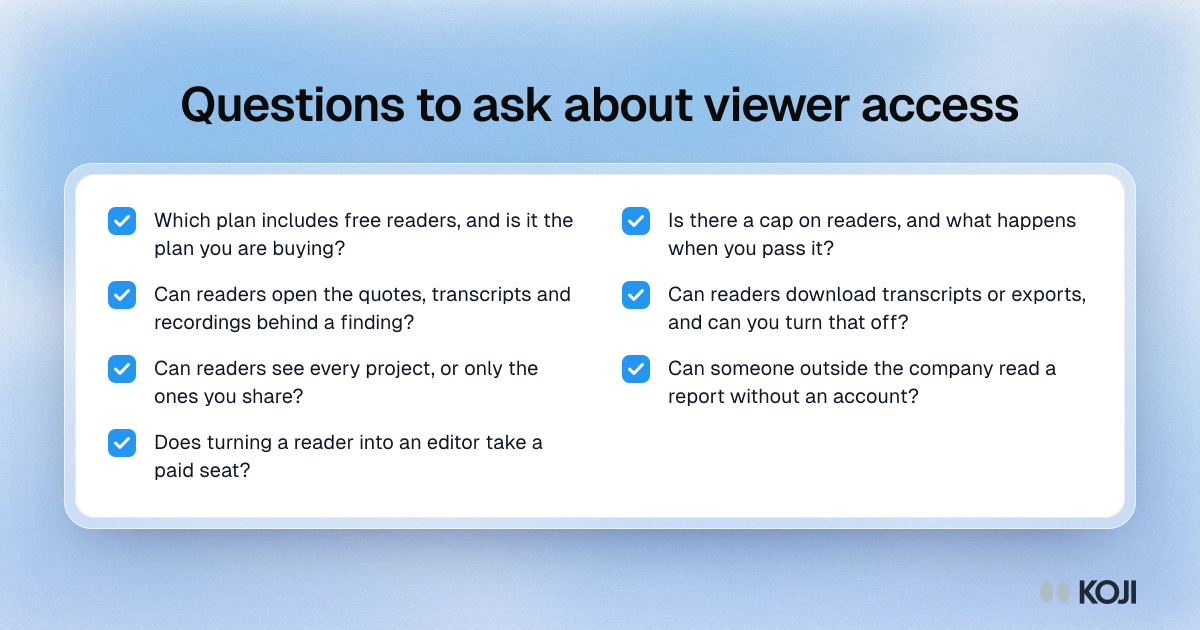
- On which plan are free readers included, and is that the plan we are buying?
- Is there a cap on readers, and what happens when we pass it?
- Can a reader open the quotes, transcripts and recordings behind a finding, or only the summary?
- Can a reader download transcripts or exports? Can we turn that off?
- Can a reader see every project, or only the ones we share with them?
- Can someone outside the company read a report without an account?
- Does turning a reader into an editor take a paid seat?
Which tool fits
- You already pay for a research repository: check whether your plan includes free viewers before you buy reader seats. On Dovetail that usually means Enterprise.
- You want recruitment and a repository together, with paid seats for the people who run studies: Great Question's unlimited free viewers on every plan make wide reading cheap once those seats are in place.
- You analyse your own recordings and want a stakeholder reading view: Condens, on a tier above its first.
- You want to run the interviews themselves and have everyone read the results, starting free: Koji. Viewers are free on every plan, and a published report reaches people outside the workspace.
The wider question of how seat-based and usage-based pricing compare is in per-seat vs usage-based research tools, and our research repository buyer's guide compares the repositories on more than reader access.
Try it with your team
Create a free Koji account, run a short interview study with your own customers, then go to the Members page and invite the people who should read it as Viewers. They will see the report, the quotes behind each finding and the transcripts, and none of them will take a seat.