Process
How to set up a multi-market message test in Koji
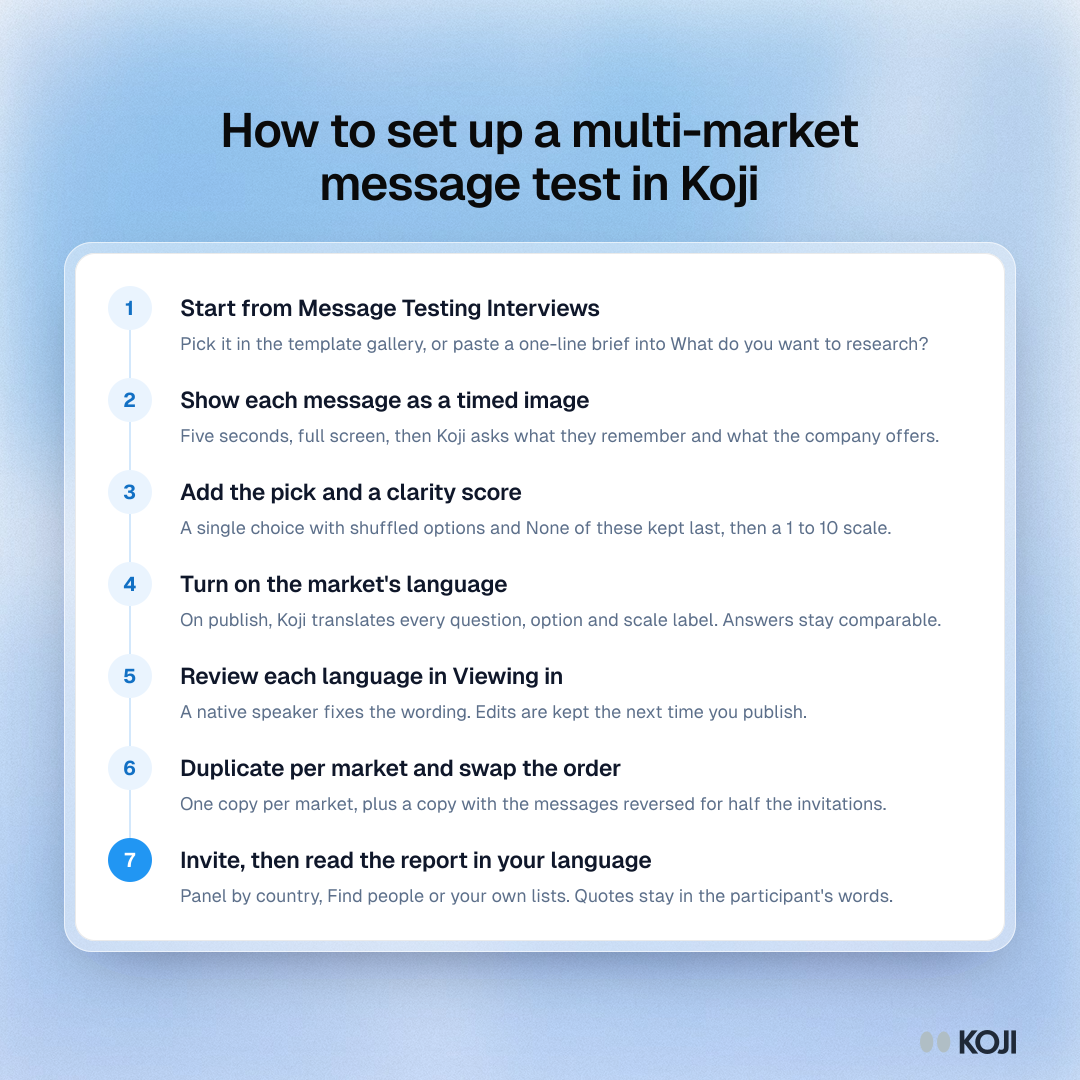
Seven steps for running a message test in several markets with Koji: start from the Message Testing Interviews template, show each message as a timed image, add a shuffled single choice and a clarity scale, turn on the market language, review the wording in Viewing in, duplicate per market and read the report in your own language.
Where this appears
What's in this process
- Start from Message Testing Interviews: Pick it in the template gallery, or paste a one-line brief into What do you want to research?
- Show each message as a timed image: Five seconds, full screen, then Koji asks what they remember and what the company offers.
- Add the pick and a clarity score: A single choice with shuffled options and None of these kept last, then a 1 to 10 scale.
- Turn on the market's language: On publish, Koji translates every question, option and scale label. Answers stay comparable.
- Review each language in Viewing in: A native speaker fixes the wording. Edits are kept the next time you publish.
- Duplicate per market and swap the order: One copy per market, plus a copy with the messages reversed for half the invitations.
- Invite, then read the report in your language: Panel by country, Find people or your own lists. Quotes stay in the participant's words.
Use this image
Free to use in your docs, decks and posts under CC BY 4.0, as long as you credit Koji with a link to this page. To embed it, paste this into your page:
<a href="https://www.koji.so/visuals/multi-market-message-test-setup-steps"><img src="https://www.koji.so/visuals/multi-market-message-test-setup-steps/multi-market-message-test-setup-steps.png" alt="Process for a multi-market message test in Koji: template, timed images, the pick, language, review, one copy per market, invite and report." width="1080" height="1080" /></a>
<p>Source: <a href="https://www.koji.so/visuals/multi-market-message-test-setup-steps">How to set up a multi-market message test in Koji</a>, Koji</p>
Related
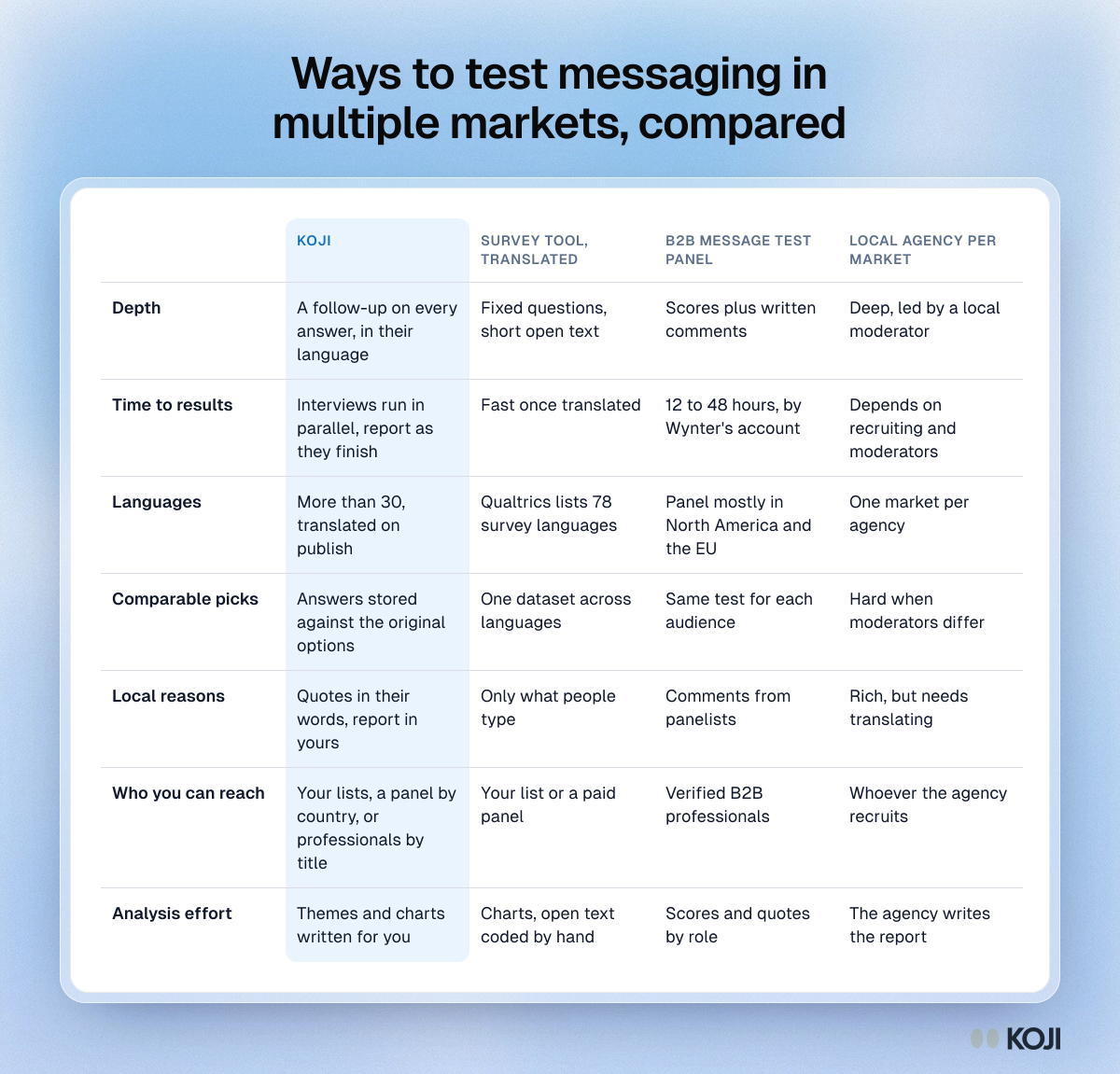
Ways to test messaging in multiple markets, compared
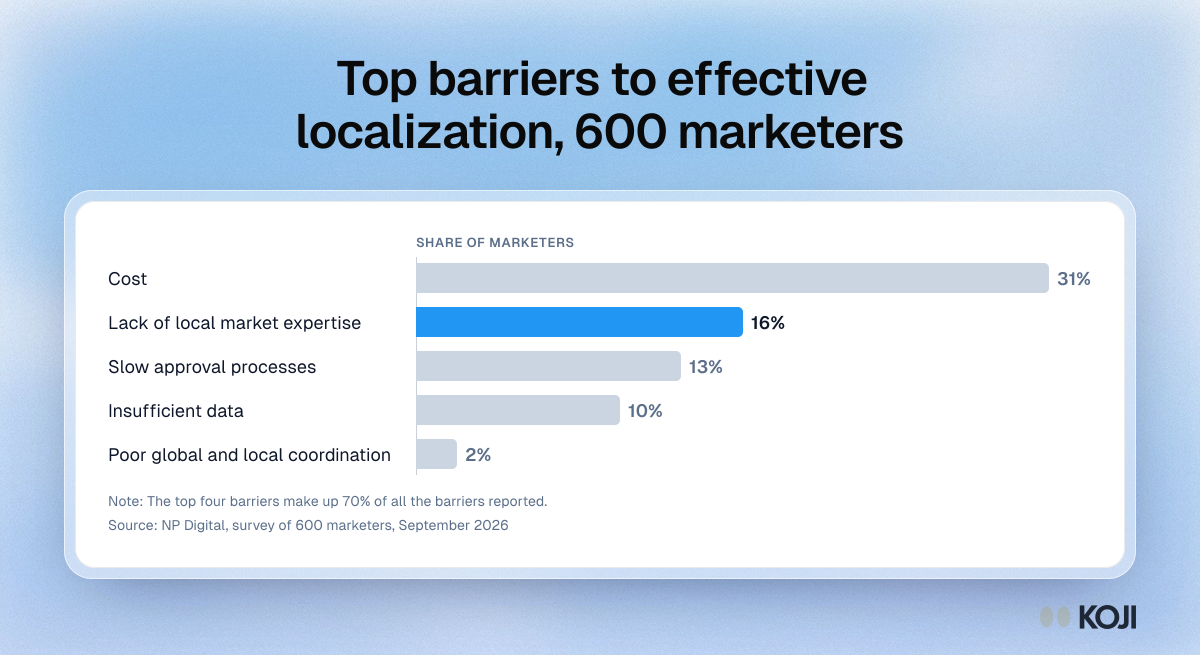
Top barriers to effective localization, 600 marketers
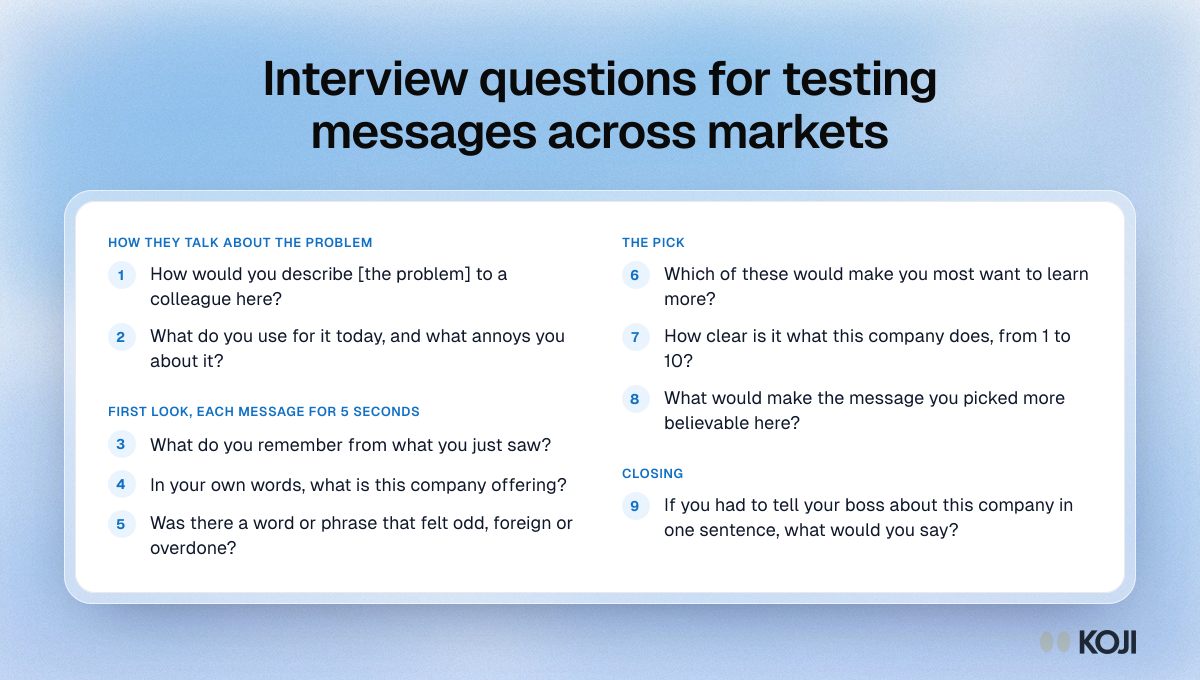
Interview questions for testing messages across markets
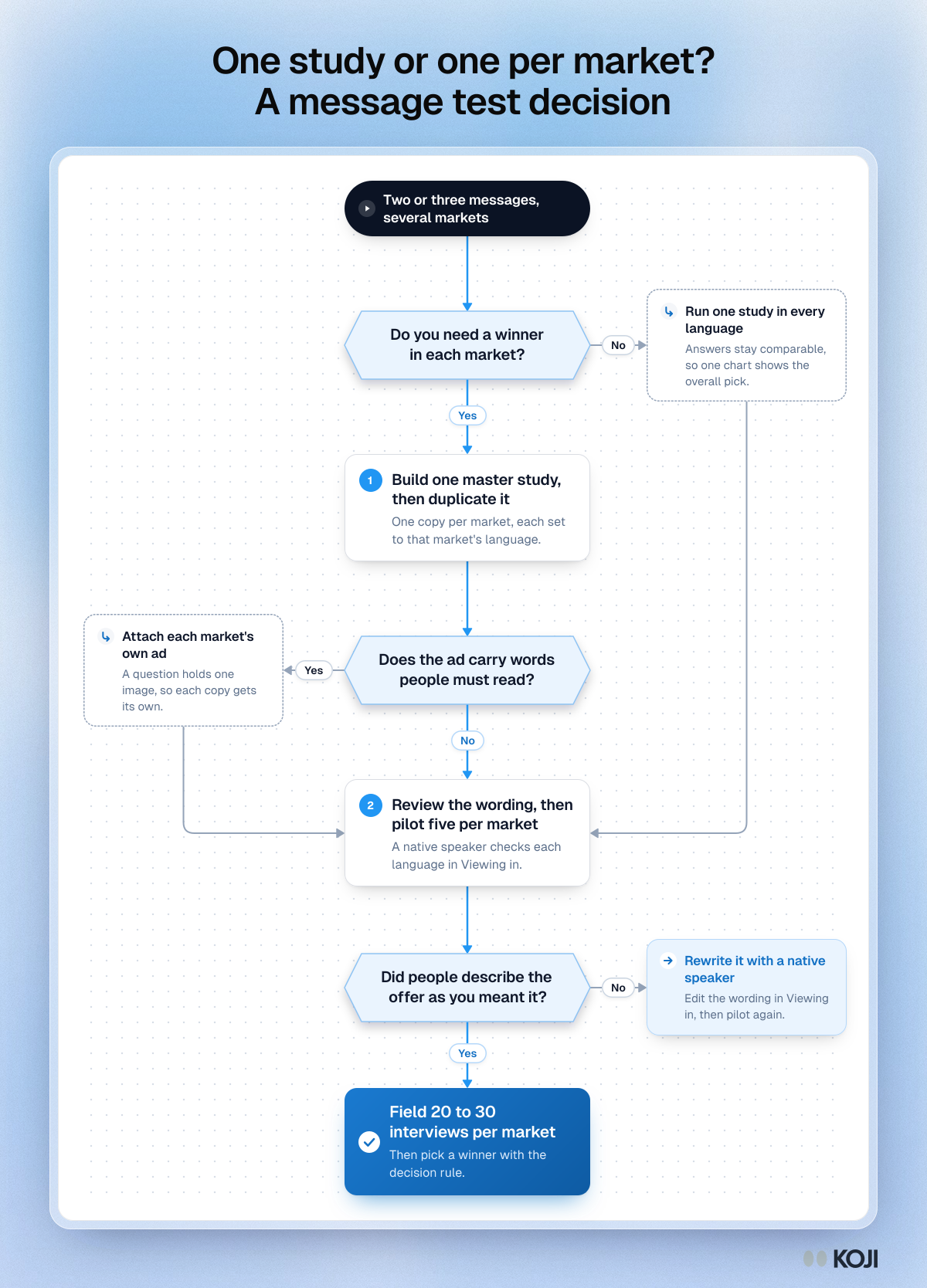
One study or one per market? A message test decision
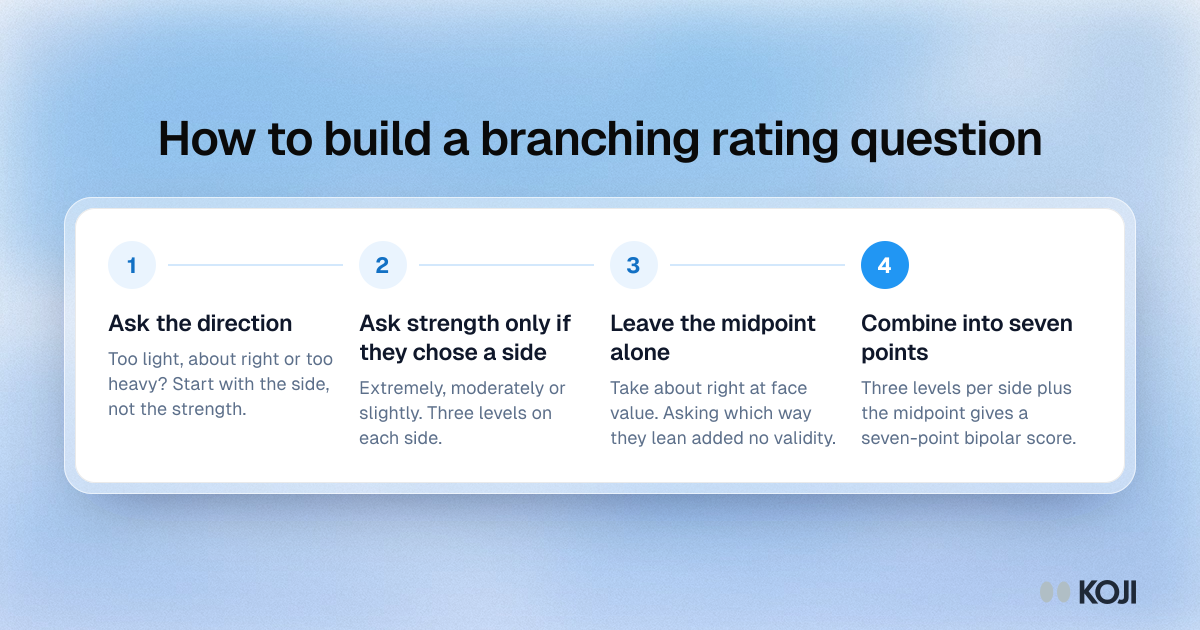
How to build a branching rating question
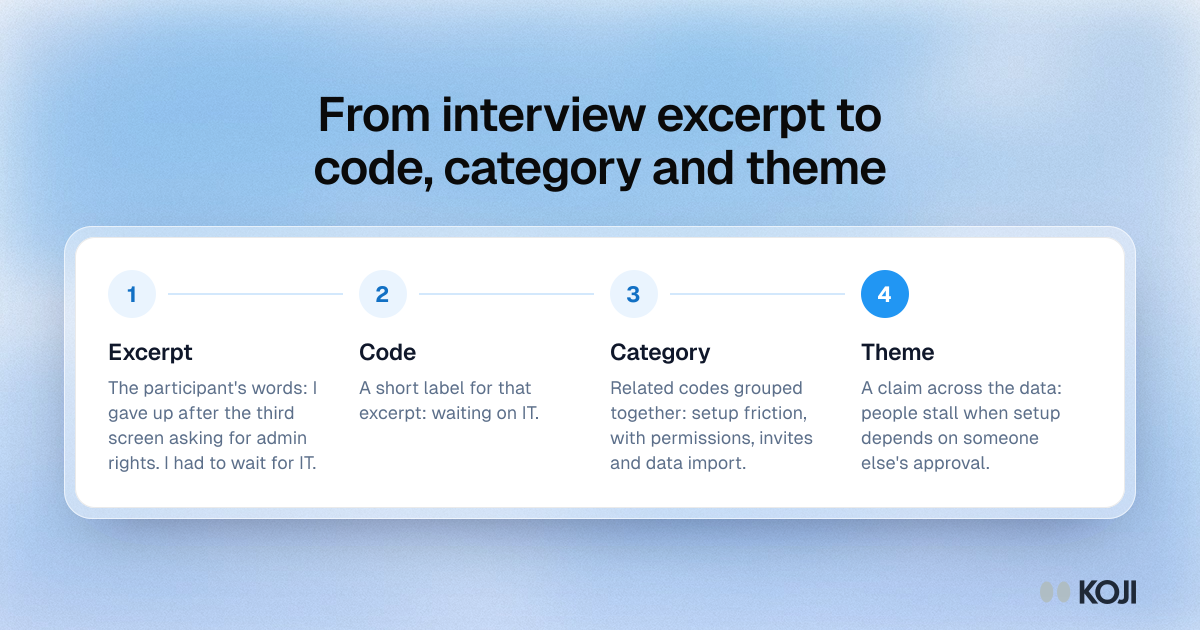
From interview excerpt to code, category and theme