Process
How to calculate a SUS score
The five steps for scoring the System Usability Scale by hand or in a spreadsheet
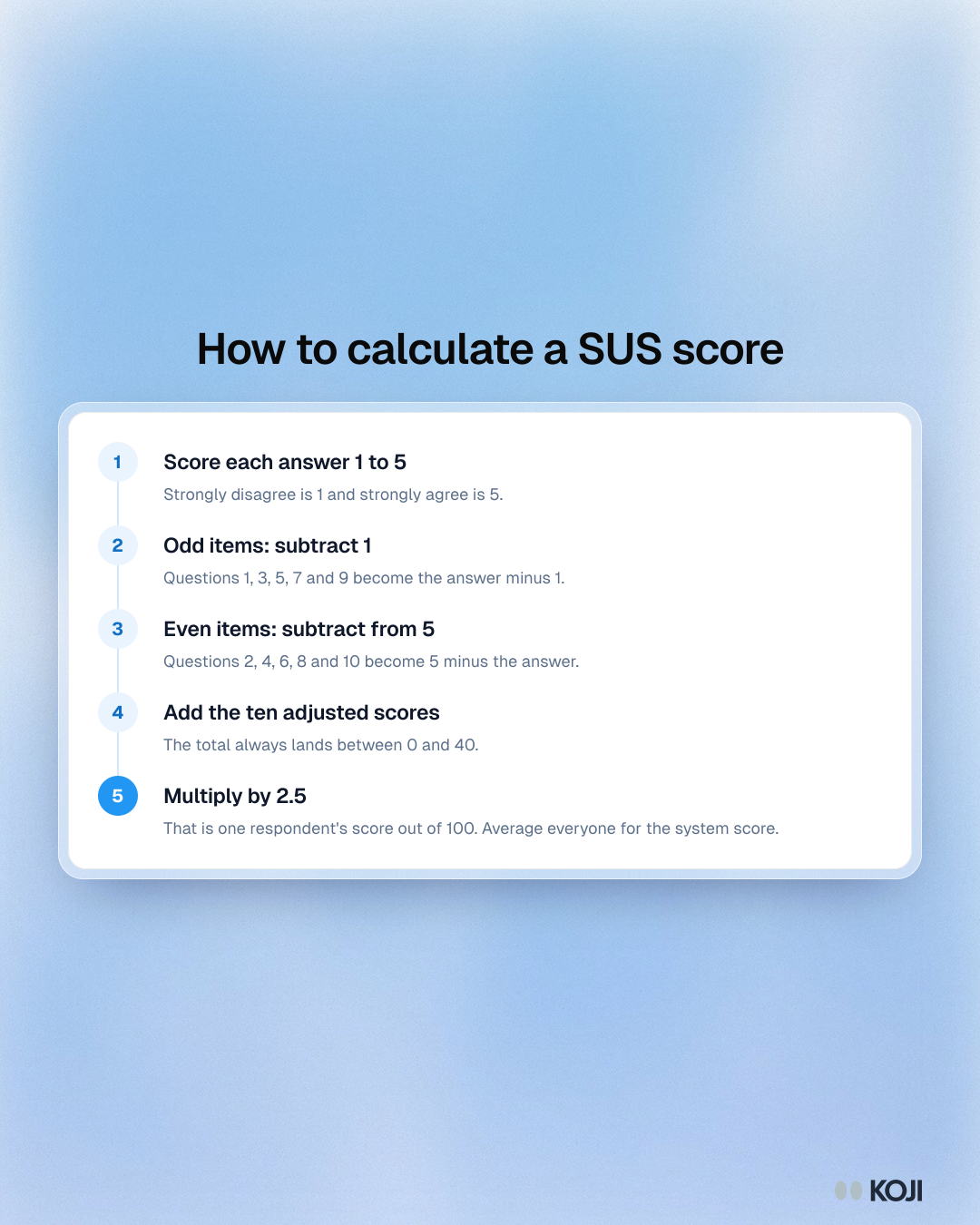
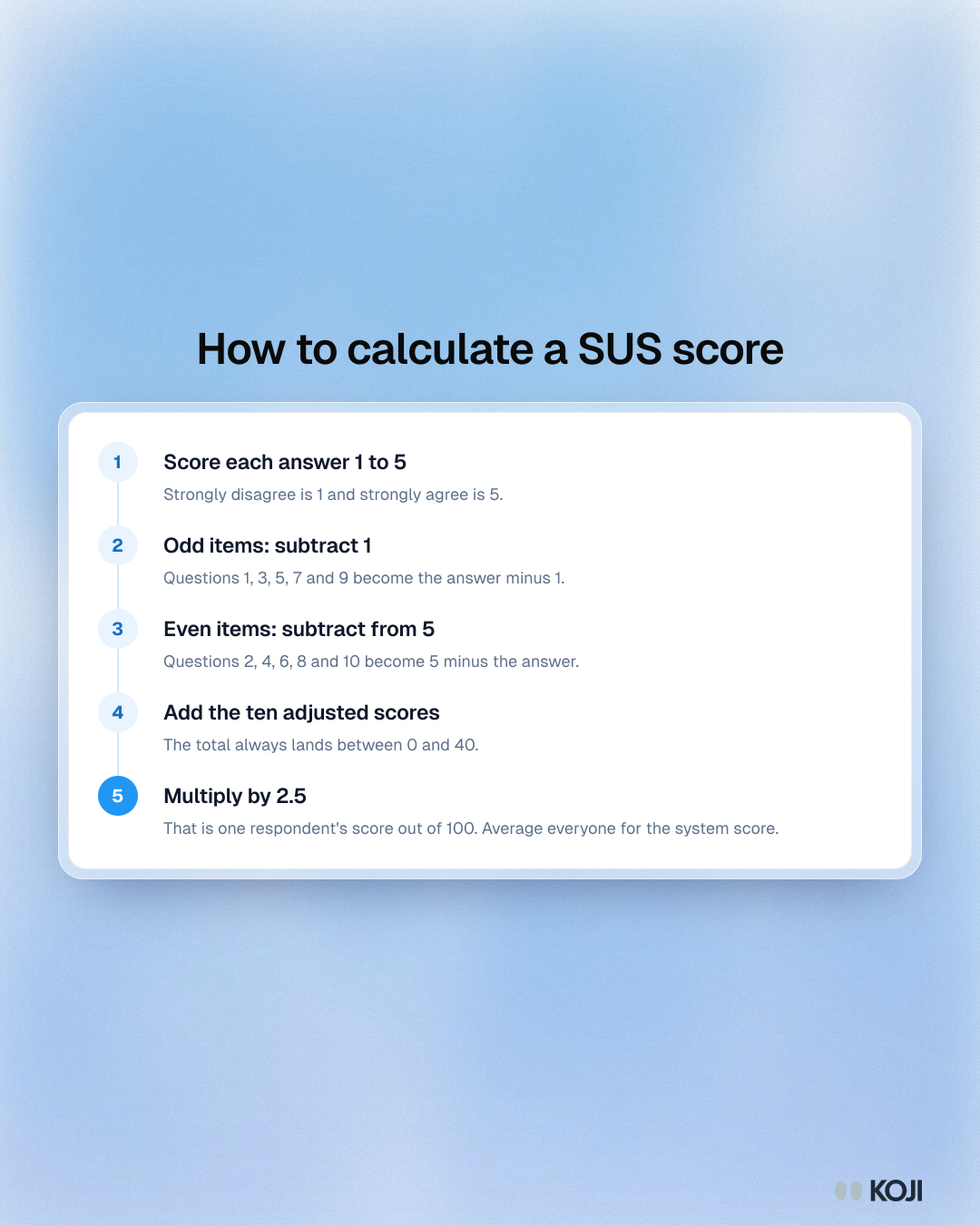
The System Usability Scale has ten items that alternate between positive and negative wording, so the answers cannot simply be added up. This process shows how to turn one respondent's ten answers into a score from 0 to 100, then average across respondents for the system score. Use it when you score SUS in a spreadsheet or check the numbers a tool gives you.
Where this appears
What's in this process
- Score each answer 1 to 5: Strongly disagree is 1 and strongly agree is 5.
- Odd items: subtract 1: Questions 1, 3, 5, 7 and 9 become the answer minus 1.
- Even items: subtract from 5: Questions 2, 4, 6, 8 and 10 become 5 minus the answer.
- Add the ten adjusted scores: The total always lands between 0 and 40.
- Multiply by 2.5: That is one respondent's score out of 100. Average everyone for the system score.
Use this image
Free to use in your docs, decks and posts under CC BY 4.0, as long as you credit Koji with a link to this page. To embed it, paste this into your page:
html
<a href="https://www.koji.so/visuals/sus-score-calculation-steps"><img src="https://www.koji.so/visuals/sus-score-calculation-steps/sus-score-calculation-steps.png" alt="Process showing five steps to calculate a System Usability Scale score: convert answers, adjust odd and even items, add them up and multiply by 2.5." width="1080" height="1350" /></a>
<p>Source: <a href="https://www.koji.so/visuals/sus-score-calculation-steps">How to calculate a SUS score</a>, Koji</p>