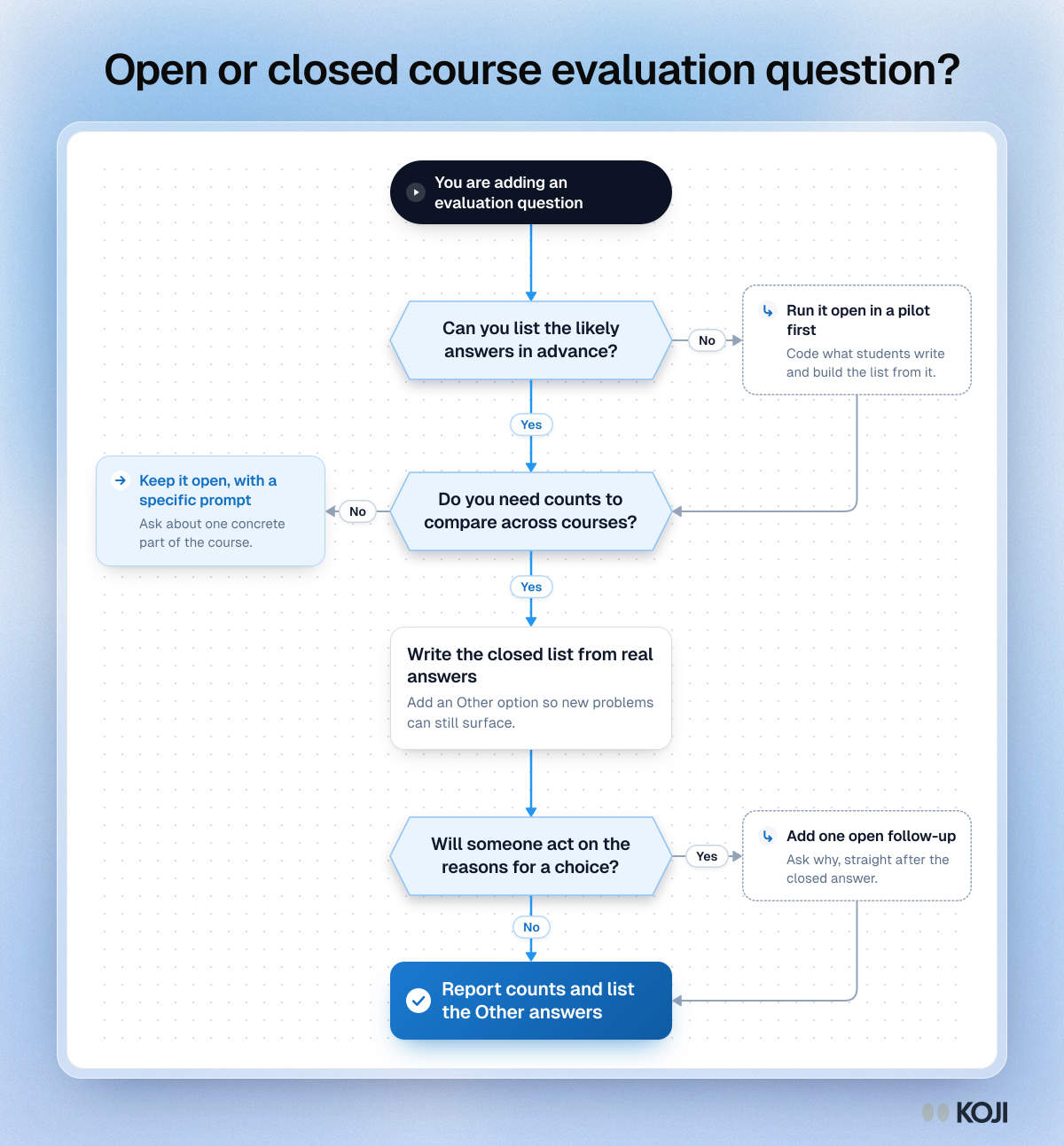
Flowchart
Keep or cut a course evaluation question?
A quick test for every question before the next round of module evaluations
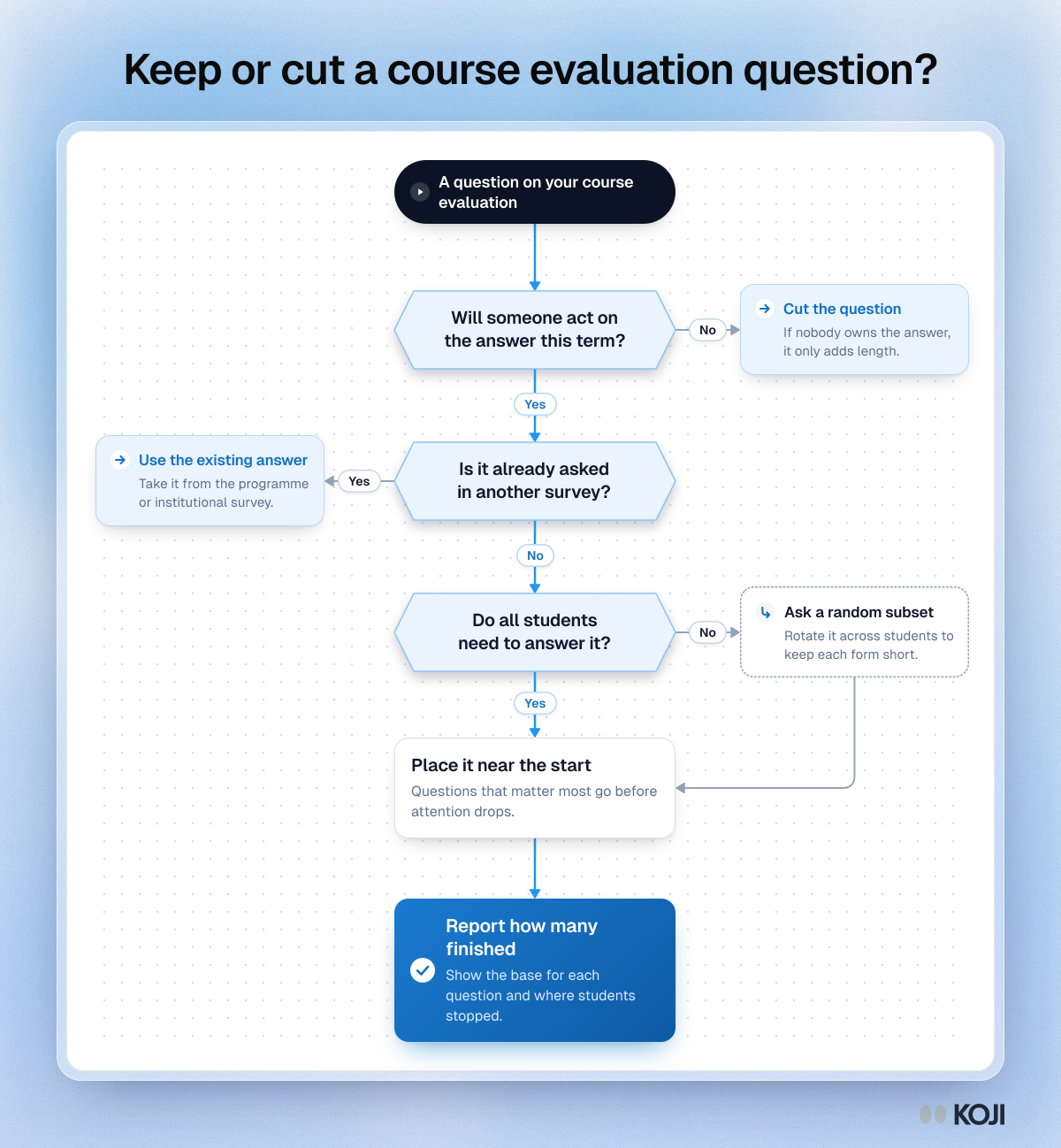
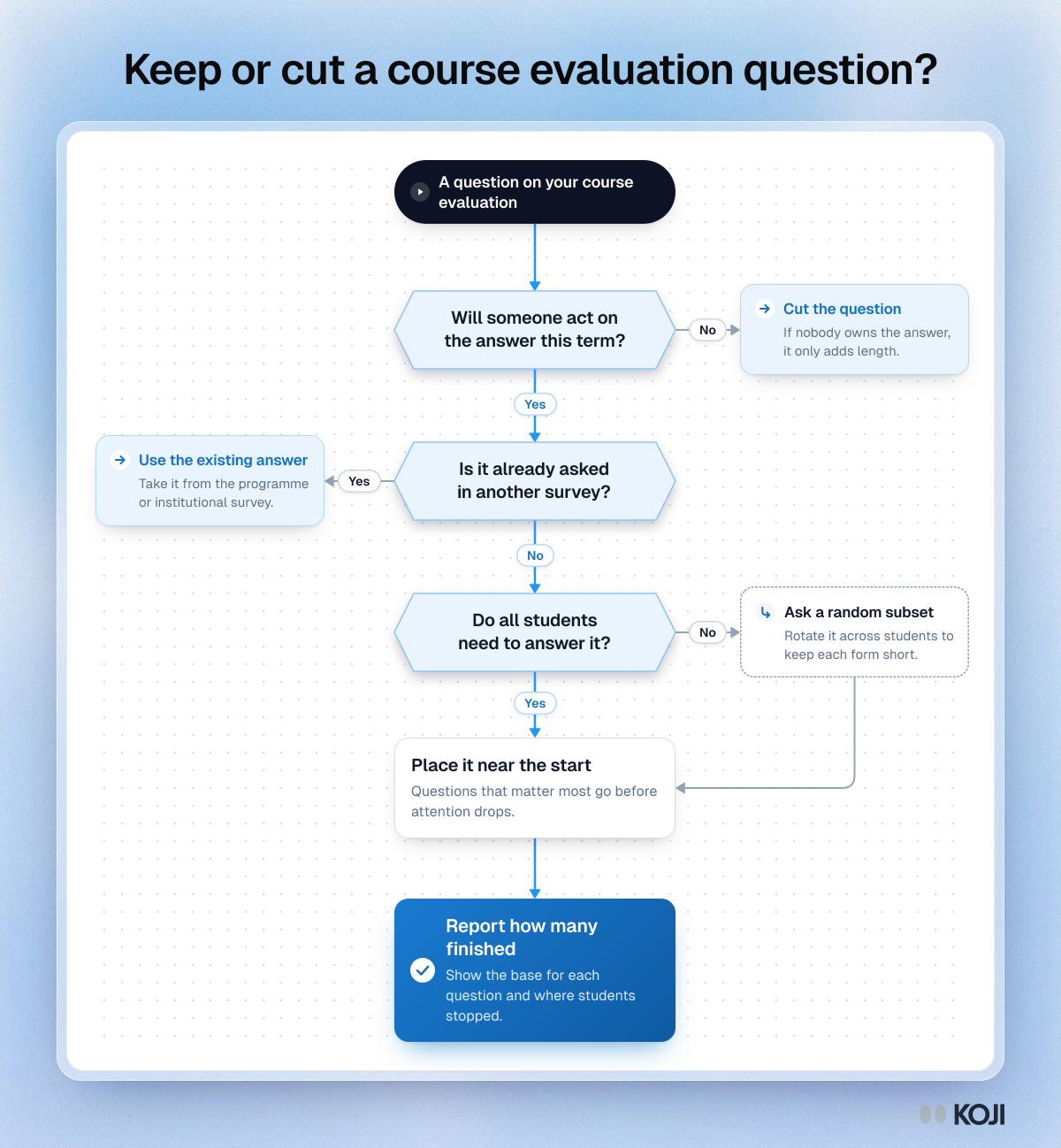
A decision flowchart for quality and evaluation leads who want shorter course and module evaluations. Each question is checked for an owner who will act on it, for duplication with programme or institutional surveys, and for whether every student needs to answer it. What stays goes near the start of the form, and the report shows how many students finished. Koji for Education applies the same idea with short AI-moderated conversations that report partial and completed interviews separately.
What's in this flowchart
Start: A question on your course evaluation
- Will someone act on the answer this term?
- Yes: go to 2.
- No: Cut the question. If nobody owns the answer, it only adds length.
- Is it already asked in another survey?
- No: go to 3.
- Yes: Use the existing answer. Take it from the programme or institutional survey.
- Do all students need to answer it?
- Yes: go to 4.
- No: Ask a random subset. Rotate it across students to keep each form short. Then go to 4.
- Place it near the start. Questions that matter most go before attention drops.
- Finish: Report how many finished. Show the base for each question and where students stopped.
Use this image
Free to use in your docs, decks and posts under CC BY 4.0, as long as you credit Koji with a link to this page. To embed it, paste this into your page:
<a href="https://www.koji.so/visuals/course-evaluation-question-keep-or-cut-flowchart"><img src="https://www.koji.so/visuals/course-evaluation-question-keep-or-cut-flowchart/course-evaluation-question-keep-or-cut-flowchart.png" alt="Flowchart for keeping or cutting a course evaluation question: three yes or no checks, one side step, then report how many finished." width="1200" height="1298" /></a>
<p>Source: <a href="https://www.koji.so/visuals/course-evaluation-question-keep-or-cut-flowchart">Keep or cut a course evaluation question?</a>, Koji</p>