"How Did You Hear About Us?" Question Templates by Business Type, With Option Lists
Ready how did you hear about us option lists for B2B SaaS, ecommerce, agencies and local services, with the question design that keeps the answers honest: single choice, shuffled channels and a follow-up.
Short answer: ask "Where did you first hear about us?" as a single choice question with 6 to 9 channels that fit your business, shown in a shuffled order, with "Other (please tell us)" and "Not sure" fixed at the bottom. Then ask one open follow-up: "What made you decide to try us now?" The list tells you where people first heard of you. The follow-up tells you what made them act, which is usually a different thing and often the more useful one. Read the answers next to your analytics, not instead of them.
Try it this week: copy the option list for your business type below, add it to your signup flow or first customer interview as a single choice question, set the options to shuffle with the last two kept in place, and add the follow-up. After 30 answers, compare the top three channels with what your analytics credits.
Why ask at all, when you have analytics?
Analytics tools only see clicks they can trace. A lot of word of mouth happens where they can't: private messages, group chats, podcasts and conversations. In a 2023 experiment, SparkToro and Really Good Data drove more than 1,000 visits from 11 social networks to test pages and checked how Google Analytics labelled them. Every visit from TikTok, Slack, Discord, Mastodon and WhatsApp came through as "direct", with no referral information at all.
So a customer who heard about you in a Slack community and typed your URL shows up as direct traffic. Asking them is the only way to find out. B2B marketers have pushed the same idea: in a 2023 analysis, Refine Labs added a required free-text "How did you hear about us?" field to its strategy call form so it could compare what 620 converting buyers said with what its marketing software credited for the same people.
Self-reported answers have their own weakness. Rand Fishkin of SparkToro points out that human memory is incomplete and inaccurate: someone may remember the podcast and forget the three LinkedIn posts that came before it. That is why the answer should sit next to analytics, each covering the other's blind spot.
The question design that works
Single or multiple choice?
- Single choice, "first heard", is the default. It forces one answer, which makes counts easy to compare over time. Most people can name where they first heard of a product.
- Multiple choice, "pick up to 2", suits products with long, considered purchases where people genuinely hear about you in several places. Cap it. An open "select all that apply" list under-counts: in Pew Research Center's 2019 experiment, the same items averaged 8 percentage points lower in a select-all checklist than as separate yes/no questions.
Don't mix the two over time. A multiple choice result isn't comparable with last quarter's single choice result.
Shuffle the channels
People reading a list on screen tend to pick from the top. Krosnick and Alwin, who studied response order in the General Social Survey, wrote that "the order in which response alternatives are presented to respondents may have a significant influence upon their selections." If "Google" is always first, Google gets credit it may not deserve. Pew found that select-all questions in its online surveys shifted by an average of 3 percentage points with option order, against 0 for forced-choice questions. With the 30 to 100 answers a small business collects in a month, 3 points can swap your top two channels.
Shuffle the channel options for each person, and keep "Other" and "Not sure" fixed at the bottom. The survey randomization guide explains the method.
Word the options the way customers talk
"Organic search" is your term. "Google or another search engine" is theirs. "Referral" means nothing to a customer. "A friend or colleague told me" means a lot. Use the customer's words, and split options only where you'd act differently on the answer.
Always add a follow-up
The channel is half the story. "Search engine" might mean they searched your name after hearing a podcast, or they searched the problem and found you. A follow-up sorts these out:
- "What made you decide to try us now?"
- "What were you searching for when you found us?" (only for people who picked search)
- "Who told you about us, and what did they say?" (only for word of mouth, at role level)
Option lists by business type
Use 6 to 9 channels, plus the two escape options. More than that and people scan instead of reading. Add a channel only if you actually spend time or money on it, and remove options nobody picks after a couple of months.
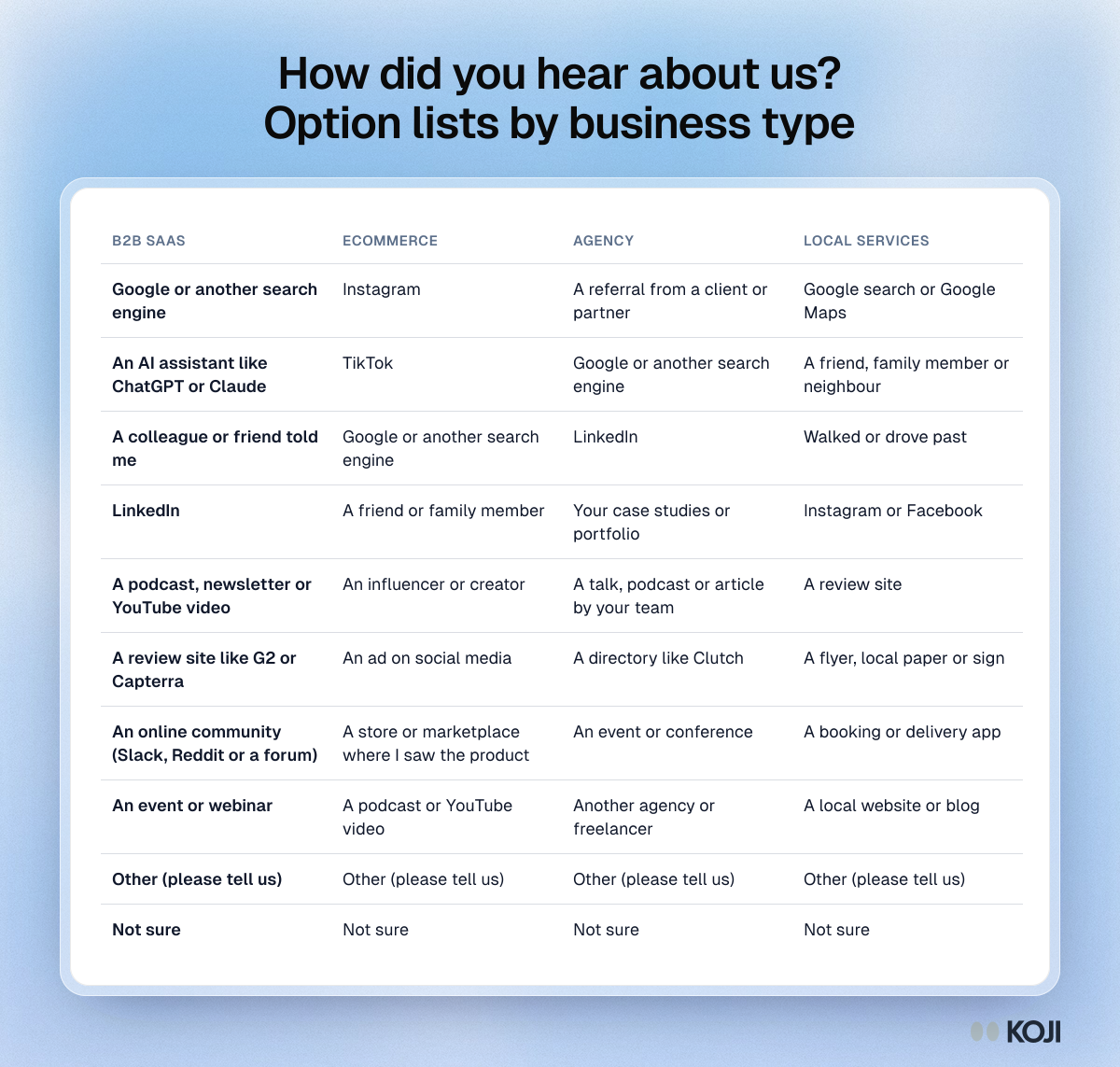
B2B SaaS
- Google or another search engine
- An AI assistant like ChatGPT or Claude
- A colleague or friend told me
- A podcast, newsletter or YouTube video
- A review site like G2 or Capterra
- An online community (Slack, Reddit or a forum)
- An event or webinar
- Other (please tell us)
- Not sure
Ecommerce
- TikTok
- Google or another search engine
- A friend or family member
- An influencer or creator
- An ad on social media
- A store or marketplace where I saw the product
- A podcast or YouTube video
- Other (please tell us)
- Not sure
Agencies and consultancies
- A referral from a client or partner
- Google or another search engine
- Your case studies or portfolio
- A talk, podcast or article by your team
- A directory like Clutch
- An event or conference
- Another agency or freelancer
- Other (please tell us)
- Not sure
Local services (salons, clinics, trades, restaurants)
- Google search or Google Maps
- A friend, family member or neighbour
- Walked or drove past
- Instagram or Facebook
- A review site
- A flyer, local paper or sign
- A booking or delivery app
- A local website or blog
- Other (please tell us)
- Not sure
Adjust the names to your market: Clutch, G2 and Capterra matter in some markets and not in others, and in some places the local equivalent is a community group or a messaging app.
Ask it at the right moment
Where you ask changes who answers and how well they remember.

- At signup or checkout: usually the most answers, while the memory is fresh. Keep it to the single question; nobody wants a survey before they've used the product.
- In a first-week interview: fewer answers, but deeper. People who've just started using you can explain what they compared and why they chose. This is where the follow-up earns its place.
- In a post-purchase message: good for ecommerce, where checkout space is precious. Expect a lower answer rate than at checkout.
Ask once per customer. Asking again a month later gets a different, less reliable answer.
How to read the answers
Count the first-heard channel, then read the reasons. A table of channels is a start. The follow-ups tell you which channel did the persuading.
Look for gaps with analytics, not agreement. The interesting finding is where the two disagree. If analytics credits "direct" and customers say "a podcast", the podcast is working and your analytics can't see it.
Watch "Other". If more than about one answer in ten is "Other", read the text and add the missing option.
Watch "Not sure". A high share usually means the question came too late, or the product spread through many small touches. That is a finding too.
Don't over-read small numbers. With 30 answers, a channel moving from 4 to 6 mentions is noise. Look at trends over several months.
For a deeper method on interviewing buyers about how they found you, see the playbook Self-reported attribution interviews.
Before you ship it
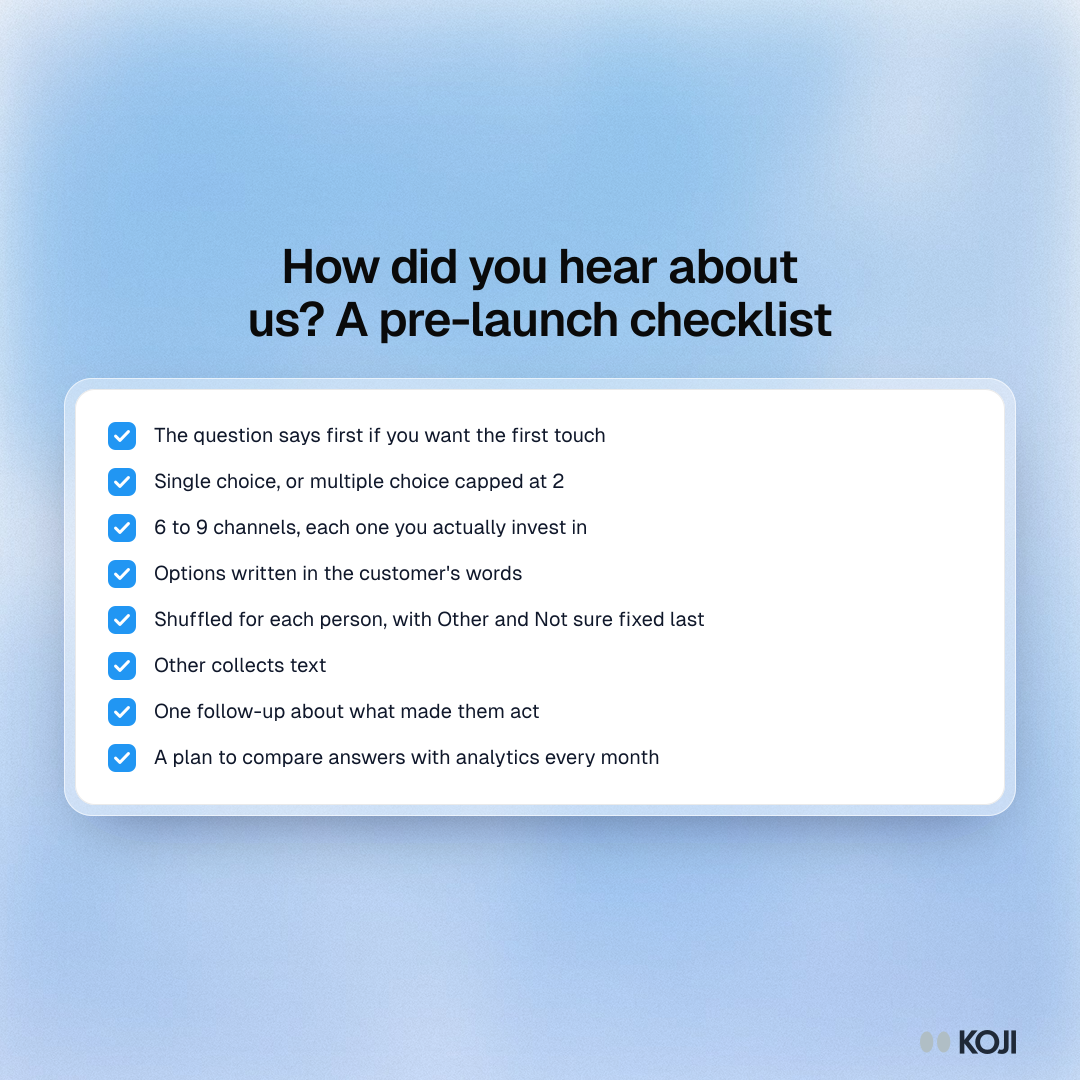
- The question says "first" if you want the first touch.
- Single choice, or multiple choice capped at 2.
- 6 to 9 channels, each one you actually invest in.
- Options in the customer's words.
- Shuffled for each person, with "Other" and "Not sure" fixed last.
- "Other" collects text.
- One follow-up about what made them act.
- A plan to compare with analytics every month.
How Koji helps
Koji asks this question inside a short AI-moderated interview, so the channel comes with the reason.
- Shuffled options with escape options kept last. Set the option order to Randomize except last 2, so the channels shuffle for each person and "Other" and "Not sure" stay at the bottom. Each participant keeps their order if they refresh, and the report lists options in your original order.
- Pick limits. For a multiple choice version, choose an Exact number or a Range, such as up to 2. Text interviews enforce it; voice interviews ask people to adjust.
- A follow-up after the pick. Set up to three follow-ups with guidance ("ask what made them decide to try us now"), and Koji asks it in the conversation, by text or voice.
- Reasons grouped for you. The report counts the channels and groups the follow-up answers into themes, with the quotes behind each one.
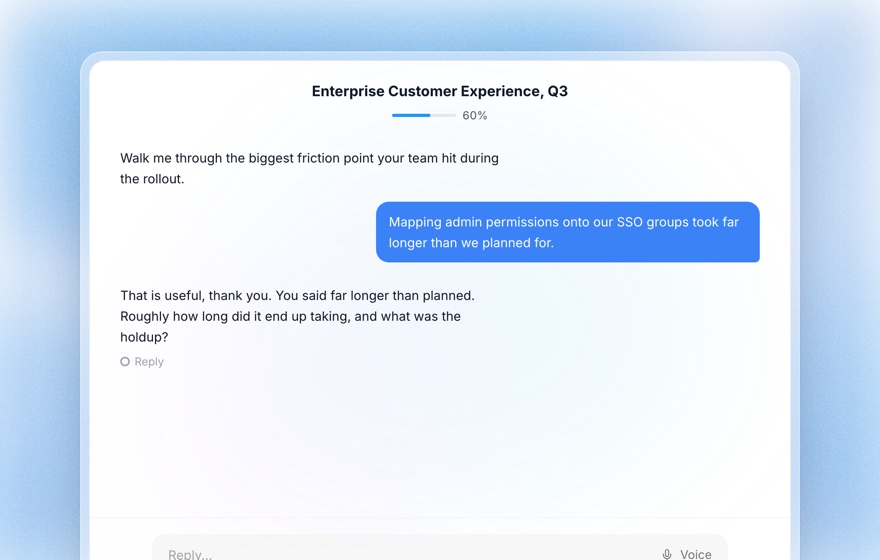
A form tool can shuffle a list too. The difference is the follow-up: you learn that "Google" meant "I heard you on a podcast, then searched your name", which a checkbox can't tell you. For the wording and order of "Other" and "Not sure", see None of the above, Other and Prefer not to say.
Common mistakes
- A fixed order with your favourite channel first. It inflates that channel.
- "Select all that apply" with no cap. Everything scores, nothing stands out.
- Internal jargon. "Organic", "paid social" and "referral" confuse customers.
- No follow-up. You get the channel without the reason.
- Treating the answers as the full truth. Memory is selective. Read them next to analytics.
Related Resources
- Structured Questions Guide: every question type and setting in Koji
- Survey Randomization Guide: how and when to shuffle options
- Question Order Bias: why the order of questions and options changes answers
- Post-Purchase Survey Guide: what to ask after someone buys
- Onboarding Survey Guide: questions for a customer's first weeks
- None of the Above, Other and Prefer Not to Say: wording and placing escape options
Sources
- SparkToro and Really Good Data, dark social traffic experiment, April 2023.
- Refine Labs, analysis of self-reported attribution against software attribution, 2023.
- Rand Fishkin, "The 3 big problems with asking how did you hear about us", SparkToro.
- Pew Research Center, "When Online Survey Respondents Only 'Select Some That Apply'", May 2019.
- Jon A. Krosnick and Duane F. Alwin, "An Evaluation of a Cognitive Theory of Response-Order Effects in Survey Measurement", Public Opinion Quarterly, 1987.
Related Articles
"None of the Above", "Other" and "Prefer Not to Say": How to Word and Place Escape Options
When to add None of these, Other, Not sure and Prefer not to say to a choice question, how to word them, where to put them, and copy-ready option sets for six common questions.
How to Build an Onboarding Survey That Reduces Time-to-Value
The complete guide to user onboarding surveys and experience feedback. Learn how to identify friction points, measure activation milestones, and optimize the first-run experience using Koji's conversational feedback.
How to Design Post-Purchase Surveys That Increase Repeat Buying
Learn how to design post-purchase surveys that measure satisfaction, improve the buying experience, identify cross-sell opportunities, and turn one-time buyers into loyal repeat customers using AI-powered conversational follow-up.
Question Order Bias: How Survey & Interview Sequencing Skews Your Data (2026)
Why the sequence of your questions changes the answers — the classic Pew and Schwarz findings, the four main order effects, a practical sequencing checklist, and how AI moderation neutralizes the risk.
Structured Questions in AI Interviews
Mix quantitative data collection — scales, ratings, multiple choice, ranking — with AI-powered conversational follow-up in a single interview.
Survey Randomization: How to Rotate Questions and Answer Options Without Wrecking Your Data (2026)
Randomizing answer order cancels primacy and recency bias — but randomize the wrong thing and you break your tracker, your skip logic and your comparability. The rules for what to rotate, what to anchor, and what to leave alone.